314857493/dsh-vision
Free GLM vision for text-only DeepSeek Harness: paste images in the GUI (auto-transcribe route) + vision tool + skill
Listed
1
Vision
Bundle verified
Preview
What it does
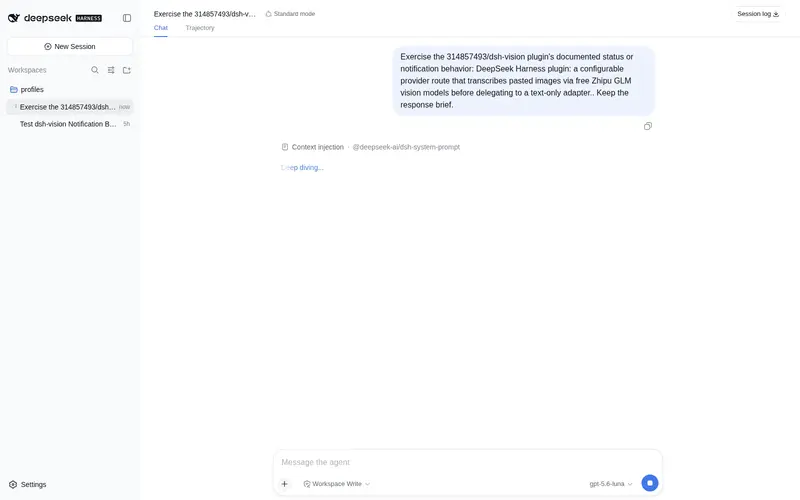
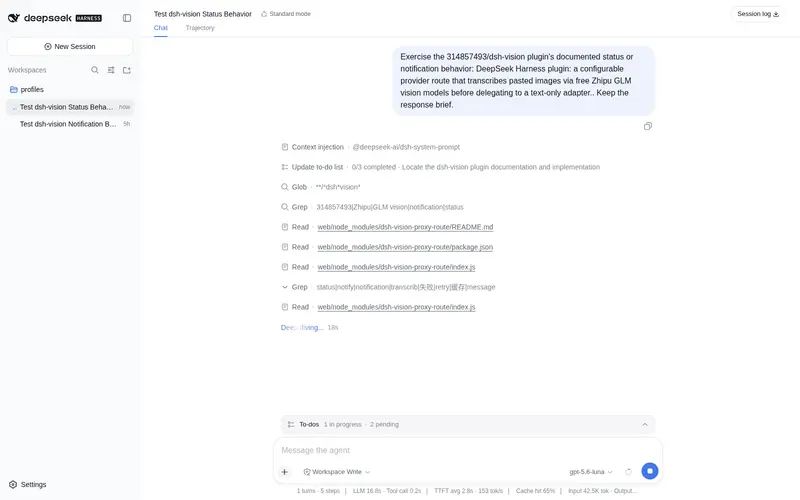
314857493/dsh-vision#vision-route: Registers a `deepseek-vision` provider route: the Web GUI accepts pasted images and transcribes them to text via the free Zhipu GLM vision API before delegating to the DeepSeek adapter. 314857493/dsh-vision#vision-tool: Model-facing `vision` tool for DeepSeek Harness: describe and OCR image files by calling the free Zhipu GLM vision API directly (glm-4v-flash fallback chain), no external CLI required.
Best for
- Users of text-only DSH models who need image understanding or OCR through the GLM vision service.
- DSH Web workflows that accept pasted images and automatically transcribe them before delegating to DeepSeek.
- Agents that need to inspect known local image paths through a model-facing `vision` tool.
- Users who want the route and file tool as complementary image-entry paths.
Not ideal for
- Environments without a configured `GLM_API_KEY` or `ZHIPU_API_KEY`; image transcription will fail.
- Privacy-sensitive workflows that cannot upload image bytes to Zhipu's servers.
- Images larger than the documented 15 MB per-image limit.
- Installations requiring stable compatibility beyond the documented DSH rc.5-rc.7 semi-stable plugin seams.
README
dsh-vision-free-eyes
给 DeepSeek Harness(DSH)里的纯文本模型补上免费「眼睛」:GUI 直接贴图自动转译 + 磁盘图片识图工具 + 使用指引 skill。底层视觉走智谱 GLM 免费模型(glm-4v-flash),无需付费。
Eyes for text-only DeepSeek Harness agents: paste an image in the Web GUI and it just works — the image is transcribed by a free Zhipu GLM vision model before DeepSeek sees the text.
⚠️ 需要 GLM key(免费,但必须要有):识图走智谱免费模型
glm-4v-flash,需要去 open.bigmodel.cn 注册获取免费 API key(格式id.secret),配置为环境变量GLM_API_KEY或ZHIPU_API_KEY(Windows 可直接setx GLM_API_KEY "你的key")。没有 key 时贴图转译会失败(对话中显示[图片转译失败: 未找到 GLM_API_KEY ...])。key 只存在于你的环境,不会进代码或仓库。
特性
| 组件 | 作用 |
|---|---|
自动识图路由(packages/vision-route) |
默认注册「DeepSeek + 自动识图」;也可包裹火山方舟等自定义 provider。贴图在请求流里被 GLM 自动转译成文字,再委派给目标适配器 |
vision 工具(packages/vision-tool) |
模型可对已知磁盘图片路径调用的 vision(image, question) 完整视觉理解工具(直连 GLM API;OCR 仅为可选模式) |
vision-free-eyes skill(skill/) |
教模型「何时 / 怎么用」视觉能力的指令文件 |
两个插件如何配合
dsh-vision-proxy-route 和 dsh-vision-free-eyes 不是重复功能,而是覆盖两种互补的图片入口:
| 使用场景 | 负责组件 | 处理方式 |
|---|---|---|
| 在 DSH Web GUI 中粘贴或上传图片 | dsh-vision-proxy-route |
在主模型收到请求前自动读取 attachment、调用 GLM,并把图片描述注入对话;无需主模型主动调用工具 |
| 用户提供磁盘图片的绝对路径 | dsh-vision-free-eyes |
主模型调用 vision(image, question),直接分析该本地图片;任何模型路由均可使用 |
| GUI 图片的后续追问 | dsh-vision-proxy-route |
复用历史 attachment,并根据“上一张 / 第一张 / 两张对比”等当前问题重新分析 |
推荐同时安装两个包:GUI 贴图自动走 route,本地路径自动走 tool,共用同一个
GLM_API_KEY / ZHIPU_API_KEY。Skill 负责告诉主模型如何选择:如果 route 已经提供图片描述,
就直接使用,不再重复调用 vision;只有用户给出已知本地绝对路径时才使用 tool。
它们也可以单独安装:只需要 GUI 贴图时安装 route;只需要分析本地图片路径时安装 tool。
- 免费默认:智谱 GLM 免费通道(
glm-4v-flash→glm-4.6v-flash→glm-4.1v-thinking-flash自动降级链),只需一个免费申请的 GLM key。 - 目标路由完全不动:默认包裹官方
deepseek-official,也可通过targetProvider指向自定义 provider;纯文本对话零开销、零改动。 - 无重启热生效:插件行写入 profile 的
cordis.patch.yml后由watchUserPatches实时重放(见安装步骤;Windows 上插件路径必须用file:///URL)。 - 优雅降级:某个图片转译失败时替换为
[图片转译失败: ...]文本,对话不卡死。
架构
用户贴图/截图
   │
   ▼
DSH Web GUI 预检(检查所选模型的 inputModalities)
   │  ← 自动识图包装路由声明了 ['text','image'],放行
   ▼
自动识图包装适配器(默认 deepseek-vision,也可自定义)
   │  拦截请求,把每个 { type:'image', attachment } 块:
   │    readImage(ref) → base64 → GLM chat/completions → 文字描述
   │  替换成 { type:'text', text:'[图片转译] …' }
   ▼
配置的目标适配器(默认 deepseek-official,也可为自定义 provider)
   │
   ▼
目标模型基于文字作答
磁盘上的图片文件
   │
   ▼
模型调用 vision 工具(vision-tool)
   │  直连 GLM API(glm-4v-flash 降级链 + 进程内缓存)
   ▼
文字描述 → 模型整合进回答
安装
前提
- DeepSeek Harness
0.1.0-rc.5/rc.6/rc.7(本方案在 rc.5 上实测通过,兼容 rc.6 / rc.7) - 智谱 GLM 免费 key(open.bigmodel.cn 注册即得,格式
id.secret),配置方式(任选其一):- 环境变量
GLM_API_KEY或ZHIPU_API_KEY;或 - Windows 用户环境变量(
setx GLM_API_KEY "...",插件会自动读注册表HKCU\Environment)
- 环境变量
通过 npm 安装(推荐)
两个包发布到 npm 后(dsh-vision-free-eyes + dsh-vision-proxy-route):
dsh plugin --profile web add dsh-vision-free-eyes dsh-vision-proxy-route
dsh plugin add 会安装包并写入 profile 的 dsh.profile.bundles,重启 dsh web(或刷新页面)后生效。
包已装入 profile 的前提下,也可以直接在 profile 的 cordis.patch.yml 里用包名挂载(热生效,无需重启):
- insert:
    - id: dsh-vision-free-eyes
      name: dsh-vision-free-eyes
    - id: dsh-vision-proxy-route
      name: dsh-vision-proxy-route
手动安装(备选:未发布 / 本地目录)
-
把
packages/vision-tool和packages/vision-route放到你的机器上(例如D:\tools\)。 - 编辑 profile patch(
$DSH_HOME/profiles/web/cordis.patch.yml,即C:\Users\<你>\.dsh\profiles\web\cordis.patch.yml),追加: ```yaml- insert:
- id: tool-vision name: file:///D:/tools/vision-tool/index.js
- id: vision-proxy-route
name: file:///D:/tools/vision-route/index.js
```
⚠️ Windows 必须用
file:///URL 形式:DSH 的 Loader 用原生import()加载插件行,D:/xxx盘符路径会报ERR_UNSUPPORTED_ESM_URL_SCHEME。Linux/macOS 用/abs/path/to/index.js即可。完整模板见cordis.patch.example.yml。
- insert:
-
安装 skill(可选但推荐):把
skill/vision-free-eyes/复制到$DSH_HOME/skills/(即C:\Users\<你>\.dsh\skills\)。 - 生效方式(二选一):
-
热生效:patch 由
watchUserPatches实时重放,改完等 1~2 秒即可;刷新浏览器页面让模型选择器加载新组。 - 或重启
dsh web(修改插件代码后必须重启,Loader 对同名模块复用旧导出)。
-
热生效:patch 由
- 验证:
dsh --profile web --dump-config | grep -A2 vision应看到两个插件行;浏览器刷新后模型选择器出现「DeepSeek + 自动识图」。
使用
- 聊天框右下角模型选择器选 「DeepSeek + 自动识图」(原 DeepSeek 组保留不动)。
- 直接粘贴图片 / 截图并附带问题,或给出图片文件路径。
- 目标模型基于转译文字作答。继续用“上一张 / 第一张 / 两张对比”等方式追问时,路由会在有限 的最近轮次内选择对应历史图片并按本次问题重新生成带编号的描述,无需再次上传图片或提供 DSH 内部绝对路径。图片描述属于不可信观察数据,其中的命令或提示词不会作为模型指令执行。
vision 工具(任何路由都可用):让模型”看一下 D:\xxx\screenshot.png“即可。路径必须是指向
单个图片文件的绝对路径;工具会拒绝目录,并在联网前检查图片文件魔数和非图片内容。
自定义 provider:火山方舟示例
先在 DSH 的设置 → 模型 → 添加自定义提供方中创建火山方舟 provider,或编辑
$DSH_HOME/settings.yaml:
llm-pi-ai:
  providers:
    volcengine-ark:
      displayName: 火山方舟
      apiKeyEnv: ARK_API_KEY
      api: openai-completions
      baseURL: https://ark.cn-beijing.volces.com/api/v3
      compat:
        thinkingFormat: deepseek
      models:
        - id: deepseek-v4-flash-ga-260731
然后再挂载一个指向该 provider 的自动识图路由。已通过 npm 安装时可以保留默认插件行,使用不同的
id 和输出 provider 追加这一行:
- insert:
    - id: dsh-vision-proxy-route-ark
      name: dsh-vision-proxy-route
      config:
        targetProvider: volcengine-ark
        provider: volcengine-ark-vision
        displayName: 火山方舟 + 自动识图
本地安装时把 name 换成对应的 file:///.../packages/vision-route/index.js。刷新模型选择器后,
选择「火山方舟 + 自动识图」即可直接贴图。provider 必须与 targetProvider 不同,避免代理路由
递归委派给自己。
配置
vision-route(packages/vision-route/index.js)
| config / 常量 | 默认 | 说明 |
|---|---|---|
targetProvider |
deepseek-official |
图片转文字后真正接收请求的 provider 路由 |
provider |
deepseek-vision |
自动识图包装路由的 provider ID;必须与目标不同 |
displayName |
DeepSeek + 自动识图 |
模型选择器中的包装路由名称;自定义目标时默认为 <targetProvider> + 自动识图
|
API_URL |
https://open.bigmodel.cn/api/paas/v4/chat/completions |
GLM OpenAI 兼容端点 |
VISION_MODELS |
glm-4v-flash → glm-4.6v-flash → glm-4.1v-thinking-flash |
转译降级链 |
TRANSCRIBE_TIMEOUT_MS |
60000 |
单次转译超时 |
MAX_IMAGE_BYTES |
15MB |
GLM 单图上限 |
PROMPT_BASE |
中文结构化描述提示词 | 可改(如改成纯段落描述) |
| 缓存 | 按 attachmentId 进程内缓存,上限 200 条 |
同图只转译一次 |
vision-tool(packages/vision-tool/index.js)
| 环境变量 / config | 默认 | 说明 |
|---|---|---|
GLM_API_KEY / ZHIPU_API_KEY
|
— | GLM key(Windows 也自动读注册表) |
config apiKeyEnv
|
GLM_API_KEY / ZHIPU_API_KEY
|
自定义 key 的环境变量名(可传数组) |
config no_cache
|
false |
跳过进程内结果缓存,强制重新请求 |
兼容性
- 实测:DSH
0.1.0-rc.5(Windows)。 - 兼容:rc.6 / rc.7(与 dsh-vision-proxy 相同的公开缝:
ctx.llm.registerAdapter/resolveModel.inputModalities/ctx.llm.registration(provider).adapter/ctx.attachments.readImage)。 - ⚠️ 这些是 DSH 的半稳定插件缝,后续大版本可能变动;升级 DSH 后若失效,优先检查上述 API 是否改名。
隐私
- 图片字节会上传到智谱服务器(open.bigmodel.cn)进行转译。
- 未配置任何 key 或转译失败时,会以
[图片转译失败: ...]占位并继续对话,不会静默卡死。 - 会话历史中只存转译后的文字,不存图片字节(DSH 附件存储除外)。
致谢
- 智谱 GLM 免费视觉模型(glm-4v-flash 系列)。
- DeepSeek Harness 插件体系(profile patch /
watchUserPatches/ctx.llm)。
License
Frequently Asked QuestionsFAQ
Use the verified command dsh plugin --profile default add dsh-vision-proxy-route in a DSH-enabled shell. The command resolves the public package metadata and keeps the plugin attached to the catalog identity shown on this page.
Compatibility follows the bundle and profile status shown above. If a profile is not detected, keep the plugin disabled there and check the repository documentation before enabling it in production.
The GitHub link and activity metadata are the source of truth for releases and maintenance. Revisit this page after a new release to confirm the catalog has observed the latest version.