3274375092/dsh-voice
Voice input plugin for DeepSeek Harness: mic → local/browser speech recognition → text submitted as a normal chat message. Input-only and preset-agnostic.
Listed
4
Voice
Bundle verified
Preview
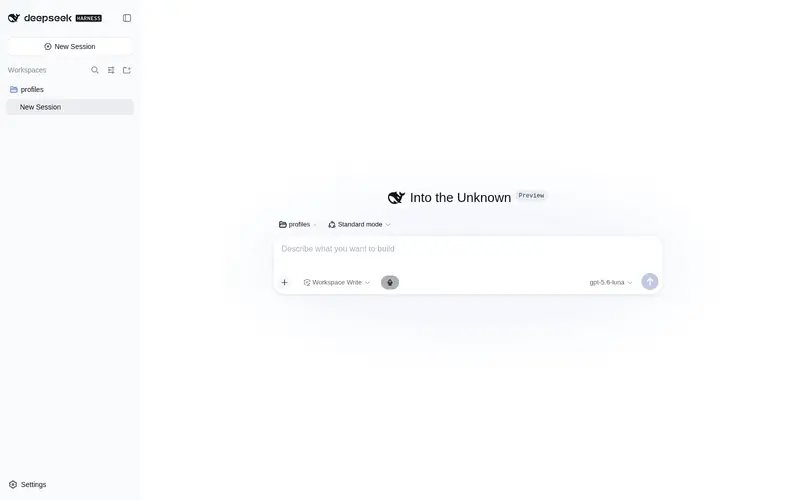
What it does
Voice input for DeepSeek Harness: speak into the microphone and the recognized text is submitted as a normal chat message, via local or browser speech recognition.
Best for
- DSH Web users who prefer speaking instead of typing chat messages.
- Users who want input-only voice support that does not alter presets, personas, or system prompts.
- Privacy-conscious workflows that can install the optional local sherpa-onnx recognition runtime and models.
- Zero-setup users whose browser provides Web Speech recognition.
Not ideal for
- Users seeking speech output, text-to-speech, or voice-agent conversation; the plugin is input-only.
- Headless or non-web workflows without browser microphone capture and the composer UI.
- Offline recognition setups unwilling to install the optional native runtime and roughly 100 MB model download.
- Browser-only setups where Web Speech is unavailable or disallowed and no native model is configured.
README
dsh-voice 🎤
| English | 中文 |
A voice input plugin for DeepSeek Harness: click 🎤 in the web UI (or press a hotkey), speak, and the recognized text is submitted as a normal chat message. Input only — it never touches the agent preset/persona, so it behaves like “another input method” in every mode.


Features
- 🎤 Voice input: microphone button (platform design-system UI) + configurable global hotkey (Ctrl+Space by default)
- ⚡ Live recognition: streaming partial transcripts are echoed while you speak; VAD finalization commits on stop (0.6s tail padding keeps sentence endings)
- 🧠 Adaptive dual engine: host-native ASR (sherpa-onnx-node zipformer2 + silero VAD, offline/private) with automatic fallback to browser Web Speech (zero extra dependencies)
- 🔌 Preset-agnostic: does not touch the persona/system prompt; works with code/standard/minimal/custom presets
- 📦 Optional models: zero-config out of the box; run
dsh-voice-modelswhen you want native offline recognition
Installation
# Plugin
dsh plugin --profile web add @nn12138/dsh-voice

# Optional: offline native recognition (the plugin does not auto-install this runtime)
dsh plugin --profile web add sherpa-onnx-node
dsh-voice-models            # one-shot model download (~100MB) → ./dsh-voice-models

# Optional: configuration (edit ~/.dsh/profiles/web/cordis.patch.yml)
- id: voice
  config:
    modelDir: './dsh-voice-models'   # native ASR model directory
    hotkey: 'ctrl+space'             # global hotkey
    vadThreshold: 0.3                # lower = less clipping at sentence boundaries
    tailPadSeconds: 0.6              # tail-padding duration
    engine: auto                     # auto (default) | native | browser
The row-level config is received by the host half. engine and hotkey are synced to the browser half over the /voice.config loopback RPC, so there is no separate client config to write. auto probes host native capability: with a model it uses native; without one it falls back to Web Speech, so zero-config users keep working. Restart dsh web after changing the config.
dsh web # 🎤 button appears on the left of the composer, or press Ctrl+Space
See USAGE.md and INSTALL.md (Chinese) for details.
How it works
Browser captures mic audio (auto-resampled to 16 kHz)
  → PCM base64 chunks (256 ms) → /voice RPC channel (loopback)
  → host: silero VAD + zipformer2 streaming decode
  → partials returned per chunk (live echo) / finals committed
    (VAD segmentation + 0.6s tail padding)
  → conversation service submits the text (same path as typing)
Engine selection: the host resolves the effective engine (config + model-load result) and the client consumes it via /voice.ping — native unavailable falls back to browser Web Speech. /voice.config carries the row-level engine/hotkey from host to client.
Development
pnpm install --ignore-workspace        # standalone deps (no DSH monorepo needed); prepare auto-builds
pnpm --ignore-workspace test           # unit tests (including real-model smoke tests)
pnpm --ignore-workspace typecheck      # type check
pnpm --ignore-workspace build          # build (tsc host half + tsdown client half)
Real-model smoke tests look for the local voxelf assets and skip when absent; override with:
DSH_VOICE_MODEL_DIR (model directory) / DSH_VOICE_TEST_WAV (test wav) / DSH_VOICE_DOWNLOADED_MODELS (downloaded model directory).
Layout: src/index.ts (host half) / src/client/ (browser half) / src/core/ (recognition core) / tools/ (wire-protocol smoke tools + model downloader).
License
MIT
Frequently Asked QuestionsFAQ
Use the verified command dsh plugin --profile default add github:3274375092/dsh-voice in a DSH-enabled shell. The command resolves the public package metadata and keeps the plugin attached to the catalog identity shown on this page.
Compatibility follows the bundle and profile status shown above. If a profile is not detected, keep the plugin disabled there and check the repository documentation before enabling it in production.
The GitHub link and activity metadata are the source of truth for releases and maintenance. Revisit this page after a new release to confirm the catalog has observed the latest version.