54xkeee/dsh-youreyes
Eyes for text-only DeepSeek on DeepSeek Harness: model-invokable vision tool + wrapper adapters + general VLM channels (OpenAI-compatible / Gemini / local Ollama)
Listed
1
Vision
Bundle verified
Preview
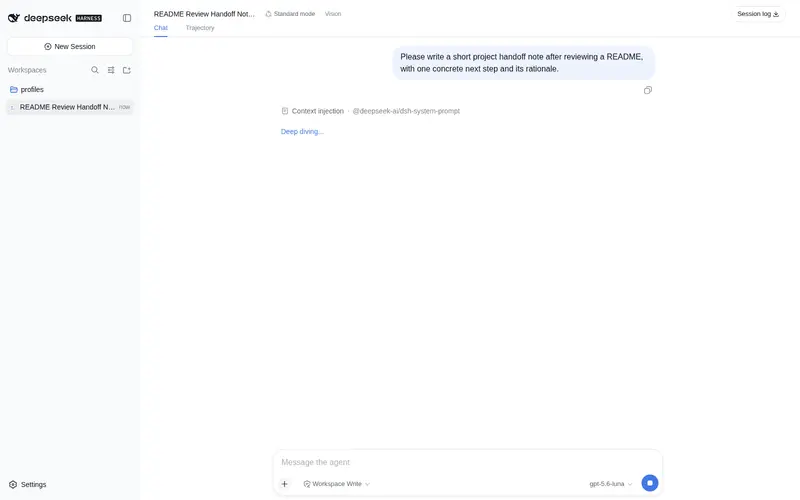
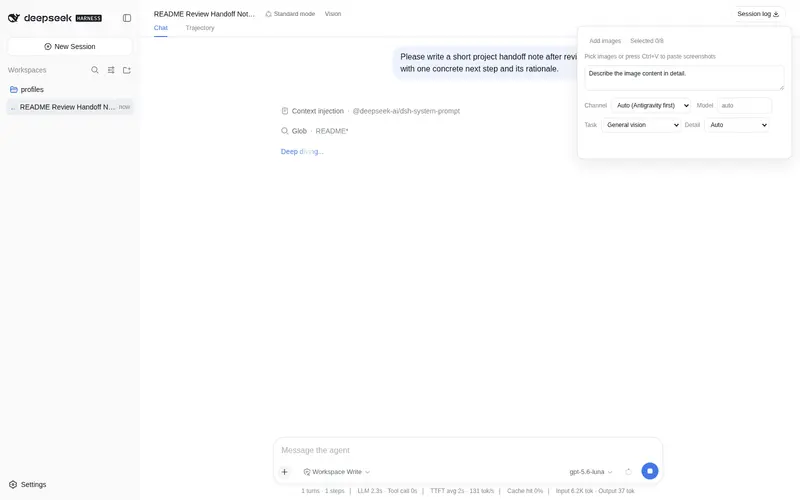
What it does
Vision toolkit for text-only DeepSeek: model-invokable `vision` tool, wrapper adapters for deepseek/opencode-go (v4 flash/pro), Antigravity IDE quota (default, flash/pro) / any OpenAI-compatible VLM / Gemini / local Ollama channels, evidence memory with compaction rehydration, content-hash cache, and a bilingual client panel.
Best for
- Users who want text-only DeepSeek to inspect images through Antigravity, OpenAI-compatible VLMs, Gemini, or local Ollama.
- Workflows involving OCR, focused-region inspection, or comparisons of two or more images.
- Long conversations that benefit from persisted visual evidence, compaction rehydration, and duplicate-analysis caching.
Not ideal for
- Inputs with an image over 8 MB or more than eight images in one request.
- Users who have neither a running configured Antigravity IDE nor an available OpenAI-compatible, Gemini, or Ollama vision channel.
- Privacy-sensitive workflows using remote channels when images must never leave the local machine; local Ollama is the documented local option.
README
👁️ dsh-youreyes
| English | 简体中文 |
给纯文本 DeepSeek 一双眼睛。 在 DeepSeek Harness 里粘贴图片、截图、文件路径——模型就能”看见”并回答与图片相关的问题。DeepSeek 依然是大脑,识图只是眼睛。



一句话:DeepSeek 不会看图?装上它就会了——粘贴、识图、回答,三步完成。
✨ 为什么值得用
| 痛点 | dsh-youreyes 的解法 |
|---|---|
| DeepSeek 纯文本,粘贴图片直接被拒 | 包装适配器声明图片输入,图片自动转文本占位,不再报错 |
| 别的识图插件只认自家 API | 反重力(默认)+ 任意 OpenAI 兼容端点 + Gemini + 本地 Ollama,你的 key 都能用 |
| 配置麻烦、要注册一堆东西 | 本地 Ollama 零配置自动检测;有 Gemini 免费 key 一行配置即可 |
| 模型看到图但”忘了” | 视觉证据记忆:识图结果写入会话,后续轮次可复用,压缩后自动恢复 |
| 同一张图反复花钱识别 | 内容哈希缓存:同图同问进程内只识别一次 |
| 复杂画面识别不准 | auto 档位分流:先标准检查,画面复杂自动升级深度检查 |
| WSL / 被墙环境连不上 API | winCurl 自动降级:fetch 失败自动走 Windows curl 重试 |
🎯 真实效果(2026-08-15 实测,全链路真实调用)
输入:一张橘猫照片 + 这是什么动物?它在做什么?请用中文回答。
输出(Gemini 通道):
这是一只橘色虎斑猫(橘猫)。它正四脚朝天、肚皮朝上地仰卧在黑色床单/毯子上安稳地睡觉,姿态非常放松惬意。
输出(OpenAI 兼容通道 · 通义 qwen3.7-flash):
这是一只橘猫(或者叫橘色虎斑猫)。它正四脚朝天地仰面躺在深色的床单(或毯子)上。它闭着眼睛,看起来睡得很沉或很香;阳光照在它身上形成了明显的光影;四肢完全伸展,呈现出一种非常舒展、毫无防备的姿态。
你粘贴图片 + 提问
  → dsh-youreyes 把图片转成占位符,DeepSeek(大脑)看到
  → DeepSeek 调用 vision 工具 → 通用视觉通道识图
  → 文字证据回填 → DeepSeek 继续回答
🧠 识图引擎——复杂识图到底怎么工作
天真的”看图→描述”循环在密集截图、表格、UI 原型和多图对比面前会崩。dsh-youreyes 把识图做成了结构化、自动升级、带记忆的流水线:
1. 档位自动升级——它知道一遍不够
detail: auto 走两遍策略:
第一遍(standard + 预判)──▶ complexity == "simple" ──▶ 完成
                            └─▶ complexity == "complex" ──▶ 第二遍(deep)──▶ escalated 结果
视觉模型自己判断画面复杂度。以下情况都会判为 complex 并自动触发深度检查:
- 多主体关系 · 密集小字 · OCR 密集内容
- 表格 / 图表 / 代码 / 界面 · 计数 · 对比 / 找差异
- 专业画面 · 多步空间推理
响应带 escalated 标记,你永远知道是哪一遍回答的。
2. 四种任务模式,一个工具
| 模式 | 干什么 | 典型场景 |
|---|---|---|
glance |
通用理解,围绕你的问题选证据 | 日常提问 |
ocr |
按自然阅读顺序转录文字,保留标题/段落/表格/界面层级 | 截图、文档、报错信息 |
region |
聚焦一个区域——归一化坐标 0.1,0.2,0.8,0.9 或自然语言(”右上角”) |
UI bug、图表细节 |
compare |
逐项列出 ≥2 张图的异同与置信度 | 前后对比、版本对比、A/B |
3. 结构化证据,不是流水账
每次识图都要求视觉模型输出严格 JSON 证据对象:
{
  "complexity": "simple|complex",
  "base_evidence": {
    "summary": "中性概述",
    "ocr": "可见文字(没有则为空)",
    "layout": ["布局观察"],
    "entities": ["实体"],
    "relations": ["关系"],
    "uncertainty": ["明确的不确定项"]
  },
  "query_answer": "直接回答用户"
}
观察与推断分离、不确定性显式写出(绝不脑补)、每项列表限长(≤8 项、≤160 字)——上下文始终保持紧凑。
4. 长上下文视觉记忆——模型永远不会”忘”它看过什么
这是让识图跨轮次真正有用的部分:
- 每次结果作为持久化
<dsh-youreyes-evidence>记录写入会话时间线(插件 notice 消息),而不是只返回一次。 - 跨轮复用:同一张图 + 同一个问题直接命中已有记录——识别一次,永远记住。
-
视觉记忆清单:每次请求流自动附带近期证据目录(
attachment=… | mode=… | detail=… | summary),模型可以主动追问——放大区域、重新 OCR、跟新截图对比——你什么都不用重新粘贴。 - compaction 恢复:长会话被 DSH 压缩后,近期视觉记录自动恢复——记忆扛得住摘要。
5. 内容哈希缓存——同样的像素绝不付两次钱
缓存键 = SHA-256(图片字节) + prompt + detail + mode + region + model + channel + prompt版本。进程内 LRU(64 条)保证同一张图用同一种问法每个进程最多识别一次——跨会话也生效。
6. 上游流修复
repairLegacyPlanningStream 会把部分 OpenAI 兼容 DeepSeek 路由误报成 text 的工具前规划重新标记——工具调用流在任何后端上都保持干净。
🚀 快速开始
方式零:反重力 IDE(默认通道,配置后优先)
使用 Antigravity IDE(已启动并登录)时,把它配为默认识图通道——识别走你的 IDE 订阅额度(flash/pro 双档,按模型名自动选择):
- insert:
    - id: youreyes
      name: dsh-youreyes
      config:
        antigravityWorkspace: /path/to/workspace
        antigravityProjectId: your-project-id
        antigravityLsExe: /path/to/language_server.exe
        antigravityWindowsHome: /mnt/c/Users/you
        antigravityBrainDir: /mnt/c/Users/you/.gemini/antigravity/brain
端口/CSRF 每次调用自动发现,IDE 重启也不用改配置;IDE 不可用时自动降级 Gemini → OpenAI → Ollama。
方式一:本地 Ollama(零配置,最省心)
# 1. 安装 Ollama 并拉一个视觉模型
ollama pull llama3.2-vision   # 或 llava / qwen2.5vl
# 2. 装插件(除了 Ollama 之外什么都不需要!)
dsh plugin --profile web add dsh-youreyes
# 3. 重启 dsh web,完事
插件启动时自动检测本地 Ollama(autoOllama: true 默认开),图片不出本机,无 key、无注册、无费用。
方式二:Gemini API(免费额度,一行配置)
dsh plugin --profile web add dsh-youreyes
# 然后编辑 profile 的 cordis.patch.yml,给 youreyes 加 config:
- insert:
    - id: youreyes
      name: dsh-youreyes
      config:
        geminiApiKey: AIza...   # 去 https://aistudio.google.com/apikey 免费申请
方式三:任意 OpenAI 兼容端点(智谱 / 通义 / OpenRouter / 本地 vLLM…)
- insert:
    - id: youreyes
      name: dsh-youreyes
      config:
        openaiBaseUrl: https://open.bigmodel.cn/api/paas/v4   # 智谱
        openaiApiKey: xxx
        openaiModel: glm-4.6v-flash
使用
- 面板:会话头部点「识图」→ 添加/粘贴图片 → 填提示词 → 选模式/档位/通道 → 识别。
-
对话流:模型选择器选
DeepSeek (Vision Toolkit),直接粘贴图片发送——模型自动调用识图。
🧪 配置自检(验证你的通道真的能用)
装好后,最快验证方式——直接调 HTTP 接口(/api/youreyes/vision),一分钟内确认通道通不通:
# 把 base64 图片发过去,看返回
python3 - << 'EOF'
import base64, json, urllib.request
b64 = base64.b64encode(open('test.jpg','rb').read()).decode()
req = urllib.request.Request('http://127.0.0.1:3080/api/youreyes/vision',
  data=json.dumps({'images':[{'image':b64,'mime':'image/jpeg'}],
    'prompt':'图片里有什么?','channel':'auto'}).encode(),
  headers={'content-type':'application/json'})
print(json.loads(urllib.request.urlopen(req, timeout=120).read())['text'])
EOF
看到文字描述 = 通道已通。若报错,看下面的 Troubleshooting 表。
⚙️ 完整配置
| Key | 默认 | 说明 |
|---|---|---|
defaultChannel |
auto |
面板默认通道:auto(反重力优先)/ antigravity / openai / gemini / ollama
|
defaultModel |
gemini-3.7-flash |
面板默认模型 |
antigravityWorkspace |
"" |
反重力工作区(WSL 路径) |
antigravityProjectId |
"" |
反重力项目 id |
antigravityLsExe |
"" |
language_server.exe 路径 |
antigravityWindowsHome |
"" |
Windows 用户主目录(项目文件用) |
antigravityBrainDir |
"" |
反重力 brain transcript 目录 |
openaiBaseUrl |
https://open.bigmodel.cn/api/paas/v4 |
OpenAI 兼容端点(自动追加 /chat/completions) |
openaiApiKey |
"" |
OpenAI 兼容端点 key(或环境变量 YOUREYES_OPENAI_API_KEY) |
openaiModel |
glm-4.6v-flash |
OpenAI 兼容端点模型 |
geminiApiKey |
"" |
Gemini API key(AIza… / AQ.) |
geminiModel |
gemini-3.7-flash |
Gemini 模型 |
autoOllama |
true |
启动时自动检测本地 Ollama |
ollamaBaseUrl |
http://127.0.0.1:11434 |
Ollama 地址 |
ollamaModel |
"" |
Ollama 模型(空则自动选视觉模型) |
winCurlPath |
"" |
WSL 降级:fetch 失败时用 Windows curl.exe 重试 |
maxTokens |
2048 |
视觉模型最大输出 token |
timeoutMs |
60000 |
单次请求超时 |
maxImageBytes |
8MB |
单张图片上限 |
maxImages |
8 |
一次最多图片数 |
visionUpstreams |
["deepseek", "opencode-go"] |
对话流包装 provider 的上游列表(deepseek 中转 + opencode-go 的 flash/pro 全系) |
cacheMax |
64 |
内存 LRU 缓存条数 |
allowedImageDirs |
[] |
非空时仅允许 image_path 读取这些目录 |
🎨 支持的后端一览
| 场景 | baseURL | 模型示例 | 说明 |
|---|---|---|---|
| 本地 Ollama(自动检测) | http://127.0.0.1:11434 |
llama3.2-vision / llava
|
零配置,图片不出本机 |
| 智谱(免费档) | https://open.bigmodel.cn/api/paas/v4 |
glm-4.6v-flash |
免费档,注册即用 |
| 通义 / DashScope | https://dashscope.aliyuncs.com/compatible-mode/v1 |
qwen3-vl-flash |
便宜、快、无速率限制 |
| Gemini(免费额度) | (内置) | gemini-3.7-flash |
AI Studio 免费 key |
| OpenRouter | https://openrouter.ai/api/v1 |
qwen/qwen-2.5-vl-72b |
一家 key 用遍所有模型 |
| 本地 vLLM / 任意网关 | 你的端点 | 你的模型 | 只要说 /chat/completions 就行 |
🔧 Troubleshooting
| 症状 | 原因 & 解决 |
|---|---|
gemini channel: 503 high demand |
Gemini 模型暂时过载,稍后重试或换模型 |
fetch failed 然后还是失败 |
网络不通(WSL/被墙):配置 winCurlPath: /mnt/c/Windows/System32/curl.exe 走 Windows 网络栈 |
401 / auth |
key 不对或已失效,检查配置 |
model not found |
模型 id 拼错,或该端点没有这个模型 |
| 图片超过限制 | 单张 >8MB 或一次 >8 张,压缩后再试 |
| 面板点了没反应 | 刷新浏览器页面重载客户端 bundle |
🔒 隐私
- 默认通道:你配置的 API 端点(OpenAI 兼容 / Gemini)。本地 Ollama 时图片完全不出本机。
-
API key:只存于配置文件,错误信息自动脱敏(
***),绝不写入日志。 - 图片内容:仅在识别时发送给视觉端点;识别结果(文字)写入你的会话,可随时删除会话。
🏗️ 架构(给插件开发者)
src/
├── index.ts        # 服务端:适配器注册、vision 工具、/api/youreyes/vision、compaction 恢复
├── vision-core.ts  # 核心:提示词构建、响应归一、证据记录、占位符、流修复
├── channels.ts     # 通用视觉通道:openai / gemini / ollama(含 winCurl 降级)
└── client/
    ├── entry.ts
    └── plugin.tsx  # 客户端面板(多图/粘贴/模式/档位/通道)
-
证据记忆:识图结果以
<dsh-youreyes-evidence>标记写入会话时间线,跨轮复用;请求流自动附带视觉记忆清单,模型可据此追问。 - compaction 恢复:会话压缩后自动补回近期视觉记录。
- 流修复:兼容把工具前规划误报成 text 的上游路由。
-
接口三件套:
vision工具(agent 调用)、/api/youreyes/vision(HTTP)、包装 provider(模型选择器)。
🛠️ 开发
git clone https://github.com/54xkeee/dsh-youreyes
cd dsh-youreyes
npm install
npm run build     # esbuild 构建 lib/index.js + lib/client.js
npm test          # node --test
📄 License
🙏 Credits
- 架构与特色继承自内部项目 dsh-vision(vision-toolkit:占位符 + vision 工具 + 包装适配器 + 证据记忆)
- 通道与错误处理参考 dsh-vision-proxy、dsh-vision 等社区插件的公共约定
Frequently Asked QuestionsFAQ
Use the verified command dsh plugin --profile default add github:54xkeee/dsh-youreyes in a DSH-enabled shell. The command resolves the public package metadata and keeps the plugin attached to the catalog identity shown on this page.
Compatibility follows the bundle and profile status shown above. If a profile is not detected, keep the plugin disabled there and check the repository documentation before enabling it in production.
The GitHub link and activity metadata are the source of truth for releases and maintenance. Revisit this page after a new release to confirm the catalog has observed the latest version.