940842546/dsh-usage-billing
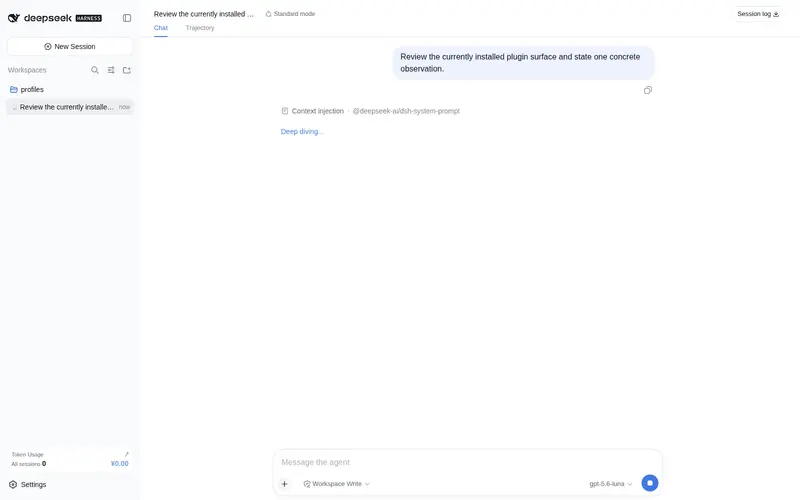
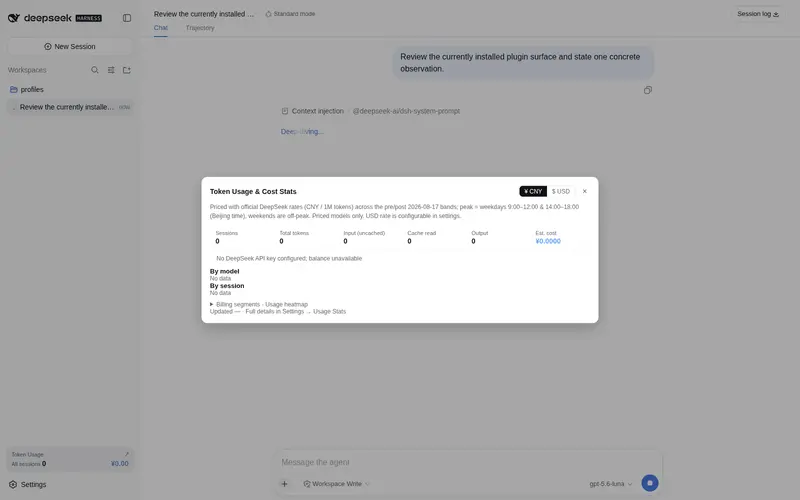
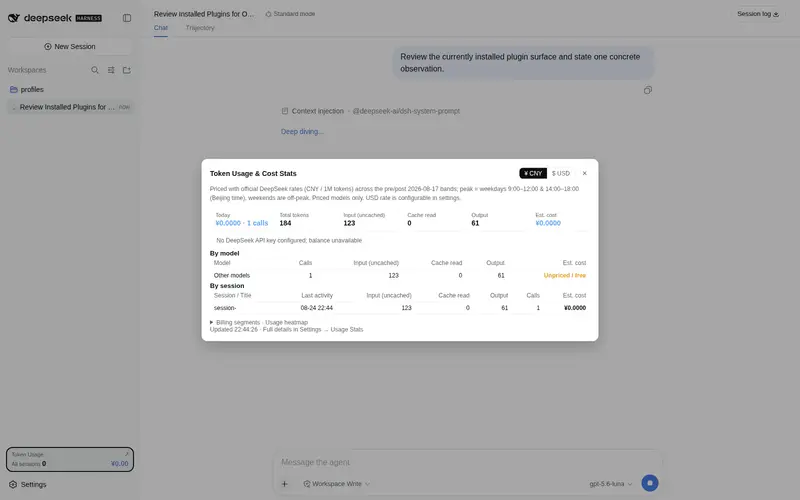
Usage and cost statistics with peak/off-peak pricing after the 2026-08-17 rate change, a floating summary panel, per-session breakdowns, and a day/week/month/year/all usage heatmap.
Listed
5
Usage
Bundle verified
Preview
What it does
Usage and cost statistics with peak/off-peak pricing after the 2026-08-17 rate change, a floating summary panel, per-session breakdowns, and a day/week/month/year/all usage heatmap.
Best for
- DeepSeek Harness users who need local token and cost tracking by session, model, period, and peak/off-peak price segment.
- Users managing budgets or reconciling usage through threshold alerts, historical backfill, heatmaps, and CSV or JSON exports.
Not ideal for
- Deployments running multiple instances against the same statistics file, because concurrent writes can overwrite each other.
- Users who need pricing changes applied retroactively; edited prices and time boundaries affect only subsequent calls.
README
dsh-usage-billing · DeepSeek 用量与消费统计插件


| 中文 | English |
针对 DeepSeek Harness 的免构建双面插件:自动统计本机所有会话的 DeepSeek 模型调用,按官方定价分段计费,并在主界面与设置页提供图表化的用量面板。
计费口径:2026-08-17 00:00(北京时间)前旧价;之后峰谷定价(高峰 9:00–12:00、14:00–18:00,其余空闲时段)。价格表见文末。
功能
-
全自动统计:监听
llm/stream,所有会话的每次模型调用都会被记录(输入/输出/缓存命中/未命中 tokens) - 历史回填:首次启动自动扫描本机会话日志,重建历史用量与消费,并附会话标题
- 分段计费:按北京时间自动归入「调价前旧价 / 调价后高峰 / 调价后空闲」三段
- 预算告警通知:跨 80%/100% 阈值时桌面 toast 主动提醒(每日每档一次),进度条临近变橙、超支变红
- 定价可配置:价格表、高峰时段、调价边界日期、美元汇率均可编辑(改动只对后续调用生效),一键恢复默认
- 数据导出:一键导出 CSV(按日 / 按会话,文件名含日期范围)或 JSON,便于对账
- 官方余额拉取:自动检测已配置的 DeepSeek API Key,拉取官方账户余额(总余额 / 充值 / 赠金),每 10 分钟自动刷新,未配置 Key 时静默跳过
- 日趋势图:设置页近 30 天每日费用柱状图
- 统计更稳健:写入带 temp 副本,主文件损坏时自动恢复;双实例心跳检测告警
-
主界面:
- 侧边栏底部「Token 用量」卡片(当前模型 + 本会话 tokens/费用,千分位显示)→ 点击弹出居中「Token 用量与费用统计」弹窗(¥/USD 币种切换、总览卡片、按模型/按会话表格、预算进度、官方余额、分段占比、用量热力图)
- 输入框下方常驻一行当前会话的用量
- 设置页 → 用量统计:完整明细(统计卡片、预算进度、分段占比、日/周/月/年/累计热力图(悬停即时显示 token 与金额)、按会话 Top 8、按模型、最近调用、回填/清空/导出、计费与预算设置)
-
动态工具
usage_stats:模型可直接查询统计(“现在用了多少钱?”“今天呢?”——支持 today/month/all 范围) -
持久化:数据写入写策略根目录
.dsh-usage-stats.json,重启不丢 - 中英双语:所有界面文案跟随应用语言设置即时切换(中文 / English)
界面预览
以下截图基于虚构演示数据。
统计弹窗 · 总览(主界面侧边栏卡片点开)

统计弹窗 · 图表区(分段占比 + 用量热力图,支持 ¥/USD 切换)

美元模式(弹窗右上角一键切换,汇率换算)

设置页 · 用量统计

安装
方式 A:npm 一键安装(推荐,预构建)
dsh plugin --profile web add dsh-usage-billing
npm 包:https://www.npmjs.com/package/dsh-usage-billing
应用启动时通过本包的 dsh.bundle.patch(cordis.patch.yml)自动挂载,无需任何其他配置。
⚠ 不要直接修改官方 bundle(如
@deepseek-ai/dsh-web-app/cordis.patch.yml), 也不要把插件放进npm-cache\_npx缓存(npm reify 会随时重建并留下悬空链接)。
本地路径形式同样支持:
dsh plugin --profile web add <本仓库路径>。
方式 B:用户级补丁(不动 profile)
把本仓库根目录的 cordis.patch.yml 内容加入:
%USERPROFILE%\.dsh\cordis.patch.yml
- insert:
    - id: usage-stats
      name: 'dsh-usage-billing'
内置进打包部署(开箱即用)的完整方案见
PUBLISH.md。
数据与口径
| 数据 | 位置 / 说明 |
|---|---|
| 统计文件 | 写策略根目录下 .dsh-usage-stats.json(通常为用户主目录) |
| 计费时段 | 北京时间;调价边界 2026-08-17 00:00 |
| 计费单位 | 元 / 百万 tokens |
价格表(元 / 百万 tokens):
| 时段 | 模型 | 命中 | 未命中 | 输出 |
|---|---|---|---|---|
| 8/17 前 | v4-flash | 0.02 | 1 | 2 |
| 8/17 前 | v4-pro | 0.025 | 3 | 6 |
| 8/17 后·空闲 | v4-flash | 0.05 | 1.5 | 4.5 |
| 8/17 后·高峰 | v4-flash | 0.10 | 3.0 | 9.0 |
| 8/17 后·空闲 | v4-pro | 0.15 | 4.5 | 13.5 |
| 8/17 后·高峰 | v4-pro | 0.30 | 9.0 | 27.0 |
目录结构
.
├── lib/
│   ├── index.js     # Host 半体:llm/stream 监听、计费、回填、持久化、/usage-stats 路由、usage_stats 工具
│   └── client.js    # Client 半体:主界面入口 + 设置页面板(window.__ModuleLoader__ 打包格式,免构建)
├── assets/
│   └── screenshots/ # 界面预览截图(虚构演示数据,中/英)
├── cordis.patch.yml # bundle 补丁:声明挂载行(dsh.bundle.patch 机制)
├── package.json     # exports("." / "./client" / "./cordis.patch.yml")+ dsh.client / dsh.bundle 声明
├── PUBLISH.md       # 发布指南(GitHub / npm / 用户安装)
├── LICENSE
└── README.md
常见问题
-
统计翻倍:老版本自动回填未先清空导致;v0.2.0 起用
schemaVersion迁移标记,重启自动单次重建修正。 -
面板不显示:客户端 bundle 由部署的
clientModules服务发现;首次安装后需重启应用并刷新页面。 - 两个实例同时运行:统计文件是共享资源,多实例同时写会互相覆盖,请保持单实例。
- 升级被覆盖:部署目录升级会覆盖内置补丁行与包文件,重跑一遍安装步骤即可。
License
MIT
Frequently Asked QuestionsFAQ
Use the verified command dsh plugin --profile default add github:940842546/dsh-usage-billing in a DSH-enabled shell. The command resolves the public package metadata and keeps the plugin attached to the catalog identity shown on this page.
Compatibility follows the bundle and profile status shown above. If a profile is not detected, keep the plugin disabled there and check the repository documentation before enabling it in production.
The GitHub link and activity metadata are the source of truth for releases and maintenance. Revisit this page after a new release to confirm the catalog has observed the latest version.