988hj7tczd-oss/dsh-computer-use
Computer Use 插件:虚拟鼠标真人操作 for DeepSeek Harness(screen_observe + computer_click 等 11 个模型友好工具,跨平台 cua-driver 引擎)
Listed
4
Tools
Bundle verified
Preview
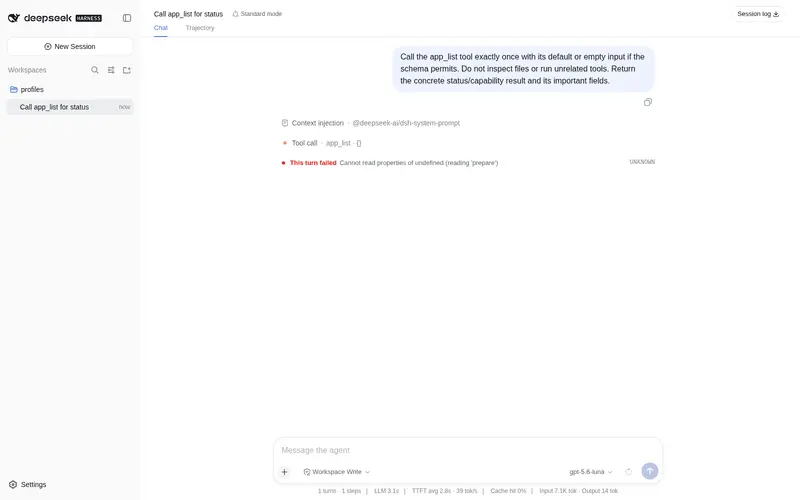
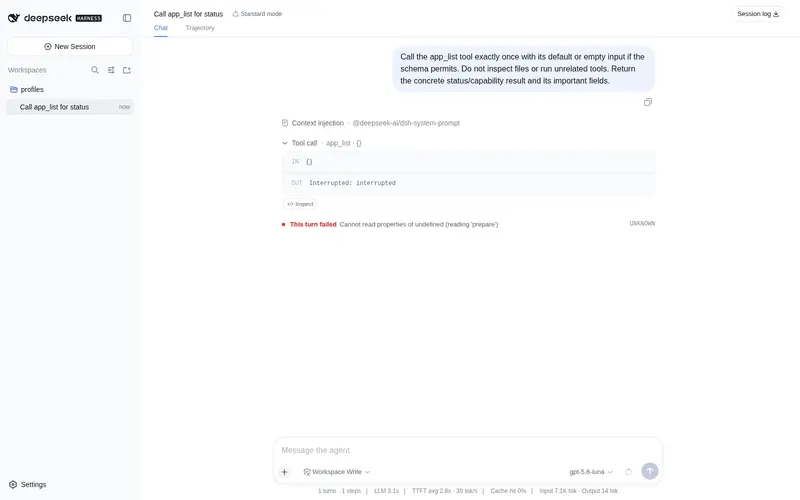
What it does
Cross-platform Computer Use for DeepSeek Harness: virtual-mouse human-like operation (screen_observe + computer_click + type + key + scroll + drag, 11 tools), AX-tree zero-vision-cost mode with free GLM-4V-Flash vision fallback, safety guards (snapshot TTL / app whitelist / dangerous-action approval / password-box protection).
Best for
- Harness Desktop users who need an agent to observe and operate graphical applications with visible mouse, keyboard, scroll, and drag actions.
- Cross-platform desktop workflows that can use accessibility-tree targeting, with optional vision fallback for Canvas or other interfaces lacking an AX tree.
Not ideal for
- Environments without Harness Desktop, an installed cua-driver, or the required screen-recording and accessibility permissions.
- High-assurance workflows relying on coordinate actions or foreground typing for dangerous operations; semantic approval and password-field protection only cover numbered element mode, and Windows/Linux remain untested on real hardware.
README
dsh-computer-use
DeepSeek Harness 的 Computer Use 插件 —— 给 harness-desktop 增加”虚拟鼠标真人操作“能力: AI 生成独立光标,像人一样看屏幕、移动、点击、输入,替用户操作电脑。
跨平台(macOS / Windows / Linux),引擎基于 cua-driver(MIT 开源,MCP 标准接口)。
✨ 能力
| 工具 | 功能 |
|---|---|
screen_observe |
看屏幕:AX 编号树 + 坐标(零视觉 token 成本);AX 树为空自动降级视觉 |
computer_click / computer_double_click / computer_right_click
|
真人操作:独立光标滑行到目标 + 像素级真实点击(看得见过程) |
computer_type |
文本输入(密码框自动拒绝) |
computer_key |
按键 / 快捷键(return、cmd+c…;聊天窗口回车发送) |
computer_scroll |
滚动 |
computer_drag |
拖拽 |
computer_wait |
等待 |
app_list / app_launch
|
列出 / 启动应用 |
核心设计:AX 树只用于”看”(定位元素坐标),所有操作走像素级虚拟光标——光标滑行动画 + 真实点击,模拟真人操作。内置彩虹渐变动态光标主题(可自定义)。
🛡 安全设计
- 虚拟光标隔离:操作走 cua-driver 的独立 Agent 光标,不抢真实鼠标
- 观察快照 TTL:快照约 15 秒过期,过期后动作被拒绝,必须重新观察(引擎侧 element_token 双重校验)
-
区域限制:可选
allowedApps白名单,名单外的应用操作一律拒绝(fail closed) - 危险操作审批:目标标签命中”删除/支付/转账/退出登录…”危险词时,经 dsh 审批服务征询用户,未批准不放行
- 敏感输入保护:密码框(AXSecureTextField)拒绝自动输入——密码/密钥永不让模型接触
-
无快照拒绝:任何动作必须先
screen_observe,杜绝盲操作
⚠️ 作用范围说明:危险词审批与密码框保护基于观察到的元素标签,仅对
element编号模式生效;x/y坐标模式与无目标输入(computer_type/computer_key落到前台应用)无法预知目标内容,由快照 TTL 与”操作可见”兜底。computer_key不校验快捷键本身(如 cmd+q 等系统快捷键),请勿授予不可信模型。这是设计取舍:安全优先级 = 元素语义 > 坐标盲操作,但坐标模式保留了真人可视操作的自由度。
📦 安装
前提:
- harness-desktop(含 dsh rc 运行时)
- cua-driver 已安装(官方安装见 trycua/cua)且权限已授权(macOS:Accessibility + Screen Recording;Windows:普通用户权限运行)
- 插件默认从 PATH 查找
cua-driver;若二进制不在 PATH,设CUA_DRIVER_BIN=/path/to/cua-driver(Windows 常用)
# 一键安装(home 级用户 patch 层注入,不修改任何 profile 配置)
./install.sh            # 预演: ./install.sh --dry-run
# 卸载
./uninstall.sh
# 安装后重启 harness-desktop 生效
Windows / Linux:
install.sh的默认DSH_HOME是 macOS 路径。Windows(Git Bash / WSL)与 Linux 用户请先export DSH_HOME=<你的 dsh home 目录>再运行脚本;或手动两步(见下),两步与平台无关。
脚本做的事(也可手动):
ln -sfn <插件目录> "$DSH_HOME/profiles/web/node_modules/dsh-computer-use"- 在
$DSH_HOME/cordis.patch.yml(dsh 的机器级用户 patch 层)insert 插件注册
可选配置($DSH_HOME/cordis.patch.yml 中覆盖):
- id: dsh-computer-use
  config:
    ttlMs: 15000        # 快照有效期(毫秒)
    maxElements: 500    # screen_observe 最大编号元素数
    allowedApps: []     # 区域限制白名单(空 = 不限制)
    cursorTheme: com.dsh.computeruse.rainbow  # 虚拟光标主题(空 = 引擎默认)
👁 视觉兜底(可选)
游戏 / Canvas 等无 AX 树的界面,可启用视觉模式(默认不启用,零成本):
# 智谱开放平台免费申请 key:https://open.bigmodel.cn
export ZHIPU_API_KEY=你的key
设置后 screen_observe 在 AX 树为空时自动降级为视觉理解(glm-4.6v-flash 免费模型,限流自动回退 glm-4v-flash / glm-4.1v-thinking-flash);不设置则 AX 树正常返回、视觉部分给出提示,不影响主体功能。
🎨 光标主题(可选)
内置彩虹渐变指针主题(com.dsh.computeruse.rainbow,128×128,12 个动作动画,颜色流动),产物 theme.lottie 已随仓库附带。
- 插件启动自动应用(配置
cursorTheme,空 = 引擎默认;未安装该主题时自动回退引擎默认光标,不影响功能) - 安装主题:需经 cua-driver 的 cursor-theme 编译器安装
theme.lottie(编译器随引擎提供,命令见 trycua/cua 文档) - 自定义:
python3 tools/make_theme.py --output theme.lottie(改颜色/形状)→ 按上述方式安装
⚠️ 已知局限
-
Windows / Linux 待真机实测(引擎官方支持,指南见
WINDOWS_TEST.md) -
像素坐标校准为近似(截图↔屏幕换算用固定比例,首次使用若点击偏移可用
screen_observe视觉模式或引擎get_desktop_state截图对比校准) - 视觉读屏精度一般(GLM 对小字体读数不稳,显示屏/细字场景建议配合 AX 或放大 zoom)
- macOS 计算器等窗口显示屏不在 AX 树(需视觉读取)
🧪 开发与验证
项目采用”隔离 profile”开发(不动真实 GUI 配置):
# 用隔离 DSH_HOME 起 headless 会话验证
DSH_HOME=$PWD/.dsh-p0 ELECTRON_RUN_AS_NODE=1 \
  /Applications/harness-desktop.app/Contents/MacOS/harness-desktop --expose-internals \
  /Applications/harness-desktop.app/Contents/Resources/app/node_modules/@deepseek-ai/dsh/lib/bin.js \
  --profile test "请调用 screen_observe 观察当前窗口并报告"
📄 License
MIT
🌐 相关链接
- GitHub:https://github.com/988hj7tczd-oss/dsh-computer-use
- Gitee 镜像(国内加速):https://gitee.com/jerryweizhihao/dsh-computer-use
- npm:https://www.npmjs.com/package/dsh-computer-use
- AI House 独立站(AI 工具排行榜):https://www.aibunkhouse.com/
- harness-desktop(DeepSeek Harness 桌面端):https://github.com/988hj7tczd-oss/harness-desktop
- awesome-dsh-plugin(DeepSeek Harness 插件精选列表):https://github.com/988hj7tczd-oss/awesome-dsh-plugin
Frequently Asked QuestionsFAQ
Use the verified command dsh plugin --profile default add github:988hj7tczd-oss/dsh-computer-use in a DSH-enabled shell. The command resolves the public package metadata and keeps the plugin attached to the catalog identity shown on this page.
Compatibility follows the bundle and profile status shown above. If a profile is not detected, keep the plugin disabled there and check the repository documentation before enabling it in production.
The GitHub link and activity metadata are the source of truth for releases and maintenance. Revisit this page after a new release to confirm the catalog has observed the latest version.