a903067276-rgb/dsh-plan-switch
输入框一键进/出 Plan 模式(/plan 的快捷点击),DSH web 小插件
Listed
0
Ui
Bundle verified
Preview

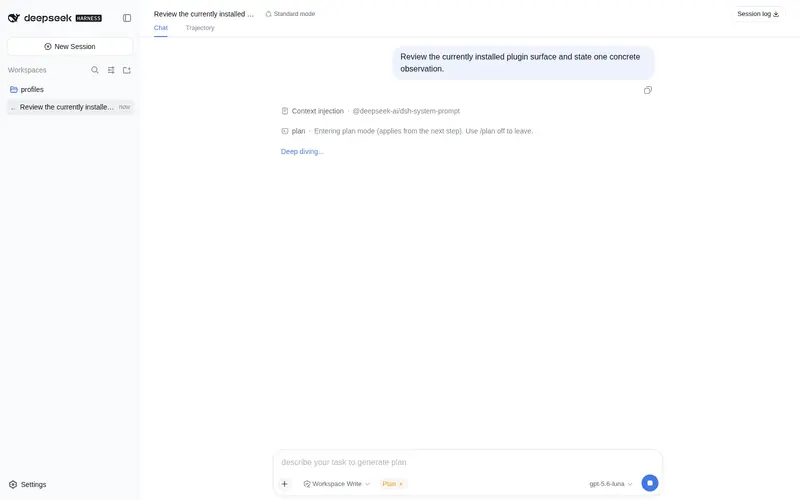
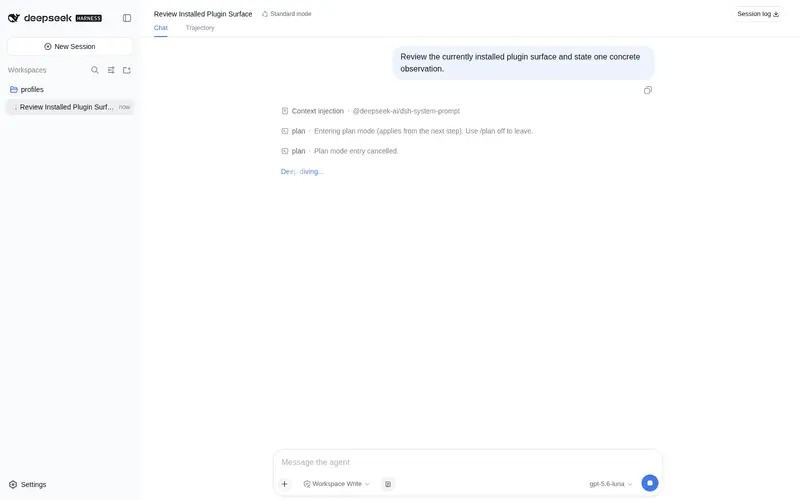
What it does
One-click enter/exit Plan mode for the DSH web input bar, a quick-click shortcut for /plan.
Best for
- DSH Web users who frequently toggle Plan mode and prefer a persistent toolbar shortcut.
- Workflows that need the shortcut to stay synchronized with Plan state changed through other entry points.
Not ideal for
- Users who are comfortable entering /plan or using the official Plan controls.
- Non-Web DSH environments; the plugin is a client-side DSH Web button only.
- Users expecting additional planning features beyond toggling the official command.
README
dsh-plan-switch 📋
| English | 简体中文 |


A one-click enter/exit Plan mode button for the DSH web input bar (a quick-click shortcut for /plan) — a plugin for DeepSeek Harness (dsh) web.
Unofficial project: independently developed and maintained by a community member, not an official DeepSeek product.
Screenshot

The checklist icon button at the left end of the input tool row (official DSH design tokens, follows dark/light theme).
Features
-
One-click enter/exit Plan mode: a checklist icon button at the left end of the input tool row; clicking it runs the official
/plantoggle command. - Hides while Plan mode is active: the button hides itself and the official plan card takes over the status display — there is never a duplicated indicator.
-
Pending-switch guard: while a
/plantoggle is queued, the button is disabled (the same “switching” semantics as the official plan chip), so a stray click can’t reverse the switch. -
Live state: the button follows the plan state through the official projection, so changes from any entry point (
/plancommand, official chip, agent switching mid-run) are reflected in real time.
Install
Official bundle install (one line):
dsh plugin --profile web add "github:a903067276-rgb/dsh-plan-switch#main"
Restart dsh web after installing (bundle layers are composed at startup). Requires pnpm on PATH (dsh plugin forwards to pnpm).
Manual mount (fallback): see docs/install.md — symlink into ~/.dsh/profiles/web/node_modules/ plus a single entry in ~/.dsh/cordis.patch.yml, then restart.
Usage
A checklist icon button appears at the left end of the input tool row (official DSH design tokens, follows dark/light theme). Click it to enter plan mode — the same as typing /plan. While plan mode is active the button hides itself: the official plan card takes over the status display, so there is never a duplicated indicator; while a /plan toggle is pending the button is disabled, so a second click can’t reverse the switch.
Platform support
| Platform | Status |
|---|---|
| macOS | ✅ fully tested (development environment) |
| Linux | ⚠️ expected to work (pure frontend button, no platform dependency), untested |
| Windows | ⚠️ expected to work (pure frontend button, no platform dependency), untested |
Requirements
- DSH web (run with
dsh web) - No host-side setup: the host half is a no-op — the whole plugin is a client-side button that runs the official
/plancommand, so nothing extra is required on any platform.
How it works
-
Host (
lib/index.js): no behavior — this is a pure UI plugin; the client half is discovered through thedsh.clientdeclaration inpackage.json(exports["./client"]). -
Client (
lib/client.js): registers the checklist icon button in theconversation.input.leftseat using official DSW design tokens (follows dark/light theme); reads plan state live throughuseProjection("plan"); clicking executes the official/plancommand viactx.remote.commands.execute(sessionId, "/plan")— the whole flow stays on the official command chain. -
State handling: the effective plan state mirrors the official PlanChip algorithm (
pending ? !active : active). While plan mode is active the button returnsnull(hidden — the official plan card owns the indicator, no duplicate); while a toggle is pending the button is disabled so a second click can’t reverse the switch; command failures turn the button error-colored with the message in its tooltip.
Notes
- Pure client-side: no host routes, no file writes, no stored data.
- Restart
dsh webafter installing or updating (bundle layers are composed at startup); client-side edits apply on a page refresh.
Development
- Source:
lib/index.js(host side, no-op),lib/client.js(web injection) - Workflow: edit locally → push to
main→pnpm updateto verify the install
License
Frequently Asked QuestionsFAQ
Use the verified command dsh plugin --profile default add github:a903067276-rgb/dsh-plan-switch in a DSH-enabled shell. The command resolves the public package metadata and keeps the plugin attached to the catalog identity shown on this page.
Compatibility follows the bundle and profile status shown above. If a profile is not detected, keep the plugin disabled there and check the repository documentation before enabling it in production.
The GitHub link and activity metadata are the source of truth for releases and maintenance. Revisit this page after a new release to confirm the catalog has observed the latest version.