AcidGr/dsh-web-lan-access
DeepSeek Harness (dsh) Web plugin
Listed
19
Remote
Bundle verified
Preview
What it does
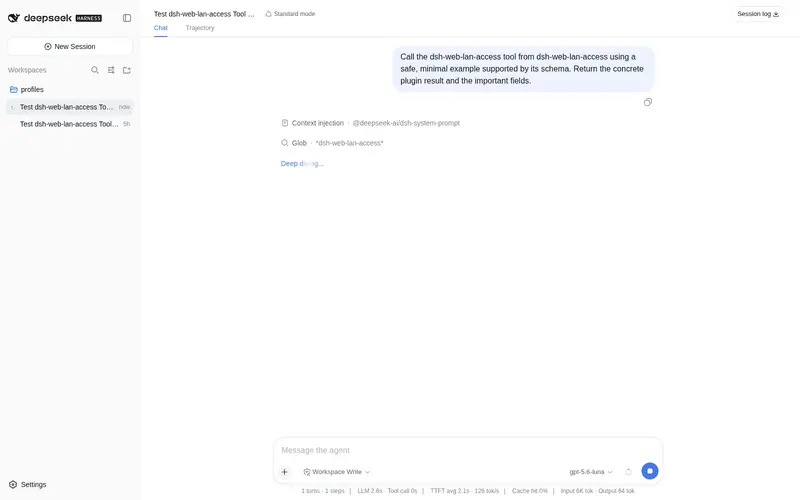
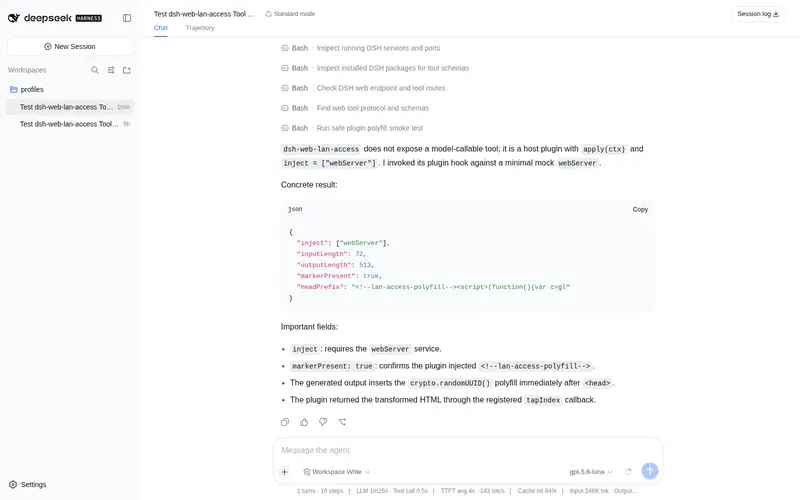
LAN/remote access for the Web UI: injects a crypto.randomUUID polyfill on plain-HTTP origins so the frontend survives LAN or Tailscale IP direct links.
Best for
- Users opening DSH Web directly through a plain-HTTP LAN or Tailscale IP address.
- Deployments where crypto.randomUUID is missing on an insecure origin and prevents the Web UI from booting.
- Trusted-network setups that need the Web server bound beyond loopback.
Not ideal for
- Public or untrusted networks without a firewall, Tailscale, or authenticated reverse proxy; binding to 0.0.0.0 does not add login authentication.
- Deployments already served through HTTPS, where crypto.randomUUID is available and the polyfill adds little value.
- Remote administration of loopback-pinned settings, credentials, or model-discovery APIs on unmodified Harness builds.
- Hostname access where every literal Host value cannot be added to trustedHosts.
README
dsh-web-lan-access

| English | 简体中文 |
LAN / remote access support for the DeepSeek Harness Web UI.
The problem
The Web UI calls crypto.randomUUID() in boot-critical paths (RPC id minting, message ids, draft attachments). That Web API exists only in secure contexts (HTTPS, or http://localhost / http://127.0.0.1). When the UI is served over plain HTTP from a non-loopback address — a LAN IP, a Tailscale IP, or a hostname — crypto.randomUUID is undefined, every RPC throws, and sessions and models never render.
The fix
A host-side plugin that uses the webserver’s official index-tap extension point (webServer.tapIndex) to inject a small polyfill (RFC 4122 v4 built on crypto.getRandomValues, which is available on insecure origins) as the first script in <head>, before the boot manifest and the shell entry. On secure origins the polyfill is a no-op.
- No product source modified; fully reversible
- Version-independent (it only transforms the served
index.html) - Platform-independent (Linux / macOS / Windows / Android)
Install
Bundle install (recommended)
Installed from npm:
dsh plugin --profile web add dsh-web-lan-access
(No npm / local development — point pnpm at the repo instead:
dsh plugin --profile web add github:AcidGr/dsh-web-lan-access
)
Restart dsh web, then hard-refresh the browser.
Manual install (no pnpm / offline)
PROFILE="$DSH_HOME/profiles/web"                 # adjust DSH_HOME and profile name
mkdir -p "$PROFILE/plugins" "$PROFILE/node_modules/@dsh-profile"
cp -r dsh-web-lan-access "$PROFILE/plugins/lan-access"
ln -sfn ../../plugins/lan-access "$PROFILE/node_modules/@dsh-profile/lan-access"
# append to $PROFILE/cordis.patch.yml:
#   - insert:
#       - id: lan-access
#         name: '@dsh-profile/lan-access'
Usage
The plugin is self-contained: its bundle patch sets the webserver bind host to 0.0.0.0 directly (the CLI flag --host 0.0.0.0 is hard-rejected for safety on newer harness versions, but the webserver config still accepts it — so no source changes and no --host flag are needed; the CLI --port flag still works).
-
Install the plugin, then start normally — without
--host:dsh --profile web --port 3080When bound to
0.0.0.0, the harness automatically adds every local non-internal IPv4 to the/apitrust fence (resolveLanTrust) — LAN IP access needs no extra config.If you prefer NOT to let the plugin take over the bind host (e.g. you want loopback + a port forward), keep the
webserverrow override out of your tree and instead forward a port (socat / rinetd / Tailscale serve) from127.0.0.1:3080, adding the forwarded address totrustedHostsmanually. -
Domains / remote (e.g. Tailscale) — add your own authorities to
trustedHosts:- id: web-runtime config: trustedHosts: - <short-name> # e.g. myhost — MUST be listed separately! - <name>.tailXXXX.ts.net # full domain - 100.x.x.x # tailnet IP⚠️ The fence compares the
Hostheader literally: a MagicDNS short name (http://myhost:3080) is not the full domain — list the short name on its own line, or every/apicall returns 403 (page shell loads, sessions/models absent).
Known limitation: privileged API methods
On unmodified harness builds, a small set of sensitive API methods (settings.*, credentials.*, llm.discoverModels) is pinned to loopback regardless of trustedHosts (isTrustedApiRequest(request, []) in packages/client/connection/src/index.ts). From a remote origin those calls return 403: chat/sessions/models still work, but the Settings pages (including the plugin-config cards) and credentials UI show empty/errors. The polyfill cannot change that — it is a product-side policy. A one-line upstream change (isTrustedApiRequest(request, trustedHosts)) makes them follow the deployment’s trusted hosts; until then, edit that line locally or manage those settings from http://127.0.0.1:3080.
Verify
curl http://127.0.0.1:3080/ | grep lan-access-polyfill # must match
Then open http://<server-ip>:3080 from another device — sessions and models must load.
Security warning
Binding 0.0.0.0 makes the agent reachable without authentication by anyone on the same network (/api is an origin fence, not a login). On a server with a public IP this means the whole internet. Use only on trusted networks, restrict with a firewall (e.g. ufw allow from 192.168.0.0/16), or expose through Tailscale / an authenticated reverse proxy instead. A TLS reverse proxy also removes the need for this polyfill entirely.
Rollback
- Bundle install:
dsh plugin --profile web remove dsh-web-lan-access - Manual install: delete the
lan-accessinsert block fromcordis.patch.yml; optionally start without--host 0.0.0.0
License
MIT
Frequently Asked QuestionsFAQ
Use the verified command dsh plugin --profile default add github:AcidGr/dsh-web-lan-access in a DSH-enabled shell. The command resolves the public package metadata and keeps the plugin attached to the catalog identity shown on this page.
Compatibility follows the bundle and profile status shown above. If a profile is not detected, keep the plugin disabled there and check the repository documentation before enabling it in production.
The GitHub link and activity metadata are the source of truth for releases and maintenance. Revisit this page after a new release to confirm the catalog has observed the latest version.