AI-Galaxy-GPU/dsh-sound
DeepSeek Harness(DSH)Web 端插件:回合完成、审批、提问、计划评审、目标受阻、任务失败各有独立提示音与音量,内置合成音 / 静音 / 本地音频文件,Web 设置面板可配置。
Listed
1
Voice
Bundle verified
Preview
What it does
Per-event sound notifications: turn completion, approval, question, plan-review, goal-blocked, and task-failure each get their own sound and volume, configurable in the Web UI (built-in synth, mute, or local audio file).
Best for
- DSH Web users who need distinct audible cues for completion, approval, questions, plan review, blocked goals, and failures.
- Users who want per-event volume, mute, synthesized sounds, or their own local audio files.
- People monitoring background work or several tabs who want attention events deduplicated across tabs.
Not ideal for
- Non-Web DSH workflows or installations without bundle-plugin support.
- Users who prefer silent, visual-only notifications or do not need event-specific sound settings.
- Teams expecting settings and uploaded audio to synchronize automatically across browsers; they are stored in browser-local storage.
README
dsh-sound
| English | 中文 |
A DeepSeek Harness (DSH) plugin for the Web UI: play a customizable sound when a task finishes, and an attention sound whenever something needs a human.
📬 Submitted to Awesome DSH Plugin — PR #752 (pending maintainer approval)
Demo
Source file: docs/demo.mp4
Screenshots

Features
Six independent events
Each event type has its own sound and its own volume (0–100%):
| Event | Detection | Default sound |
|---|---|---|
| Turn end / background task completed |
turn/end with reason.kind === 'completed'; job → completed
|
Chime |
| Approval request |
approval/requested frame |
Ding |
| User question |
question/requested frame (not plan-review shaped) |
Ding |
| Plan review |
question/requested frame classified as plan-review |
Ding |
| Goal blocked | goal projection enters blocked
|
Ding |
| Background / loop failure | job → failed; turn/end error; host/agent-error
|
Bell |
- Completion respects the “quiet current session” option; attention events (approval / question / plan-review / goal-blocked / failure) always ring.
- User abort, killed jobs, and
max-tokens/blocked/interruptedturns stay silent. - Events come from
events.muxplusevents.host. Mux-open replay of still-pending approval/question frames (refresh recovery) does not ring; eachrpcIdrings at most once. - When the event stream is unavailable or frames fail to unwrap, the plugin falls back to snapshot diffing.
- Multiple tabs: the same event rings only once (BroadcastChannel tie-break). A single tab plays immediately, with no 40 ms handshake.
Sound sources
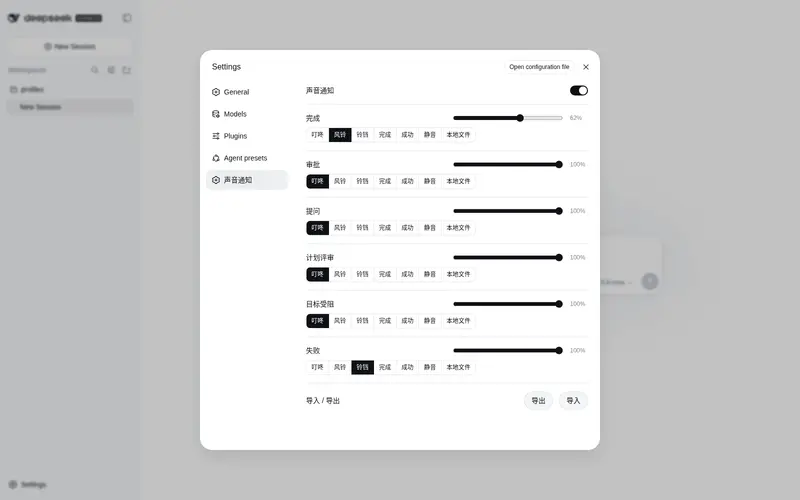
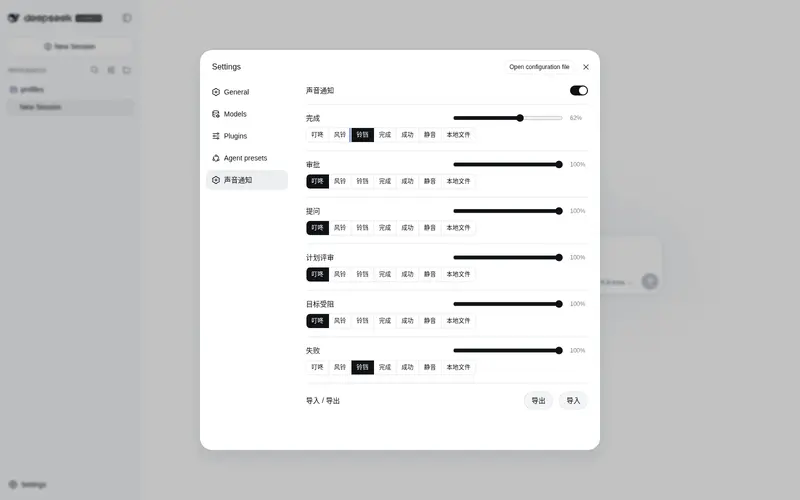
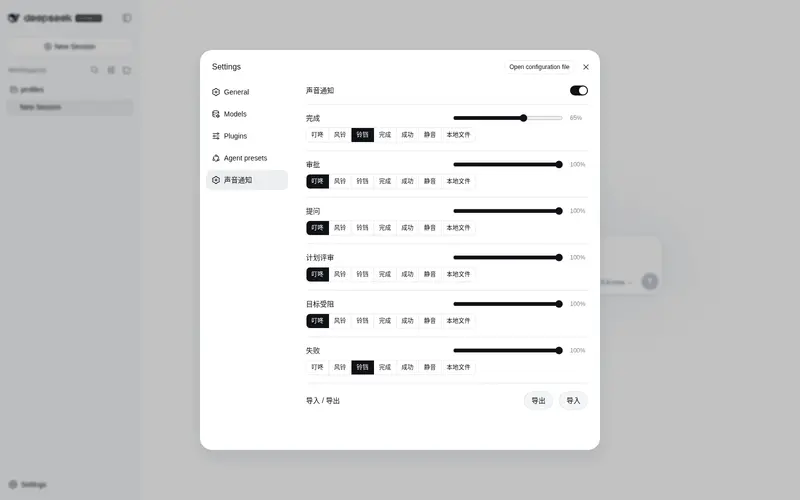
Each event picks one sound from a Radio.Button group in the settings panel:
- Built-in synthesized sounds — Ding / Chime / Bell / Complete / Success, generated live with Web Audio, no audio files required.
- Mute — silence that event.
-
Local file — choose any MP3/WAV/etc. file; a file picker appears below the event row
once selected. Uploaded files are stored in IndexedDB (
dsh-sound-audio), immune to the localStorage quota.
Settings panel (Settings → 声音通知 / Sound Notification)
Master switch, six event rows (volume slider on the title row; Radio.Group of Radio.Button options below — click to select and play; a local-file row with a choose/replace button appears when 本地文件 is selected), and config export/import.
Install
Requires a DSH version with bundle-plugin support (dsh.profile.bundles + dsh.bundle.patch)
and pnpm on PATH (corepack enable or npm i -g pnpm).
# One command: pnpm installs the package and adds it to the profile's bundle layer
dsh plugin --profile web add dsh-sound

# Restart the server (or refresh the page), then open Settings → 声音通知
Other profiles work the same way: dsh plugin --profile <name> add dsh-sound.
Manual install (without pnpm)
- Copy this package and its runtime deps (
@deepseek-ai/schemastery,@deepseek-ai/cosmokit,@standard-schema/spec) into$DSH_HOME/profiles/web/node_modules/. - Append
"dsh-sound"todsh.profile.bundlesin$DSH_HOME/profiles/web/package.json. - Restart
dsh web.
Configuration storage
- The browser half persists its configuration in localStorage (key
dsh-sound:config), sanitizing every read and filling defaults. Uploaded local music files are stored in IndexedDB (dsh-sound-audio) instead — no localStorage quota limits. - Config keys:
enabled,quietCurrent, and six sound + six volume fields —completionSound/approvalSound/questionSound/planReviewSound/goalBlockedSound/failureSound(builtin key,none,local,data:URL, oraudio:<id>) andcompletionVolume…failureVolume(0–1).localFileskeeps the last chosen local file per event so switching to a built-in sound and back does not drop it. -
0.2.0 migration: older configs are upgraded automatically —
defaultSoundbecomescompletionSound, voice/TTS values degrade to the per-event default, andworkspaces/debounceMs/ globalvolume/ voice settings are dropped. - Export / import: the settings panel downloads the full config as JSON (IndexedDB audio references are inlined as data URLs) and restores it from a JSON file — moving browsers or machines does not require reconfiguration.
- The host half also registers the
dsh-soundsettings namespace: on rc.6 the settings API allowlist (WEB_SETTINGS_NAMESPACESindsh-host-apiproxy) does not expose third-party namespaces to browsers, so the client does not depend onsettingsScopetoday; the registration keeps the migration path open for future releases.
Development
npm test      # 100+ assertions across host and client halves (Node only, no browser needed)
npm run check # syntax check
Layout:
Profile development note: the profile’s pnpm uses
nodeLinker: hoisted, which COPIESfile:dependencies intonode_modulesat install time — edits to this checkout do not reach the running app until you either re-runpnpm --dir ~/.dsh/profiles/web update dsh-soundor replace the copied directory with a symlink to this checkout. The web server reads bundle content per request (only the boot-page rev hash is cached at startup), so after refreshing the copy a browser hard-refresh (Cmd+Shift+R) is enough — no server restart needed.
-
lib/index.js— host half: registers the settings namespace (schema + defaults) -
lib/client.js— browser bundle: event detection, sound engine (Web Audio / IndexedDB audio), settings panel -
lib/types/index.d.ts— host-side type declarations -
cordis.patch.yml— bundle patch layer (inserts thedsh-soundrow) -
tools/— tests and verification scripts (not shipped in the npm package)
Publish
npm login                       # npm account (2FA recommended)
npm publish --access public
License
Frequently Asked QuestionsFAQ
Use the verified command dsh plugin --profile default add github:AI-Galaxy-GPU/dsh-sound in a DSH-enabled shell. The command resolves the public package metadata and keeps the plugin attached to the catalog identity shown on this page.
Compatibility follows the bundle and profile status shown above. If a profile is not detected, keep the plugin disabled there and check the repository documentation before enabling it in production.
The GitHub link and activity metadata are the source of truth for releases and maintenance. Revisit this page after a new release to confirm the catalog has observed the latest version.