Airmetro/dsh-update-checker
全栈更新管理:对 DeepSeek Harness 主程序与每个已装第三方插件做 npm/GitHub 双源 semver 比对,GUI 横幅随系统语言(中/英)提示可更新插件;一键更新主程序或任意插件,自动备份可回滚,更新后看门狗自动重启服务。Whole-stack update management for DeepSeek Harness: dual-source semver checks of the main program and every third-party plugin, a locale-aware banner, one-click updates with backup/rollback and watchdog-guarded restart.
Listed
5
Dev
Bundle verified
Preview
What it does
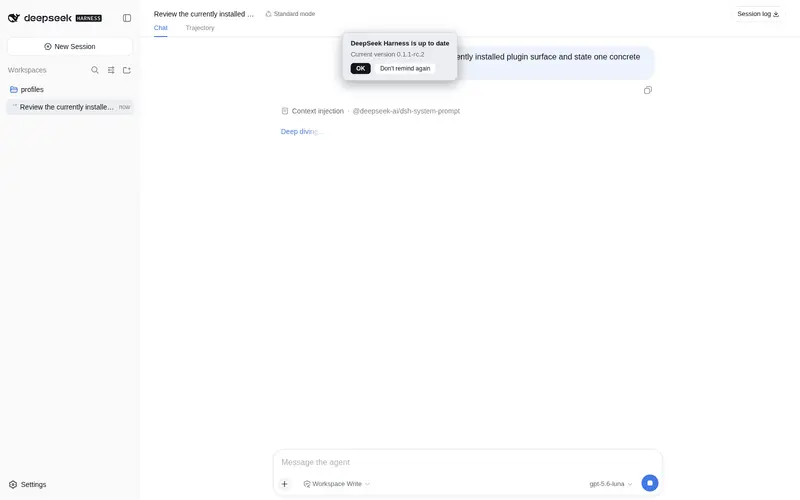
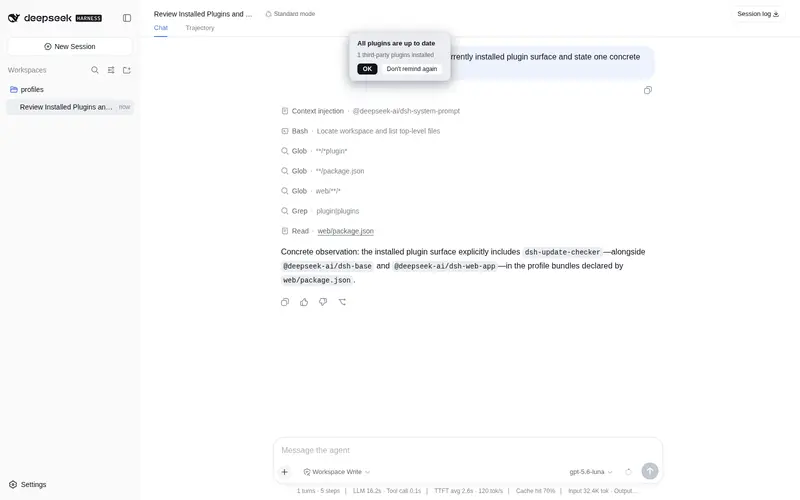
Update management for the whole stack: compares DeepSeek Harness and every installed third-party plugin against npm and GitHub releases (semver-aware), shows a locale-aware banner (zh/en) with per-plugin update status, and provides one-click updates with automatic backup/rollback, temp-dir installs that never touch other packages, and a watchdog-guarded restart. A settings page adds per-plugin version lamps, live update progress, and banner/notification toggles. Zero-config on any machine.
Best for
- Administrators who want one view of DSH core and third-party plugin updates from npm and GitHub releases.
- Local DSH Web operators who want one-click updates with backups, rollback, progress reporting, and guarded restarts.
- Deployments with multiple installed plugins that benefit from semver-aware per-plugin status and batch updates.
Not ideal for
- Remote administration from LAN clients; update, restart, and rollback routes accept write operations only from loopback.
- Local or unpublished tools without an npm or GitHub release source; these are classified as ignored.
- Users who only need passive release notifications and do not want an in-process component capable of modifying installations and restarting DSH.
README
dsh-update-checker
| English | 中文 |
A permanent Cordis plugin for the DeepSeek Harness Web GUI that auto-checks for new DeepSeek Harness releases and installed third-party plugin updates (the former standalone dsh-plugin-checker was merged in v1.1.0), asks the user, and one-click updates with success/failure feedback.
Features
- Full update lifecycle — check, backup, update, rollback, and restart, all in one plugin.
-
Main program check — compares the installed
@deepseek-ai/dshagainst the npm latest (full packument, stable-first, semver-aware — a pre-releaselatesttag won’t cause false positives). -
Third-party plugin check — scans installed non-official plugins (layout-agnostic, incl. pnpm-hoisted
node_modules), cross-compares each against npm + GitHub (target = higher version); local tools with no publish source go toignored. - Working GitHub channel — dedicated HTTPS client for GitHub domains (tolerates self-signed local proxies; the npm registry still uses strict TLS), with redirects, size caps and timeouts; codeload tarballs are validated before install.
- In-GUI banner — locale-aware (zh/en follows the DSH UI language), states update / up-to-date / failure, with a suppression flag and a change brief (vX→vY + risk level + release notes when available).
-
One-click update with safety — main program: dry-run guard (abort if the plan contains
remove) → backup → layout-adaptive install (in-place or-g) → post-install checkinstalled==latest; plugins: temp-dir install + copy, dependency version reconciliation, auto--allow-scriptsfor native deps on npm ≥ 12. Updates (and rollbacks) persist to the profilepackage.json+ lockfile (pnpm install --lockfile-only/npm install --package-lock-only), so a later install never silently reverts the plugin — no more “same plugin keeps asking for the same update” loops. -
Real rollback — main program via
POST /rollback, plugins viaPOST /plugin-rollback;GET /backups.jsonlists both. -
Restart with watchdog — launcher derived from the current process argv, kill by PID + port, recovery confirmed by port listening + an HTTP 200 probe (
GET /restart-status.json). -
Write-route security — all write routes require
{ "confirm": true }and a loopback source (127.0.0.1/::1), so LAN clients can’t trigger update/restart/rollback. -
Zero-config portability — profile dir /
$DSH_HOME/ composition file / deploy root are all derived from the plugin’s own install location; works on any machine without editing code.
Host & Client
-
Host (
lib/index.js) — HTTP routes:status.json(check),suppress,update(withdrypreview),rollback,backups.json,restart,restart-status.json,plugins.json,plugin-update,plugin-rollback. -
Client (
lib/client.js) — renders two banners in the rootshell.overlayslot: a core banner (main-program update state) and a plugin banner (updatable plugins with single / update-all buttons). Both check on page load, then every 6 hours; the settings page (“检查更新”) adds rollback buttons.
Install & mount
The package is a profile bundle (its manifest declares dsh.bundle.patch).
# 1) put the package into $DSH_HOME/profiles/node_modules/ so the profile can resolve it.
#    ⚠️ Never run `npm install` directly inside $DSH_HOME/profiles — it has no
#    package.json and npm would prune the whole node_modules (data loss).
#    Safe option A — install in a temp dir, then copy only this package:
npm i dsh-update-checker --prefix <temp-dir> --no-save
cp -r <temp-dir>/node_modules/dsh-update-checker $DSH_HOME/profiles/node_modules/
#    Safe option B — copy the package directory manually (git clone or tarball).

# 2) add the row to $DSH_HOME/profiles/web/cordis.patch.yml
# $DSH_HOME/profiles/web/cordis.patch.yml
- insert:
    - id: dsh-update-checker
      name: 'dsh-update-checker'
Then let patch HMR apply it (or restart dsh web) and reload the page.
Step-by-step guide with troubleshooting (中文): docs/INSTALL.md.
Configuration & portability
All paths are auto-detected at runtime — nothing is hardcoded:
-
Plugin / profile dir — derived from the plugin’s own install location (
import.meta.url). -
$DSH_HOME— the parent of theprofilesroot (state, backups, restart log live there). -
Composition file — defaults to
$DSH_HOME/profiles/web/cordis.patch.yml. -
Deployment root — junction
realpathfirst, thenDSH_DEPLOY_ROOT, thenprocess.cwd(), then the npm global prefix (parent ofnpm root -g’s output; v1.4.9+ coversnpm -ginstalls). -
Restart launcher — self-adapting: probes common launcher names under the deployment root; the web port is read from the running
webServer.port.
Platform & install-layout support
- Detection (checks) — layout-agnostic, works on any machine.
-
One-click update & restart — tuned for the layout they were developed on:
- Windows only — the restart flow spawns PowerShell.
- Main-program update adapts: in-place
npm installwhen the deploy root has apackage.json,npm install -gotherwise; both run the dry-run guard and re-read the installed version afterwards. - Plugin updates — temp-dir install + copy, npm 11/12+ compatible.
- Other platforms/layouts: banners and version checks still work, but the update/restart buttons need code adaptation. Linux/macOS support is the natural next step.
Notes
- Host code changes require a service restart (the loader caches imported modules); client changes are picked up by HMR and apply on the next page refresh.
- Update/rollback/restart/suppress/settings routes are guarded by
{ "confirm": true }and a loopback-source check (127.0.0.1/::1). - Before
npm install, a backup (deploymentpackage-lock.json+ both @deepseek-ai version manifests +backup-meta.json) is written to$DSH_HOME/dsh-update-checker-backups/<timestamp>/; both main-program and plugin rollback routes are provided.
Changelog
-
v1.4.9 — Fix
findDeployRootmissing npm -g global installs (#7) + preferred download source:-
Deploy-root detection now also probes the npm global prefix (
npm root -g’s parent dir, e.g.<prefix>/lib/node_modules→<prefix>/lib): on Linux servers where dsh is installednpm -gand the web service is managed by systemd, both previous probes missed (the profile dir is a plain directory under pnpm hoisting, not a junction, and the working directory is the user’s home), so the installed version showed?. The probe is async + cached and silently skipped on failure; aDSH_UC_NPM_GLOBAL_ROOTtest hook lets integration tests simulate the layout. -
Preferred download source setting (settings page): when npm and GitHub have the same version (tie), you can now choose the preferred source —
GitHub (default)/npm/Smart (try GitHub first, then npm). Non-tie cases still follow the higher version. Insmartmode a tie falls back to npm on any GitHub failure (not just theENOBUILD/ETAGMISMATCH/ETOOBIG/EDOWNLOADwhitelist), so users who cannot reach GitHub can still update; non-tie updates keep the version-higher rule and the error-code whitelist to avoid downgrades. - New pure function
pickTargetSource()(unit-tested); integration test for the npm -g layout.
-
Deploy-root detection now also probes the npm global prefix (
-
v1.4.8 — GitHub download failures now fall back to npm:
- When the GitHub codeload download fails (HTTP 5xx/429, network error, timeout) or the tarball is corrupt, the error is tagged
EDOWNLOADand the update automatically falls back to the npm channel when the plugin exists on npm (previously a502had no error code and aborted the update). Fixes the real-world case where a local GitHub proxy returns502forcodeload.github.com(e.g. hosts-hijacked S302 proxy) and plugin updates died with “GitHub download HTTP 502”. - New pure function
isGhFallbackable()(unit-tested); GitHub→npm fallback now coversENOBUILD/ETAGMISMATCH/ETOOBIG/EDOWNLOAD.
- When the GitHub codeload download fails (HTTP 5xx/429, network error, timeout) or the tarball is corrupt, the error is tagged
-
v1.4.7 — Robust pnpm discovery for lockfile sync:
-
findPnpmnow also probes the npm global prefix derived fromNPM_CLIand a PATH fallback (pnpm.cmd/pnpm), and usescorepack.cmd/corepack.exeon Windows instead of the bash-onlycorepackshim (an extension-less#!/bin/shfile thatcmd.execannot run). This makes plugin-update persistence syncpnpm-lock.yamlon Windows user-level npm prefixes (e.g.%APPDATA%\npm) and Linux standalone pnpm installs, not just node-dir-adjacent layouts. - New pure function
pnpmCandidates()(unit-tested) returns the cross-platform candidate list.
-
-
v1.4.6 — Fix the “same plugin keeps asking for the same update” loop:
-
Plugin updates now persist to the profile manifest + lockfile: previously the one-click update only swapped files inside
node_modules/<plugin>— the profile’spackage.jsonstill declared the old version andpnpm-lock.yaml/package-lock.jsonstill pinned it, so the nextpnpm install/npm install(or a profile reinstall) silently reverted the plugin to the old version and the banner asked for the same update again, forever. After an update (or rollback) the checker now writes the new dependency spec back into every profilepackage.jsonthat declares the plugin and syncs the lockfile viapnpm install --lockfile-only/npm install --package-lock-only(nonode_moduleschurn, no install scripts). Spec rewrite is conservative:^0.12.3 → ^0.13.1(operator preserved), exact pins stay exact, complex ranges become npm-default^new,github:owner/repogets pinned to the release tag (github:owner/repo#tag), and non-derivable specs (file:,workspace:, aliases) are left untouched. Rollback is symmetric: the pre-update spec is recorded inbackup-info.jsonand written back on rollback. - Persistence failure never vetoes the update itself (files are already replaced); the result is reported in the API response and recorded in the ops log (
persistedManifest/persistedLock).
-
Plugin updates now persist to the profile manifest + lockfile: previously the one-click update only swapped files inside
-
v1.4.5 — New red lamp state in the settings page:
- Three-color status lamps: yellow = update available; green = up to date; red = three abnormal states — ① the author deleted the repo (no source found on either npm or GitHub); ② the author rolled back (the locally installed version is higher than both publish sources); ③ the publish source cannot be queried. Hover a red lamp to see the specific reason.
- The plugin banner is back to the same position as the main banner (
top:64px) instead of being offset below.
-
v1.4.4 — Fix two community-reported issues:
-
No more false update flags for monorepo subpackages (#3): when checking the GitHub source, the release tag is only trusted if the
namein the repo-rootpackage.jsonmatches the locally installed plugin name. A main-repo tag (monorepo root name ≠ subpackage name) is treated as unrelated to the plugin, so only the npm source is used — no more perpetual yellow light followed by a failed update (e.g.@tt-a1i/archify-dsh,@vectorize-io/hindsight-coding-agents). If the root package name cannot be fetched (rate limit / network), the previous behavior is kept so GitHub-only plugins are not affected. -
Banner no longer hidden behind the session header / context-injection chips (#5): the
shell.overlaycontainer sits in a low stacking context, so a childz-indexcannot lift the banner above it. The whole overlay layer is now raised above headers/chips (≤100) and below full-screen overlays (1000), and the banner’s initial position is moved down clear of the header area.
-
No more false update flags for monorepo subpackages (#3): when checking the GitHub source, the release tag is only trusted if the
-
v1.4.3 — Fix two issues reported from the field:
-
NPM_CLIresolution now supports multiple node prefix layouts (incl. the standard Linux<prefix>/lib/node_modules), andreadNpmMajorreads npm’s version from the resolved location — plugin updates work on standard Linux layouts. - Optional GitHub API token authentication (
GH_TOKEN/GITHUB_TOKENenv var, set per machine): onlyapi.github.comgetsAuthorization: Bearer, raising the anonymous 60/h rate limit to 5000/h; codeload tarball downloads stay anonymous. The 403 error text now distinguishes rate limiting from an invalid token.
-
-
v1.4.1 — Update pipeline & backup management hardening:
- Main-program update no longer times out / fakes success: explicit version instead of
@latest(fast path ~1s vs full re-resolve ~145s), plusforceReifyMain(rename dir + reinstall) to work around npm 11’s reify fast-path skip. - Live progress bar for main-program update (
update-progress.json, staged phases), shown in banner and settings. - Plugin GitHub→npm automatic fallback when the GitHub source is source-only / tag mismatch / too big.
- Scan dedup by package name; cross-UI update-state sync (banner ↔ settings); “Dismiss” (知道了) now actually closes the banner.
- Backup management: configurable backup folder (native Windows folder picker + “Open folder”), “Clear backup cache” button, legacy location auto-migrated.
- Operations log appended to
$DSH_HOME/dsh-update-checker-ops.log.
- Main-program update no longer times out / fakes success: explicit version instead of
-
v1.4.0 — Full defect-list fix:
- Working GitHub channel: dedicated HTTPS client for GitHub domains (self-signed proxy compatible), codeload tarballs validated before install, staged dependency install for GitHub-sourced plugins.
- Plugin dependency version reconciliation (backup + replace out-of-range deps); native builds (
--allow-scriptsallow-list on npm ≥ 12). - Main-program update guards: dry-run (no
remove) → backup (incl. old version) → layout-adaptive install → post-installinstalled==latestcheck. - Real rollback (
POST /rollback,POST /plugin-rollback,GET /backups.json) with settings-page rollback buttons. - Multi-location scan (pnpm-hoisted compatible, deduped); loopback guard on all write routes; reliable watchdog (argv-derived launcher + HTTP 200 recovery probe); change
briefin banners. - Low-severity items: 413 on bodies > 1 MB, full-packument stable-first npm channel, codeload size caps, versioned header comments.
-
v1.3.2 — Fix
runSyncfailing to copy newly-added@deepseek-aipackages (missing profile dir maderealpaththrow ENOENT); fixparseGhRepotruncating repo names containing dots. Add integration tests for real-copy and junction deployment layouts (npm test: 30 assertions + hostapply()smoke test). -
v1.3.1 — GitHub cross-check for plugin updates: query
api.github.com/releases/latestfrom each plugin’srepository, cross-verify against npm (target = higher version, GitHub preferred as download source on ties), support GitHub-only plugins (codeload), show source ([GH]/[GH/npm]) in settings; silent npm fallback when GitHub is unreachable; fetch timeouts (20s queries / 120s download). - v1.3.0 — New “检查更新” settings page: status lamps, one-click + per-plugin update (serial queue with live progress), re-check buttons, banner toggles, unified “don’t remind” (re-enableable), draggable banners, plugin-update lock with 10-minute takeover timeout.
- v1.2.3 — Plugin banner UX overhaul: accurate per-plugin success text, banner stays visible after partial updates, viewport-capped scrolling list, live batch progress, draggable banners.
-
v1.2.2 — One-click update now runs
npm install -g @deepseek-ai/dsh@latest --allow-scripts(npm 11) viaprocess.execPath+ bundlednpm-cli.js(no PATH dependence); fixes the previous non--ginstall pruning a globalnode_moduleswithout apackage.json. - v1.2.1 — README: add Features section (full update lifecycle overview).
-
v1.2.0 — Auto-detect all paths (profile dir,
$DSH_HOME, composition file, deploy root, restart launcher) from the plugin’s own install location; merge the former standalonedsh-plugin-checkerplugin-update capability.
Development
-
lib/index.js— Host half: plain ESM, Node built-ins only, no build step; pure helpers exported as named ESM exports for unit testing. -
lib/client.js— Client half: plain JS (window.__ModuleLoader__), requires onlyreact, no build step. - Tests:
npm test(Node ≥ 20 built-in test runner, no third-party deps). -
scripts/restart-service.ps1— manual restart helper (run with-ExecutionPolicy Bypass).
License
MIT
Frequently Asked QuestionsFAQ
Use the verified command dsh plugin --profile default add github:Airmetro/dsh-update-checker in a DSH-enabled shell. The command resolves the public package metadata and keeps the plugin attached to the catalog identity shown on this page.
Compatibility follows the bundle and profile status shown above. If a profile is not detected, keep the plugin disabled there and check the repository documentation before enabling it in production.
The GitHub link and activity metadata are the source of truth for releases and maintenance. Revisit this page after a new release to confirm the catalog has observed the latest version.