alib8b8/dsh-plugin-aflare
aflare workflow tools for DeepSeek Harness (DSH): generate, validate, run local-first deterministic workflows
Listed
0
Workflow
Bundle verified
Preview
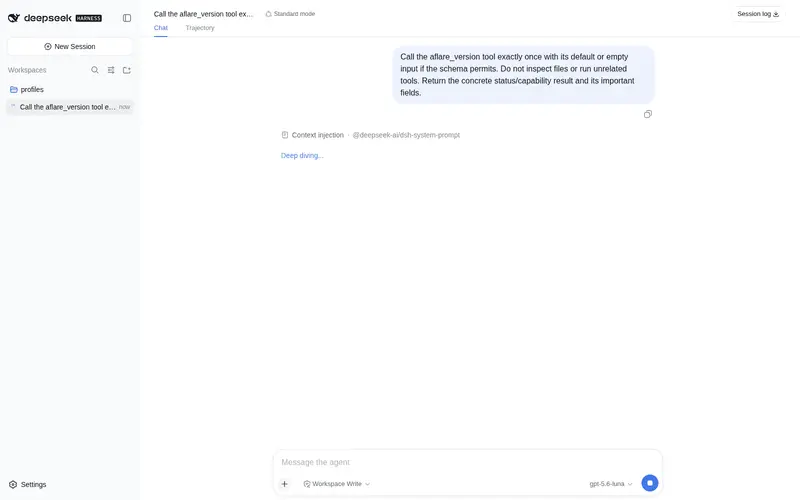
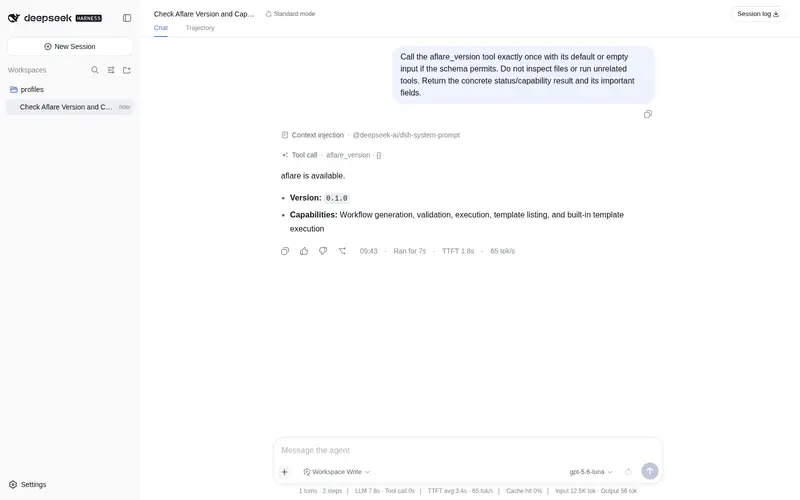
What it does
Workflow tools for the local aflare binary: generate, validate and run local-first deterministic YAML workflow DAGs (WAL crash recovery, Saga compensation) through the local aflare binary, with 300+ templates built in.
Best for
- Users who want DSH agents to generate, validate, and execute deterministic YAML workflow DAGs locally.
- Automation workflows that benefit from aflare's WAL crash recovery, Saga compensation, and built-in template catalog.
- Environments that require workflow invocations to use argv-based local process execution rather than a shell.
Not ideal for
- Environments where the local `aflare` binary cannot be installed or exposed through `AFLARE_BIN`.
- Workflows that need returned output larger than 256 KB, since plugin output is truncated at that limit.
- Users seeking a hosted or remote workflow service rather than tools that spawn a local binary.
README
@alib8b8/dsh-plugin-aflare
DeepSeek Harness (DSH) Cordis plugin that exposes aflare workflow tools as native DSH tools.
Every tool spawns the local aflare binary with execFile (no shell), so
nothing leaves your machine — the same local-first guarantee aflare itself
makes.
Tools
| Tool | What it does |
|---|---|
aflare_version |
Installed aflare version |
aflare_generate |
Create workflow YAML from a description (optional ai: true for LLM generation) |
aflare_validate |
Validate a workflow YAML |
aflare_run |
Execute a workflow YAML and return the output |
aflare_template_list |
List built-in templates |
aflare_template_run |
Run a template by ID |
Install
Prerequisite: the aflare binary
The plugin drives the local aflare CLI, so install it first (one line; see
the aflare README for Windows/source
options):
curl -fsSL https://raw.githubusercontent.com/alib8b8/aflare/main/install.sh | bash
aflare version   # sanity check
One-line install into DSH
dsh plugin --profile web add @alib8b8/dsh-plugin-aflare
Published on npm (@alib8b8/dsh-plugin-aflare);
the github:alib8b8/dsh-plugin-aflare spec works too.
The package declares its bundle patch (dsh.bundle.patch in package.json),
so DSH registers the plugin entry automatically — restart dsh web and the
aflare_* tools are live. No profile editing needed.
From a local checkout
git clone https://github.com/alib8b8/dsh-plugin-aflare
cd dsh-plugin-aflare
npm install && npm run build
dsh plugin --profile web add "$PWD"
This repository is the distribution mirror of
aflare/integrations/dsh-plugin; development happens in the aflare monorepo.
Or register the built entry manually with a cordis.yml patch overlay
(absolute path required):
- insert:
    - id: aflare-tools
      name: /absolute/path/to/aflare/integrations/dsh-plugin/dist/index.js
Start DSH with the overlay:
pnpm dsh web --patch ./aflare-patch.yml
Configuration
| Env var | Default | Description |
|---|---|---|
AFLARE_BIN |
aflare |
Path to the aflare executable |
AFLARE_TIMEOUT_MS |
300000 |
Per-invocation timeout (ms) |
Security
- All invocations use
execFile— arguments are passed as argv, never through a shell, so tool parameters cannot inject commands. - Output is truncated at 256 KB to protect model context.
- aflare’s own protections (path validation, safe mode, policy engine) apply
to every run. Set
AFLARE_SAFE_MODE=1in the DSH process environment for untrusted workflows.
Development
npm install
npm run typecheck   # strict TS check
npm test            # compiles, then runs integration tests via node --test
The tests execute the real aflare binary, resolved from AFLARE_BIN or
the repo-root build output (make build in the repository root). Without a
binary, the registration checks still run and the binary tests skip.
License
AGPL-3.0-or-later (same as the aflare project).
Frequently Asked QuestionsFAQ
Use the verified command dsh plugin --profile default add github:alib8b8/dsh-plugin-aflare in a DSH-enabled shell. The command resolves the public package metadata and keeps the plugin attached to the catalog identity shown on this page.
Compatibility follows the bundle and profile status shown above. If a profile is not detected, keep the plugin disabled there and check the repository documentation before enabling it in production.
The GitHub link and activity metadata are the source of truth for releases and maintenance. Revisit this page after a new release to confirm the catalog has observed the latest version.