AngLi1997/dsh-plugin-sync
Deepseek Harness 插件同步
Listed
1
Tools
Bundle verified
Preview
What it does
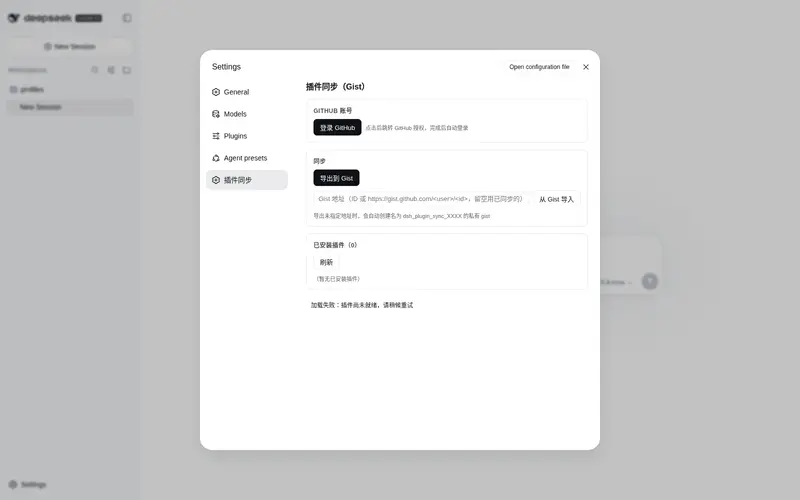
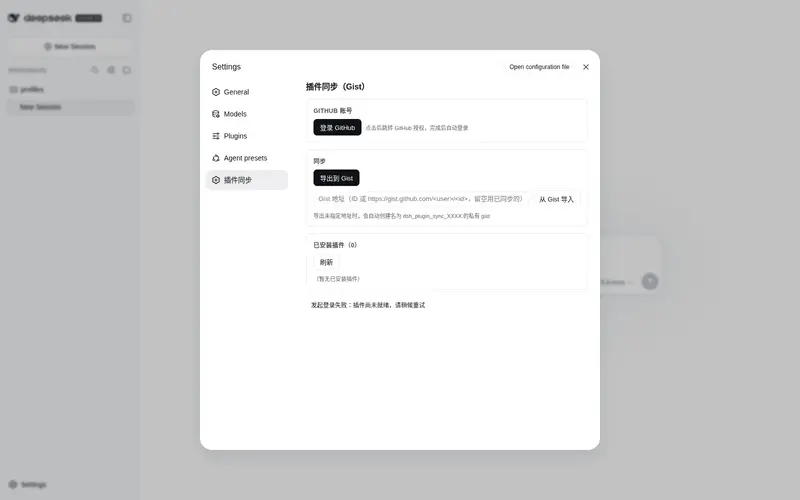
Sync the installed DeepSeek Harness plugin manifest to a GitHub Gist (OAuth login, one-click export/import with automatic dependency install).
Best for
- Users who want to reproduce the same DSH plugin set across machines or profiles.
- Teams that need a private Gist backup of profile dependencies, bundle entries, and Cordis patch configuration.
- Users who prefer OAuth device login and one-step import with dependency installation.
Not ideal for
- Offline or GitHub-free environments, because synchronization depends on GitHub OAuth and Gist.
- Backups that must include plugin data, workspace files, or settings beyond the exported manifest fields.
- Import workflows where automatically rewriting profile files and running pnpm install is not acceptable.
README
dsh-plugin-sync


把 DeepSeek Harness 已安装的插件清单同步到 GitHub Gist 的 DSH 插件。
- GitHub OAuth 设备流快捷登录(无需手动粘贴 token)
-
导出:将
profiles/<profile>/package.json的dependencies+dsh.profile.bundles+cordis.patch.yml打包为dsh-plugins.json上传到 Gist -
导入:从 Gist 读取插件清单,写回
package.json/cordis.patch.yml并自动执行pnpm install,提示重启 Harness 生效 - 未指定 Gist 地址时,自动创建名为
dsh_plugin_sync_XXXX(4 位随机字符)的私有 Gist
安装
dsh plugin --profile web add dsh-plugin-sync
或手动编辑 profile 的 package.json:
{
  "dependencies": {
    "dsh-plugin-sync": "^1.0.0"
  },
  "dsh": {
    "profile": {
      "bundles": ["dsh-plugin-sync"]
    }
  }
}
然后 pnpm install 并重启 Harness。安装后可在 dsh-market 中查看。
使用
- 打开设置 →「插件同步」
- 点「登录 GitHub」,按提示跳转 GitHub 授权(仅需
gist权限) - 点「导出到 Gist」上传插件清单;「从 Gist 导入」填写 Gist 地址后自动安装并提示重启
构建
npm install
npm run build   # esbuild 产出 lib/index.js(host)+ lib/client.js(client bundle)
@deepseek-ai/* 与 react 保持外部依赖(由 profile 的 node_modules / app 模块系统提供),zod 打包进产物。
License
MIT
Frequently Asked QuestionsFAQ
Use the verified command dsh plugin --profile default add github:AngLi1997/dsh-plugin-sync in a DSH-enabled shell. The command resolves the public package metadata and keeps the plugin attached to the catalog identity shown on this page.
Compatibility follows the bundle and profile status shown above. If a profile is not detected, keep the plugin disabled there and check the repository documentation before enabling it in production.
The GitHub link and activity metadata are the source of truth for releases and maintenance. Revisit this page after a new release to confirm the catalog has observed the latest version.