Asher-2000/dsh-expert-mode
DSH (DeepSeek Harness) 专家模式 agent preset — 首席协调官 + 11 位领域专家子代理 Expert-mode preset for DeepSeek Harness
Listed
5
Tools
Bundle verified
Preview
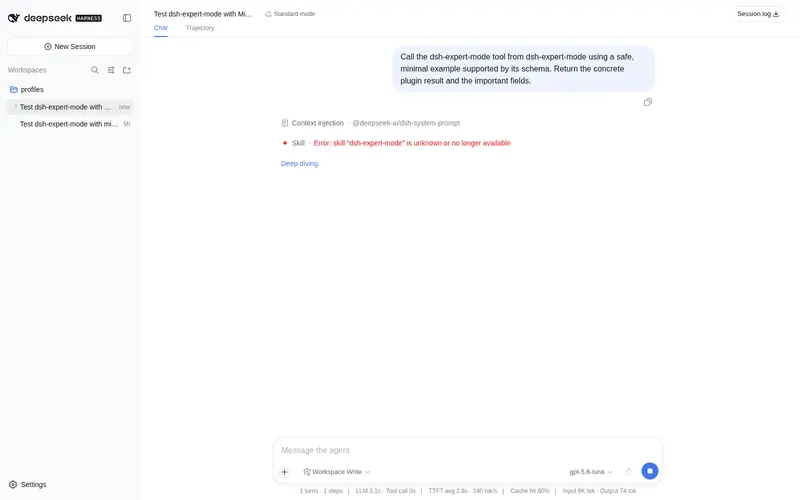
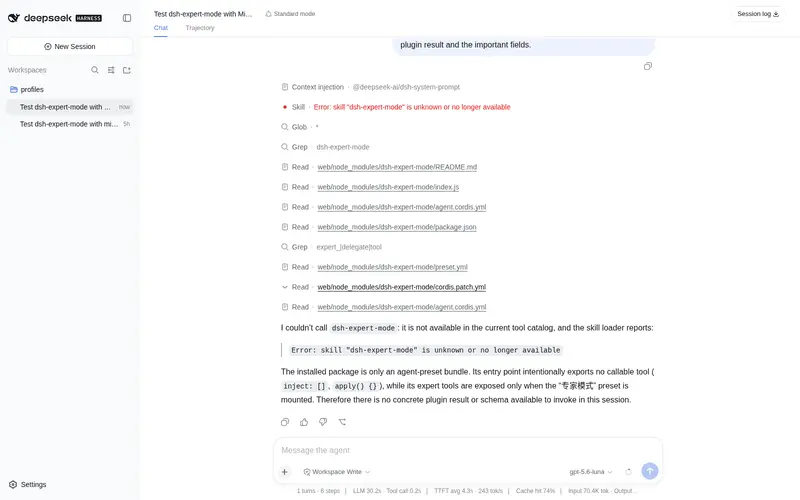
What it does
Expert-mode agent preset for DeepSeek Harness (v0.3.0, bilingual EN/ZH): a chief coordinator plus 11 domain-expert subagents with automatic task delegation. New: Three-Anchor constraint (recall/convergence/anti-drift per turn) and Near-distance Guidance (identity/task/output template per expert). Experts: data analyst, copywriter, legal review, product manager, frontend, UI/UX, architect, social media ops, growth hacker, quant finance, finance.
Best for
- DSH users who want a bilingual coordinator preset that automatically delegates work to 11 named domain experts.
- Cross-domain tasks spanning areas such as data analysis, product, frontend, UI/UX, architecture, legal, growth, or finance.
- Complex workflows that benefit from multiple specialist subagents and per-turn recall, convergence, and anti-drift constraints.
Not ideal for
- Users who prefer direct manual control of a single agent without automatic delegation.
- Simple tasks where a coordinator-and-expert preset adds little value, even though the coordinator can handle them directly.
- Specialist workflows outside the 11 domains named in the authoritative preset description.
README
🧠 DSH Expert Mode
1 Coordinator + 16 Experts — Full-Stack Multi-Agent Team
首席协调官 + 16 位领域专家 — 全栈多智能体团队




✨ What it does
Install this preset and DSH automatically becomes a “Chief Coordinator” mode:
| Scenario | Behavior |
|---|---|
| Receives task | Identifies domain → delegates to the best expert |
| Complex tasks | Dispatches multiple experts in parallel |
| Simple tasks | Coordinator handles directly — no forced delegation |
| Task complete | Experts stay online for follow-up modifications |
No custom prompts to write. No multi-config to maintain. Just install and use.
🖼️ Demo

Select the “Expert Mode” preset in DSH workspace to use

5 expert subagents working in parallel, with real-time token usage and timing
🧩 16 Experts
🎯 Full-Stack Core (6)
| Expert | Tool | Domain |
|---|---|---|
| 🖥️ Frontend Dev | expert_frontend_dev |
Web frontend, React/Vue, CSS/UI |
| 🖥️ Backend Dev | expert_backend_dev |
API, server logic, authentication |
| 🗄️ Database | expert_database |
Schema design, SQL, optimization |
| 🏗️ Architect | expert_architect |
System design, tech selection |
| 🛠️ DevOps | expert_devops |
CI/CD, Docker, K8s, deployment |
| 🧪 QA Engineer | expert_qa_engineer |
Testing strategy, automation |
🔒 Security & Data (3)
| Expert | Tool | Domain |
|---|---|---|
| 🔒 Security | expert_security |
Code audit, vulnerabilities, hardening |
| 📊 Data Analyst | expert_data_analyst |
Statistics, visualization, insights |
| 🎨 UI/UX Design | expert_uiux_design |
Interface design, design systems |
💼 Business (7)
| Expert | Tool | Domain |
|---|---|---|
| 📋 Product Manager | expert_product_manager |
PRD, requirements, competitor research |
| ✍️ Copywriter | expert_copywriter |
Marketing copy, content creation |
| ⚖️ Legal Review | expert_legal_review |
Contract review, legal risk |
| 📱 Social Media | expert_social_media |
Multi-platform distribution |
| 🚀 Growth Hacker | expert_growth |
Growth strategy, A/B testing |
| 💹 Quant Finance | expert_quant_finance |
Quantitative models, risk |
| 💰 Finance | expert_finance |
Financial analysis, budget |
🛡️ Features
| Feature | Description |
|---|---|
| 🎯 Smart Delegation | Auto-identifies task domain and routes to the best expert |
| 🚀 Fast Track | Simple tasks handled directly — no forced delegation |
| 🔄 Five-Anchor Constraint | Prevents topic drift with per-turn self-check |
| 🤝 Cross Review | High-risk tasks get multi-expert independent review |
| 💾 Experience Pool | Lessons learned are saved and injected next time |
| 💬 Subagent Communication | Experts can communicate via send_message (continuable mode) |
| ⚡ Fault Recovery | Auto-retry on timeout, strategy switch on failure |
| 📉 Progressive Disclosure | Methodology injected on-demand, 28% token savings |
| 🌐 Bilingual | Complete EN/ZH documentation |
📦 Installation
# In DSH workspace
dsh plugin add @deepseek-ai/dsh-expert-mode
Then select “专家模式” in the workspace preset selector.
🚀 Quick Start
- Install the plugin
- Select “专家模式” preset
- Ask any question — the coordinator auto-delegates to the right expert
Example
User: 帮我设计一个用户认证系统

Coordinator:
  → 识别领域: 后端开发 + 安全
  → 委派 Backend Dev: API 设计、JWT 实现
  → 委派 Security: 安全审计、漏洞防护
  → 汇总输出完整方案
🏗️ Architecture
┌─────────────────────────────────────────────────────────────────┐
│                    Expert Mode Architecture                      │
├─────────────────────────────────────────────────────────────────┤
│                                                                  │
│  ┌──────────────────────────────────────────────────────────┐   │
│  │              Chief Coordinator (协调官)                    │   │
│  │  • Task analysis    • Domain identification               │   │
│  │  • Expert routing   • Result aggregation                  │   │
│  └──────────────────────────────────────────────────────────┘   │
│                           │                                      │
│           ┌───────────────┼───────────────┐                     │
│           ▼               ▼               ▼                     │
│  ┌─────────────┐  ┌─────────────┐  ┌─────────────┐            │
│  │  Frontend   │  │  Backend    │  │  DevOps     │            │
│  │  Database   │  │  Security   │  │  QA         │            │
│  │  Architect  │  │  ...        │  │  ...        │            │
│  └─────────────┘  └─────────────┘  └─────────────┘            │
│                                                                  │
└─────────────────────────────────────────────────────────────────┘
📚 Documentation
| Document | Description |
|---|---|
| User Guide | Installation and usage |
| Expert Methods | Detailed methodology for each expert |
| Architecture | System design details |
| Changelog | Version history |
🤝 Contributing
- Fork the repository
- Create a feature branch
- Commit your changes
- Push to the branch
- Open a Pull Request
📄 License
MIT License - see LICENSE for details.
🙏 Acknowledgments
- DeepSeek Harness - The core framework
- Cordis - Plugin system
- Awesome DSH Plugin - Community listing
Frequently Asked QuestionsFAQ
Use the verified command dsh plugin --profile default add github:Asher-2000/dsh-expert-mode in a DSH-enabled shell. The command resolves the public package metadata and keeps the plugin attached to the catalog identity shown on this page.
Compatibility follows the bundle and profile status shown above. If a profile is not detected, keep the plugin disabled there and check the repository documentation before enabling it in production.
The GitHub link and activity metadata are the source of truth for releases and maintenance. Revisit this page after a new release to confirm the catalog has observed the latest version.