awesome-dsh-plugin/dsh-find-plugin
Find DSH plugins inside the agent — live GitHub dsh-plugin topic search, star-ranked / 会话内搜索发现 DSH 插件
Listed
52
Market
Bundle verified
Preview
What it does
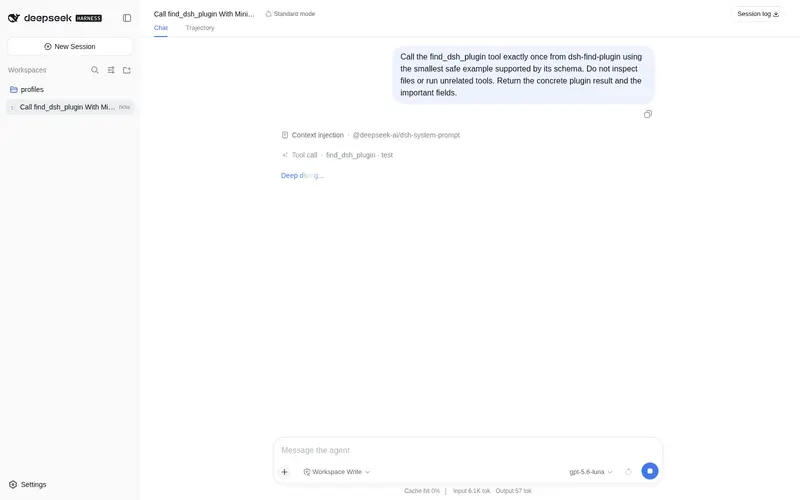
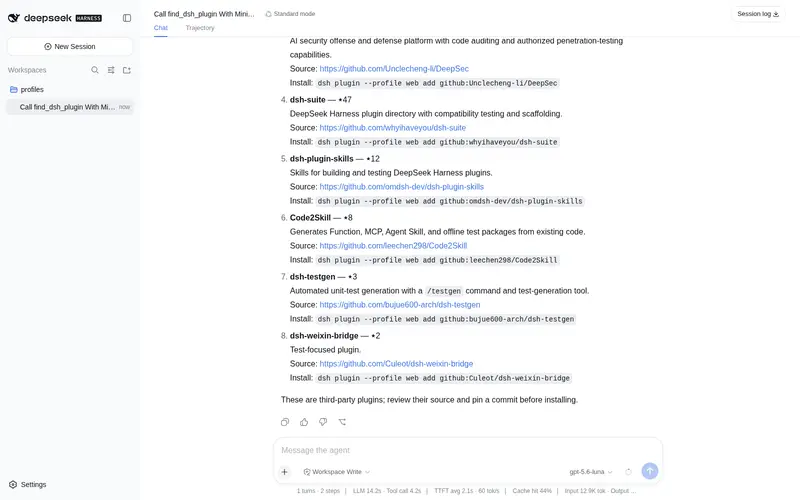
Find plugins without leaving the agent: search this curated registry by keyword or category, with ready-to-run install commands.
Best for
- DSH users who want to discover plugins by describing a need in natural language.
- Agents that need keyword or category search results with descriptions, repository links, and install commands.
- Users exploring the GitHub dsh-plugin ecosystem without leaving the conversation.
Not ideal for
- Users who already know the exact plugin they need and do not require discovery.
- Offline or network-restricted environments, because discovery uses live GitHub repository search.
- Workflows requiring security vetting or compatibility validation; results are discovery metadata for third-party code, not an audit.
README
dsh-find-plugin 
| English | 中文 |
A plugin that finds plugins — think /find-skills from skills.sh, for DSH.
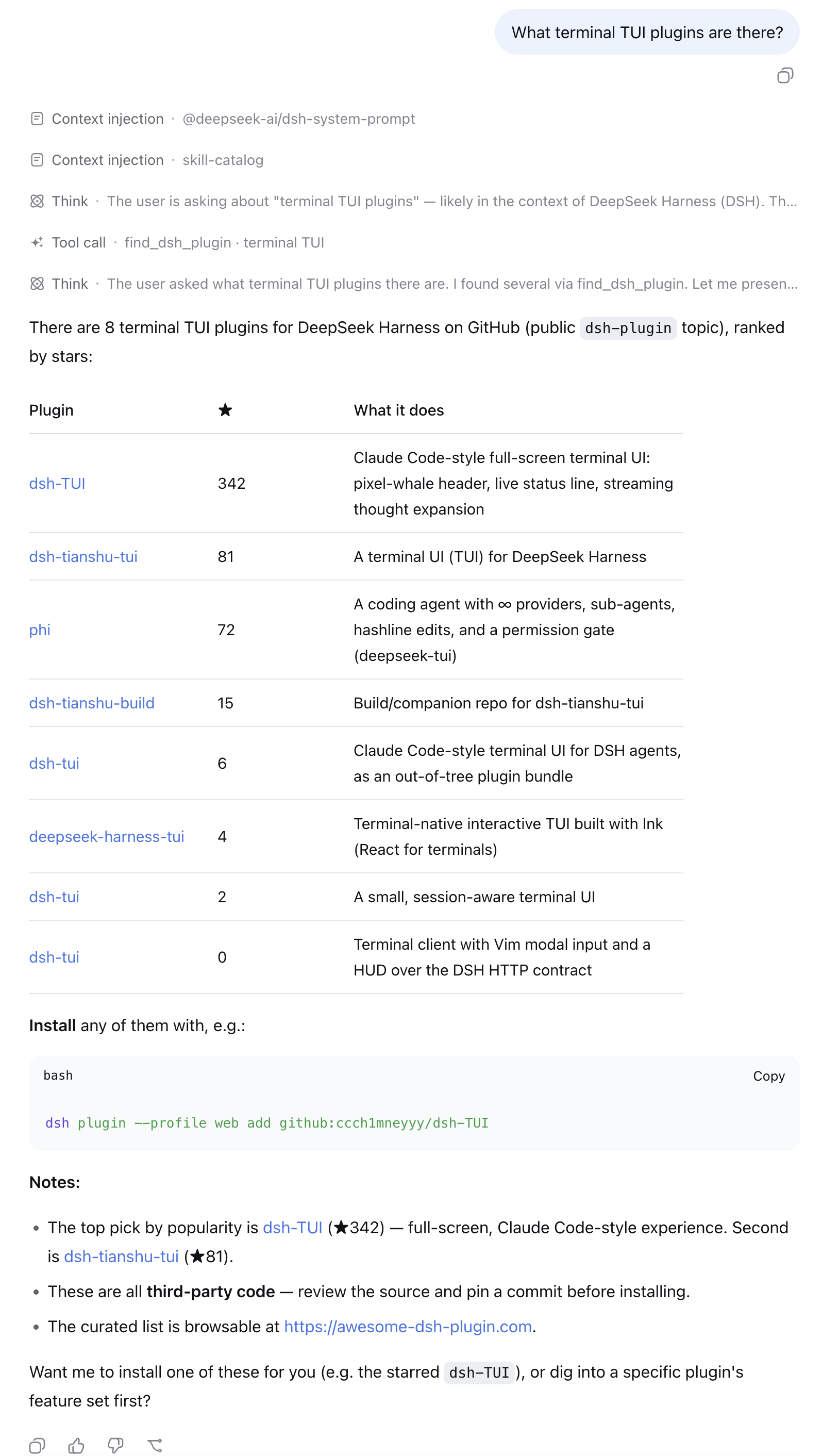
Tell your agent what you want (“notify me on WeChat when a task finishes”), and it searches the DSH plugin ecosystem on GitHub for you — top results by stars, each with a one-line description and an install command.
Install
# from npm (prebuilt, recommended)
dsh plugin --profile web add dsh-find-plugin

# or from GitHub
dsh plugin --profile web add github:awesome-dsh-plugin/dsh-find-plugin
Usage
Restart dsh web after installing, then just talk to the agent — it calls
find_dsh_plugin on its own whenever plugin discovery helps:
- “What terminal TUI plugins are there?”
- “I want to get a WeChat notification when a task finishes — any plugin for that?”
- “Find me something for reviewing git diffs inside DSH.”
Each result comes back with stars, a description, the repo link, and a
ready-to-run dsh plugin add command — ask the agent to install one and
it can run the command for you.
How it works
- Live GitHub repository search scoped to the official
dsh-plugintopic, re-ranked by stars (5-minute per-query cache, anonymous API). - When a result is also listed on
awesome-dsh-plugin, its hand-written
bilingual description from
plugins.jsonreplaces the GitHub one (thelangparameter picks the language) — ranking is untouched. - Every result comes with a ready-to-run
dsh plugin addcommand. Plugins are third-party code — review the source and pin a commit.
License
MIT © awesome-dsh-plugin
Frequently Asked QuestionsFAQ
Use the verified command dsh plugin --profile default add github:awesome-dsh-plugin/dsh-find-plugin in a DSH-enabled shell. The command resolves the public package metadata and keeps the plugin attached to the catalog identity shown on this page.
Compatibility follows the bundle and profile status shown above. If a profile is not detected, keep the plugin disabled there and check the repository documentation before enabling it in production.
The GitHub link and activity metadata are the source of truth for releases and maintenance. Revisit this page after a new release to confirm the catalog has observed the latest version.