badai147/dsh-global-rules
在 DeepSeek Harness Web 设置面板中编辑 ~/.dsh/AGENTS.md 全局规则的插件
Listed
9
Dev
Bundle verified
Preview
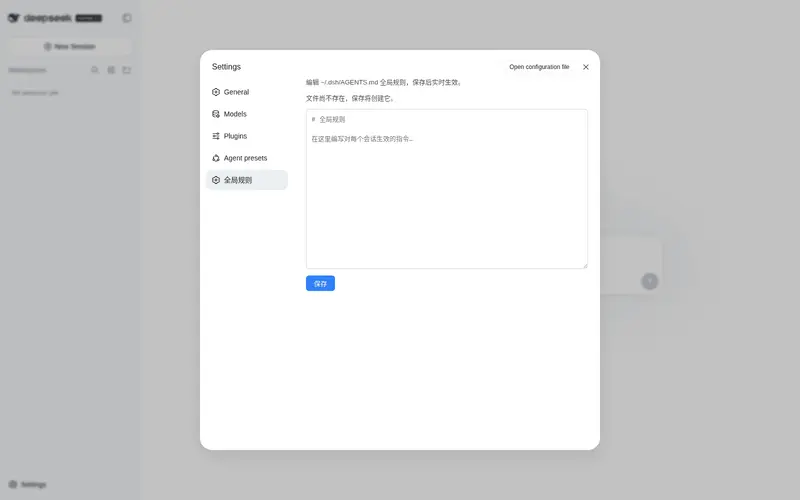
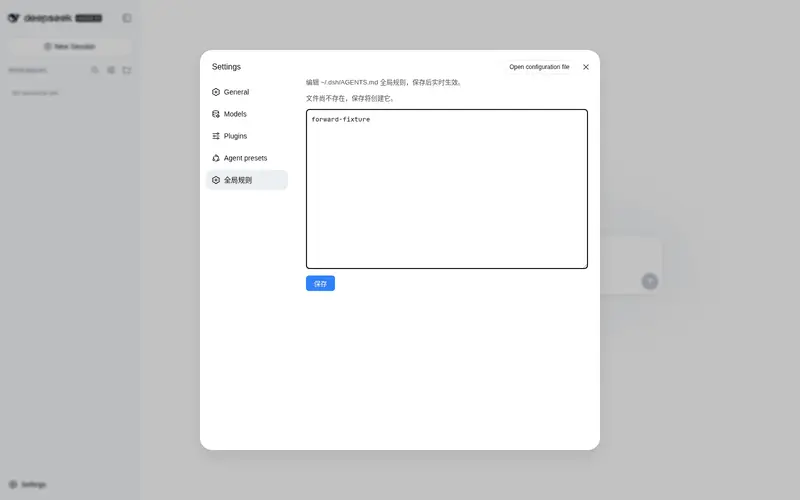
What it does
Edit the global ~/.dsh/AGENTS.md rules from the web settings panel, live on save.
Best for
- DSH Web users who want to maintain global AGENTS.md rules without leaving the settings panel.
- Administrators who need newly saved global instructions to apply to new sessions and be detected by active sessions.
Not ideal for
- Users who do not manage global rules through ~/.dsh/AGENTS.md.
- Workflows that require changes to affect the current session before its next filesystem tool call.
README
dsh-global-rules

在 DeepSeek Harness Web 的设置面板中编辑 ~/.dsh/AGENTS.md(全局规则)的插件。
Edit your ~/.dsh/AGENTS.md (global rules) from the DeepSeek Harness web settings panel.

功能 / Features
- 设置页新增「全局规则」标签:打开即加载
~/.dsh/AGENTS.md当前内容 - 编辑保存,实时生效:新会话立即生效;当前会话在下次文件操作后感知新规则(由 DSH 内置的
dsh-agent-instructions动态检测机制完成) - 文件不存在时保存会自动创建
- 零构建:Client 端为手写
__ModuleLoader__bundle,Host 端为纯 Node ESM
安装 / Install
dsh plugin --profile web add dsh-global-rules
从 GitHub 源安装(备选):
dsh plugin --profile web add github:badai147/dsh-global-rules
重启 dsh web,然后打开 设置 → 全局规则。
使用 / Usage
- 打开设置 → 全局规则
- 编辑规则内容(Markdown 格式,与
AGENTS.md语法一致) - 点击「保存」
保存后:
- 新会话:首次步骤直接读取新内容,立即生效
- 当前会话:下一次文件系统工具调用后,DSH 会检测到文件变化并注入 “Updated instructions from: ~/.dsh/AGENTS.md”,模型按新规则执行
工作原理 / How it works
-
Host(
lib/index.js):注册GET /global-rules(读文件)与POST /global-rules(写文件,同源校验 + 256 KiB 上限)两个 HTTP 路由 -
Client(
lib/client.js):手写window.__ModuleLoader__.loadbundle,注册settings.section的「全局规则」页面 -
生效机制:DSH 内置
dsh-agent-instructions插件覆盖user-globalscope 的动态检测——无需插件做任何热重载
目录结构 / Structure
dsh-global-rules/
├── cordis.patch.yml   # bundle patch:插入 global-rules 层
├── lib/
│   ├── index.js       # Host:HTTP 路由(Node ESM)
│   └── client.js      # Client:设置页 UI(__ModuleLoader__ bundle)
└── package.json
License
Frequently Asked QuestionsFAQ
Use the verified command dsh plugin --profile default add github:badai147/dsh-global-rules in a DSH-enabled shell. The command resolves the public package metadata and keeps the plugin attached to the catalog identity shown on this page.
Compatibility follows the bundle and profile status shown above. If a profile is not detected, keep the plugin disabled there and check the repository documentation before enabling it in production.
The GitHub link and activity metadata are the source of truth for releases and maintenance. Revisit this page after a new release to confirm the catalog has observed the latest version.