caoyiwei850/dsh-ssh-ops
DeepSeek Harness SSH 运维插件:主对话驱动 SSH,带高危命令保护与右侧终端。
Listed
2
Tools
Bundle verified
Preview
What it does
SSH ops terminal for DSH Web UI: drive a connected server from the main conversation (ssh_connect/ssh_exec/ssh_read/ssh_write/ssh_disconnect) while keeping an interactive xterm.js terminal on the right.
Best for
- Operators who want an interactive SSH terminal beside a DSH conversation while letting the agent run routine server commands.
- Teams managing remote files, SSH tunnels, or MySQL, PostgreSQL, Redis, and MongoDB access through one DSH Web interface.
- Workflows that need local credential storage, output redaction, structured command results, and blocking of clearly destructive agent actions.
Not ideal for
- Fully autonomous execution of destructive operations; blocked commands such as file deletion, disk formatting, database drops, and shutdown must be entered manually in the terminal.
- Users without SSH-managed infrastructure or who only need a basic local shell.
- Headless workflows, because the documented experience depends on the DSH Web UI and its right-side terminal.
README
DSH SSH Ops
DeepSeek Harness 的 SSH 运维插件:在主对话中驱动当前服务器,同时在右侧保留真实的交互式终端。


示例
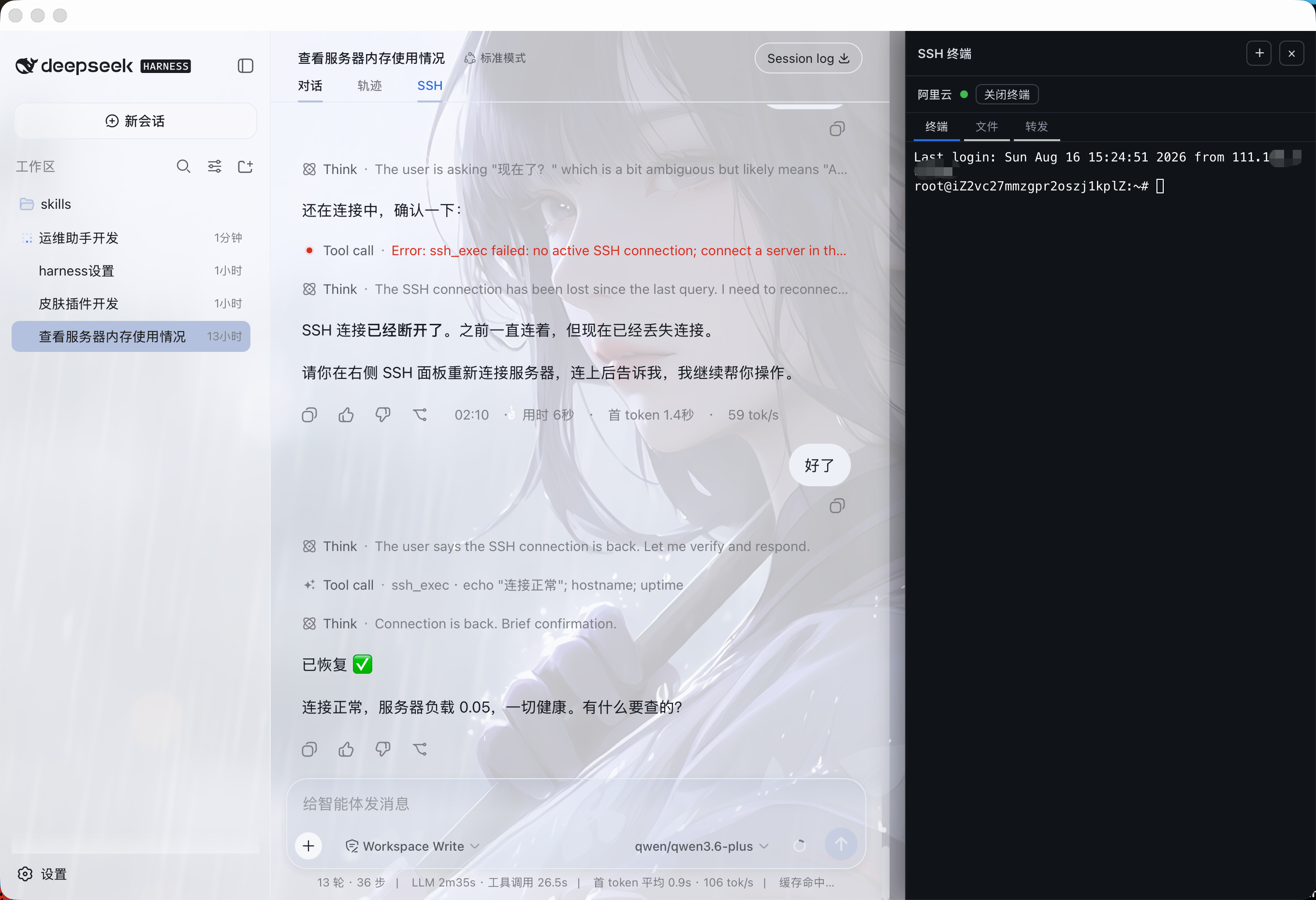
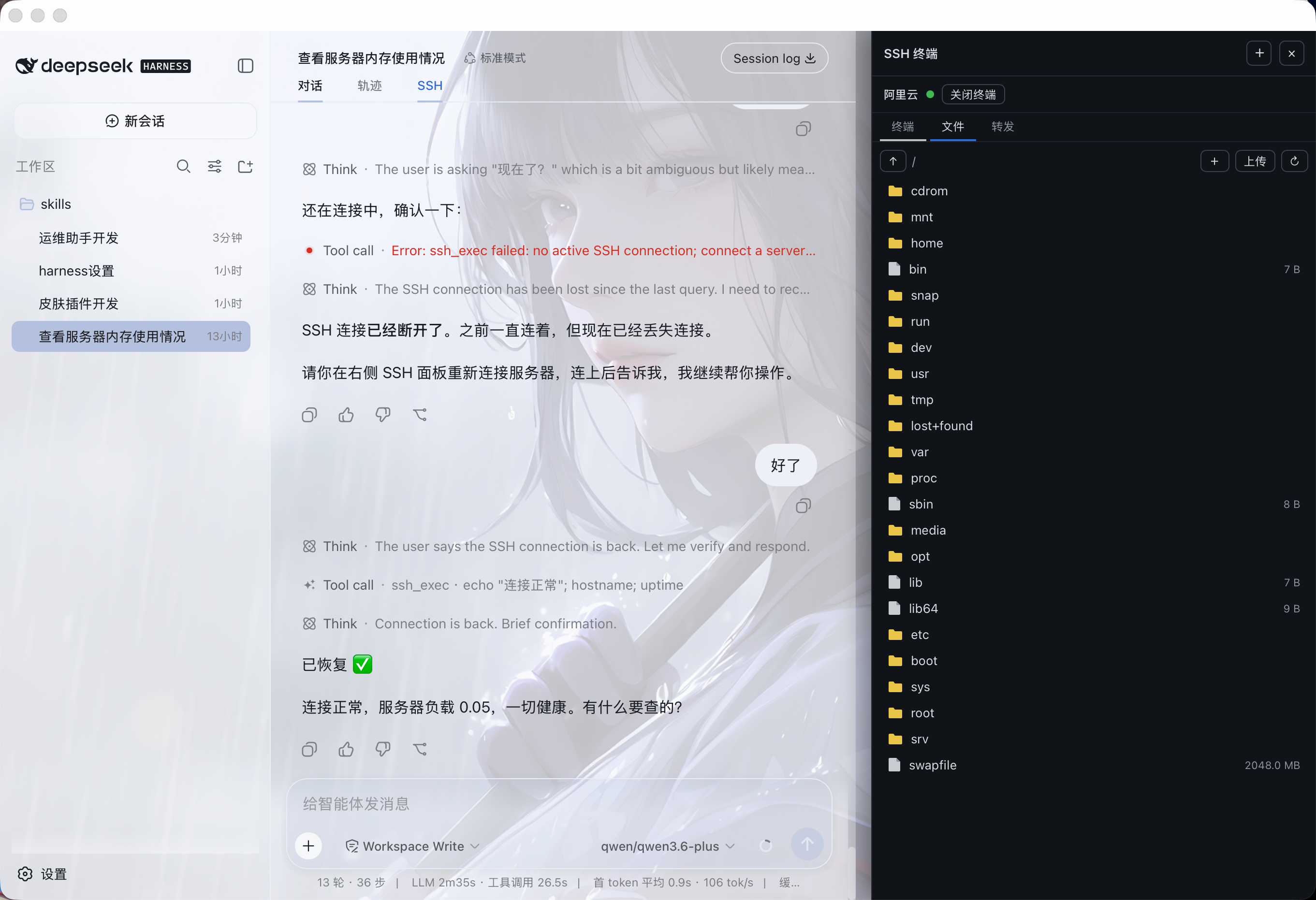
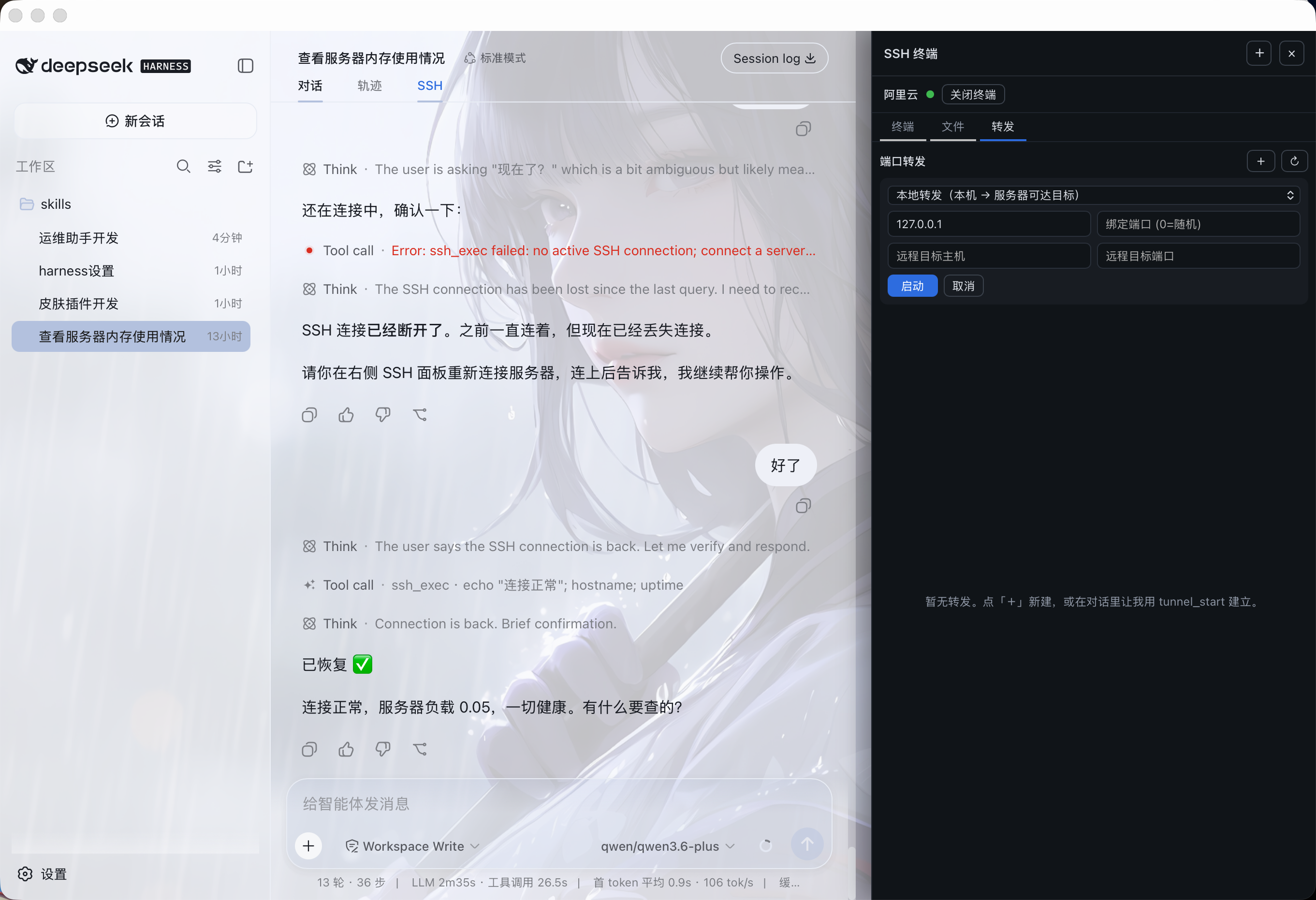
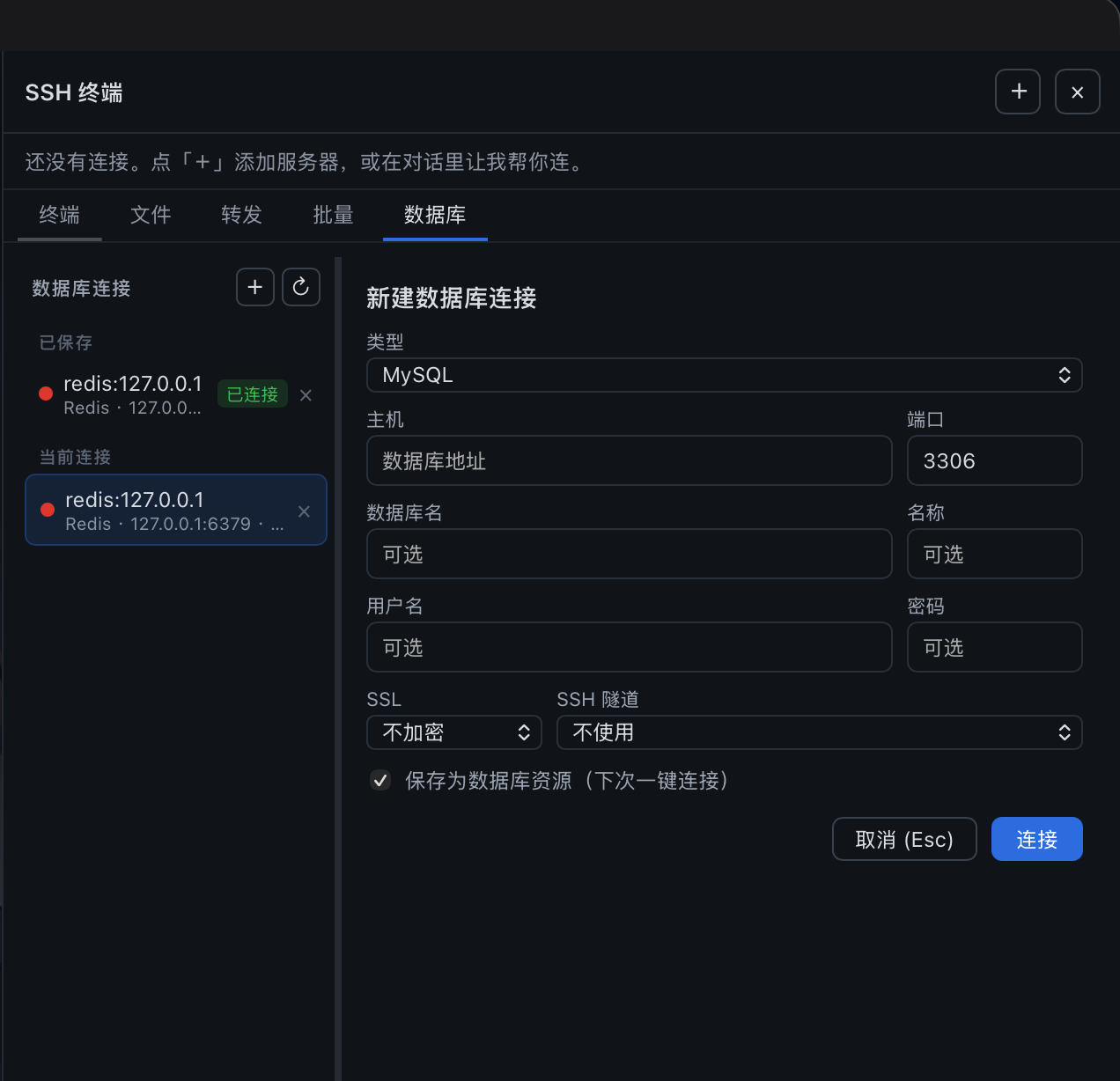
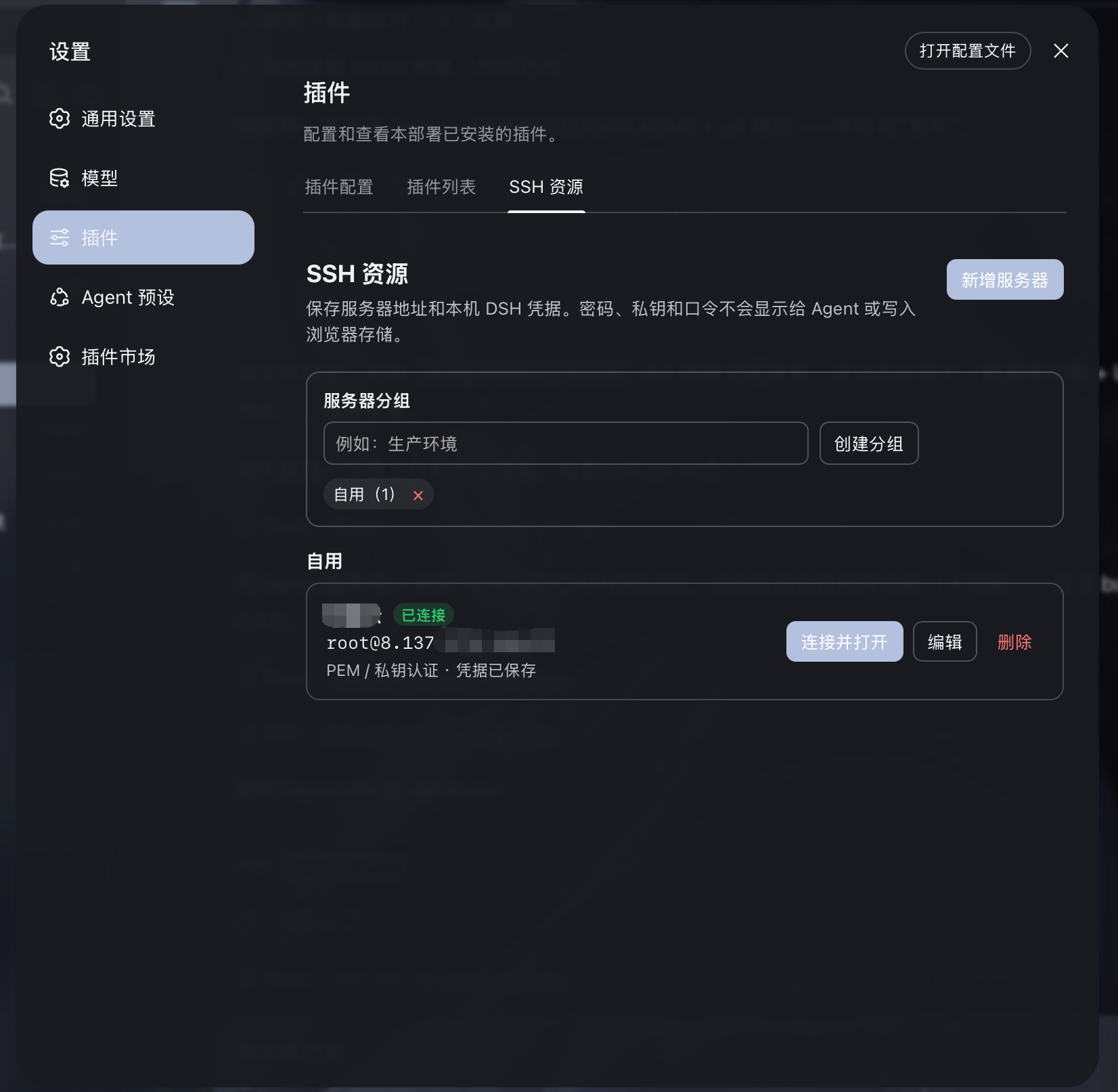
主对话直接指挥已连接的服务器,右侧保留真实交互式终端,支持文件管理(SFTP)、端口转发与数据库管理:
能做什么
- 在会话右侧打开可调整宽度的 xterm.js SSH 终端。
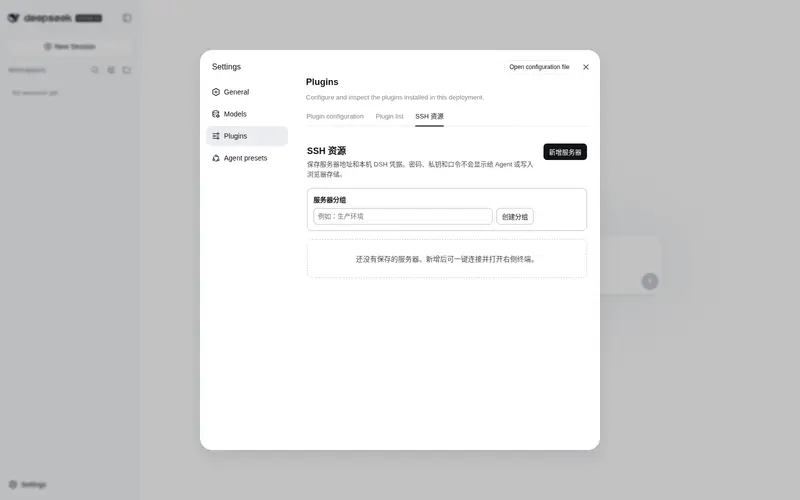
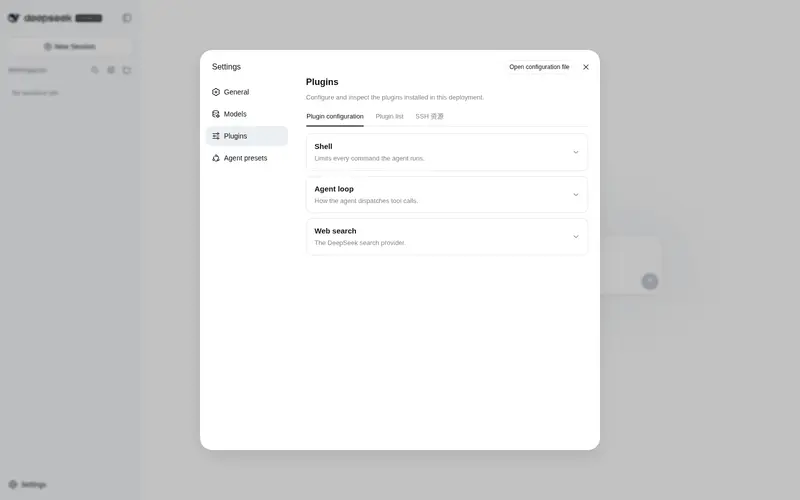
- 在 设置 → 插件 → SSH 资源 中管理任意数量的服务器和分组;顶部的 SSH 仅显示或隐藏右侧终端。
- 服务器名称、地址、端口、用户名、认证类型和分组保存到 DSH 本地存储;数量不设上限。
- 密码、PEM 私钥和私钥口令仅保存到 DSH 官方本机凭据库
~/.dsh/.credentials.yaml(owner-only 权限);浏览器存储、Agent 上下文、工具结果和资源列表均不会读取或显示秘密内容。 - 主对话自动识别当前右侧已连接服务器,无需向用户索取内部连接 ID。
- Agent 发出的
ssh_exec命令会显示在右侧终端,并将退出码、输出、耗时、超时和截断状态回传给主对话分析。 - 对手动终端输出提供按需
ssh_read读取;不会静默把人工终端内容塞入对话上下文。 - 输出给模型前会脱敏私钥、Bearer Token、常见密码/API Key 和数据库连接口令。
-
文件管理:SSH 面板新增「文件」页签,基于 SFTP 浏览服务器目录树,支持上传、下载、新建目录、删除与重命名;对话中也可用
sftp_list/sftp_read/sftp_write等工具直接操作。 -
端口转发:SSH 面板新增「转发」页签,可建立本地转发(本机 → 服务器可达目标)与远程转发(服务器 → 本机),实时查看与停止隧道;对话中也可用
tunnel_start/tunnel_list/tunnel_stop。 -
数据库:SSH 面板新增「数据库」页签,支持连接 MySQL / PostgreSQL / Redis / MongoDB,可手动执行 SQL 查询或命令并查看结果表格;对话中也可用
db_connect/db_query/db_execute/db_run等工具直接操作。- 支持通过 SSH 隧道访问内网数据库;支持 SSL 三档(不加密 / 加密不验证 / 加密+验证 CA)适配云托管数据库。
- 数据库连接可保存为资源,重启后一键重连;密码加密存储于 DSH 凭据库。
- 高危 SQL(DROP DATABASE/SCHEMA/TABLE、TRUNCATE、SHUTDOWN)自动拦截。
安全边界
DSH 自身权限机制仍然有效。本插件额外阻止 Agent 工具执行明显不可逆或破坏性操作,例如删除文件、删库、格式化磁盘、terraform destroy、kubectl delete、docker prune、强制 Git 清理以及重启/关机。
需要执行此类高危操作时,必须由操作者在右侧 SSH 终端中亲自输入。普通运维操作(配置 SSL、安装软件包、修改配置、重载服务等)可以正常通过 DSH 的权限流程执行。
安装
从 GitHub 安装(推荐)
dsh plugin --profile web add github:caoyiwei850/dsh-ssh-ops#v0.1.1
安装后重启 DSH Web:
dsh web
然后打开任意会话,点击顶部的 SSH 标签,使用右侧面板连接服务器。
从发布压缩包安装
从 GitHub Releases 下载 dsh-ssh-ops-0.1.1.tgz 后:
dsh plugin --profile web add /path/to/dsh-ssh-ops-0.1.1.tgz
dsh web
dsh-ssh-ops-0.1.1.zip 适用于离线审阅或二次开发;解压后可在目录中执行 npm install && npm run build。
使用方式
- 打开 设置 → 插件 → SSH 资源,新建分组或服务器资源;PEM /
.key文件可直接导入。 - 保存的资源可直接“连接并打开”,并自动创建右侧 PTY 终端。编辑时秘密字段留空会保持原值;清除凭据需要显式确认。
- 顶部 SSH 仅控制右侧终端的显示和隐藏;右上角
+可选择已保存资源,或创建不落盘的临时连接。 - 在主对话中直接说“查询服务器内存使用情况”或“配置 Nginx SSL 证书”。主 Agent 只能操作当前活动连接,不能枚举保存资源、读取凭据或自动用保存凭据连接。
Agent 工具
| 工具 | 用途 |
|---|---|
ssh_connect |
建立 SSH 连接并设为当前服务器 |
ssh_exec |
在当前服务器执行 Agent 命令并返回结构化输出 |
ssh_read |
按需读取右侧终端缓冲输出 |
ssh_write |
向当前终端写入交互输入 |
ssh_disconnect |
断开当前连接 |
ssh_list |
查看当前活动连接的安全元数据(不包含保存资源或秘密) |
sftp_list |
列出远程目录(SFTP) |
sftp_read |
读取远程文件内容 |
sftp_write |
写入远程文件 |
sftp_mkdir |
新建远程目录 |
sftp_delete |
删除远程文件或空目录 |
sftp_rename |
重命名/移动远程路径 |
tunnel_start |
建立本地或远程端口转发 |
tunnel_list |
列出活动隧道 |
tunnel_stop |
停止隧道 |
开发
npm install
npm test
npm run build
npm run pack:release
生成物位于 release/:
-
dsh-ssh-ops-0.1.1.tgz:可直接被 DSH 安装。 -
dsh-ssh-ops-0.1.1.zip:完整离线源码包。
许可
Frequently Asked QuestionsFAQ
Use the verified command dsh plugin --profile default add github:caoyiwei850/dsh-ssh-ops in a DSH-enabled shell. The command resolves the public package metadata and keeps the plugin attached to the catalog identity shown on this page.
Compatibility follows the bundle and profile status shown above. If a profile is not detected, keep the plugin disabled there and check the repository documentation before enabling it in production.
The GitHub link and activity metadata are the source of truth for releases and maintenance. Revisit this page after a new release to confirm the catalog has observed the latest version.