Ceelog/dsh-plugins
deepseek harness plugins
Listed
6
Ui, Workflow
Bundle verified
Preview
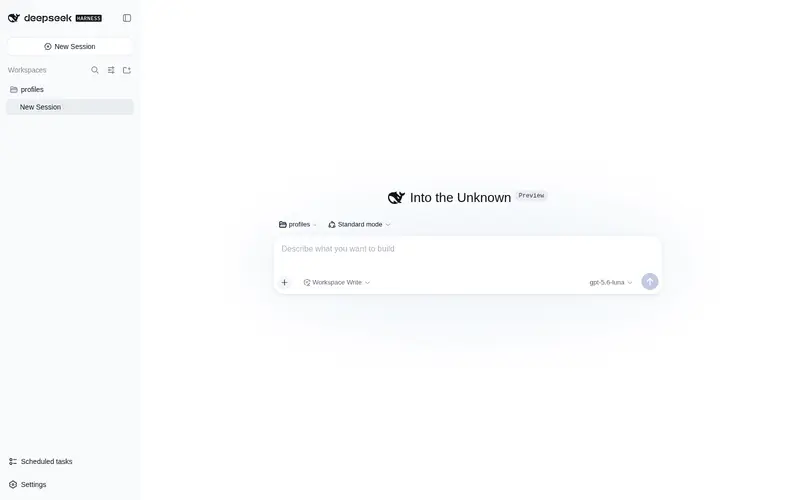
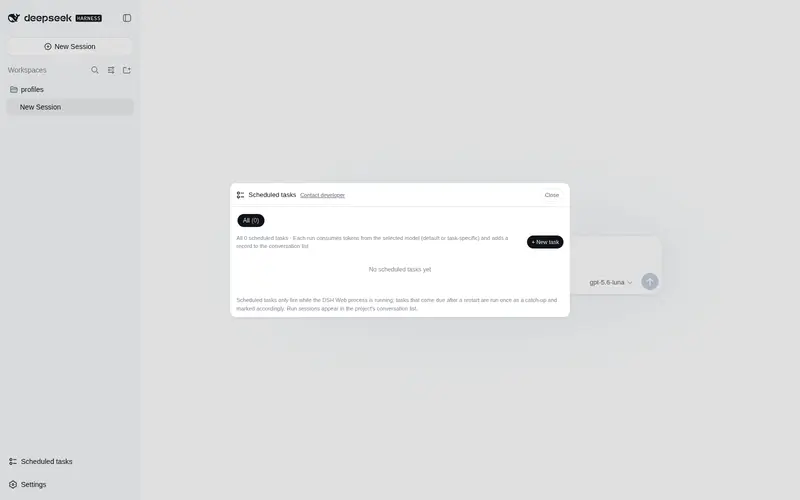
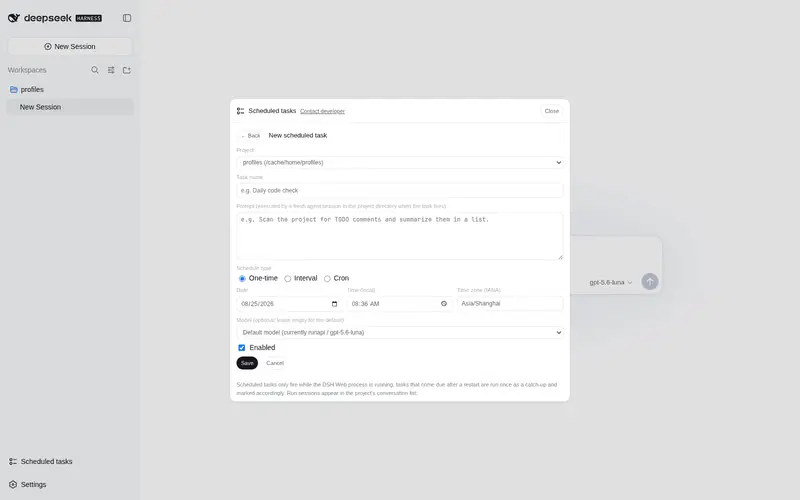
What it does
Ceelog/dsh-plugins#dsh-plugin-scheduled-tasks: Per-project scheduled prompts run as fresh headless agent sessions, with one-time, interval, and cron schedules plus durable run history. Ceelog/dsh-plugins#dsh-plugin-setting-mcp: Manage MCP servers from the Web settings panel: view, add, edit, remove, enable or disable them, with hot reload on save.
Best for
- Teams scheduling project-specific prompts as one-time, interval, or cron jobs with durable run history.
- Workflows that benefit from each scheduled run starting in a fresh headless agent session.
- DSH Web administrators who want to manage and hot-reload MCP server settings through a graphical panel.
Not ideal for
- Tasks that must continue inside an existing interactive session rather than a fresh headless session.
- Installations that neither schedule agent prompts nor manage MCP servers through DSH Web.
- Users seeking one narrowly scoped feature who do not need either package in this multi-plugin workspace.
README
dsh-plugins
Out-of-tree DeepSeek Harness plugins workspace.
Plugins
| Plugin | Description | Demo |
|---|---|---|
@opendsh/dsh-plugin-scheduled-tasks |
Per-project scheduled tasks with prompts, executed as headless agent sessions in the project directory, with durable run history. |  |
@opendsh/dsh-plugin-setting-mcp |
Manage MCP servers from the settings panel — view, edit, remove, enable/disable — with hot reload on save. |  |
Workspace layout
src/plugins/
├── dsh-plugin-scheduled-tasks   (@opendsh/dsh-plugin-scheduled-tasks)
└── dsh-plugin-setting-mcp       (@opendsh/dsh-plugin-setting-mcp)
| Command | Meaning |
|---|---|
pnpm install |
Install workspace tooling (TypeScript 7, Biome, …). |
pnpm build |
Build every plugin package. |
pnpm test |
Run every plugin’s vitest suite. |
pnpm lint |
Biome check across the workspace. |
Toolchain
- TypeScript 7 (the native compiler) for typechecking and server emit.
-
tsdown for the browser client bundle, wrapped in the DSH
window.__ModuleLoader__.loadhandoff (see each plugin’sscripts/wrap-client.mjs). - vitest for unit tests, Biome for lint/format.
联系开发者
扫描下方二维码联系开发者:

Frequently Asked QuestionsFAQ
Use the verified command dsh plugin --profile default add github:Ceelog/dsh-plugins#path:/src/plugins/dsh-plugin-scheduled-tasks in a DSH-enabled shell. The command resolves the public package metadata and keeps the plugin attached to the catalog identity shown on this page.
Compatibility follows the bundle and profile status shown above. If a profile is not detected, keep the plugin disabled there and check the repository documentation before enabling it in production.
The GitHub link and activity metadata are the source of truth for releases and maintenance. Revisit this page after a new release to confirm the catalog has observed the latest version.