Ch0uHuaZ1/DeepSeek-Harness-Desktop
One-click desktop launcher for DeepSeek Harness — starts the web UI, runs it in the tray, and reuses your existing server.
Listed
3
Usage
Bundle verified
Preview
What it does
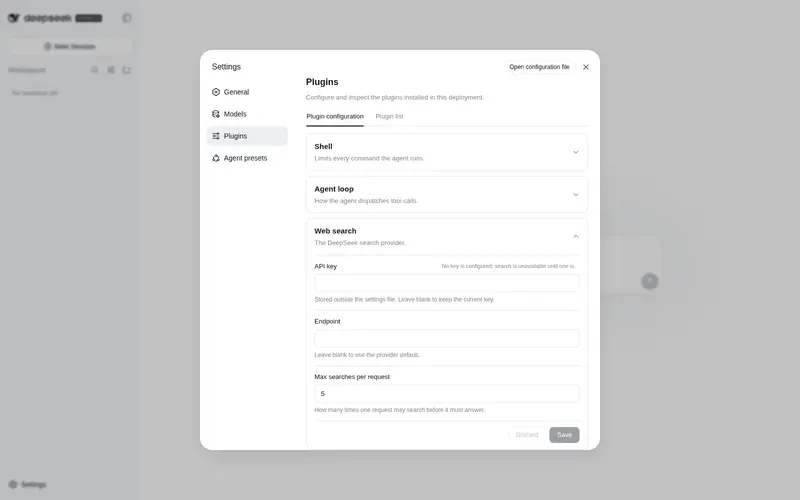
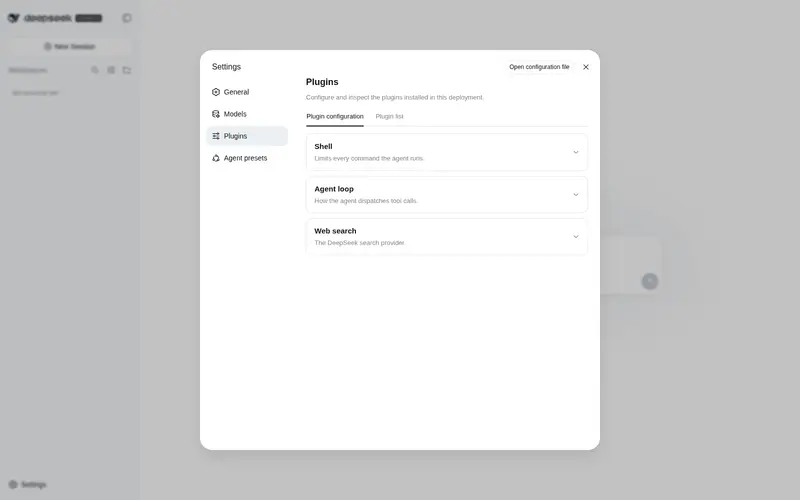
Adds a Desktop card to the settings page that detects the DeepSeek Harness Desktop app and launches it with one click.
Best for
- Windows users who already have the DeepSeek Harness Desktop companion app and want to launch it from Web settings.
- Teams that want the settings page to detect whether the desktop application is available before launching it.
- Users who prefer a graphical entry point to an already configured desktop Harness environment.
Not ideal for
- macOS or Linux users; the documented desktop application targets Windows 10/11.
- Machines without the companion desktop app, since the plugin is a detector and launcher rather than the desktop runtime itself.
- Users who already launch Harness comfortably from a terminal and do not need a settings-page shortcut.
README
DeepSeek Harness Desktop
| English | 中文 |



A one-click desktop application for DeepSeek Harness. Double-click the icon and start using it — no need to open a terminal or cd into the git repository every time.
Note: This is a companion launcher for the DeepSeek Harness developer preview. DeepSeek Harness itself is iterating rapidly and there will be compatibility-breaking changes.
✨ Features
-
One-click launch — Detects the Harness service (default
http://127.0.0.1:3080). If it is not running, the app starts it in the background using the repository’snode --import tsx/esm apps/cli/src/bin.ts webcommand, waits until it is ready, and opens the Web UI inside the app window. - Runs in the background — Closing the window minimizes to the system tray and the Harness service keeps running. Choose Exit (Stop Harness) from the tray menu to stop the process started by this app.
- Never hijacks an existing service — If you already started Harness manually, the app reuses it and will not kill it on exit.
- Single instance — Launching the app again focuses the existing window instead of starting a second server.
- F12 opens the developer tools inside the window.
🚀 Quick Start
Option 1: Install the packaged application (recommended)
- Download the installer from the Releases page:
DeepSeek Harness 桌面端 Setup 1.0.0.exe - Run the installer. A DeepSeek Harness shortcut is added to your desktop and Start Menu.
- Double-click the shortcut. That’s it.
Option 2: Run from source (for development)
cd "D:\DeepSeek Harness 桌面端"
npm install --cache "D:\DeepSeek Harness 桌面端\.npm-cache"
npm start
Build the installer yourself
.\build.ps1 # one-click build (handles dependencies, Electron binary, and toolchain cache)
The build.ps1 script automatically prefetches the winCodeSign / NSIS / nsis-resources toolchain
into %LOCALAPPDATA%\electron-builder\Cache, which avoids extraction failures caused by missing
symbolic-link privileges on some Windows accounts.
⚙️ Configuration
The app reads its settings from %APPDATA%\dsh-desktop\settings.json:
{
  "repoPath": "C:\\Users\\tianj\\deepseek-harness",
  "port": 3080
}
Environment variables DSH_DESKTOP_REPO and DSH_DESKTOP_PORT override these values.
If startup fails, a dialog lets you pick another repository directory or retry.
📋 Requirements
- Windows 10/11
- Node.js >= 22 installed
- The DeepSeek Harness repository, already set up with
pnpm install && pnpm run build
🗂 Logs
Runtime logs are written to %APPDATA%\dsh-desktop\logs\harness.log.
🔌 DSH Plugin
This repository also ships a cordis plugin for DeepSeek Harness —
dsh-desktop-launcher: it adds a Desktop card to the
DSH Web UI settings page that detects the desktop app and launches it with one click.
dsh plugin --profile web add dsh-desktop-launcher
See packages/desktop-launcher-plugin/README.md for details.
📁 Repository Layout
.
├── main.js            # Electron main process (service detection / spawn / tray / single-instance)
├── preload.js         # Preload script (exposes read-only version info)
├── loading.html       # Loading screen while the service starts
├── icon-source.svg    # DeepSeek color logo (source)
├── icon.png / icon.ico# App icons (rendered from the SVG)
├── build.ps1          # One-click build script for the NSIS installer
├── package.json       # npm project + electron-builder configuration
├── packages/
│   └── desktop-launcher-plugin/   # DSH cordis plugin (detect & launch the desktop app)
└── README.md          # This file
📄 License
DeepSeek Harness and the DeepSeek logo belong to their respective owners.
Frequently Asked QuestionsFAQ
Use the verified command dsh plugin --profile default add github:Ch0uHuaZ1/DeepSeek-Harness-Desktop in a DSH-enabled shell. The command resolves the public package metadata and keeps the plugin attached to the catalog identity shown on this page.
Compatibility follows the bundle and profile status shown above. If a profile is not detected, keep the plugin disabled there and check the repository documentation before enabling it in production.
The GitHub link and activity metadata are the source of truth for releases and maintenance. Revisit this page after a new release to confirm the catalog has observed the latest version.