Cheng-cheng9669/dsh-deepseek-vision
DeepSeek web vision bridge plugin for DeepSeek Harness (DSH)
Listed
1
Vision
Bundle verified
Preview
What it does
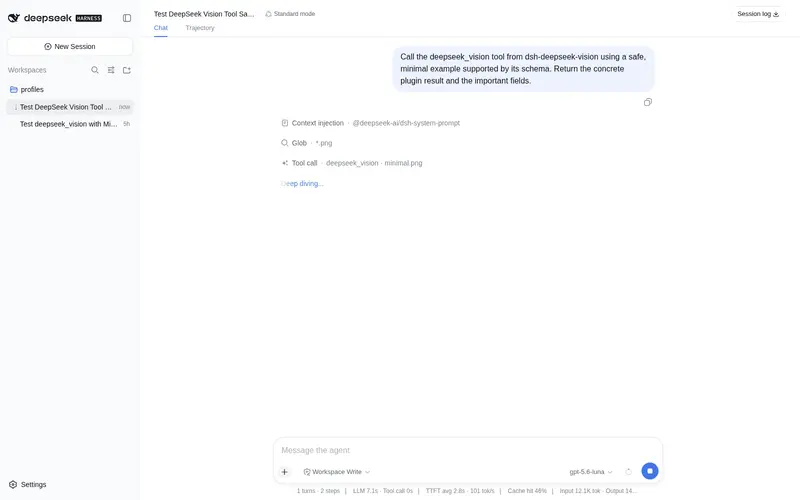
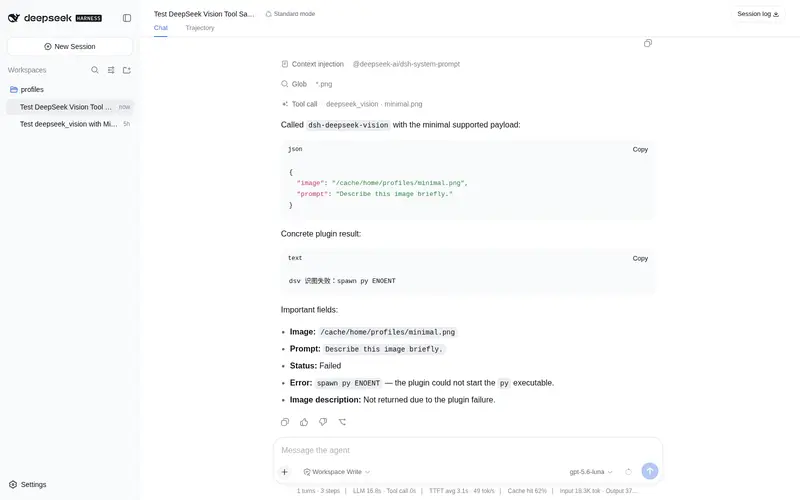
Reuses DeepSeek web's built-in vision mode for text-only models: the deepseek_vision tool drives the local deepseek-vision-cli browser automation (manual login helper, deep-think enabled, auto-closes browser) and returns image descriptions as text.
Best for
- Users of text-only DeepSeek models who need descriptions or analysis of local PNG, JPG, WebP, or GIF images.
- DSH Web workflows that can use a locally installed browser-automation CLI and an authenticated DeepSeek web session.
- Low-frequency image-analysis tasks where returning the web vision result as text is sufficient.
Not ideal for
- Sensitive or private images that must remain local; images are uploaded to DeepSeek's web endpoint.
- HEIC inputs, which are explicitly unsupported.
- Stable, high-frequency, or unattended production workflows; the integration relies on an unofficial web interface, browser automation, and a saved login session.
README
dsh-deepseek-vision
A DSH plugin that gives text-only DeepSeek models image recognition.
It registers the deepseek_vision tool, which calls the local
deepseek-vision-cli
(browser automation driving chat.deepseek.com’s vision mode) and returns the
image description as text to the model.
Tool
-
deepseek_vision(image, prompt?)-
image: absolute path to a local image (PNG/JPG/WebP/GIF; HEIC is not supported) -
prompt: optional question or analysis request for the image
-
Installation
dsh plugin --profile web add D:/Dsh/tools/dsh-deepseek-vision
Or use the release tarball:
dsh plugin --profile web add dsh-deepseek-vision-0.0.1.tgz
First login
DeepSeek web vision requires a web login session. The current web UI uses password / third-party login, so the recommended way is the manual login helper:
py -3.13 D:\Dsh\tools\deepseek-vision-cli\dsv_manual_login.py
It opens an Edge window to the DeepSeek login page. After you log in manually,
the helper saves the token to D:\Dsh\.cache\dsv_token.
Token login (alternative)
If you already have a DeepSeek web session in your normal browser, you can copy the token directly:
- Open
https://chat.deepseek.comand log in. - Press
F12→Application→Local Storage→https://chat.deepseek.com. - Find
userToken, copy itsvaluefield. - Save it to
D:\Dsh\.cache\dsv_token(no quotes, no newline):
[IO.File]::WriteAllText(
  'D:\Dsh\.cache\dsv_token',
  'PASTE_TOKEN_HERE',
  (New-Object Text.UTF8Encoding($false))
)
The token is only stored locally in D:\Dsh\.cache\dsv_token; it is never
committed to this repository.
Configuration
Default configuration for this machine:
-
pythonCommand:py -
pythonVersion:-3.13 -
dsvScript:D:/Dsh/tools/deepseek-vision-cli/dsv.py -
timeoutMs:180000 -
maxOutputChars:20000
These can be overridden in a profile patch.
Security notes
- The tool only accepts local file paths and invokes the external CLI through
the DSH
subprocessservice with an argv array, never through a shell. - Images are sent to DeepSeek’s web endpoint; this is not local recognition.
- This relies on non-official web interfaces and may be subject to risk control. Use a secondary account and keep usage low-frequency.
- Static security audit reports
criticalfor spawning a subprocess; this is inherent to wrapping an external CLI. The code has been manually reviewed: it only runs the fixeddsv.py, with no command concatenation or extra exfiltration.
License
MIT
Frequently Asked QuestionsFAQ
Use the verified command dsh plugin --profile default add github:Cheng-cheng9669/dsh-deepseek-vision in a DSH-enabled shell. The command resolves the public package metadata and keeps the plugin attached to the catalog identity shown on this page.
Compatibility follows the bundle and profile status shown above. If a profile is not detected, keep the plugin disabled there and check the repository documentation before enabling it in production.
The GitHub link and activity metadata are the source of truth for releases and maintenance. Revisit this page after a new release to confirm the catalog has observed the latest version.