CheshireJCat/blender
DeepSeek Harness plugin for complete Blender 3D modeling, reconstruction, rendering, validation, and export workflows
Listed
16
Tools
Bundle verified
Preview
What it does
Blender 3D production plugin with 30 modeling/reconstruction skills, 13 runtime tools, and 26 deterministic helpers for reference fitting, rendering, validation, animation, and portable export; installable as `dsh-blender`.
Best for
- DSH-based Blender workflows covering modeling, reference reconstruction, materials, lighting, animation, and rendering.
- 3D production teams that need versioned `.blend` sources, portable exports, target-aware validation, and clean-process re-import checks.
- Headless or workspace-scoped automation that benefits from local Blender background processes without an add-on or control port.
Not ideal for
- Machines without DSH `0.1.0-rc.6`, Node.js 20+, and Blender 4.3+ on `PATH` or configured by absolute path.
- Users needing reference, wireframe, multiview, texture, or animation-analysis helpers but unable to provide Python 3.10+ and install their analysis environment.
- Simple asset-viewing tasks that do not need Blender production, rendering, validation, or export automation.
README
dsh-blender

An installable DeepSeek Harness plugin that gives dsh a complete Blender-backed 3D production workflow. It registers one orchestrator plus 29 directly loadable domain skills, all 26 upstream analysis/validation helpers, and 13 workspace-scoped Blender tools.
Example output

Camera-free preview generated during a real dsh-blender installation smoke test.
Tools
-
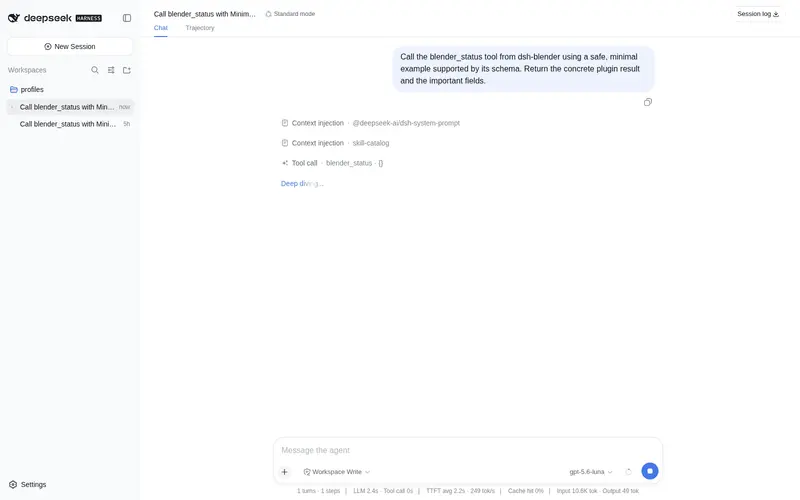
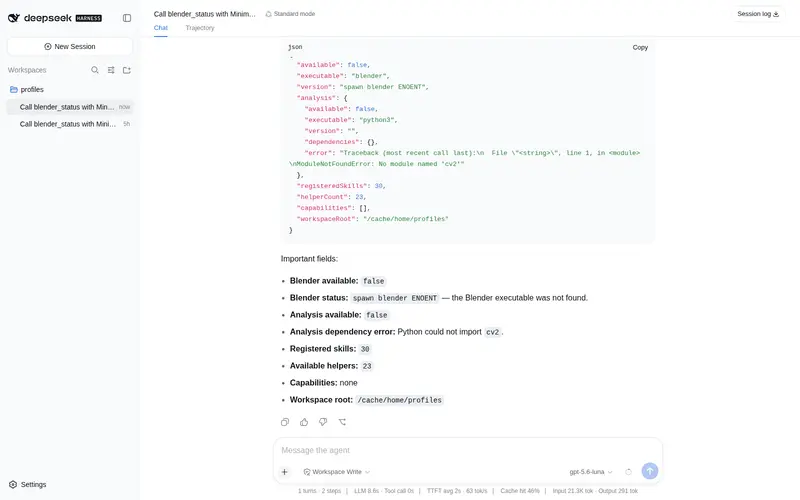
blender_statuschecks Blender, analysis Python, skills, helpers, and the active workspace. -
blender_scene_infoandblender_object_infoinspect scenes and object-level geometry, materials, UVs, constraints, shape keys, and animation. -
blender_importconverts supported portable assets into versioned.blendsources. -
blender_pythonruns a small reviewedbpy/bmeshchunk and saves a versioned.blend. -
blender_preview,blender_render, andblender_render_framescreate blockout, look-dev, and animation evidence forread_imageQA. -
blender_exportexports GLB/glTF, FBX, OBJ, STL, USD, or PLY. -
blender_validate_sceneandblender_validate_exportperform target-aware audits and clean-process re-import checks. -
blender_helper_catalogandblender_helper_runexpose all 26 deterministic reference, wireframe, contour, multiview, UV, texture, look, repair, and animation-QA helpers. - The bundled 30-skill stack coordinates blockout, refinement, materials, lighting, cameras, animation, reconstruction, validation, and artifact handoff.
No Blender add-on or control port is required: each operation launches a local Blender background process.
Requirements
- DeepSeek Harness
0.1.0-rc.6 - Node.js 20+
- Blender 4.3+ available as
blenderonPATH, or configured with an absolute path - Python 3.10+ for the optional reference-analysis helpers
Install from npm
npx @deepseek-ai/dsh plugin --profile web add dsh-blender
npx @deepseek-ai/dsh plugin --profile web exec dsh-blender-setup
npx @deepseek-ai/dsh --profile web --dump-config
npx @deepseek-ai/dsh web
The setup command creates a private .venv inside the installed package and installs OpenCV, NumPy, Pillow, and SciPy. Skip it only if you do not need reference, wireframe, multiview, texture, or animation-analysis helpers.
To install a pinned GitHub release instead:
npx @deepseek-ai/dsh plugin --profile web add github:CheshireJCat/blender#v0.2.1
Develop from source
pnpm install
pnpm setup:analysis
npx @deepseek-ai/dsh plugin --profile web add .
Open http://127.0.0.1:3080, create a session whose workspace is the modeling directory, and ask dsh to use create-3d-model.
See README.zh-CN.md for configuration, security boundaries, headless use, and validation commands.
Frequently Asked QuestionsFAQ
Use the verified command dsh plugin --profile default add github:CheshireJCat/blender in a DSH-enabled shell. The command resolves the public package metadata and keeps the plugin attached to the catalog identity shown on this page.
Compatibility follows the bundle and profile status shown above. If a profile is not detected, keep the plugin disabled there and check the repository documentation before enabling it in production.
The GitHub link and activity metadata are the source of truth for releases and maintenance. Revisit this page after a new release to confirm the catalog has observed the latest version.