corrinehu/dsh-chat-imagine
在 DSH 聊天窗口自动调用生图工具(API 渠道,或本机 CLI:已支持mmx / codex / agy)并展示图片。
Listed
5
Vision
Bundle verified
Preview
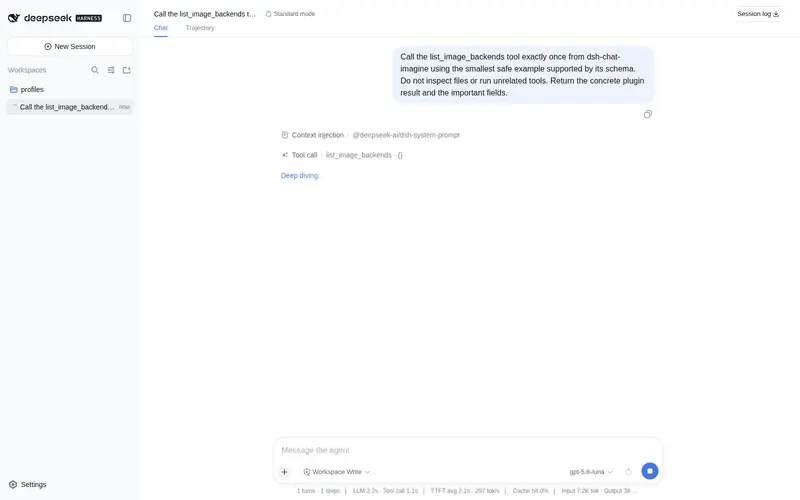
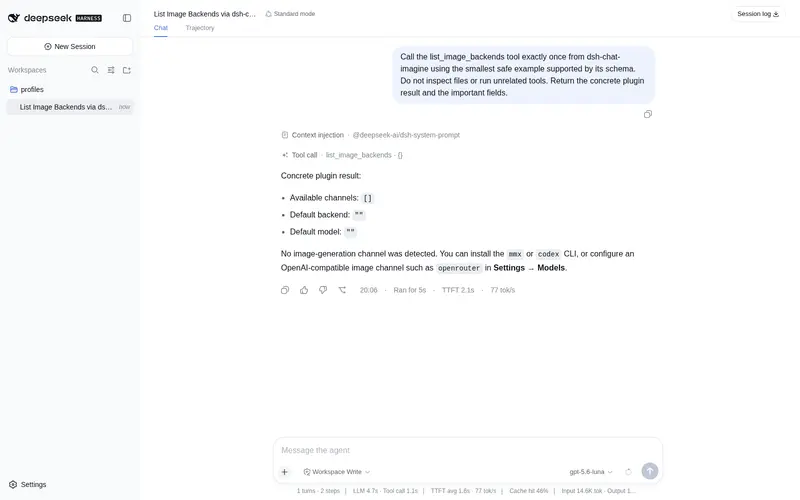
What it does
Automatically generates and displays images in the DSH chat via API channels or local CLIs (supports mmx / codex / agy).
Best for
- DSH users who want image generation initiated and displayed directly within chat.
- Teams with OpenAI-compatible image models already configured in DSH.
- Users who prefer to consume existing MiniMax CLI, ChatGPT Codex CLI, or Google Antigravity account quotas instead of a separate image API.
Not ideal for
- Users who need durable image links; images are held only in DSH process memory and historical links expire after restart.
- Non-Web DSH profiles requiring verified support; the plugin is documented as tested only with the Web profile.
- Setups without a configured compatible API model or an installed and logged-in supported CLI have no available generation channel.
README
dsh-chat-imagine
| English | 中文 |
插件实现了在 DeepSeek Harness(DSH) 的聊天窗口中自动调用已有的生图工具,生成图片并展示。

说明
支持 API 和 CLI 两种生图方式:
API
-
使用 DSH 中已配置的 OpenAI 兼容接口,从中查找可用的生图模型。
-
内置渠道(如 OpenRouter)在 DSH 设置里未填写 base URL 时,插件会自动使用 DSH 内置的默认地址,与聊天路由的行为一致。
CLI
插件会扫描本机是否安装了 MiniMax CLI(mmx)、OpenAI Codex CLI(codex)、Google Antigravity CLI(agy);找到的都会作为可用的生图渠道。
- 调用
codex消耗的是 ChatGPT 账号(Plus/Pro)额度,而非 API key;需已安装 codex CLI,并登录有生图额度的账号(codex login status可查)。 - 调用
agy消耗的是 Google 账号额度;需已安装 agy CLI,并在 Antigravity App 里保持登录。 - 探测到 codex / agy 时,插件还会随包注册技能
cli-image-gen,教模型在generate_image工具失败(额度/区域限制/解析失败)时驱动 CLI 生图,以及收尾用show_image_file内联展示。
安装
dsh plugin --profile web add github:corrinehu/dsh-chat-imagine
使用
安装启用插件后,在新对话里直接说你想画什么,例如:
帮我生成一个 Q 版蓝鲸 Logo
插件会检索可用的渠道和模型,并询问默认生图的渠道:

设置后,不必重复选择。之后,直接在聊天里描述你想要的图片:
生成一张 16:9 的雪山日出
生成结果会直接显示在聊天中。
也可使用其他生图渠道:

在对话中直接说明即可,例如:
用 agy 生成一张手绘彩铅风格说明大模型后训练的宽屏图片

注意事项
- 当前仅在 DSH Web profile 中测试通过。
- 图片只保存在 DSH 进程内存中;重启后历史图片链接会失效。需要保留时请从聊天界面保存。
许可证
Frequently Asked QuestionsFAQ
Use the verified command dsh plugin --profile default add github:corrinehu/dsh-chat-imagine in a DSH-enabled shell. The command resolves the public package metadata and keeps the plugin attached to the catalog identity shown on this page.
Compatibility follows the bundle and profile status shown above. If a profile is not detected, keep the plugin disabled there and check the repository documentation before enabling it in production.
The GitHub link and activity metadata are the source of truth for releases and maintenance. Revisit this page after a new release to confirm the catalog has observed the latest version.