crTnT/dsh-plugin-suite
DeepSeek Harness 社区插件套件:插件中心与自动更新器
Listed
3
Market
Bundle verified
Preview
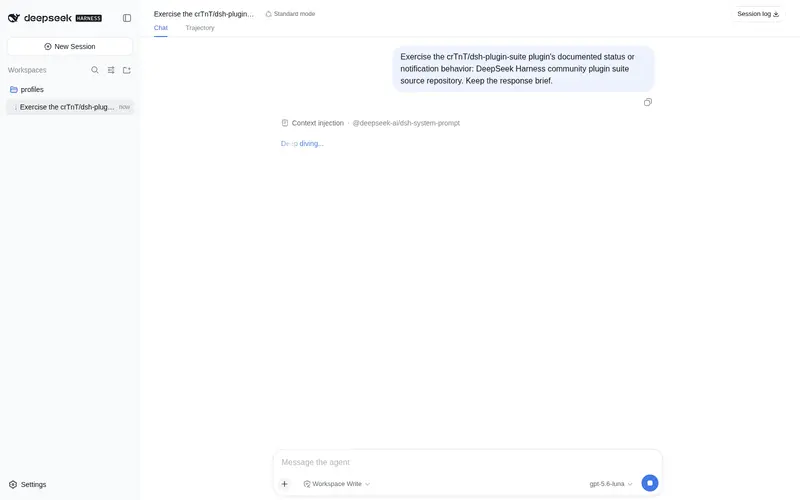
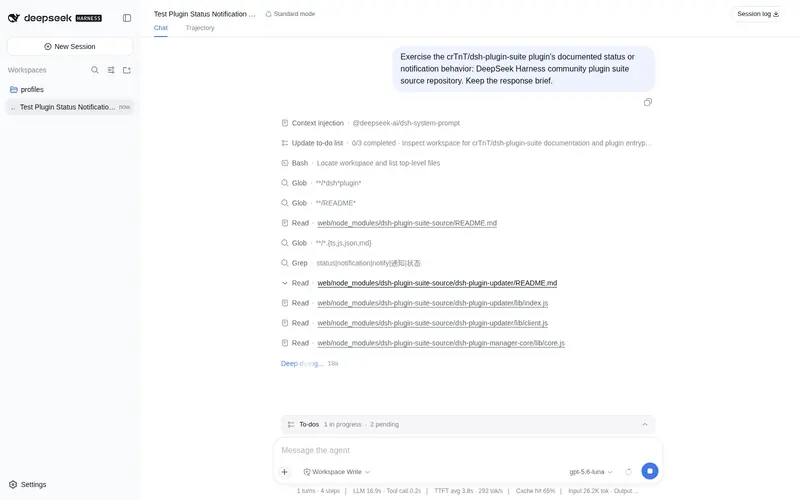
What it does
crTnT/dsh-plugin-suite#dsh-plugin-center: Plugin center: discover, install, and manage DSH plugins from Settings. crTnT/dsh-plugin-suite#dsh-plugin-updater: Update manager for installed plugins: check for updates, back up, and roll back.
Best for
- DSH Web users who want to discover, install, and inspect community plugins from Settings or the sidebar.
- Administrators managing updates for installed plugins with pre-update backups and rollback.
- Windows users comfortable installing the suite as linked local source and restarting Harness after changes.
Not ideal for
- Users who only need one fixed plugin and do not manage a broader plugin inventory gain little from a plugin center and updater.
- Environments requiring a currently published npm package; the documented distribution is GitHub source with linked local installation.
- Systems below Node.js 20 for development or checks, which explicitly require Node.js 20 or later.
README
DeepSeek Harness 插件套件
这是一个面向 DeepSeek Harness(DSH)的社区插件套件,当前包含:
-
dsh-plugin-center:在 DSH 设置/侧边栏中浏览社区插件、查看安装状态并安装插件。 -
dsh-plugin-updater:检查已安装插件更新、显示红点提醒、更新前备份并支持回滚。 -
dsh-plugin-manager-core:两个管理插件共用的本地核心库。
Windows 一键安装
请先确认已经安装 DeepSeek Harness,并且已经运行过一次 dsh web,让 web profile 初始化。
建议先下载并审阅脚本,再执行:
Invoke-WebRequest https://raw.githubusercontent.com/crTnT/dsh-plugin-suite/main/scripts/install.ps1 -OutFile "$env:TEMP\dsh-plugin-install.ps1"
Get-Content "$env:TEMP\dsh-plugin-install.ps1"
& "$env:TEMP\dsh-plugin-install.ps1"
脚本会把仓库克隆到:
%USERPROFILE%\.dsh\plugin-sources\dsh-plugin-suite
然后把两个插件以本地源码链接方式安装到 web profile。插件代码、共享核心和安装路径保持在同一个仓库目录中,因此不会依赖开发者电脑的绝对路径。
手动安装
git clone https://github.com/crTnT/dsh-plugin-suite.git "$env:USERPROFILE\.dsh\plugin-sources\dsh-plugin-suite"
& "$env:LOCALAPPDATA\Programs\DeepSeek Harness\resources\runtime\win32-x64\node.exe" `
  "$env:LOCALAPPDATA\Programs\DeepSeek Harness\resources\harness\lib\bin.js" `
  plugin --profile web add "link:$env:USERPROFILE\.dsh\plugin-sources\dsh-plugin-suite\dsh-plugin-center"
& "$env:LOCALAPPDATA\Programs\DeepSeek Harness\resources\runtime\win32-x64\node.exe" `
  "$env:LOCALAPPDATA\Programs\DeepSeek Harness\resources\harness\lib\bin.js" `
  plugin --profile web add "link:$env:USERPROFILE\.dsh\plugin-sources\dsh-plugin-suite\dsh-plugin-updater"
安装后重启 DeepSeek Harness。后续更新源码版插件:
git -C "$env:USERPROFILE\.dsh\plugin-sources\dsh-plugin-suite" pull --ff-only
然后重启 Harness。源码链接插件会在更新中心中标记为“本地开发版”,不会被误操作覆盖。
开发与检查
仓库需要 Node.js 20 或更高版本。运行:
npm test
npm run check
当前仓库是 GitHub 源码分发版;后续可以在不改变现有安装方式的前提下,将两个独立插件发布到 npm,供用户使用 dsh plugin add 插件名 一键安装。
安全说明
- 仓库不包含 DeepSeek API Key、登录凭据、聊天记录、profile 配置或本地缓存。
- 插件安装接口只接受 npm 包名或 GitHub 仓库来源,并要求用户确认安装。
- 更新前会备份 profile 的依赖清单,更新失败时可以从更新中心回滚。
- 安装第三方 DSH 插件前,请先审阅源码并确认来源可信。
License
MIT
Frequently Asked QuestionsFAQ
Use the verified command dsh plugin --profile default add github:crTnT/dsh-plugin-suite#path:/dsh-plugin-center in a DSH-enabled shell. The command resolves the public package metadata and keeps the plugin attached to the catalog identity shown on this page.
Compatibility follows the bundle and profile status shown above. If a profile is not detected, keep the plugin disabled there and check the repository documentation before enabling it in production.
The GitHub link and activity metadata are the source of truth for releases and maintenance. Revisit this page after a new release to confirm the catalog has observed the latest version.