dickpy/dsh-imagegen
DSH (DeepSeek Harness) Web GUI AI image generation plugin: text-to-image & image-to-image via OpenAI-compatible endpoints (gpt-image-2), with shared cross-device history.
Listed
4
Vision
Bundle verified
Preview
What it does
AI image generation for the DSH Web GUI: text-to-image and image-to-image through a configurable OpenAI-compatible endpoint (gpt-image-2 / gpt-image-1 / dall-e-3), with an api_url/api_key settings card and a sidebar split-pane generation studio.
Best for
- DSH Web users generating images from text or editing PNG, JPG, and WEBP reference images.
- Teams using an OpenAI-compatible image endpoint that implements image generation and edit routes.
- Users who want a sidebar studio with generation controls, downloads, reusable history, and prompt templates.
Not ideal for
- Users without an API URL and key for a compatible upstream image service.
- Endpoints that do not implement `/images/generations`, `/images/edits`, or the documented OpenAI-compatible response shape.
- Privacy-sensitive workflows that cannot allow generated images and history to be stored on the DSH host or template previews to be fetched from the documented external site.
README
dsh-imagegen



DeepSeek Harness (DSH) Web GUI 的 AI 生图插件。它通过宿主进程安全地代理 OpenAI 兼容的图像生成接口,为 DSH 提供文生图、图生图编辑、生成历史、提示词模板库和一体化设置页。
默认模型为
gpt-image-2,也兼容提供/images/generations和/images/edits的 OpenAI 兼容端点。
效果预览
AI 生图工作台
三栏工作台将参数、生成结果和历史记录放在同一视图中;生成的图片可预览、下载,并从历史记录恢复参数。
四图结果布局

单图结果布局

提示词模板库
模板库提供 441 个 gpt-image-2 案例的展示图、分类筛选和完整提示词;打开详情后可以复制提示词,或一键回填到生图输入框。

独立配置卡片
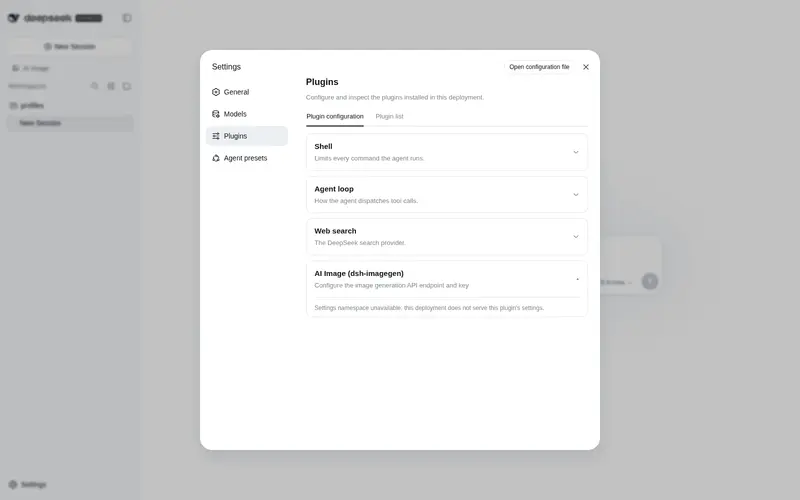
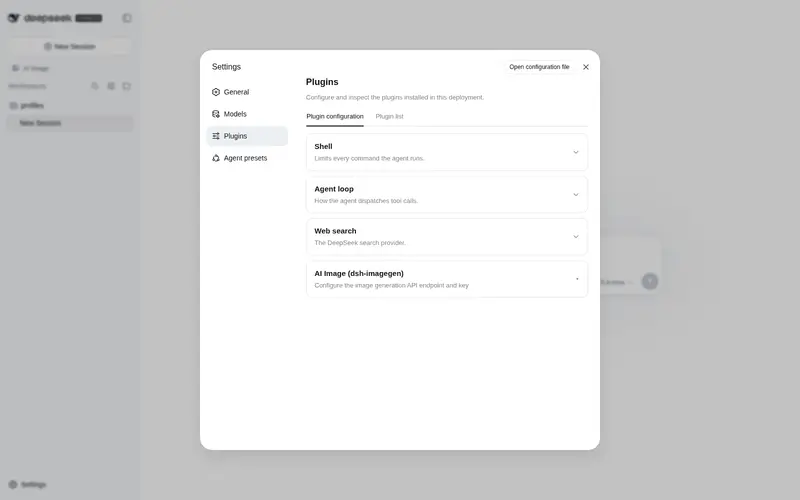
在 DSH 的“设置 -> 插件 -> 可配置”中填写 API 地址和密钥。密钥只保存在宿主侧设置文件,浏览器端不会获取明文。

功能
- 文生图与图生图:输入提示词生成图片,或上传 PNG、JPG、WEBP 参考图进行编辑。
- 可调生成参数:尺寸、清晰度、生成数量和细节等级均可在界面中选择;未指定的参数保持自动。
- 结果操作:结果区固定为四分格:单图铺满,双图占上排,三图占三格,四图为 2×2;支持下载、全屏预览、可滚动缩放、前后切换、复制优化提示词,以及一键将当前图片添加到图生图。
- 持久化历史:保存提示词、参数和图片;支持查看、恢复、单条删除和清空,最多保留 50 条。
- 跨设备查看:历史保存在 DSH 宿主侧,连接同一 DSH 的浏览器或设备共享同一份记录。
-
提示词模板库:提示词框左下角可打开模板库,浏览 441 个
gpt-image-2案例的展示图;支持搜索、分类筛选、查看完整提示词、复制,以及一键将模板回填到生图输入框。参考图通过宿主同源代理按需加载并缓存,也可手动缓存全部图片供离线浏览。 - 原生 DSH 体验:侧栏入口、主题适配和设置卡片均遵循 DSH Web GUI 的 UI 规范。
- 在线更新:插件会检查 GitHub Releases,发现新版本时在工作台显示在线更新按钮;安装完成后重启 DSH 即可加载新版本。
快速开始
前置条件:已安装 DSH(
npm i -g @deepseek-ai/dsh)与 pnpm。 装完统一重启 dsh web,侧边栏即出现「AI 生图」入口,再到「设置 → 插件 → 可配置」填写 API 地址与密钥。
方式一:让 AI 帮你安装(最省事)
把下面提示词直接粘贴给 DSH(或 Codex / 其他 coding agent)执行即可:
用 dsh plugin --profile web add @dickpy/dsh-imagegen 安装 AI 生图插件(profile 名按实际修改),完成后重启 dsh web。
方式二:npm 安装(推荐)
dsh plugin --profile web add @dickpy/dsh-imagegen
dsh 会自动把插件注册进 profile 的 bundle 清单(无需手动改 cordis.patch.yml),重启 dsh web 即可。
方式三:聚合包(tarball)安装
从 GitHub Releases 下载发布产物
(如 dickpy-dsh-imagegen-1.0.9.tgz),然后:
dsh plugin --profile web add <下载路径>/dickpy-dsh-imagegen-1.0.9.tgz
重启 dsh web。
方式四:源码开发启动(最后的选择)
需要改插件源码时才用这种方式:
git clone https://github.com/dickpy/dsh-imagegen.git
cd dsh-imagegen
pnpm install
pnpm run build
dsh plugin --profile web add link:/绝对路径/dsh-imagegen
重启 dsh web;开发时可运行 pnpm run watch 持续构建,bundle 变更由 client-hmr 自动热更。
配置 API
打开 DSH 的“设置 -> 插件 -> 可配置”,展开 AI 生图 (dsh-imagegen):
| 配置项 | 说明 |
|---|---|
api_url |
OpenAI 兼容接口根地址,例如 https://api.openai.com/v1。插件会自动追加接口路径。 |
api_key |
Bearer API 密钥。界面仅显示是否已配置;输入新值可覆盖,清空后保存可删除。 |
| 启用插件 | 关闭后生图工作台不可用,设置卡片仍可用于重新启用。 |
| 向 Agent 播报 | 开启后,将插件能力写入 Agent 系统提示词。 |
配置完成后,从 DSH 侧栏打开“AI 生图”即可开始使用。
接口兼容性
| 场景 | 请求 |
|---|---|
| 文生图 |
POST {api_url}/images/generations,JSON 请求体 |
| 图生图 |
POST {api_url}/images/edits,multipart/form-data,包含 image、prompt、model 与参数 |
| 响应 | 支持 OpenAI 兼容的 { data: [{ b64_json | url }] };URL 图片由宿主下载并转为 base64,再返回浏览器 |
detail 是透传参数,部分 gpt-image-2 网关支持。官方 OpenAI 端点若不接受该字段,请保持界面中的“自动”。
数据与安全
- API 请求由 DSH 宿主进程代理,浏览器不直接连接上游 API,因此不暴露 API 密钥,也没有浏览器 CORS 问题。
- API 密钥保存在宿主侧
~/.dsh/settings.yaml;设置桥会对密钥进行脱敏。 - 历史数据存放在
~/.dsh/dsh-imagegen/:图片独立落盘,index.json保存索引。 - 模板库的提示词快照随插件发布;展示图从
vibeui.top通过本机宿主按需拉取,并缓存到~/.dsh/dsh-imagegen/template-images/。模板库仅在手动刷新或首次加载展示图时访问该站点。 - 插件通过专用 loopback 路由
/api/dsh-imagegen/settings/{describe,mutate}访问设置,不需要修改 DSH 源码或依赖第三方命名空间白名单。
项目结构
| 位置 | 职责 |
|---|---|
src/index.ts |
插件入口、设置注册、路由挂载和 Agent 提示词播报 |
src/routes.ts |
/api/dsh-imagegen/* 宿主路由 |
src/engine.ts |
上游图像生成代理与响应归一化 |
src/history-store.ts |
历史记录和图片持久化 |
src/templates-store.ts |
模板快照、在线刷新和展示图本地缓存 |
src/client/ImageGenPanel.tsx |
生图工作台、结果、历史与大图预览 |
src/client/TemplateLibrary.tsx |
模板图库、搜索筛选、详情和一键回填 |
src/client/SettingsCard.tsx |
插件配置卡片 |
开发
pnpm run typecheck  # TypeScript 类型检查
pnpm run build      # 构建宿主与 Web bundle
pnpm run watch      # 持续构建
📬 反馈与提问
- 遇到 Bug:请使用 Bug 报告模板 提交, 并附带插件版本、DSH 版本、安装方式与复现步骤(请勿在 issue 中粘贴 API 密钥)。
- 功能建议:请使用 功能建议模板 提交, 描述使用场景与期望效果。
- 安装 / 使用问题:先查阅本文档「快速开始」与「配置 API」章节。
许可证
Frequently Asked QuestionsFAQ
Use the verified command dsh plugin --profile default add github:dickpy/dsh-imagegen in a DSH-enabled shell. The command resolves the public package metadata and keeps the plugin attached to the catalog identity shown on this page.
Compatibility follows the bundle and profile status shown above. If a profile is not detected, keep the plugin disabled there and check the repository documentation before enabling it in production.
The GitHub link and activity metadata are the source of truth for releases and maintenance. Revisit this page after a new release to confirm the catalog has observed the latest version.