dsh-myrules
Manage DSH(DeepSeek Harness)) skills and MCP servers: CLI + settings-page UI with zh/en i18n, Claude/Codex import, and update checks.
Listed
8
Dev, Market
Bundle verified
Preview
What it does
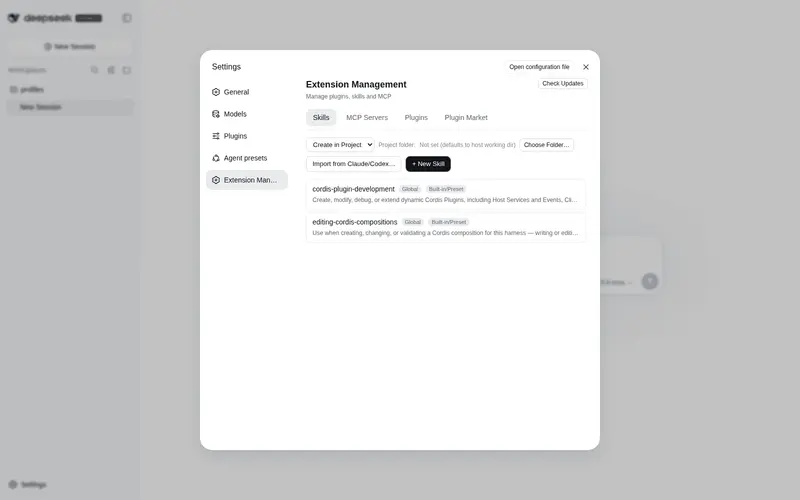
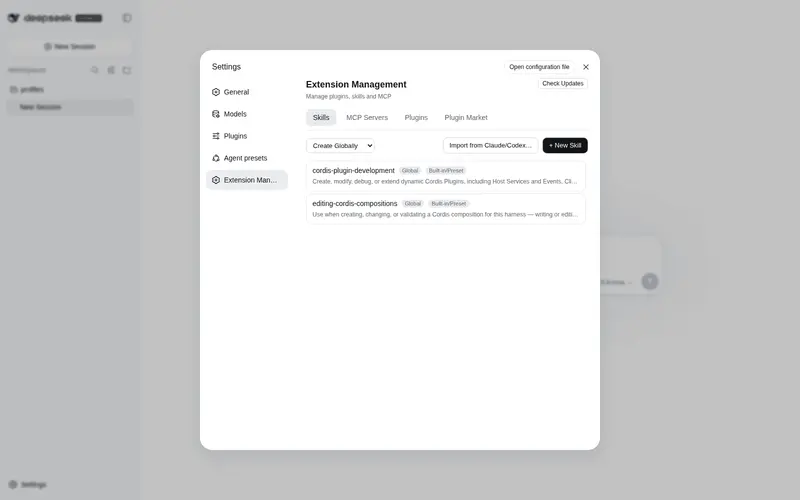
dsh-myrules: Edit the host-wide global instructions (~/.dsh/AGENTS.md) from a dedicated Customize page in Settings - every session on this machine applies them. Relistencode/dsh-extension-hub: All-in-one DSH extension center in Settings: manage skills, MCP servers and plugins, a Plugin Market (curated + GitHub search, npm one-click install), and an Add-ons block to install, disable, uninstall and update companion features together.
Best for
- DSH Web users who want skills, MCP servers, plugins, and companion add-ons managed from one Settings page.
- Teams importing skills or MCP configurations from Claude Code or Codex.
- Users who want a curated plugin catalog, GitHub search, npm installation, and third-party update checks.
- People who want to edit machine-wide DSH instructions through the companion `dsh-myrules` page.
Not ideal for
- Minimal setups that use one fixed extension and do not need a management UI or marketplace.
- Users who need to edit or delete deployment-provided built-in skills; those entries are read-only.
- Environments without the documented Node.js 22 and pnpm 10 prerequisites.
- Shared machines where applying `~/.dsh/AGENTS.md` instructions to every session is undesirable.
README
dsh-extension-hub
Frequently Asked QuestionsFAQ
Use the verified command dsh plugin --profile default add github:Relistencode/dsh-extension-hub#path:/packages/dsh-myrules in a DSH-enabled shell. The command resolves the public package metadata and keeps the plugin attached to the catalog identity shown on this page.
Compatibility follows the bundle and profile status shown above. If a profile is not detected, keep the plugin disabled there and check the repository documentation before enabling it in production.
The GitHub link and activity metadata are the source of truth for releases and maintenance. Revisit this page after a new release to confirm the catalog has observed the latest version.