duyanta123/arch-doc
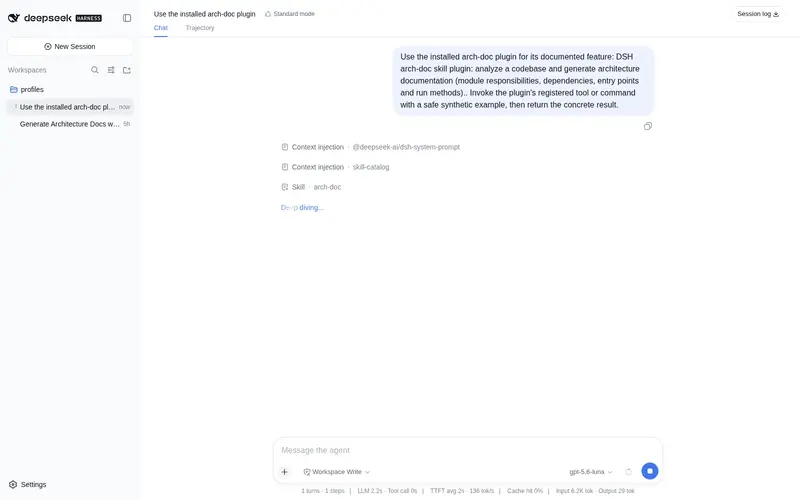
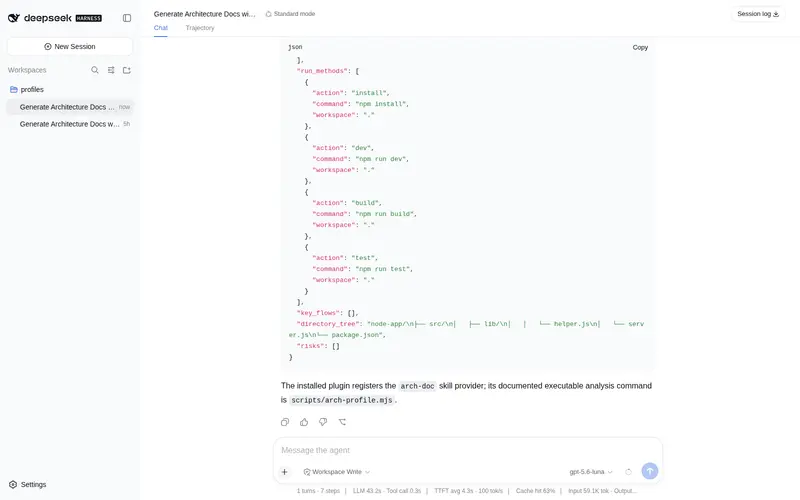
Analyze a codebase and generate architecture documentation (module responsibilities, dependencies, entry points, run methods).
Listed
0
Docs
Bundle verified
Preview
What it does
Analyze a codebase and generate architecture documentation: module responsibilities, dependencies, entry points and run methods.
Best for
- Teams that need a repeatable overview of an unfamiliar codebase's modules, dependencies, entry points, and run methods.
- Workflows that need both human-readable Markdown architecture documentation and machine-readable JSON.
Not ideal for
- Repositories requiring deep analysis beyond the detected primary stack; mixed-stack entry-point detection follows the primary language's build files.
- Large repositories that cannot tolerate bounded-depth scanning or potentially lengthy output.
- Environments without Node.js when full-quality automated profiling is required; the shell fallback has lower conclusion quality.
README
arch-doc




DSH 技能插件:输入代码库路径,自动生成架构文档(模块职责、依赖关系、入口点、运行方式)。
能力
- 项目类型 / 语言 / 构建系统识别
- 模块划分与职责总结
- 内部 / 外部依赖提取与 Mermaid 依赖图
- 入口点(CLI / Web / Worker / Scheduler / Library)识别
- 运行方式(安装 / 开发 / 构建 / 测试 / 运行 / 部署)提取
- 输出 Markdown + JSON
目录结构
arch-doc/
├── package.json                  # npm 包 + dsh.bundle.patch
├── cordis.patch.yml              # DSH bundle patch
├── plugin/index.js               # ESM 入口,注册 skills/ 为技能根
├── skills/arch-doc/SKILL.md      # 技能 frontmatter + 阶段执行 runbook
├── docs/                         # 输出模板 + 扫描规则
├── scripts/arch-profile.mjs      # 零依赖 Node 脚本:probe/scan/deps/entry
├── examples/                     # 输入/输出示例
└── test/                         # node --test 测试 + fixtures
使用
- 安装:
dsh plugin --profile web add github:duyanta123/arch-doc#v0.1.1 - 使用:对 Agent 说「用 arch-doc 分析 /path/to/repo」
- 本地开发:profile 的 package.json 加
"arch-doc": "file:<本地路径>/arch-doc",bundles 加"arch-doc"
输出
-
docs/ARCHITECTURE.md:结构化架构文档(按docs/architecture-template.md骨架) -
docs/architecture.json:机器可读的结构化结果 -
docs/diagrams/module-dependencies.mmd:Mermaid 模块依赖图
环境要求
- Node.js >= 18(运行
scripts/arch-profile.mjs;无 Node 时 runbook 自动降级为 shell 手工探测)
脚本
node scripts/arch-profile.mjs <repo_path> --probe
node scripts/arch-profile.mjs <repo_path> --scan --max-depth 3
node scripts/arch-profile.mjs <repo_path> --deps
node scripts/arch-profile.mjs <repo_path> --entry
node scripts/arch-profile.mjs <repo_path> --all
测试
npm test
node --check scripts/arch-profile.mjs
排障
-
生成的
ARCHITECTURE.md里 Mermaid 图不渲染:file://协议下浏览器直接打开时,CDN 加载的 mermaid.js 受同源策略限制无法自动渲染;用 Typora 等本地渲染编辑器打开,或把diagrams/module-dependencies.mmd内容粘到 mermaid.live 查看。.mmd源文件语法本身独立有效。 -
大仓库扫描太慢 / 输出太长:
--max-depth 3起步,必要时降到 2;确认exclude_dirs覆盖了node_modules、.venv、构建产物等大目录。 -
无 Node 环境时:runbook 自动降级为 shell 手工探测(
find/ls/ 读package.json/go.mod/pyproject.toml),结论质量略降但流程完整。 -
识别不到入口点:先跑
--probe确认项目类型识别正确;混合技术栈仓库以主语言构建文件为准(如 Go+Node 混合,以go.mod优先)。
License
Frequently Asked QuestionsFAQ
Use the verified command dsh plugin --profile default add github:duyanta123/arch-doc in a DSH-enabled shell. The command resolves the public package metadata and keeps the plugin attached to the catalog identity shown on this page.
Compatibility follows the bundle and profile status shown above. If a profile is not detected, keep the plugin disabled there and check the repository documentation before enabling it in production.
The GitHub link and activity metadata are the source of truth for releases and maintenance. Revisit this page after a new release to confirm the catalog has observed the latest version.