Einskyle/dsh-llm-vision-bridge
DeepSeek vision bridge for dsh: route image attachments to a vision model (Qwen3-VL via pi-ai/llama.cpp) and continue on a text-only LLM (DeepSeek)
Listed
3
Vision
Bundle verified
Preview
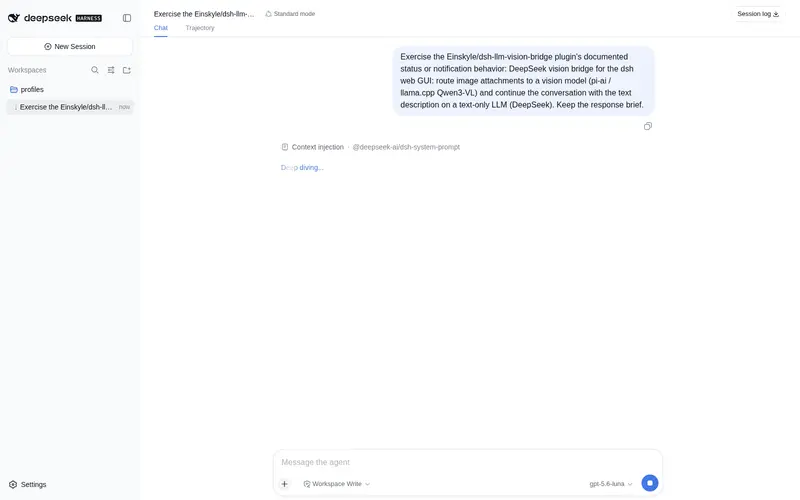
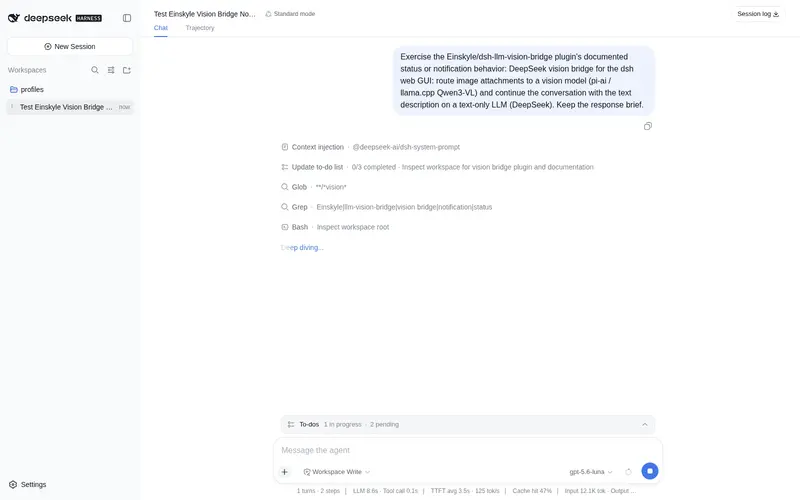
What it does
Native LLM-provider vision bridge: images pasted in the chat are described by a vision model (Qwen3-VL via pi-ai/llama.cpp) and the text description is fed to text-only DeepSeek for the reply — image admission, routing and compaction all run through harness-native mechanisms, with an LRU description cache and 503 retry.
Best for
- DeepSeek users who need to handle pasted chat images while keeping a text-only model as the final responder.
- DSH workflows that need image descriptions to survive history replay and session compaction without repeated vision calls.
- Single-GPU vision setups that benefit from configurable 503/429 retries.
Not ideal for
- Sessions already using a capable native multimodal model, where the bridge adds little value.
- Deployments without a configured pi-ai/llama.cpp vision route or where the session model cannot be set to `deepseek-vision`.
- Latency-sensitive image workflows that cannot tolerate the documented 10–40 second vision-model cold load.
README
dsh-llm-vision-bridge
| English | 中文 |

Let text-only LLMs (DeepSeek) “see” images in the dsh web GUI: paste an image into the chat and the plugin automatically routes it to a vision model (Qwen3-VL via your existing pi-ai / llama.cpp route), then feeds the resulting text description to DeepSeek, which continues the conversation as if it were a native multimodal model.
Features
-
Native LLM provider — registers
deepseek-visionon the DSHLlmAdapterseam. Image admission, request routing, and session compaction all run through harness-native mechanisms; no UI changes, no front-end interception. -
Zero overhead without images — image-free requests pass straight through to the fallback provider (default
deepseek-official). -
Vision-assisted replies — each image block is described by the vision model (attached user text is included in the prompt), then replaced with a
[图片 N 描述]text block before the request reaches DeepSeek. - LRU description cache — the same image + prompt is never re-described; history replay and compaction do not re-run the vision model.
- 503/429 auto-retry — tolerates the desktop GPU’s single-card exclusive scheduling (vision gateway returns 503 while other tools occupy VRAM).
-
Configurable failure policy —
placeholder(insert a failure note and continue) orerror(fail the turn).
How it works
The chat composer natively supports image attachments: images enter the model request as {type:"image", attachment} content blocks. The DeepSeek chat-completions adapter rejects image blocks with UNSUPPORTED_CONTENT, so a text-only model cannot process them directly.
This plugin’s bridge provider (deepseek-vision) declares inputModalities: ["text", "image"], which satisfies the host’s image-admission check (MODEL_DOES_NOT_SUPPORT_IMAGES is otherwise thrown before the message ever reaches the agent). Inside its stream():
-
No image →
yield* ctx.llm.stream({ ...options, provider: fallbackProvider })— passthrough, zero cost. -
Has image → for each image block, call the vision model via a nested
ctx.llm.stream()against the configured vision provider (e.g. pi-ai’sllamaroute; image bytes are read automatically by the attachment service), then replace the image block with a[图片 N 描述]\n<description>text block and forward the rewritten messages to the fallback provider.
Session compaction reuses the provider of the most recent request, so image-bearing history is also bridged automatically. The optional autoRoute setting (default off) additionally rewrites deepseek-official agent requests to this provider, but it cannot bypass the host’s image-admission check — it is only a fallback. To actually send images, set the main model to deepseek-vision.
Install
# From GitHub (plain JS, no build step, no allowBuilds needed)
dsh plugin --profile web add github:Einskyle/dsh-llm-vision-bridge

# Or from the npm registry
dsh plugin --profile web add dsh-llm-vision-bridge

# Restart the web service
pnpm dsh web
Manual install without pnpm (equivalent):
- Copy this package into
%USERPROFILE%\.dsh\profiles\web\node_modules\dsh-llm-vision-bridge\ - Edit
%USERPROFILE%\.dsh\profiles\web\package.json:- add
"dsh-llm-vision-bridge": "file:<absolute path>"todependencies - add
"dsh-llm-vision-bridge"todsh.profile.bundles
- add
- Restart the web service
Quick start
- Open Settings → Models: the new provider 「DeepSeek(视觉桥接)」 appears with models
deepseek-v4-flash/deepseek-v4-pro. -
Set the main model to the bridge provider —
agent-default-model.provider: deepseek-vision. This is required: the host’s image-admission check reads the session-selected model’sinputModalities, and only the bridge model advertisesimage. - Paste/upload an image (PNG/JPEG/WebP/GIF) in the chat composer, optionally with a question, and send. The image is described first (10–40s including cold load), then DeepSeek replies from the description.
- Switch the main model back to
deepseek-officialany time for pure text (image uploads are then rejected by admission, as expected).
Configuration (Settings → Models → llm-vision-bridge)
| Field | Default | Description |
|---|---|---|
enabled |
true |
Master switch; when off the bridge provider degrades to pure passthrough |
autoRoute |
false |
Additionally rewrite deepseek-official agent requests to the bridge provider (cannot bypass image admission; fallback only) |
fallbackProvider |
deepseek-official |
The text-only provider that actually generates the reply |
visionProvider |
llama |
Vision provider route (pi-ai) |
visionModel |
/models/qwen3-vl-4b-thinking/Qwen3-VL-4B-Thinking-Q4_K_M.gguf |
Vision model id |
visionPrompt |
(built-in Chinese prompt) | System prompt for the vision model |
visionMaxTokens |
2048 |
Vision output cap (keep ≥1024; thinking consumes tokens) |
visionRetries |
3 |
Max retries for retryable errors (503/429/timeout) |
visionRetryDelayMs |
30000 |
Retry delay |
onVisionFailure |
placeholder |
Final failure policy: placeholder = insert a failure note and continue; error = fail the turn |
Vision model options
The vision call goes through the pi-ai adapter (ctx.llm.stream against visionProvider/visionModel), so any OpenAI-compatible vision endpoint works — a local llama.cpp gateway is only the default, not a requirement.
| Type | Example | API key | Notes |
|---|---|---|---|
| Local llama.cpp gateway (current default) |
Qwen3-VL-4B via http://<desktop-ip>:18081/v1
|
No | Free, private, LAN-only; image bytes never leave your network |
| Cloud OpenAI-compatible APIs |
qwen-vl-max (DashScope), glm-4v-plus (Zhipu), gpt-4o (OpenAI), OpenRouter/ SiliconFlow, … |
Yes | Stronger models; images are sent to the cloud provider |
Example — add a DashScope route to settings.yaml (or Settings → Models → llm-pi-ai) and point the bridge at it:
llm-pi-ai:
  providers:
    dashscope:
      displayName: DashScope
      apiKeyEnv: DASHSCOPE_API_KEY
      api: openai-completions
      baseURL: https://token-plan.cn-beijing.maas.aliyuncs.com/compatible-mode/v1
      models:
        - id: qwen-vl-max
          name: Qwen-VL-Max
          input: [ text, image ]

llm-vision-bridge:
  visionProvider: dashscope
  visionModel: qwen-vl-max
Settings changes apply without a restart. Constraints: the endpoint must be OpenAI-compatible and accept image input; the vision provider must not be the bridge provider itself (deepseek-vision, recursion guard); cloud routes need a stored credential (apiKeyEnv → Settings → Models), otherwise pi-ai reports MISSING_CREDENTIAL.
Prerequisites
- A vision model route on the pi-ai adapter, configured under Settings → Models → llm-pi-ai (e.g. the
llamaroute: baseURL pointing at the desktop llama.cpphttp://<desktop-ip>:18081/v1, model declaringinput: [text, image]). - If the vision provider declares
apiKeyEnvbut the credential is not set, pi-ai reportsMISSING_CREDENTIAL: store any placeholder value on the Settings page (local llama.cpp does not validate the key), or remove thatapiKeyEnv. - Single-GPU exclusive scheduling on the desktop: while other tools occupy VRAM the vision gateway returns 503, which this plugin retries automatically per
visionRetries.
Troubleshooting
| Symptom | Fix |
|---|---|
| 「DeepSeek(视觉桥接)」 missing in Settings | Plugin not loaded; check the web service startup log and confirm the bundle is in the profile |
attachment-error / MODEL_DOES_NOT_SUPPORT_IMAGES on send |
Session model is not the bridge model: set agent-default-model.provider: deepseek-vision, or select 「DeepSeek(视觉桥接)」 for the session |
VISION_UNAVAILABLE |
Vision model unreachable: check the llama provider baseURL, the desktop is powered on, and LLAMA_API_KEY is present |
UNSUPPORTED_CONTENT after sending |
Request did not go through the bridge provider: confirm the main model is deepseek-vision, not deepseek-official
|
| Slow vision replies | Qwen3-VL cold load of 10–40s is normal; on frequent 503, wait for other desktop GPU jobs |
License
MIT
Frequently Asked QuestionsFAQ
Use the verified command dsh plugin --profile default add github:Einskyle/dsh-llm-vision-bridge in a DSH-enabled shell. The command resolves the public package metadata and keeps the plugin attached to the catalog identity shown on this page.
Compatibility follows the bundle and profile status shown above. If a profile is not detected, keep the plugin disabled there and check the repository documentation before enabling it in production.
The GitHub link and activity metadata are the source of truth for releases and maintenance. Revisit this page after a new release to confirm the catalog has observed the latest version.