Elohia/dsh-plugin-image-input
DSH 图片转文字输入插件:粘贴/拖拽图片自动转为结构化文字描述发送,给纯文本 LLM 提供图片输入接管(OpenAI 兼容视觉 API)
Listed
0
Vision
Bundle verified
Preview
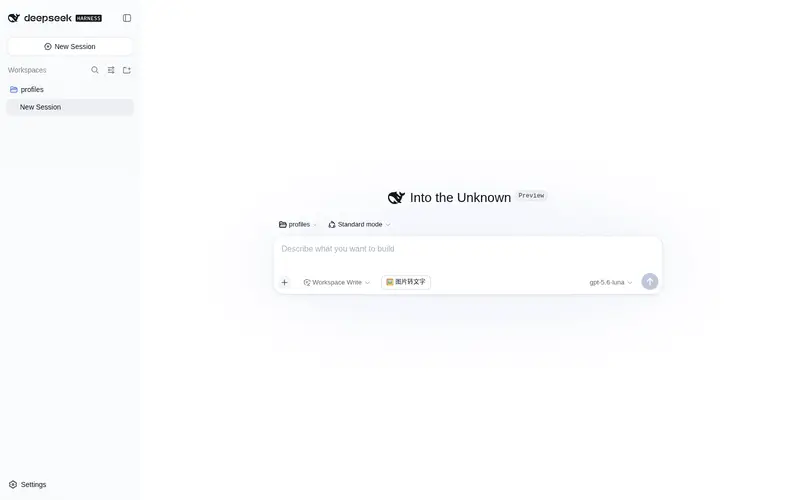
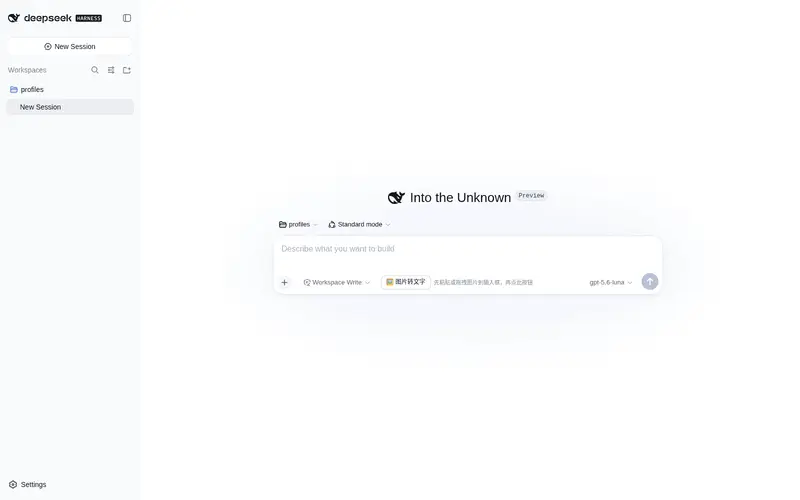
What it does
Image-to-text input for the Web UI: paste or drag an image and it is transcribed into structured text and sent, giving text-only LLMs image-input takeover (OpenAI-compatible vision API).
Best for
- Web UI users who want pasted or dragged images converted automatically for text-only models.
- Users who want to review and edit a structured image description before sending it.
- Mixed-model workflows where native multimodal models should keep their normal image path while text-only models use transcription.
Not ideal for
- Non-Web or file-path-based image analysis workflows that do not use the chat composer.
- Deployments without an OpenAI-compatible vision endpoint and usable credentials.
- Workflows composed entirely of native multimodal models, where the plugin normally only passes images through.
README
dsh-plugin-image-input
给没有视觉能力的纯文本 LLM(DeepSeek、GPT-4 base 等)提供图片输入接管:
- 在对话输入框里照常粘贴 / 拖拽图片(出现缩略预览)
- 直接按 Enter 或点发送——插件会自动把图片转成文字描述,与你的文字一起发出
- 会话里收到的就是”你的文字 + 图片识别上下文”(画布/元素/百分比坐标,K线图、截图、图表都适用),模型不会再因为图片拒绝消息
当前模型支持图片时(如 qwen-vl / gpt-4o),插件完全放行,走原生图片通道。
也可以先点输入框左侧的 🖼️ 图片转文字 按钮,只把描述插入输入框(不发),自己修改后再发送。
安装(每台 PC 一次)
# 方式 A:从本地目录安装(拿到插件目录后)
dsh plugin --profile web add D:\path\to\dsh-plugin-image-input

# 方式 B:从 npm / GitHub 安装(发布后)
dsh plugin --profile web add dsh-plugin-image-input
然后重启 DSH web。
配置视觉 API(设置页填写,一次搞定)
重启后打开 设置 → 图片转文字,填写:
| 字段 | 说明 | 示例 |
|---|---|---|
baseUrl |
OpenAI 兼容接口地址(不含 /chat/completions) |
https://dashscope.aliyuncs.com/compatible-mode/v1 |
model |
视觉模型名 |
qwen-vl-max / gpt-4o / glm-4v
|
apiKey |
你的 API Key(留空 = 保持不变) | sk-... |
maxTokens |
最大输出 token | 2048 |
保存即生效(无需重启)。配置存于 ~/.config/mm-vision/config.json。
不填设置页也可以:插件会回退读取同路径配置文件或环境变量
MM_VISION_API_KEY/DASHSCOPE_API_KEY/QWEN_API_KEY/OPENAI_API_KEY/GEMINI_API_KEY。
使用
- 粘贴 / 拖拽一张图片到输入框(出现缩略预览)
- 直接按 Enter 或点发送(或先点 🖼️ 按钮只转文字)
- 等约 1 分钟(思考型视觉模型对复杂图较慢),自动转为文字描述并发送
- 模型就能”看”到图了
转换期间输入框显示”正在把图片转为文字后发送…”;失败会提示并保留图片,不会丢内容。 多张图片逐张转换、一起发送。
原理
- 发送接管:Enter / 发送按钮(捕获阶段)→ 输入框有图片草稿且模型非多模态 → 阻止原生提交
- 页面读取 blob 图片(浏览器内存,模型拿不到)→ base64 → 本地路由
/plugins/mmv/analyze - host 以
danger-full-access策略运行固定内容的 node 子进程,直连你配置的视觉 API (OpenAI 兼容协议)——不依赖本机沙箱后端(Windows ACL / Linux bubblewrap / macOS sandbox-exec), 任何平台都能跑;仅限本机页面调用(Origin 校验),请求只发往你自己配置的地址
插件不依赖 DSH 的任何模型适配器,任何 OpenAI 兼容视觉端点都能用。
开发
lib/index.js   # host 半:本地路由(capability/config/analyze)+ node 子进程视觉调用
lib/client.js  # client 半:发送接管 + 输入框按钮 + 设置页配置表单(浏览器 bundle)
License
MIT
Frequently Asked QuestionsFAQ
Use the verified command dsh plugin --profile default add github:Elohia/dsh-plugin-image-input in a DSH-enabled shell. The command resolves the public package metadata and keeps the plugin attached to the catalog identity shown on this page.
Compatibility follows the bundle and profile status shown above. If a profile is not detected, keep the plugin disabled there and check the repository documentation before enabling it in production.
The GitHub link and activity metadata are the source of truth for releases and maintenance. Revisit this page after a new release to confirm the catalog has observed the latest version.