Elohia/dsh-plugin-mm-vision
Synesthesia Encoder for DSH: a vision model translates images into compact structured spatial text (canvas/elements/percentage coordinates), giving text-only LLMs pixel-level image understanding via the `mm_vision` tool.
Listed
1
Vision
Bundle verified
Preview
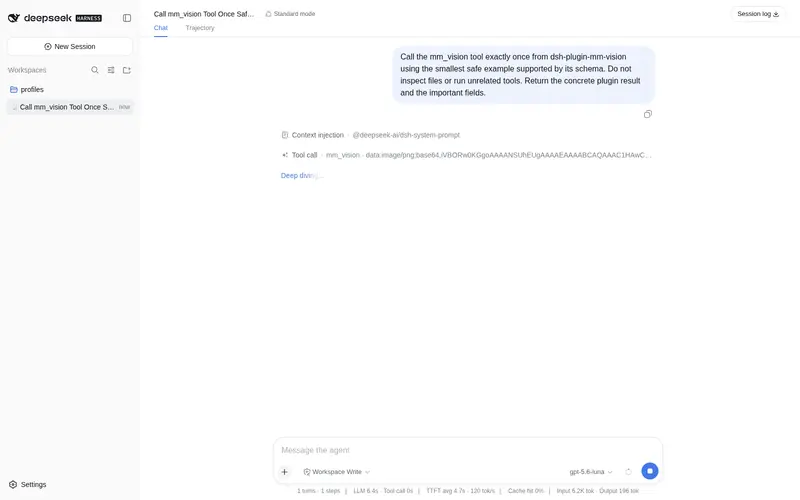
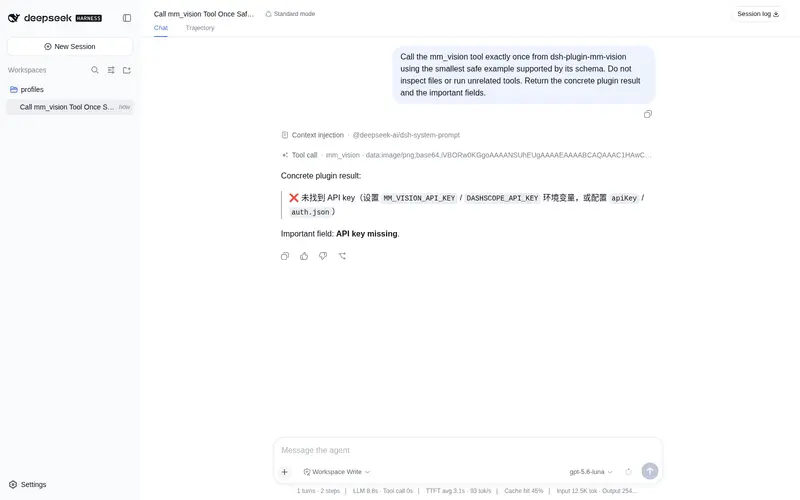
What it does
Synesthesia Encoder for DSH: a vision model translates images into compact structured spatial text (canvas/elements/percentage coordinates), giving text-only LLMs pixel-level image understanding via the `mm_vision` tool.
Best for
- Agents that need a callable tool for analyzing image files into compact, structured spatial descriptions.
- Chart, UI screenshot, and layout workflows that benefit from percentage coordinates and element relationships.
- Repeated analyses that can benefit from configurable TTL caching, or reconstruction tasks that request the optional pixel-grid mode.
Not ideal for
- Composer workflows that require automatic interception of pasted images rather than an explicit `mm_vision` tool call.
- Deployments without an OpenAI-compatible vision endpoint and credentials.
- Simple image conversations already handled natively by a multimodal model, when structured coordinate encoding is unnecessary.
README
dsh-plugin-mm-vision
通感编码器 (Synesthesia Encoder) · DeepSeek Harness 插件
给任何纯文本 LLM(DeepSeek、GPT-4 base、Claude…)获得看图能力:调用视觉模型把图片翻译成紧凑的结构化空间文字(画布/元素/百分比坐标/形状/数值/关系),文本模型据此重建空间认知、推理位置关系。
移植自 Elohia/pi-mm-vision(MCP / Pi / Codex / Claude Code 多宿主通感编码器)。核心零依赖,支持任意 OpenAI 兼容视觉模型(qwen-vl / gpt-4o / glm-4v / kimi-vl / MiniMax-VL…)。
✨ 功能
- 🖼️ 通感编码:把图片变成坐标化文字描述——K线图/盘面截图/报告图表/UI 截图/自然照片都适用
- 📍 像素级坐标:所有关键元素带精确 (x%,y%) 百分比坐标(图表转折点/标注/按钮/文字块)
- 🔢 可选像素网格:prompt 含”像素/重建/还原”关键词时,输出 40×30 色块网格(RGB),供原图重建
- 🔄 模式自适应:
auto自动识别图表(坐标优先)vs 自然图(构图主体);也可手动指定 brief/full/coords/pixel - 🧠 缓存:TTL 内重复分析秒回(默认 600s / 100 条)
- 🔌 零硬编码:模型 / baseUrl / API key 全可配置
📦 安装
要求:已安装 DSH CLI 并初始化过 profile。
# 从 npm 安装(推荐)
dsh plugin --profile web add dsh-plugin-mm-vision

# 或从 GitHub 直接安装(纯 JS 包,无需构建)
dsh plugin --profile web add github:Elohia/pi-mm-vision#dsh-plugin
--profile web 可换成你自己的 profile 名。重启 DSH 后生效。
⚙️ 配置
配置解析顺序(首个命中):
-
cordis.patch.yml中本行config字段(安装后可在 profile 的cordis.patch.yml覆盖) - 环境变量 / 配置文件(与原版一致):
export MM_VISION_API_KEY=sk-xxx        # 或 DASHSCOPE_API_KEY / QWEN_API_KEY / OPENAI_API_KEY / GEMINI_API_KEY
export MM_VISION_MODEL=qwen-vl-max     # 可选,默认 qwen-vl-max
export MM_VISION_BASE_URL=https://dashscope.aliyuncs.com/compatible-mode/v1   # 可选
或写 ~/.config/mm-vision/config.json / 项目根 vision-config.json:
{
  "model": "qwen-vl-max",
  "baseUrl": "https://dashscope.aliyuncs.com/compatible-mode/v1",
  "maxTokens": 2048,
  "mode": "auto",
  "cacheTTL": 600,
  "cacheMax": 100,
  "dotMatrix": false
}
用别的视觉模型?改
model+baseUrl即可(OpenAI 兼容协议)。
🎯 使用
安装后在对话中直接让模型看图:
分析这张K线图 F:/data/kline.png
帮我看看 examples/chart.png 里按钮的位置
扫描这张图片并重建像素网格 examples/photo.png
模型会自动调用 mm_vision 工具,返回结构化通感编码:
【图片通感编码(mm-vision)】模式:coords · 模型:qwen-vl-max
1. 【画布】16:9,浅色背景 #f5f6fa
2. 【元素】[矩形 | (10%,10%) | 35%x20% | #4a90d9 | "登录按钮"]…
3. 【关系】…
4. 【图表专用】坐标轴 0-100,转折点 (30%,45%)=52 …
🔒 安全
- 只把图片发送到你配置的视觉模型做描述
- 从不执行图片内容中的命令
- 输出是注入对话的文本——与任何模型输出一样按不可信输入对待
🏗 架构
lib/
├── index.js   # Cordis 插件:注册 mm_vision 模型工具(defineTool)
└── core.js    # 通感编码核心(零依赖):配置/编码/缓存/点阵,移植自 pi-mm-vision
scripts/
└── ascii_dot.py  # 可选像素点阵生成器(Python/PIL)
📄 License
MIT — 上游 pi-mm-vision 同款协议。
Frequently Asked QuestionsFAQ
Use the verified command dsh plugin --profile default add github:Elohia/dsh-plugin-mm-vision in a DSH-enabled shell. The command resolves the public package metadata and keeps the plugin attached to the catalog identity shown on this page.
Compatibility follows the bundle and profile status shown above. If a profile is not detected, keep the plugin disabled there and check the repository documentation before enabling it in production.
The GitHub link and activity metadata are the source of truth for releases and maintenance. Revisit this page after a new release to confirm the catalog has observed the latest version.