giiiiiithub/terminal
DeepSeek Harness Plugin,Web UI 的终端面板:node-pty 真实 PTY + xterm.js 浏览器渲染,开箱即用的交互式 shell
Listed
0
Ui
Bundle verified
Preview
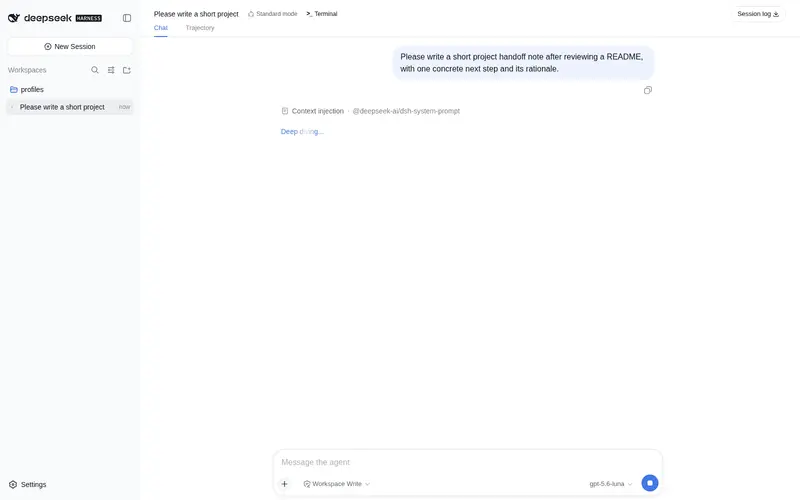
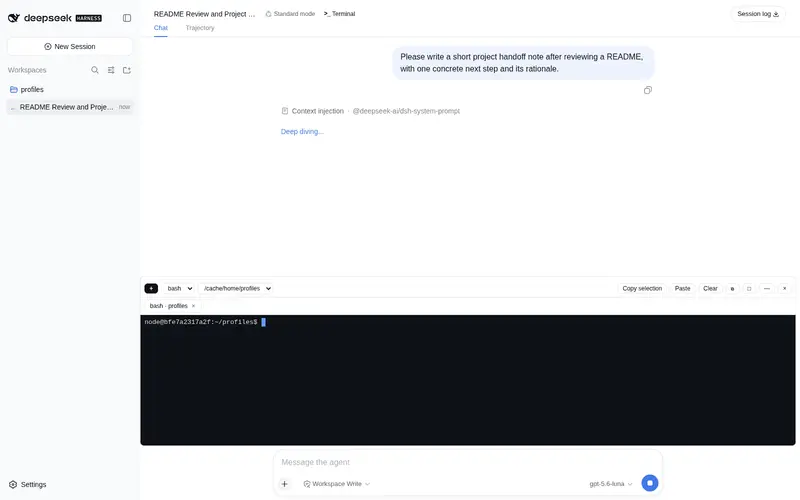
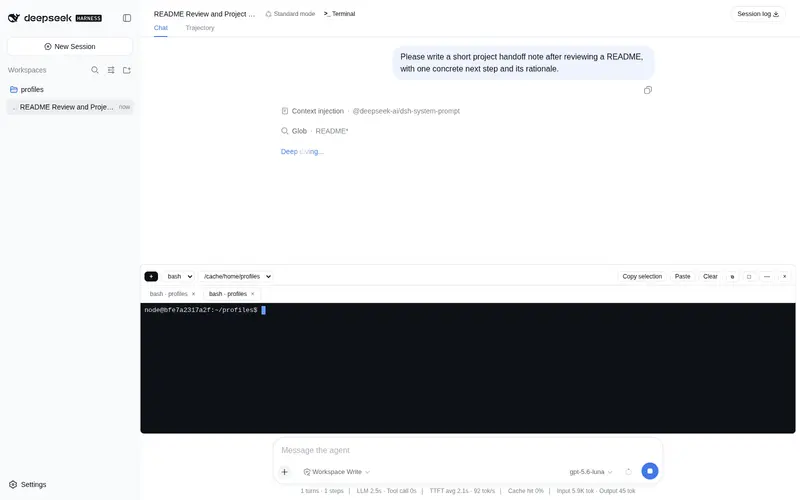
What it does
Real PTY terminal panel for the DSH Web UI: host half spawns shells with node-pty (cmd.exe default on Windows), rendered in the browser with xterm.js; multi-tab sessions, dock/floating window, clipboard support.
Best for
- DSH Web users who need a real interactive shell without leaving the browser.
- Developers working with multiple concurrent terminal tabs tied to workspace directories.
- Users who benefit from switching between a docked terminal and a movable, resizable floating window.
Not ideal for
- Environments where the native node-pty module cannot be built or approved by pnpm.
- Terminal work that must survive a DSH service restart; all PTY sessions terminate with the host.
- Workloads needing more than 64 live terminal sessions.
- Inactive sessions producing more than the 2 MB host buffer can retain, since the oldest output is discarded.
README
dsh-terminal


DSH Web UI 的终端面板(Terminal panel)插件,提供真实可交互的 shell 终端:
- 真实 PTY:宿主端用 node-pty 在 DSH 服务进程里拉起 shell(Windows 下走 ConPTY),不是模拟器。
-
平台默认 shell:Windows 默认
cmd.exe(可切换 PowerShell / pwsh / Git Bash),macOS 默认/bin/zsh,Linux 默认/bin/bash;可通过配置或面板里的下拉框切换。 - 浏览器渲染:客户端用 xterm.js(@xterm/xterm 6)渲染,支持全色彩、光标、滚动回看(5000 行)、Ctrl+Shift+C/V 复制粘贴。
- 多标签会话:可以同时打开多个会话标签,折叠面板后会话在宿主端继续运行。
- 停靠/浮动窗口:dock 模式可拖动上边缘调整高度,浮动模式可移动窗口并八向缩放。
- 随项目打开:首个会话默认在工作区目录(第一个 workspace path)启动,找不到时回退到配置目录或用户主目录。
前置条件
- 已安装 DeepSeek Harness,且
dsh web(或dsh --profile web)能正常启动并打开浏览器界面。 - pnpm ≥ 9(DSH 的 profile 使用 pnpm 管理依赖)。
- 插件依赖原生模块 node-pty。若安装时 pnpm(≥ 10)拦截其构建脚本,按提示把
node-pty加入 profile 目录pnpm-workspace.yaml的allowBuilds后重新执行安装命令。
安装
第一步:安装
方式1:npm 源(推荐)
包已发布到 npm registry,一行安装:
dsh plugin --profile web add dsh-terminal
方式2:GitHub 源
dsh plugin --profile web add github:giiiiiithub/terminal
仓库内已提交
lib/构建产物,git 源安装时无需现场构建。
方式3:本地源码(开发调试)
-
Windows: dsh plugin --profile web add "file:C:/user/abc/terminal",假设本项目源代码在:C:/user/abc/terminal macOS: dsh plugin --profile web add "file:/opt/dsh-terminal"Linux: dsh plugin --profile web add "file:~/dsh-terminal"
第二步:重启服务
插件含宿主端代码,必须重启 dsh web 进程才会加载:
# 停止当前 dsh web 进程(如 Ctrl+C,或结束 dsh --profile web 的 node 进程),然后:
dsh web
版本 ≥ 0.1.1 起插件自带
dsh.bundle,dsh plugin add会自动把插件登记进 profile 的加载层,无需再手动编辑cordis.patch.yml。 早期版本(0.1.0)需要手动添加条目,升级后请删除 profile 里手写的terminalinsert 条目,否则会和 bundle 层自动插入的条目重复。
第三步:验证
刷新浏览器页面,会话头部出现 >_ 终端 按钮即安装成功。点击展开面板,首次展开会自动启动一个会话(默认 shell,Windows 下为 cmd.exe)。
卸载
- 移除依赖:
dsh plugin --profile web remove dsh-terminal或手动:在 profile 目录执行
pnpm remove dsh-terminal。 - 若曾在 profile 的
cordis.patch.yml里手写过terminalinsert 条目,一并删除。 - 重启 dsh web 服务,刷新页面后
>_终端 按钮消失即卸载完成。
配置
默认值可在 profile 的 cordis.patch.yml 里按 id 定点覆盖(bundle 层之后应用):
- id: terminal
  config:
    shell: cmd.exe          # 默认 shell(Windows 下默认即 cmd.exe,也可填完整路径)
    cwd: <工作目录>           # 新会话默认工作目录,不配置该项时,每次新建terminal都会使用shd当前会话所在工作目录
    env:                     # 追加到进程环境
      LANG: "zh_CN.UTF-8"
| 配置项 | 默认值 | 说明 |
|---|---|---|
shell |
cmd.exe (win32) / /bin/zsh (macOS) / /bin/bash (Linux) |
新会话默认 shell |
cwd |
客户端工作区路径;都没有时为用户主目录 | 新会话默认工作目录。解析顺序:客户端请求参数(UI 默认传当前会话 workspace)→ 本配置 → 用户主目录 |
env |
— | 追加的环境变量 |
defaultReadTimeoutMs |
250 |
read 长轮询上限 |
maxBufferBytes |
2,000,000 | 每会话输出缓冲上限,超出丢弃最旧字节 |
已知限制
- 折叠面板/非活动标签的会话输出在宿主端缓冲(上限 2MB),重新激活时一次性回放。
- 活会话上限 64 个:超出后
open先逐出已退出会话,仍满则返回session-limit错误。 - 服务重启会终止所有会话(PTY 随宿主进程退出)。
- 已退出会话在宿主端保留 60 秒供客户端读取退出码,之后转入 tombstone(上限 64
条)并移出会话列表;
kill会立即释放会话 id。 -
kill终止 shell:Windows 上先执行taskkill /PID <pid> /T /F强制清理 进程树(node-pty 的控制台枚举辅助进程在个别情况下会失败,只杀 shell 本身),再走 node-pty 正常终止;Linux 下按进程组终止。仅当子进程主动 脱离控制台/会话(如以CREATE_NEW_CONSOLE启动)时仍可能残留。
Frequently Asked QuestionsFAQ
Use the verified command dsh plugin --profile default add github:giiiiiithub/terminal in a DSH-enabled shell. The command resolves the public package metadata and keeps the plugin attached to the catalog identity shown on this page.
Compatibility follows the bundle and profile status shown above. If a profile is not detected, keep the plugin disabled there and check the repository documentation before enabling it in production.
The GitHub link and activity metadata are the source of truth for releases and maintenance. Revisit this page after a new release to confirm the catalog has observed the latest version.