GLFzr/dsh-opencode-go-quota
DSH 插件:OpenCode Go 额度圆环 —— 输入框模型选择器左侧的进度圆环,点击切换 5小时/每周/每月用量(OpenCode Go quota ring for DeepSeek Harness Web)
Listed
5
Usage
Bundle verified
Preview
What it does
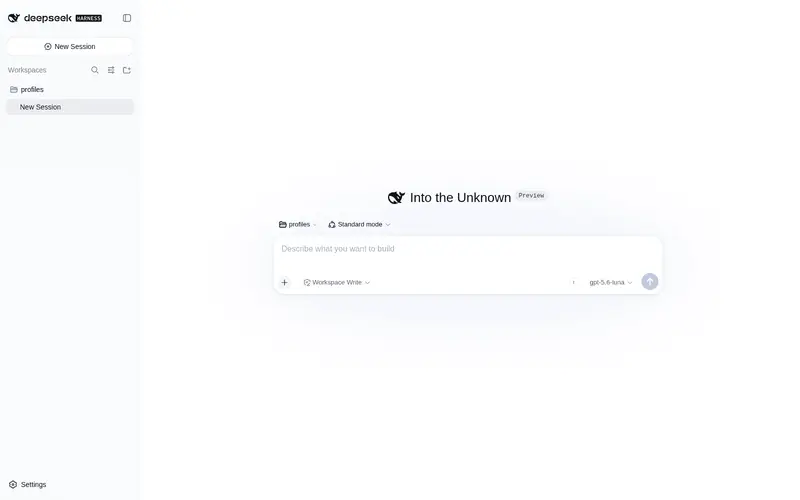
OpenCode Go quota ring: click-to-cycle progress ring (5h/weekly/monthly) left of the model selector, colored by urgency, with reset countdowns on hover.
Best for
- OpenCode Go users who want at-a-glance 5-hour, weekly, and monthly quota status beside the model selector.
- Long-running agent workflows that benefit from threshold-based quota warnings and reset countdowns.
Not ideal for
- Users without an OpenCode Go API key or access to its official usage endpoint.
- Hosts that cannot run the required subprocess, including Windows sandbox setups whose workspace root conflicts with the system TEMP directory.
- Workflows seeking per-request token accounting; this plugin reports quota rather than input, output, or cache-hit tokens.
README
dsh-opencode-go-quota
OpenCode Go 额度圆环 —— DSH Web 的持久化插件。
在聊天输入框模型选择器左侧显示一个 22px 进度圆环:
- 中央字母 5 / W / M,点击循环切换 5小时 / 每周 / 每月 用量窗口
- 悬停显示「5小时 已用 X% · 重置倒计时」
- 颜色按紧急程度:绿 <30% / 蓝 30-60% / 橙 60-80% / 红 ≥80%
- 每 5 分钟自动刷新,点击切换时若数据超过 1 分钟则强制刷新
- 额度告急(≥80%)时圆环红色脉冲闪烁,悬停提示「⚠ 5小时额度即将用尽,建议暂停等重置」
配合 dsh-token-ledger 使用
额度(钱)与 token 用量是两回事:本插件回答「还剩多少额度」, dsh-token-ledger 则逐请求记录 真实的输入 / 输出 / 缓存命中 token 数(会话顶部「用量」页,堆叠柱状图, 支持按请求/按小时/按天/按轮次查看)。两个插件可同时安装、互不依赖: 额度圆环在输入框左侧,token 用量在「用量」页。
对话内额度提醒(Codex CLI 式)
每次 agent 请求时,插件会把当前额度状态动态注入 system prompt,只在进入新档位时注入一次(同档内后续请求不重复,prompt 前缀稳定、省 token、利于缓存命中):
| 5小时用量 | 行为 |
|---|---|
| <60%(warnAt) | 不注入(零 prompt 成本) |
| 60%-79% | 注入一次:注意档——建议在合适节点提醒用户、暂停待恢复 |
| 80%-89% | 注入一次:告急档——主动提醒、任务边界暂停 |
| 90% 起 | 每增长 2% 递进一档(90/92/94/…),措辞紧急程度递增:严重 → 濒临耗尽 → 即将耗尽 → 几乎耗尽 → 近极限 → 已用尽(100%),每档只提醒一次 |
窗口重置回 60% 以下后,升档记忆自动清除,下次爬升会重新按档提醒。
阈值可通过 cordis.yml 配置(warnAt / criticalAt / escalateFrom / escalateStep,默认 60 / 80 / 90 / 2;cacheTtl 为用量缓存秒数,默认 60;weeklyWarnAt / monthlyWarnAt 为周/月圆环警示阈值,默认 90 / 95):
- id: dsh-opencode-go-quota
  config:
    warnAt: 60
    criticalAt: 80
    escalateFrom: 90
    escalateStep: 2
    cacheTtl: 60
    weeklyWarnAt: 90
    monthlyWarnAt: 95
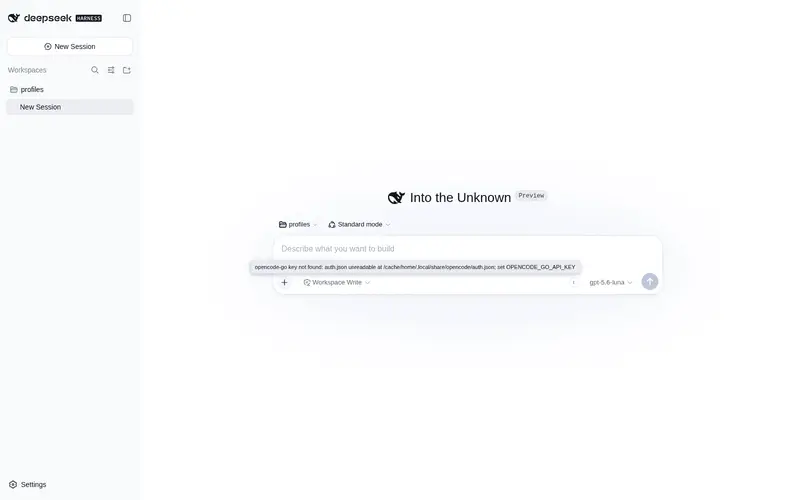
数据不可用(无 key / 接口失败)时注入为空,不产生 prompt 噪声;圆环显示灰色 !,悬停可见错误原因,宿主进程与浏览器控制台均有调试日志。
数据来源
- Host 端通过
node -(stdin 脚本)读取~/.local/share/opencode/auth.json的opencode-go.key(环境变量OPENCODE_GO_API_KEY优先;auth.json 容忍 UTF-8 BOM,文件缺失 / 解析失败 / 无 key 分别报错) - 调用官方接口
GET https://opencode.ai/zen/go/v1/usage(Bearer 鉴权) - 结果经
/ocg-quota/usage路由(cacheTtl秒节流缓存,失败结果按errorCacheTtl秒短缓存,默认 5;响应含thresholds)提供给浏览器端与 prompt 注入
安装
# 本地路径安装
dsh plugin --profile web add <本目录绝对路径>

# 或直接从 GitHub 安装
dsh plugin --profile web add github:GLFzr/dsh-opencode-go-quota

# 重启 dsh web 后生效
卸载
dsh plugin --profile web remove dsh-opencode-go-quota
常见问题
圆环显示灰色感叹号(宿主报 shell.run failed / windows-acl-run …)
插件需要宿主 shell 能运行子进程。DSH 的 Windows ACL 沙箱要求
sandbox-policy.workspaceRoot(默认取 dsh web 启动目录)不包含系统 TEMP 目录;
从用户主目录等位置启动 dsh web 会触发该限制(插件会显示友好提示)。
解决:在 ~/.dsh/profiles/<profile>/cordis.patch.yml 固定 workspace 根目录:
- id: sandbox-policy
  config:
    workspaceRoot: <你的 workspace 绝对路径>
然后重启 dsh web。或临时在 workspace 目录内启动 dsh web。
一直提示 “opencode-go key not found”
- 检查
~/.local/share/opencode/auth.json是否存在且含opencode-go.key(已登录 OpenCode Go 即自动生成); - 或设置环境变量
OPENCODE_GO_API_KEY(优先于 auth.json)后重启 dsh web; - auth.json 带 UTF-8 BOM 或损坏也会导致取 key 失败(0.3.2 起已容忍 BOM 并区分错误)。
许可
MIT
Frequently Asked QuestionsFAQ
Use the verified command dsh plugin --profile default add github:GLFzr/dsh-opencode-go-quota in a DSH-enabled shell. The command resolves the public package metadata and keeps the plugin attached to the catalog identity shown on this page.
Compatibility follows the bundle and profile status shown above. If a profile is not detected, keep the plugin disabled there and check the repository documentation before enabling it in production.
The GitHub link and activity metadata are the source of truth for releases and maintenance. Revisit this page after a new release to confirm the catalog has observed the latest version.