GooodWei/context-vista
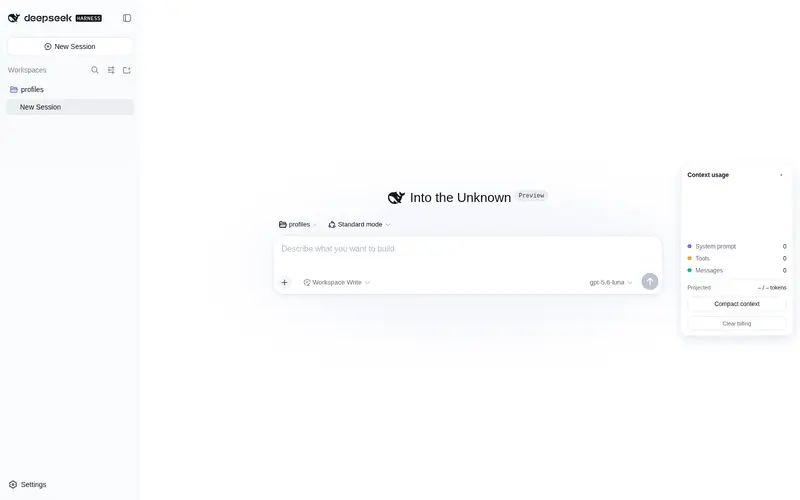
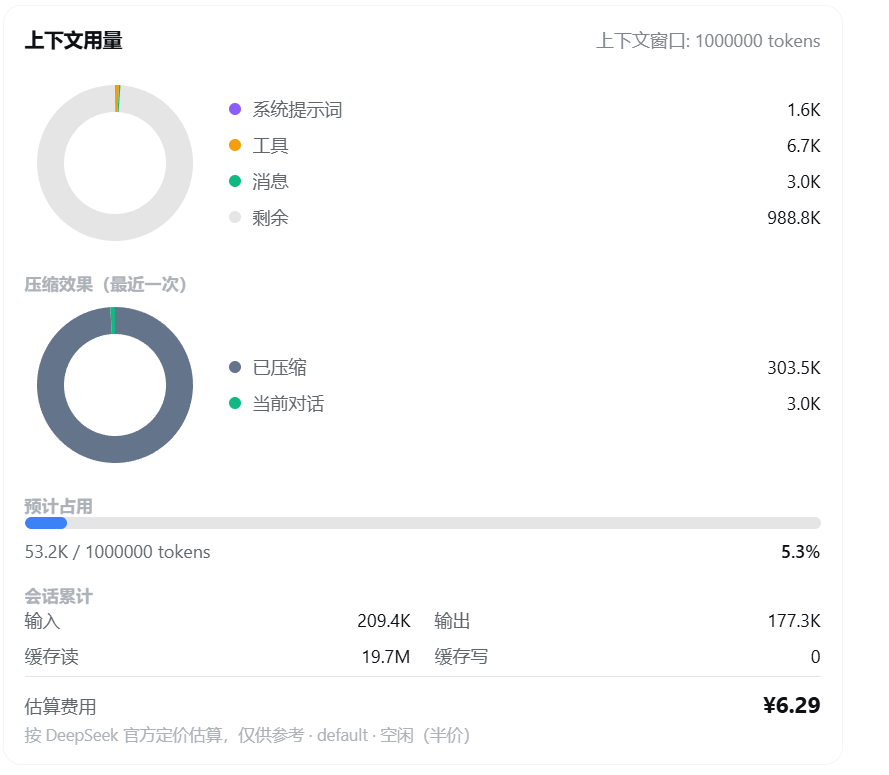
为 DeepSeek Harness 提供右侧悬浮栏以及 /context 命令,用环形图实时展示当前上下文 token 用量与分配,compact指令效果,同时支持估算费用消耗,对标 Claude Code 的 /context。
Listed
8
Usage
Bundle verified
Preview
What it does
A right-side floating panel and /context command for DeepSeek Harness — a live donut chart of context token usage, allocation, and estimated cost.
Best for
- DeepSeek Harness users who want live visibility into context-window usage and allocation.
- Long sessions where users need to judge the effect of context compaction.
- Users who want route-specific token cost estimates, including flat or peak/off-peak pricing.
Not ideal for
- Workflows outside the DeepSeek Harness Web interface.
- Users who need invoice-grade costs; displayed amounts are estimates, not bills.
- Short sessions where context pressure and compaction are not meaningful concerns.
README
English · 中文
context-vista

一眼看清你的上下文窗口 —— token 用量、压缩收益、成本估算,尽收眼底。
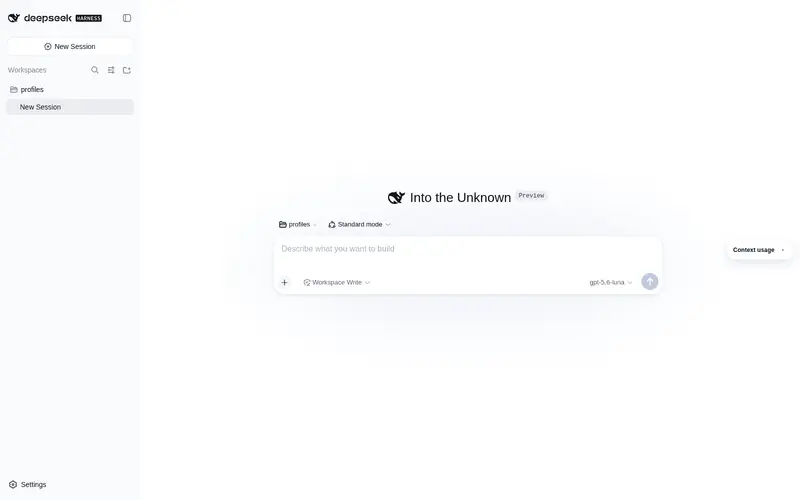
为 DeepSeek Harness 提供 /context 斜杠命令,用环形图实时展示当前上下文 token 用量与分配。对话区右侧还常驻一张迷你悬浮卡,实时显示占用率与估算费用,可拖动、可收起。
安装
npx @deepseek-ai/dsh plugin --profile web add github:GooodWei/context-vista
npx @deepseek-ai/dsh web
需先安装 pnpm(
dsh plugin add内部会调用它)。已全局安装 dsh 时,npx @deepseek-ai/dsh可简写为dsh。
使用
输入 /context 回车,展示一张卡片:上下文组成环形图(系统 / 工具 / 消息 / 剩余)、占用进度条、会话累计与估算费用。
右侧的迷你环形图悬浮卡实时更新、无需输入命令;按住标题栏可上下拖动(位置自动记忆),点右上角箭头可收起/展开。悬浮卡底部还有「压缩上下文」按钮,点击即触发 /compact(效果等同输入命令),压缩进行中会显示「压缩中…」并禁用。
自定义定价
内置 DeepSeek 官方定价(人民币 ¥,含峰谷)。要覆盖或新增,编辑 ~/.dsh/settings.yaml(热加载,无需重启)。货币单位与峰谷定义都跟随 API(路由),每个路由可各自指定。
最简示例
context-vista:
  pricing:
    "https://api.deepseek.com":
      models:
        deepseek-v4-pro:
          peak:    { hit: 0.3, miss: 9, output: 27 }
          offpeak: { hit: 0.15, miss: 4.5, output: 13.5 }
完整示例(DeepSeek ¥ + OpenAI $,标注全部键值对)
context-vista:
  pricing:                                  # 定价表:外层键 = 路由名 或 baseURL
    "https://api.deepseek.com":             # 路由①:DeepSeek,人民币 + 北京时间峰谷
      currency: "¥"                         #   本 API 的计价货币单位(省略默认 "¥")
      timezone: 8                           #   峰谷时段所在时区(UTC 偏移;省略默认 8)
      peakWindows:                          #   高峰窗口,HH:MM,含起点不含终点;start > end 表示跨午夜
        - start: "09:00"                    #     高峰起点
          end: "12:00"                      #     高峰终点
        - start: "14:00"                    #     第二段高峰起点
          end: "18:00"                      #     第二段高峰终点
      models:                               #   本 API 下的模型(必填)
        deepseek-v4-pro:                    #     模型名
          peak:                             #       写法一(峰谷分档)· 高峰价
            hit: 0.3                        #         输入 · 命中缓存,每百万 tokens
            miss: 9                         #         输入 · 未命中缓存,每百万 tokens
            output: 27                      #         输出,每百万 tokens
          offpeak:                          #       空闲价
            hit: 0.15                       #         输入 · 命中缓存
            miss: 4.5                       #         输入 · 未命中缓存
            output: 13.5                    #         输出

    "https://api.openai.com/v1":            # 路由②:OpenAI(ChatGPT),美元 + 无峰谷
      currency: "$"                         #   本 API 的计价货币单位
      models:                               #   无 timezone/peakWindows → 直接走平坦价
        "gpt-5.5":                          #     模型名
          hit: 2.5                          #       输入 · 命中缓存,每百万 tokens
          miss: 10                          #       输入 · 未命中缓存,每百万 tokens
          output: 30                        #       输出,每百万 tokens
价格为每百万 tokens 的单价,按各 API 实际币种填写;
currency只控制显示符号、不换算汇率;无峰谷的 API 省略timezone/peakWindows即可。上表数字仅示意。
- 外层键可用 provider 路由名(如
deepseek-official)或 baseURL(含:需加引号)。 - 每个路由可带
currency/timezone/peakWindows(各自覆盖全局默认),models为必填。 - 模型价格条目二选一:平坦
{ hit, miss, output },或峰谷{ peak, offpeak }。 - 支持
*作为路由名或模型名的通配符。 - 未匹配到的模型按内置默认(模型名含
flash走 flash 档,否则 pro 档)。 - 金额仅为估算,非账单。
License
MIT
Frequently Asked QuestionsFAQ
Use the verified command dsh plugin --profile default add github:GooodWei/context-vista in a DSH-enabled shell. The command resolves the public package metadata and keeps the plugin attached to the catalog identity shown on this page.
Compatibility follows the bundle and profile status shown above. If a profile is not detected, keep the plugin disabled there and check the repository documentation before enabling it in production.
The GitHub link and activity metadata are the source of truth for releases and maintenance. Revisit this page after a new release to confirm the catalog has observed the latest version.