HongMing-Huang/dsh-file-upload
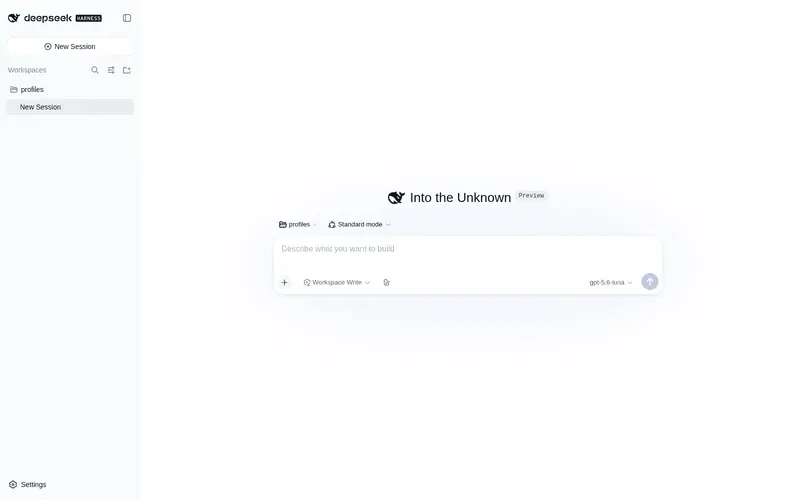
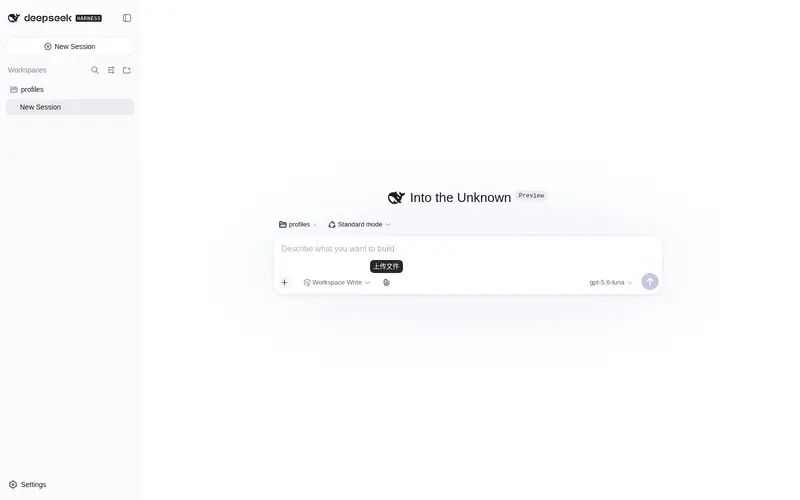
DeepSeek Harness (dsh) file-message plugin: Claude-style drag-and-drop / paperclip upload, content sniffing, document-to-Markdown via Microsoft MarkItDown (with built-in JS fallback), text inlining, read_document tool for agents.
Listed
8
Ui
Bundle verified
Preview
What it does
Claude-style drag-and-drop/paperclip file upload with content sniffing, document-to-Markdown via Microsoft MarkItDown (built-in JS fallback), text inlining, and a read_document tool for agents.
Best for
- DSH Web users who need drag-and-drop, picker, paste, folder, or multi-file attachments in chat.
- Agents that need pageable access to PDF, Office, HTML, structured-data, notebook, archive, image, or audio content as Markdown.
- Text-only model workflows that need uploaded images converted to OCR text or explained through an available vision endpoint.
Not ideal for
- Text-only conversations that do not exchange files gain little from upload and conversion tooling.
- Audio transcription requires model credentials, so it is unsuitable when those credentials are unavailable.
- Workflows requiring formats available only through the optional official MarkItDown CLI, such as EPUB, cannot rely on the bundled fallback alone.
README
dsh-file-upload
File-message plugin for DeepSeek Harness (dsh). Claude/Codex-style uploads — drag-and-drop (files and folders), paperclip picker, paste-to-attach, multi-file support; content sniffing; fully bundled document → Markdown conversion (MarkItDown engine, 20+ formats, image OCR); Codex-style @relative/path references; automatic image explanations for text-only models; and a read_document tool for agents.



| English | 中文 |
Zero-config, install-and-use. Every feature works out of the box with sensible defaults — no Python, no downloads, no picking backends. Image explanations auto-discover a vision endpoint (local Ollama → OpenAI-compatible key from the dsh credentials seam).
Features
- Upload — composer paperclip button plus a global drag-and-drop overlay (“release to attach”), multi-file support.
- Attachment cards — color-coded type badges (PDF red / DOC blue / XLS green / TXT gray / ZIP purple / JSON gold) with name and size; removable.
-
Codex-style file references — uploaded files appear in the message as
@relative/pathreferences (like OpenAI Codex), never as raw content dumped into the composer; the agent reads the file withread_document(converted to Markdown on demand). -
Codex-style
@mentions — type@in the composer to pick any uploaded file by its relative path; the reference inserts as a mention. -
Document → Markdown, fully bundled — the MarkItDown engine ships inside the plugin (Microsoft MarkItDown TypeScript port,
markitdown-node): PDF / DOCX / PPTX / XLSX / HTML / CSV / JSON / XML / RSS / Atom / ZIP / Jupyter / image OCR / audio transcription. No Python, no downloads, no setup. -
Image explanation for text-only models — upload an image and the plugin automatically generates a description (“讲解图片”) through a vision discovery chain, so the DeepSeek API (text-only) can reason about the image: explicit
visionEndpoint→ local Ollama with a VL model (e.g. DeepSeek-VL2, zero-config) → OpenAI-compatible endpoint with a dsh-credentials key. Multimodal routes / vision bridges keep the officialread_imagepath. -
read_documenttool for agents — line-numbered paging (offset/limit), byte-budgeted LRU cache (invalidated on file change), size pre-checks, reads throughctx.fs(inherits sandbox and fs-observation policy). -
Security — loopback-only uploads, sanitized file names, session-isolated storage (
.dsh-uploads/<sessionId>), sha256 content dedup, bounded concurrency, TTL sweep.
Install
dsh plugin --profile web add dsh-file-upload
# restart dsh web
Usage
- Click the paperclip in the composer toolbar, or drag files anywhere over the window;
- Small text files land directly in the composer; documents appear as attachment cards and their path is sent with the message;
- The agent reads documents with
read_document <path>— converted to Markdown on demand, pageable withoffset/limit.
MarkItDown (fully bundled — no downloads, no setup)
The MarkItDown capability ships inside the plugin. Works out of the box: no Python, no pip, no downloads, no build-script approval.
-
Bundled engine — the Microsoft MarkItDown TypeScript port (
markitdown-node) is a regular dependency covering 20+ formats: PDF, DOCX, PPTX, XLSX, HTML, CSV, JSON, XML, RSS, Atom, ZIP, Jupyter notebooks, images (OCR via Tesseract, 110+ languages), and audio transcription (via LLM, needs model credentials). - Images — OCR to text by default through the bundled engine.
- Offline — all parsing runs locally, no network calls.
Optional upgrade: if an official MarkItDown CLI already exists on your machine (or is set via
markitdownBin), the plugin prefers it (adds EPUB and more); without one the bundled engine is always available.
- id: file-upload
  config:
    markitdownBin: /path/to/your/markitdown   # optional; empty = bundled engine only
Startup log (bundled mode):
[dsh-file-upload] Document → Markdown ready: bundled MarkItDown engine (20+ formats, image OCR) — fully packaged, no downloads, no Python.
How images are handled (auto-explained)
The plugin detects your session’s model capability at upload time:
| Detected route | What happens |
|---|---|
Multimodal model (declares image input, e.g. GPT-4o / Qwen-VL / Claude / Gemini) |
imageMode: native — the agent uses the official read_image tool; the image enters model context directly |
| Vision bridge installed (dsh-vision-proxy and similar) | detected automatically (they declare image input on their route) — same native path |
| Text-only model (the DeepSeek API is text-only) | an automatic image description is generated via the vision discovery chain and inserted with the message — the model reasons about the image content immediately |
Vision discovery chain (zero-config): ① explicit visionEndpoint/visionModel → ② local Ollama at http://localhost:11434 (picks a VL model such as DeepSeek-VL2 — images never leave the machine) → ③ OpenAI standard endpoint using a key from the dsh credentials seam.
Note: DeepSeek’s official API does not offer vision input (the multimodal line — DeepSeek-VL2/Janus — is open-source and self-hostable); deploy DeepSeek-VL2 via Ollama for a fully local “official DeepSeek vision” experience.
The route detection mirrors the official read_image gate (ctx.llm.resolveModelInfo + inputModalities).
Configuration
All fields have sensible defaults — you can install and use the plugin without touching any of them. Tune only what you need.
| Field | Default | Description |
|---|---|---|
uploadMaxBytes |
25165824 (24 MB) | Max bytes per uploaded file |
allowedExtensions |
[] |
Extension allowlist; empty = all allowed |
uploadTtlMs |
604800000 (7 days) | Unreferenced upload lifetime |
sweepIntervalMs |
3600000 (1 h) | Sweep period; 0 = disabled |
maxConcurrentUploads |
4 | Concurrent upload limit |
inlineTextLimit |
8192 (8 KB) | Text inlined into the composer up to this size |
previewTextLimit |
2048 (2 KB) | Preview length for larger text files |
maxFileBytes |
25165824 | Byte cap for one document read |
readLimit |
2000 | Max lines returned by one read_document call |
sheetRowLimit |
200 | Rows kept per XLSX sheet |
maxSheets |
5 | Sheets read per workbook |
cacheEntries |
16 | Parse-cache entry count |
cacheMaxBytes |
67108864 (64 MB) | Parse-cache byte budget |
markitdownBin |
'' |
Optional MarkItDown CLI path; empty = auto-detect PATH |
markitdownTimeoutMs |
120000 | Timeout for one CLI invocation |
visionEndpoint |
'' |
Vision endpoint for image explanations; empty = auto (local Ollama → OpenAI standard) |
visionModel |
'' |
Vision model id; empty = auto |
visionApiKeyEnv |
OPENAI_API_KEY |
Credential reference for the vision key (dsh credentials seam) |
visionMaxBytes |
10485760 (10 MB) | Max image bytes sent to the vision endpoint |
Development
pnpm install
pnpm build     # tsc (host) + esbuild (client bundle)
pnpm test      # node --test
Architecture
src/
├── index.ts        # entry: apply + Config schema + assembly
├── detect.ts       # content sniffing (never trusts extensions)
├── convert.ts      # MarkItDown engine + optional CLI backend
├── vision.ts       # image explanations (vision discovery chain)
├── upload.ts       # upload route: loopback/session/size/dedup/TTL
├── tool.ts         # read_document: ctx.fs reads + paging + LRU cache
└── client/
    └── index.tsx   # paperclip + drag (files/folders) + paste + cards
Dual-face plugin: dsh.bundle (host) + dsh.client (web UI). No official patches — everything uses official seams (ctx.webServer, ctx.tools, ctx.systemPrompt, ctx.sessions, slash/input-insert-text, slash/input-insert-reference).
Security
- Uploads are loopback-only and same-origin checked.
- File names are sanitized (control chars, path separators, dot segments, leading dots stripped).
- Storage is session-isolated under the session’s own workspace; unknown sessions get 403.
- sha256 content dedup, bounded concurrency (429 on overload), TTL sweep.
- Text extraction parses bytes, never trusts extensions; binaries are handed to the agent by path only.
License
MIT
Frequently Asked QuestionsFAQ
Use the verified command dsh plugin --profile default add github:HongMing-Huang/dsh-file-upload in a DSH-enabled shell. The command resolves the public package metadata and keeps the plugin attached to the catalog identity shown on this page.
Compatibility follows the bundle and profile status shown above. If a profile is not detected, keep the plugin disabled there and check the repository documentation before enabling it in production.
The GitHub link and activity metadata are the source of truth for releases and maintenance. Revisit this page after a new release to confirm the catalog has observed the latest version.