HuiHuitie-zhu/dsh-check-update
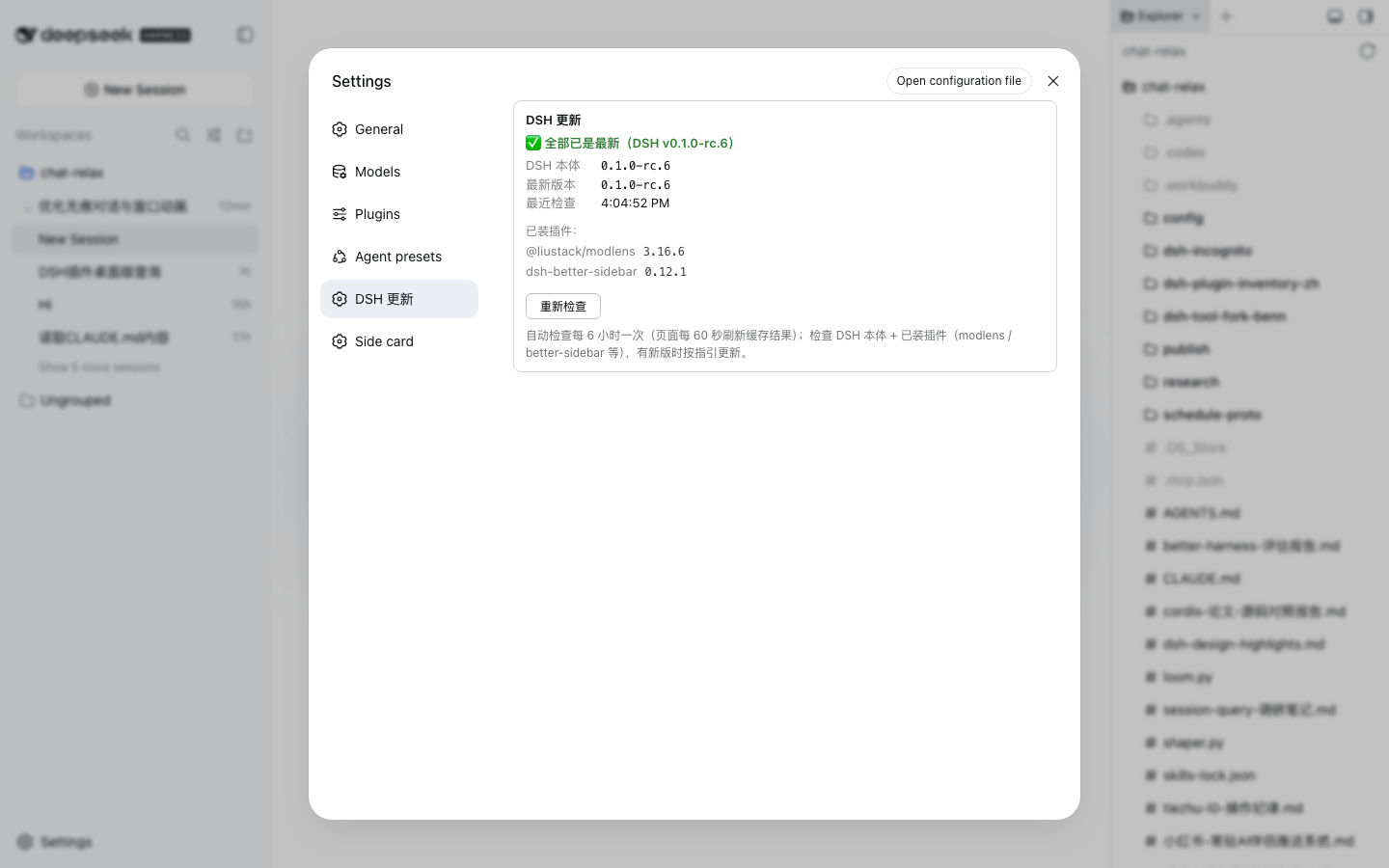
Update checker (npm edition): a settings page comparing local and latest versions of @deepseek-ai/dsh and every installed plugin, with a red-dot nav reminder and ready-made update commands.
Listed
0
Dev
Bundle verified
Preview
What it does
Update checker (npm edition): a settings page comparing local and latest versions of @deepseek-ai/dsh and every installed plugin, with a red-dot nav reminder and ready-made update commands.
Best for
- Users running the npm-installed edition of DSH who want local-versus-latest version comparisons.
- Administrators monitoring updates for both DSH itself and every installed plugin from the settings page.
- Users who want a passive red-dot reminder and ready-made commands when updates are available.
Not ideal for
- Git-based DSH installations that expect pull-based update handling; this plugin targets npm installations.
- Workflows requiring updates to be applied automatically; it only checks versions and provides commands.
- Environments that must detect releases while offline; network failures retain the previous cached result.
README
dsh-check-update
DSH 更新检查器(npm 版)——设置页检查 @deepseek-ai/dsh 和已装插件是否有新版,有更新时导航标签显示红点提醒。
适配 npm 全局安装(npm install -g @deepseek-ai/dsh):只做版本检查 + 更新指引,不做 git pull。
功能
- 设置页「DSH 更新」:显示 DSH 本体与各插件本地/最新版本对比
- 导航红点:任一组件有新版时,设置导航标签带 ● 红点
- 自动检查:每 6 小时后台检查一次(结果 10 分钟缓存)
-
更新指引:直接给出更新命令(DSH 本体
npm install -g @deepseek-ai/dsh@latest;插件dsh plugin --profile web update <name>) - CSRF 防护:检查接口仅接受 POST,防止任意网页跨站触发
安装
dsh plugin --profile web add dsh-check-update
本地开发(file: 依赖):
git clone https://github.com/HuiHuitie-zhu/dsh-check-update.git
# 在 ~/.dsh/profiles/web/package.json 的 dependencies 中加入:
#   "dsh-check-update": "file:/path/to/dsh-check-update"
cd ~/.dsh/profiles/web && npm install
目录结构
host.js           # Host 面:POST /dsh-check/check 路由 + 6h 自动检查(零 import 纯 ESM)
client.js         # Client 面:设置页「DSH 更新」section + 导航红点
cordis.patch.yml  # bundle patch 挂载点
免责声明
早期社区插件,非 DeepSeek 官方插件。检查结果来自 npm registry,网络不可用时静默保留旧缓存。
License
MIT
Frequently Asked QuestionsFAQ
Use the verified command dsh plugin --profile default add github:HuiHuitie-zhu/dsh-check-update in a DSH-enabled shell. The command resolves the public package metadata and keeps the plugin attached to the catalog identity shown on this page.
Compatibility follows the bundle and profile status shown above. If a profile is not detected, keep the plugin disabled there and check the repository documentation before enabling it in production.
The GitHub link and activity metadata are the source of truth for releases and maintenance. Revisit this page after a new release to confirm the catalog has observed the latest version.