Isanti2016/dsh-console
Slash-command console for dsh: /web start|stop|restart|status, /tunnel SSH forward management, one-shot /ask, and a console TUI launcher.
Listed
0
Tools
Bundle verified
Preview
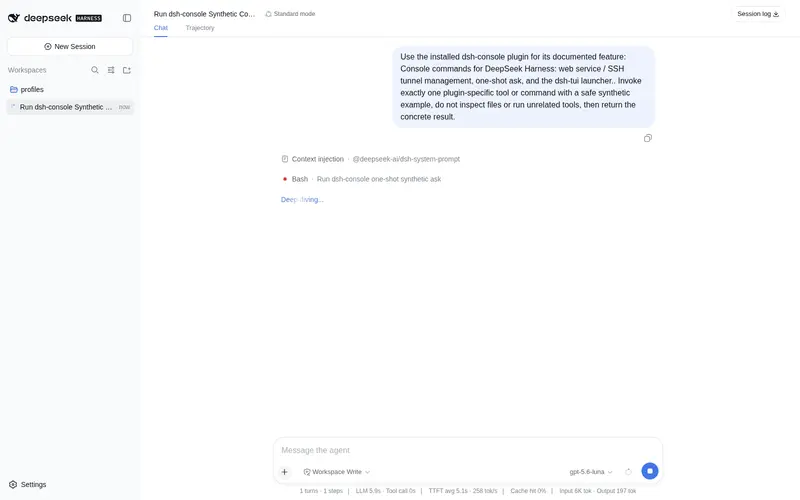
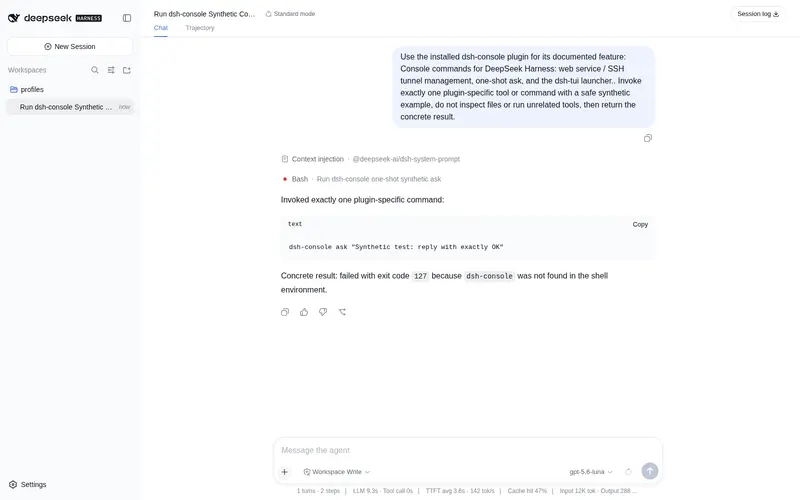
What it does
Slash-command console for dsh: /web start|stop|restart|status, /tunnel SSH forward management, one-shot /ask, and a console TUI launcher.
Best for
- DSH operators who want slash commands for starting, stopping, restarting, and inspecting the web service.
- Users managing an SSH local forward to a remote DSH Web endpoint.
- Terminal workflows needing timeout-bounded one-shot questions through the headless profile.
- Users who already have a console TUI and want to launch it from the DSH command plane.
Not ideal for
- Users who only need the normal DSH Web UI and do not manage services, tunnels, or a separate TUI.
- Tunnel workflows without a configured SSH host or console workflows without a configured launch command.
- Careless use from the serving web profile; /web stop and /web restart can terminate the process hosting the current UI.
- Workflows expecting /ask results in model history; they are rendered by the command plane and do not enter it.
README
dsh-console
Console commands for DeepSeek Harness: manage the web service, the SSH tunnel, one-shot questions, and an optional console TUI — straight from the slash-command plane.
Quick start
# 1. install the bundle
dsh plugin --profile web add dsh-console

# 2. restart dsh web, then use the commands
/web status
/tunnel status
Out of the box, /web and /tunnel status work with zero config (the plugin auto-detects the running dsh entry). Configure the tunnel host and the console TUI path in the profile’s cordis.patch.yml:
- id: dsh-console
  config:
    tunnelHost: '192.168.1.100'        # your SSH server
    tunnelUser: 'root'
    tunnelKey: 'C:\\Users\\you\\.ssh\\id_rsa'
    consoleCommand: 'python C:\\tools\\dsh-tui\\main.py'
Then dsh plugin --profile web again + restart, and /tunnel start / /console are live.
Commands
| Command | Description |
|---|---|
/web status |
Is the web UI up? (port + PID) |
/web start |
Background-start the web UI (node <dshBin> web --port <webPort>) |
/web stop |
Stop the web UI process |
/web restart |
Restart it |
/tunnel status |
Is the SSH tunnel up? |
/tunnel start |
Start the SSH tunnel (needs tunnelHost) |
/tunnel stop |
Stop the tunnel |
/ask <问题> |
One-shot question through the headless profile (timeout-bounded) |
/console |
Launch the console TUI (needs consoleCommand) |
Configuration
All keys carry sensible defaults; set them in the profile’s cordis.patch.yml (or a --patch overlay), overriding the row this bundle adds:
- id: dsh-console
  config:
    webPort: 3080            # dsh web UI port
    dshBin: ''               # path to apps/cli/lib/bin.js; empty = auto-detect
    tunnelHost: '192.168.1.100'
    tunnelUser: 'root'
    tunnelKey: 'C:\\Users\\you\\.ssh\\id_rsa'
    tunnelLocalPort: 3081
    tunnelRemotePort: 3080
    askTimeout: 150
    consoleCommand: 'python C:\\tools\\dsh-tui\\main.py'
| Key | Default | Meaning |
|---|---|---|
webPort |
3080 |
The dsh web UI listens on 127.0.0.1:3080 by default; /web start spawns it there. |
dshBin |
auto | Absolute path to your checkout’s apps/cli/lib/bin.js. Empty = detected from the running process (process.argv[1]), so a from-source dsh usually needs no config. |
tunnelHost |
'' |
SSH server host. Empty disables /tunnel start. |
tunnelUser |
root |
SSH user on the server. |
tunnelKey |
'' |
Absolute path to your SSH private key (-i). Omit for agent/other auth. |
tunnelLocalPort |
3081 |
Local listen port of the tunnel (127.0.0.1:3081). |
tunnelRemotePort |
3080 |
Remote port the tunnel forwards to (127.0.0.1:3080 on the server). |
askTimeout |
150 |
Seconds before /ask is killed. |
consoleCommand |
'' |
Shell command launching your console TUI. |
How the tunnel is wired
your machine                     SSH server (tunnelHost)
127.0.0.1:3081  ──ssh -L──▶  127.0.0.1:3080
   ▲                               ▲
   │  /tunnel start binds here     │  dsh web runs here (or any service)
/tunnel start runs ssh -N -L <tunnelLocalPort>:127.0.0.1:<tunnelRemotePort> <tunnelUser>@<tunnelHost> (with -i <tunnelKey> when set) as a detached process. /tunnel stop finds and kills the listener on tunnelLocalPort.
Typical setups
-
Local launcher (CLI/headless profile) — manage the web UI from a terminal:
/web start→ openhttp://127.0.0.1:3080;/web stop→ stop it. -
Remote web (this machine reaches another host) — point
tunnelHostat the remote, browsehttp://127.0.0.1:<tunnelLocalPort>. -
In the web profile itself —
/web statusand/tunnel statusare safe;/web stop|restartkill the process serving the current UI — manage deliberately.
Security notes
-
/web stop//web restartkill the process serving the current UI when run from the web profile. -
/tunnel startrunssshwith your configured key — only configure keys from sources you trust. -
/askruns the headless profile and consumes model quota; results are rendered by the command plane and never enter model history.
Development
npm test          # node test of the backend primitives (read-only)
pnpm pack         # build the installable tarball
The bundle has no build step: plain ESM, ships index.js + lib/ + cordis.patch.yml.
Frequently Asked QuestionsFAQ
Use the verified command dsh plugin --profile default add github:Isanti2016/dsh-console in a DSH-enabled shell. The command resolves the public package metadata and keeps the plugin attached to the catalog identity shown on this page.
Compatibility follows the bundle and profile status shown above. If a profile is not detected, keep the plugin disabled there and check the repository documentation before enabling it in production.
The GitHub link and activity metadata are the source of truth for releases and maintenance. Revisit this page after a new release to confirm the catalog has observed the latest version.