Jannchie/dsh-bill
DSH (DeepSeek Harness) plugin: per-session cost line + cost attribution report, priced by llm-pricing
Listed
2
Usage
Bundle verified
Preview
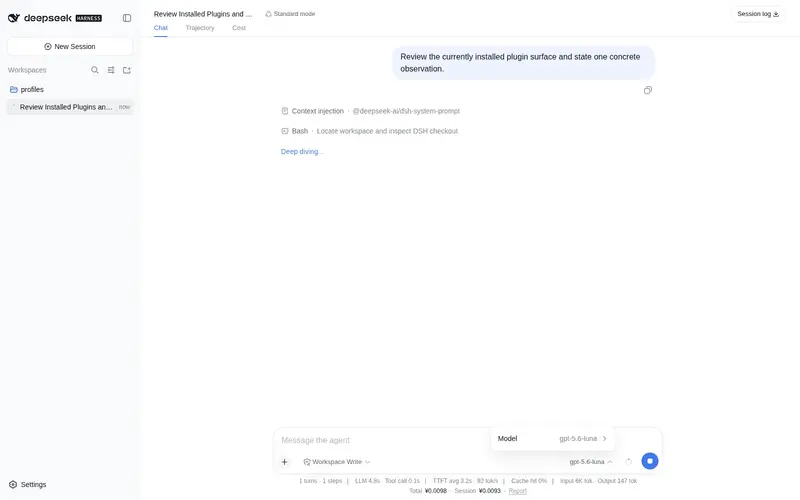
What it does
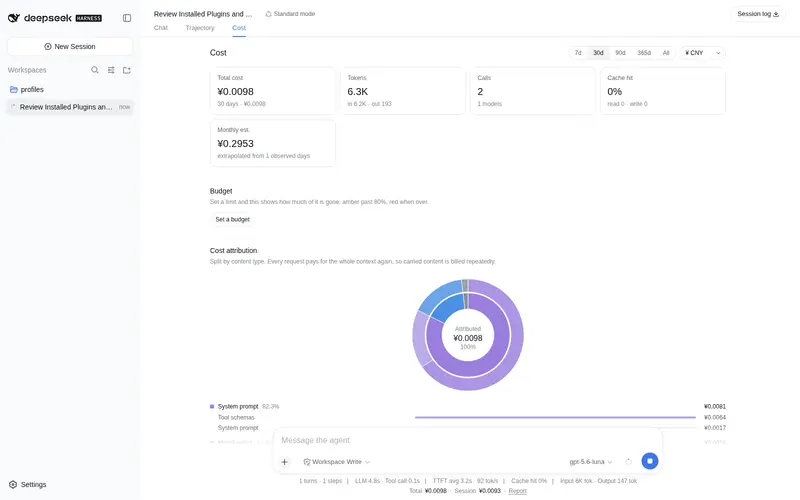
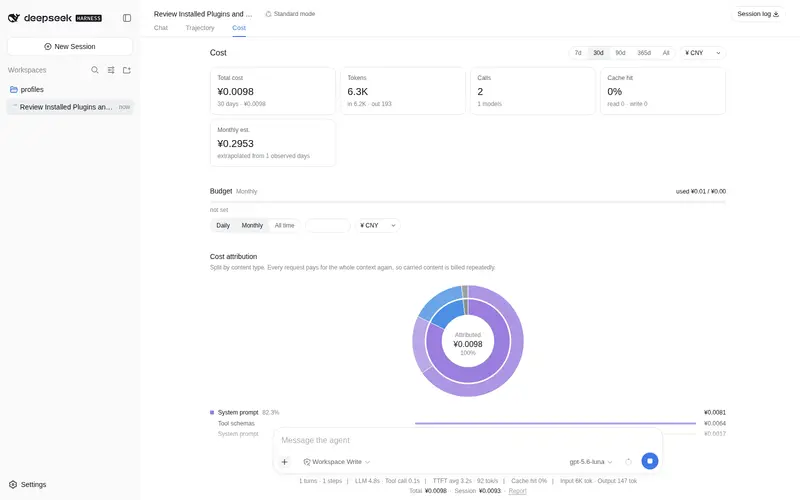
Cost tracking priced from an online catalogue (models.dev + OpenRouter, 8000+ models, each call priced at its own instant): a per-turn cost line, a Cost tab attributing spend to tool output / model output / system prompt / commands, budget, monthly forecast, ~166 live-rate currencies, and a bill_stats agent tool.
Best for
- Teams that need per-turn spending, historical pricing, and attribution across prompts, outputs, tools, and commands.
- Users managing model budgets, monthly forecasts, or costs across many catalogue-listed models and currencies.
Not ideal for
- Users primarily tracking subscription quotas or balances across many providers; documented balance support is limited to DeepSeek.
- Offline or tightly isolated environments that cannot reach the online pricing catalogues and exchange-rate endpoint.
README
dsh-bill
| English | 中文 |
Cost tracking for DSH (DeepSeek Harness). A line under each turn tells you what that turn cost; the Cost tab tells you what the money went on.


Install
dsh plugin --profile web add dsh-bill
Restart dsh web to pick it up.
Features
-
Cost attribution — the bill split by kind of content: tool output, model output, system prompt, terminal commands (grouped by
git/pnpm/rg), tool input, attachments, system reminders, user input. The sunburst drills in. - Per-turn cost — one line under every finished turn: what it cost, how many steps, the cache-hit rate. It reads the session log itself, so turns from before you installed the plugin are covered too.
- Always on screen — a line under the shipped stats line (all-time, this session, peak share), and today’s spend against the budget in the sidebar. Each of the four surfaces can be turned off individually in settings.
- Report — a Cost tab in the conversation, beside Chat and Trajectory: total, tokens, cache hit, peak share, monthly forecast, account balance; broken down by model, by session, and by purpose (including loop overhead such as context compaction); a daily trend and a weekday × hour heatmap.
- Budget — a daily / monthly / all-time limit that turns amber past 80% and red when you go over.
- Multi-currency — live rates for ~166 currencies; each model’s base rate is shown in the currency its vendor prices it in.
-
Agent tool —
bill_stats, so the model can answer questions about spend directly. - English and Chinese follow the DSH language setting; history from before the install is backfilled from the session log.
How it differs from similar plugins
Three substantive differences:
No hand-maintained price table. Every other plugin ships a built-in table of 2–4 DeepSeek models, which means no prices at all once you switch provider — and which is why they all need a “edit the price table by hand” entry point. dsh-bill pulls models.dev and OpenRouter through llm-pricing, covering 8000+ entries, so a new model is priced the day it ships.
Price is a timeline, not a number. The others compute a cost and store it (or recompute at today’s price), so history goes wrong the moment a vendor changes its rates or a call crosses a peak/off-peak boundary. dsh-bill prices each call at that call’s own instant, and never recomputes history.
It answers “on what”. The others answer only “how much” — they consume the provider’s aggregate token counts and never look at the request content. dsh-bill splits the request into classified segments at capture time and apportions cost by position in the cache prefix.
They do some things better: usage-stats reads balances and subscription quotas from 11 providers (dsh-bill only does DeepSeek), cost-meter can read OpenCode Go’s subscription quota, and both surface more always-on entry points than dsh-bill does.
Frequently Asked QuestionsFAQ
Use the verified command dsh plugin --profile default add github:Jannchie/dsh-bill in a DSH-enabled shell. The command resolves the public package metadata and keeps the plugin attached to the catalog identity shown on this page.
Compatibility follows the bundle and profile status shown above. If a profile is not detected, keep the plugin disabled there and check the repository documentation before enabling it in production.
The GitHub link and activity metadata are the source of truth for releases and maintenance. Revisit this page after a new release to confirm the catalog has observed the latest version.