Jesse-njx/dsh-tmuxctl
dsh-tmuxctl — the control plane for tmux: list, drive, capture, split, swap, run, and watch the panes you already have open, with safety by default (DeepSeek Harness plugin bundle)
Listed
0
Dev
Bundle verified
Preview
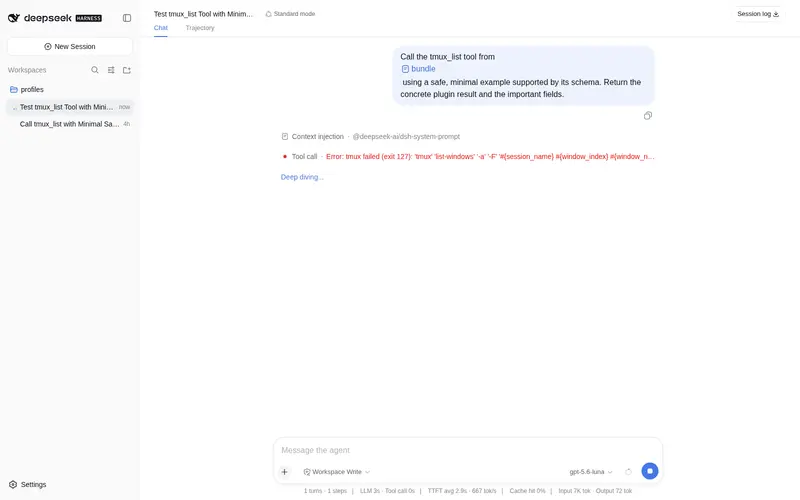
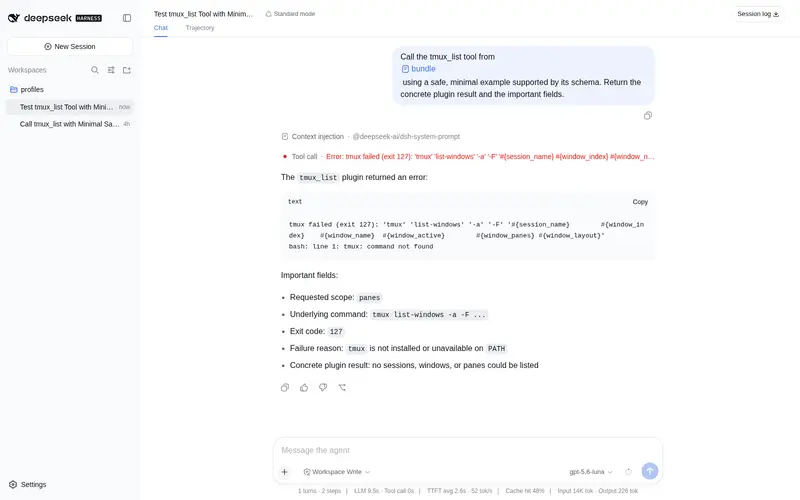
What it does
Take control of your tmux panes: list/send-keys/capture, run long jobs in a pane with watch mode, and approval-gated destructive commands.
Best for
- DSH users who already organize servers, REPLs, log tails, or build watchers in local tmux panes.
- Long-running jobs that should survive harness restarts and remain discoverable by tmux pane ID.
- Workflows that need structured pane listing, literal key entry, bounded capture, splitting, swapping, and guarded termination.
Not ideal for
- Machines without the `tmux` binary installed and available on `PATH`.
- Remote tmux sessions over SSH, which are outside v0.1's scope.
- Monitoring that must survive a harness restart; panes survive, but process-local watch pollers do not.
README
dsh-tmuxctl
The control plane for tmux — let the agent drive the terminals you already have open, not just name them.
dsh-tmuxctl is a plugin bundle for DeepSeek Harness. DSH core ships dsh-tmux-context, a passive plugin that names the pane the harness lives in; tmuxctl is the active half. It turns your existing tmux grid — servers, log tails, REPLs, build watchers — into an addressable surface the agent can list, type into, capture, rearrange, and watch, with safety by default. Because tmux owns every process, a watched build survives harness restarts: the pane is still there, and the agent re-attaches to it by %paneId.
Pure CLI wrapping over the tmux binary — no daemon, no long-lived process of our own.
  ┌──────────────┐   tmux_list / tmux_send_keys / tmux_capture / tmux_split / tmux_swap
  │  the agent   │ ───────────────────────────────────────────────────────────▶  your tmux
  │  (DSH)       │   tmux_run (foreground, stabilized)                              grid
  └──────┬───────┘   tmux_watch (background job, done via shell-return / doneRegex)
         │  durable context (next turn) + snapshot cards (web chat) + optional crosstalk
Install
# Install into the profile you chat/agent from (web, or your headless profile):
dsh plugin add github:Jesse-njx/dsh-tmuxctl

# or, once published to npm:
dsh plugin add @dsh-tmuxctl/bundle
That one command installs both halves:
- the host half — eight
tmux_*tools, the destructive-op approval gate, and thetmux/capturesnapshot events; - the client half — the
tmux-captureconversation node that renders each snapshot as a collapsed-by-default, expandable card in the web chat, so log tails never flood the transcript.
tmux must be installed and on PATH (brew install tmux, apt install tmux, …).
The tools
| Tool | What it does | Canonical output |
|---|---|---|
tmux_list |
Sessions, windows (with layout), panes (target, %paneId, size, current command, active, created-by-us) |
{ sessions, windows, panes } |
tmux_send_keys |
Type literal text into a pane (send-keys -l --), optionally Enter
|
{ target, sent, enter } |
tmux_capture |
Capture a pane’s visible text, optionally -S -<lines> scrollback |
{ target, text, lineCount, truncated } |
tmux_split |
Split a window beside a target, mark the new pane created-by-us | { paneId, target } |
tmux_swap |
Swap two panes structurally — no keystrokes | { src, dst } |
tmux_run |
Run a command in a fresh pane, wait until output stabilizes (two identical polls) or the timeout elapses | { paneId, text, stabilized, elapsedMs } |
tmux_watch |
Run a command in a fresh pane in the background; finish on shell-return, doneRegex match, or timeout; inject the result as durable context |
{ kind: 'background', jobId } |
tmux_kill |
Kill a server/session/window/pane — requires confirm: true and (per config) routes through approval |
{ scope, target?, killed } |
All outputs are structured JSON, so Code Mode gets a real API (await tools.tmux_list(...)); human prose stays in each tool’s render.
Watch mode — “run this and tell me when it’s done”
tmux_run blocks the current turn. tmux_watch does not: it registers a background job through ctx.jobs, polls capture-pane every panePollMs, and finishes when:
- the pane’s foreground command returns to the shell (
#{pane_current_command}back tobash/zsh/$SHELL/…), or -
doneRegexmatches the captured output, or - the timeout (
timeoutMin, defaultwatchTimeoutMin) elapses — the pane is left alive.
On done, the tail is injected as durable context (agent.inject, form notice) the next model request sees — inject is not a wake-up — and a tmux/capture snapshot card is emitted. job_kill or job cancel stops the poller but never kills the pane: tmux owns it. If the pane vanishes mid-watch, the job resolves { status: 'failed', detail: 'pane-gone' }.
Snapshot cards
Every tmux_capture, tmux_run, and tmux_watch completion appends one durable tmux/capture event ({ paneId, target, lineCount, truncated, preview, fullText }). The client conversation node (@dsh-tmuxctl/bundle/client) turns each into a collapsed-by-default, expandable card: header + preview when collapsed, the full text in a bounded scroll region when expanded. Replay purity holds — the preview is the durable payload, never a re-capture, and the renderer reads node.data only.
Safety by default
Three hard rules, enforced in the tool layer and re-enforced through the pre-execute waterfall:
-
Never touch a pane we did not create without an explicit named target. Every pane-acting tool requires a non-blank target validated against
^[%A-Za-z0-9_.:-]+$— a missing or blank target is a validation error, never a guess. (requireExplicitTarget: falseopts into falling back to the most recent pane this plugin created — still never a foreign pane.)tmux_run/tmux_watchwithout a target create a fresh window (or a fresh session when none exists); they never touch an existing pane’s content unnamed. -
Destructive ops require an explicit flag AND approval.
tmux_killdemandsconfirm: true(schemaconst, re-checked in the body, and enforced by a monotonic guard that later listeners cannot undo). Ops listed inconfig.approvalare routed through the approval seam — withdsh-tool-approvalinstalled the op raises anapproval/request; absence fails closed. -
Never send free-form text as tmux commands.
send-keysalways uses-l -- <text>: model text can never be reinterpreted as a tmux key-name (C-c) or command. A control key is a separate explicit arg (enter: true), never smuggled through the text.
Config
plugins:
  dsh-tmuxctl:
    socket: default             # tmux -L socket name, or "default"
    requireExplicitTarget: true # never act on panes we didn't create without a named target
    approval: [kill-server, kill-session, kill-window, "send-keys:*"]  # ops routed to approval
    panePollMs: 2000            # run/watch poll interval
    watchTimeoutMin: 120        # default tmux_watch timeout
    runTimeoutMs: 120000        # default tmux_run timeout
    stabilizeMs: 2000           # default tmux_run quiet period
    captureMaxBytes: 100000     # capture byte budget (beyond it, truncated)
    shells: [bash, zsh, fish, sh, dash, ksh, tcsh, csh, nu, elvish, xonsh, pwsh, powershell]
    crosstalkPeer: ""           # optional: watch-completion tails also go to this dsh-crosstalk peer
approval entries are op globs: kill-server / kill-session / kill-window / kill-pane and send-keys:<target>. "send-keys:*" routes every keystroke send through approval for locked-down deployments (default: sends allowed, only kills gated).
Composing with the suite
-
dsh-routines / jobs — a scheduled routine can call
tmux_run/tmux_watchto drive a persistent pane on a cron (nightly build in a pane, capture the tail). No coupling beyond the sharedctx.jobsseam. -
dsh-crosstalk — set
crosstalkPeer: <session>and watch completionsend_messages the captured tail to that peer (“build in repo-A finished”). Detected at runtime; absent → local inject only. -
dsh-tool-approval — install it and the kills in
config.approvalraise anapproval/requestin your UI; without it, those ops are denied (fails closed).
Development
pnpm install
pnpm typecheck
pnpm build      # host (tsc) + client bundle (esbuild) → lib/
pnpm test       # node --test; mock-tmux unit tests always run,
                # real-tmux integration tests feature-detect (skip if absent)
-
test/fixtures/mock-tmux.sh— a mocktmuxonPATHthat records argv (lossless, base64 per arg) and returns canned-Foutput; unit tests run with no tmux installed. -
test/integration.test.ts— spawns a realtmux new -d -s dshteston a private socket, drives the send/capture round-trip, asserts list/layout output, runstmux_run/tmux_watchend-to-end, then tears down withtmux_kill(confirm: true). - The client bundle (
lib/client.js) is built byscripts/build-client.mjsand registers under the package id viawindow.__ModuleLoader__.load(...), so the harness serves it as/plugins/@dsh-tmuxctl/bundle/client.jswith zero build steps on install.
Known limitations (v0.1)
-
Watch pollers are process-local like every
ctx.jobsproducer. The pane and its process survive harness restarts (tmux owns them) and the model can re-attach by%paneIdfromtmux_list(createdByUs: true), but the poll loop itself does not survive a restart. - The shell-return detector knows a fixed shell-name set plus
$SHELL; an exotic login shell not inconfig.shellsneeds adoneRegex(or a config entry). - Captures are bounded by
captureMaxBytes; a huge scrollback is truncated at the byte budget (markedtruncated). - Targets are restricted to
^[%A-Za-z0-9_.:-]+$— session names with spaces or unusual characters are not addressable (a deliberate safety trade-off). - Remote tmux over SSH, plugin-manager integration, and a GUI pane-layout editor are out of scope for v0.1.
Non-goals (v0.1)
tmux server management UI; plugin-manager integration; remote tmux over SSH; GUI pane layout editor. No daemon and no persistent state store of our own — tmux is the source of truth for panes.
Promo
-
promo/slideshow.html— 60-second keyboard-advanceable pitch (1280×720), withpromo/narration.txt.
License
MIT
Frequently Asked QuestionsFAQ
Use the verified command dsh plugin --profile default add github:Jesse-njx/dsh-tmuxctl in a DSH-enabled shell. The command resolves the public package metadata and keeps the plugin attached to the catalog identity shown on this page.
Compatibility follows the bundle and profile status shown above. If a profile is not detected, keep the plugin disabled there and check the repository documentation before enabling it in production.
The GitHub link and activity metadata are the source of truth for releases and maintenance. Revisit this page after a new release to confirm the catalog has observed the latest version.