JohnXu22786/file-planning
trailmap(轨迹地图):磁盘持久化的执行规划插件——里程碑/步骤状态机、依赖标注、审计事件与复盘纪要,提供 dsh 工具、CLI 与技能三种接口
Listed
0
Workflow
Bundle verified
Preview
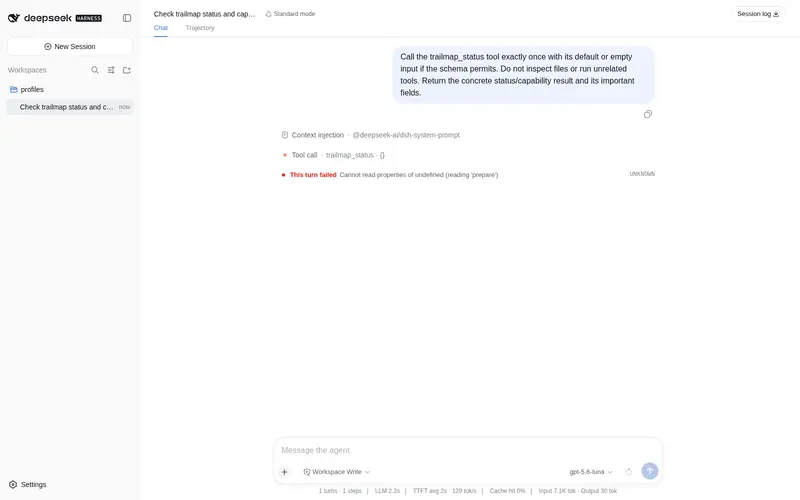
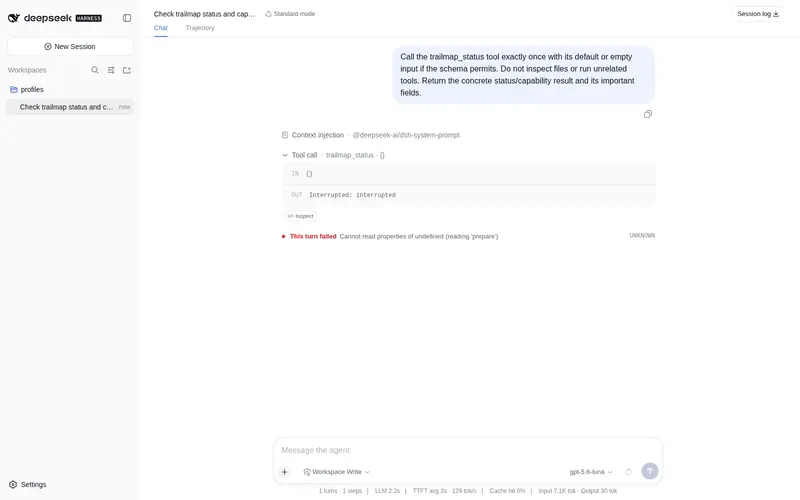
What it does
Disk-persisted execution planning for DSH: milestone/step state machines, dependency gating, an audit event stream, and a deterministic completion gate via dsh tools, CLI, or skill.
Best for
- Long-running or interruptible multi-step work that must resume reliably across sessions or context compaction.
- Teams needing dependency-gated steps, append-only audit history, debrief notes, and a deterministic completion check.
Not ideal for
- Simple one-step tasks where maintaining a persistent .trail directory and state machine adds little value.
- Workflows that cannot permit planning state and notes to be written into the workspace.
README
trailmap (Trail Map)
A disk-persisted execution-planning plugin: it stores the plan, execution state, field notes, and debrief of multi-step tasks entirely in the workspace .trail/ directory. Interrupted sessions, context compression, or restarting in a new session won’t lose your bearings — just read the state and continue after resuming.
-
State-machine driven: steps go
todo → in progress → done(cancellable/revivable); steps whose dependencies are unmet are automatically marked “blocked”; milestones and plan status derive from steps, no manual bookkeeping. - Plan template generator: generate a milestone skeleton in one shot by task kind (research/development/docs/blank), with step dependencies wired up automatically; still editable at any time after creation.
-
Dependency annotation: steps can declare dependencies;
startis gated by dependencies; circular dependencies are detected and blocked. - Audit event stream: every advancement is written to an append-only event log; retros reference it automatically and the process stays traceable.
- Debrief notes: at wrap-up, milestones/steps/cancellations/timeline are summarized automatically; hand-written retro sections persist across runs.
-
Deterministic completion gate:
checkverifies all steps are closed and the structure is sound, preventing “thought it was done”. -
Three interfaces: dsh tools (10
trailmap_*), a standalone CLI (trail), and a skill (SKILL.md), all sharing one core.
Quick start (CLI, zero dependencies)
node bin/trail.js init "Add regression tests to the toolchain" --kind blank
node bin/trail.js status
node bin/trail.js start m1-1
# …do the work…
node bin/trail.js finish m1-1
node bin/trail.js check        # completion gate (passes once the step is closed)
node bin/trail.js debrief --close   # debrief + archive
(--kind blank keeps a single step so the whole loop runs end to end; --kind build
generates the full milestone skeleton — see the command reference and docs/format.md.)
(Or npm link and use the trail command directly; the TRAILMAP_DIR environment variable selects the workspace, defaulting to the current directory.)
Installing in DSH
dsh plugin --profile demo add github:JohnXu22786/file-planning
Integrating with dsh (pluginized harness)
dsh plugin --profile demo add ./file-planning
dsh --profile demo --dump-config   # should show the dsh-plugin-trailmap patch layer
dsh --profile demo
The harness inserts the plugin line via cordis.patch.yml; Cordis injects ctx.tools and registers all tools; the model can then call trailmap_* to create plans, advance, and debrief end to end. The skill lives in skill/trailmap/. See docs/integration.md.
Workspace files
<workspace>/.trail/
├── map.json          # single source of truth (plan + state + audit events)
├── map.md            # rendered view: status lines / next steps / checklists
├── fieldnotes.md     # field notes
├── journal.md        # trip log
├── debrief.md        # debrief notes
├── .active           # active plan pointer (multi-plan)
└── plans/<alias>/    # parallel plans
.trail/ is excluded from version control by default. File format and state machine are documented in docs/format.md.
Command reference
| Command | Purpose |
|---|---|
trail init <goal> [--kind …] [--name alias] |
Create a trail (template skeleton + dependency wiring) |
trail status [--history] [--json] |
Status overview |
trail start/finish/drop/reopen <stepId> |
Step state machine (drop requires --reason) |
trail amend … |
Amend the plan structure mid-flight |
trail note <text> [--section name] |
Field notes |
trail journal <text> |
Trip log |
trail check [--json] |
Completion gate (exit code 1 on failure; --json mode always exits 0, rely on the ok field) |
trail debrief [--close] / trail close
|
Debrief (+archive) |
trail render |
Regenerate the view after hand-editing map.json |
trail plans / switch <alias> / switch root |
Multi-plan management |
Development
node --test # all unit tests (Node's built-in test runner, zero dependencies)
-
lib/machine.js: pure state machine (transitions/derivation/validation/cycle detection) -
lib/ops.js: operation layer (shared by the CLI and the dsh adapter) -
adapter/index.js: dsh tool plugin entry -
scripts/adapter-smoke.mjs: smoke test against the real@deepseek-ai/dsh-tools. To run: create a temp directory,npm init -y && npm pkg set type=module,npm i @deepseek-ai/dsh-tools @deepseek-ai/cordis, copy this script to the temp directory root, also copy thelib/andadapter/directories over, then runnode adapter-smoke.mjs
Directory structure
file-planning/
├── adapter/            # dsh plugin entry (Cordis plugin)
├── lib/                # core library (zero deps): machine/store/render/templates/ops/cli
├── bin/trail.js        # CLI entry
├── skill/trailmap/     # skill (SKILL.md)
├── scripts/            # smoke test scripts
├── test/               # unit tests (node --test)
├── docs/               # integration docs / file format conventions
├── examples/           # example workspaces (fully executed trails)
├── cordis.patch.yml    # bundle patch layer
└── package.json        # bundle manifest (dsh.bundle)
License
MIT, see LICENSE.
Frequently Asked QuestionsFAQ
Use the verified command dsh plugin --profile default add github:JohnXu22786/file-planning in a DSH-enabled shell. The command resolves the public package metadata and keeps the plugin attached to the catalog identity shown on this page.
Compatibility follows the bundle and profile status shown above. If a profile is not detected, keep the plugin disabled there and check the repository documentation before enabling it in production.
The GitHub link and activity metadata are the source of truth for releases and maintenance. Revisit this page after a new release to confirm the catalog has observed the latest version.