Jolly-J/dsh-deepseek-billing
DSH WebUI 插件:DeepSeek 余额显示与按会话费用估算
Listed
4
Usage
Bundle verified
Preview
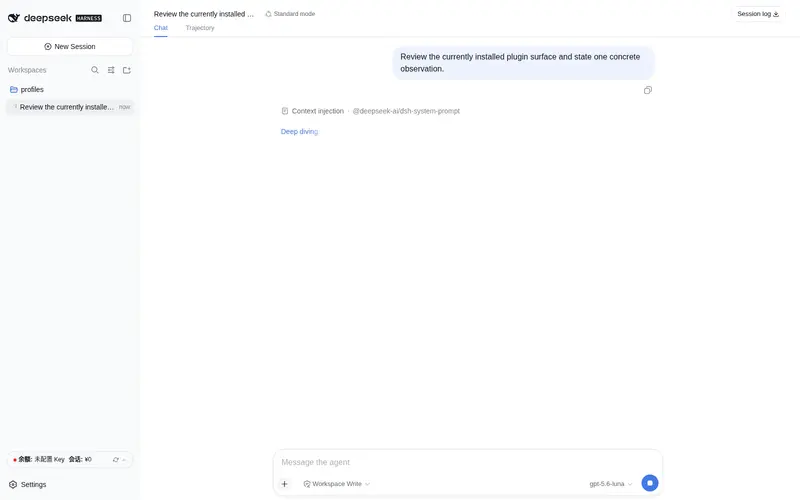
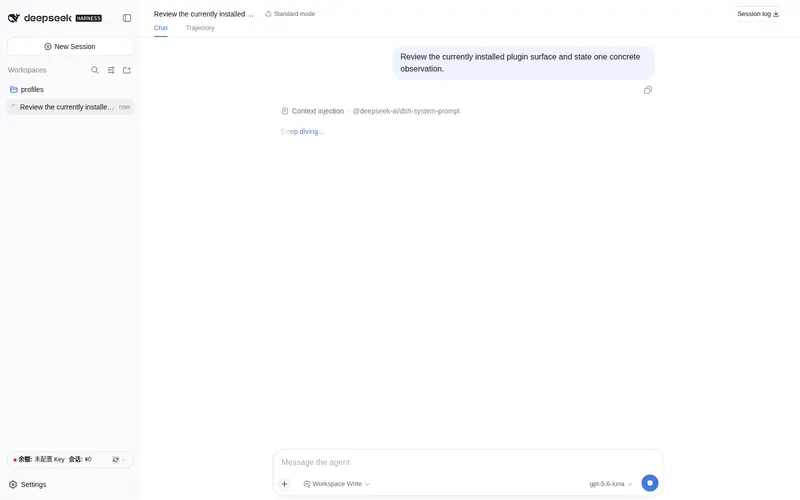
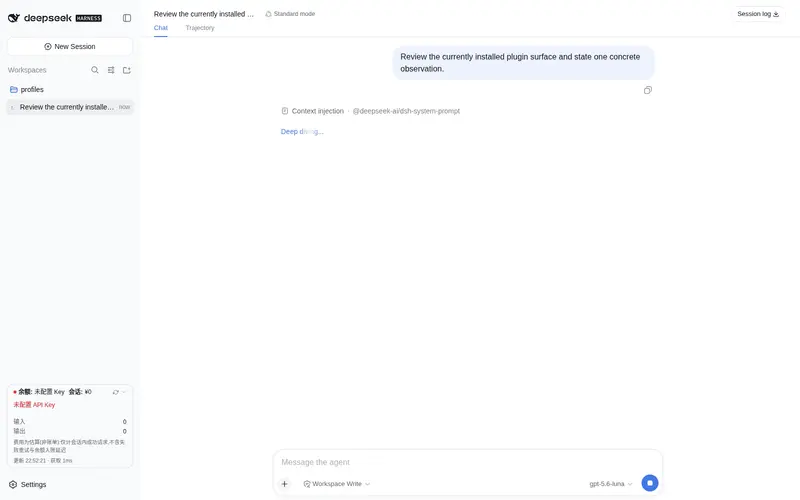
What it does
DeepSeek account balance and per-session cost card in the sidebar foot.
Best for
- Chinese-speaking DSH WebUI users who want DeepSeek balance and current-session cost visibility in the sidebar.
- Users comparing input, cache-hit, and output usage for successful replies within one session.
- Users who want automatic balance refreshes using the DeepSeek key already configured in DSH.
Not ideal for
- Billing reconciliation or accounting, because session cost is an estimate and omits failed retries, background calls, and priced reasoning usage.
- Users who need costs aggregated across child-agent sessions or grouped by model and time band.
- Non-Chinese interfaces, because the current UI copy is Chinese only.
- Users requiring prices to update automatically when DeepSeek changes its rates; the rate table is embedded in the plugin.
README
dsh-deepseek-billing

给 DeepSeek Harness(DSH)网页版装一个余额小卡片:左侧边栏底部常驻显示你的 DeepSeek 账户余额,以及当前会话花了多少钱。不用翻网页、不用开账单,一眼看住钱包。
效果图

| 实际页面截图 1 | 实际页面截图 2 |
|---|---|
 |
 |
卡片能做什么:
-
一行摘要:状态点 ·
余额:¥xx.xx元·会话:¥x.xxx· 刷新按钮 · 展开箭头; - 点击展开详情:充值/赠送余额、token 明细(输入/缓存命中/输出)、缓存命中率、输入与输出费用小计、当前费率说明(标注”估算,非账单”);
- 数字变化时是滚动动画;切换会话自动跟着变;
- 侧边栏收起(窄栏)时自动隐藏,不挡东西;
- 每 60 秒自动刷新一次,也可以随时点刷新按钮。
安装(选一种就行)
方式一:插件市场(最推荐)
在 DSH 网页版里打开插件市场(dsh-market),搜索 dsh-deepseek-billing,点安装。装完重启 dsh web 即可。
方式二:一条命令
dsh plugin --profile web add https://github.com/Jolly-J/dsh-deepseek-billing.git
装完重启 dsh web(lib/ 产物已随仓库提交,无需本地构建)。
方式三:让 AI 帮你装
把本仓库地址发给你的 DSH 智能体,对它说一句:
帮我把这个插件装到我的 DSH 里:<仓库地址>仓库地址>
智能体只需执行上面的官方 dsh plugin add 命令并提示你重启 dsh web,不需要修改 DSH 源码。
更新
dsh plugin --profile web update dsh-deepseek-billing
更新后重启 dsh web。
计费是怎么算的
卡片上的「会话费用」是逐条请求计价、滚动求和,而不是”把所有 token 加成一个总数,再乘以一个当前费率”。它也不保存按模型或时段的明细分桶,只给你一个会话总额——但总额的每一分钱,都来自对每条回复的独立计价。
每一条成功的助手回复,按它自己的三个属性计一次价:
- 模型家族:回复所用模型是 Flash 就用 Flash 价表;其它模型(含无法识别的)按 Pro 价表计;
- 时间时段:2026-08-17 00:00(北京时间)之前按旧价表(不分峰谷);之后按北京时间分峰谷——高峰为 9:00–12:00、14:00–18:00,其余时间为闲时;
- Token 明细:缓存命中、未命中输入、输出三类 token 各用各的费率。
单条回复的计价公式:
费用 = (未命中输入 × 未命中费率 + 缓存命中 × 命中费率 + 输出 × 输出费率) ÷ 1,000,000
内置价表(元 / 百万 token):
| 模型 | 时段 | 缓存命中 | 未命中输入 | 输出 |
|---|---|---|---|---|
| DeepSeek-V4-Flash | 旧价表 | 0.02 | 1.0 | 2.0 |
| DeepSeek-V4-Flash | 闲时 | 0.05 | 1.5 | 4.5 |
| DeepSeek-V4-Flash | 高峰 | 0.10 | 3.0 | 9.0 |
| DeepSeek-V4-Pro | 旧价表 | 0.025 | 3.0 | 6.0 |
| DeepSeek-V4-Pro | 闲时 | 0.15 | 4.5 | 13.5 |
| DeepSeek-V4-Pro | 高峰 | 0.30 | 9.0 | 27.0 |
举个例子:一个会话里有三条回复,分别是 Flash·闲时、Pro·高峰、Pro·闲时——卡片显示的金额就是这三条各自按自己的价表算出后相加的结果。它不会把三次的 token 合并后套用某一个费率,也不会用”当前选中的模型”去重算历史回复;每条回复的账,只跟它自己有关。
界面汇总口径:
- 顶部一行是会话总额,展开区给出输入费用 / 输出费用两个小计;
- token 统计为未命中输入、缓存命中、输出三类之和,并显示缓存命中率;
- 展开区底部的”费率说明”取自最后一条回复的模型与时段,只是当前参考,不是加权平均。
以下内容不计入会话费用,详见下一节:失败重试、后台模型调用(会话标题生成、联网搜索查询等)、reasoning token(目前只统计、不计价)、子代理会话的用量。
数据从哪来
- 余额:直接调用 DeepSeek 官方余额接口,用的就是你模型正在用的同一把 API Key,不用另外配置;
- 会话费用:读取 DSH 自己记录的每次模型调用用量,按上节的方式逐条计价后累加。
密钥安全(重要,请花一分钟读)
插件不存、不偷、不外传你的 API Key:
- 它只是向 DSH 要”模型正在用的那把钥匙”(
DEEPSEEK_API_KEY),临时拿来调一次官方余额接口,用完即弃; - 密钥只在本机插件进程内存里存在一瞬间,只放进发往 DeepSeek 官方的请求头(
Authorization);不进命令行参数、不进任何子进程的环境变量、不落盘、不进日志、不出现在网页接口返回里; - 仓库代码里没有任何密钥,只有环境变量的名字
DEEPSEEK_API_KEY。
已知的两个通用风险(不是本插件独有):同机器的同权限进程理论上能读到宿主进程的内存;局域网里能访问你 DSH 网页端口的人可以看到你的余额数字(看不到密钥)。介意的话请在部署层给 /billing/status 加访问限制。
费用准确性说明(与余额对账必读)
卡片上的”会话费用”是估算值,不是账单:官方刊例价 × 会话内成功请求的用量。以下三样是会话日志看不见、但余额会扣的:
- 失败重试:模型请求失败重试时,每次尝试的输入 token 都会被计费,但只有最终成功的那次会写进会话日志;
- 后台模型调用:会话标题生成、联网搜索的查询等不在会话 usage 里;
- 余额异步入账:DeepSeek 结算有延迟,余额读数可能滞后或提前包含窗口外的消费。
作者实测对账案例(7 分钟窗口):余额 -¥1.36,会话估算 +¥1.035,差 ¥0.325——正是上述不可见计费。余额是唯一真值,卡片费用仅作归因参考。
已知限制
- 费用只算当前会话,子代理会话暂未汇总;
- 不保存”按模型 × 时段”的分组明细,界面只显示会话总额与输入/输出小计;
- reasoning token 目前只统计、不计价;
- 价格表内置在代码里,官方调价后需要更新插件版本(官方没有价格查询接口);
- 文案目前是中文。
开发与维护
用户安装直接使用仓库内提交的 lib/ 产物。src/ 是唯一源码真源,根目录不保留源码或 bundle 副本。官方 DSH 的客户端 bundle 运行在 Vite 模块图之外,因此发布产物同时包含 lib/client.js 和 lib/client.js.map。
构建配置复用 DSH 官方的客户端插件预设,所以开发 checkout 必须位于 DSH monorepo 的扩展目录:
git clone https://github.com/deepseek-ai/deepseek-harness.git
git clone https://github.com/Jolly-J/dsh-deepseek-billing.git \
  deepseek-harness/packages/extensions/dsh-deepseek-billing
cd deepseek-harness
pnpm install
pnpm run build:lib:host
pnpm --filter dsh-deepseek-billing verify
build:lib:host 先生成 DSH Typert remote contracts;新 checkout 缺少这些产物时,客户端类型聚合无法解析 /remote 入口。随后 verify 会依次执行插件类型构建、官方 client bundle、价格与用量单元测试,以及发布目录和页脚布局约定检查。GitHub Actions 使用相同顺序。
注意:上游
tsconfig.host.json的测试 glob(packages/*/*/tests/**/*.ts)会把第三方插件的tests/拉进 host 聚合编译,导致 TS6307。手动 checkout 构建时,请把packages/extensions/dsh-deepseek-billing/tests加入该文件exclude数组;本仓库 CI 已自动注入这一步。
目录职责:
-
src/:源码和可直接测试的计费模块; -
lib/:由npm run build生成并提交的安装产物; -
tests/:价格、用量和发布产物回归测试; -
docs/images/:README 与插件市场截图; -
cordis.patch.yml:让dsh plugin add自动挂载本插件的组合包声明。
License
Frequently Asked QuestionsFAQ
Use the verified command dsh plugin --profile default add github:Jolly-J/dsh-deepseek-billing in a DSH-enabled shell. The command resolves the public package metadata and keeps the plugin attached to the catalog identity shown on this page.
Compatibility follows the bundle and profile status shown above. If a profile is not detected, keep the plugin disabled there and check the repository documentation before enabling it in production.
The GitHub link and activity metadata are the source of truth for releases and maintenance. Revisit this page after a new release to confirm the catalog has observed the latest version.