kexuejin/dsh-zhihu-dashboard
Zhihu (知乎) dashboard for DeepSeek Harness: hot list with trends, follow feed, post tracking, and app-idea distillation — UI + native agent tools
Listed
1
Tools
Bundle verified
Preview
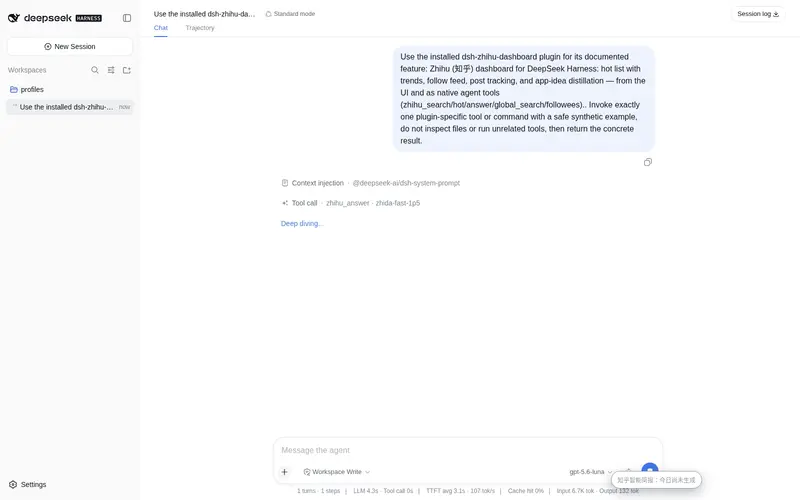
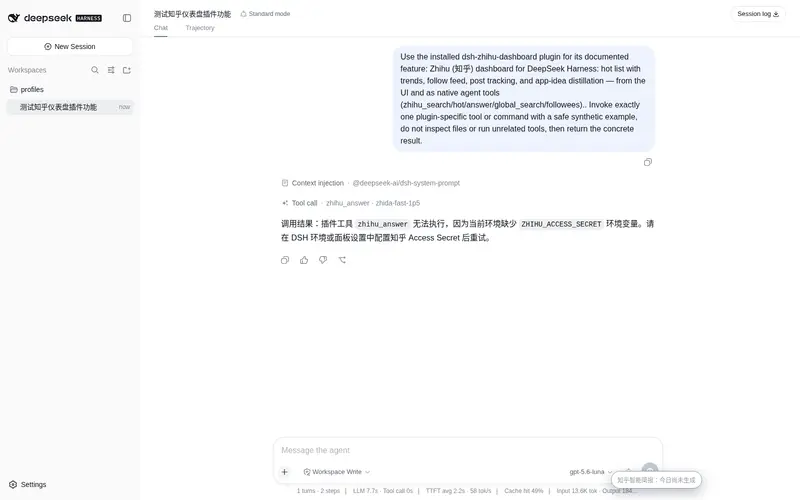
What it does
Zhihu (知乎) dashboard: hot list with trend arrows, follow feed (favorites/creations/followees), post tracking (question/keyword/person) with auto-briefs, and five agent tools (zhihu_search/hot/answer/global_search/followees).
Best for
- Zhihu users who want hot topics, followed activity, and tracked content in one DSH panel.
- Researchers monitoring questions, keywords, or people and reviewing newly discovered posts.
- Agent workflows that need native Zhihu search, hot-list, answer, global-search, or followee tools.
Not ideal for
- Users without a Zhihu Open Platform Access Secret or a usable Zhihu account session.
- High-volume automation that would exceed the documented daily hot-list, Zhida, or search quotas.
- Workflows unrelated to Zhihu content discovery, monitoring, or research.
README
dsh-zhihu-dashboard
| English | 中文 |
A Zhihu (知乎) dashboard plugin for DeepSeek Harness: hot list, follow feed, post tracking, and app-idea distillation — usable from the DSH UI and directly in agent conversations as native tools.
Built on the official zhihu-cli (知乎开放平台). Requires a free Zhihu Open Platform Access Secret.
Features
Panel (UI)
- 热榜 (Hot list) — today’s trending questions/articles, with trend arrows (新上榜 / ↑ / ↓) computed by diffing successive snapshots
- 关注动态 (Feed) — your recent favorites, your own creations (sort by latest or most-liked), and the people you follow
-
帖子追踪 (Post tracking) — watch a question (all its answers), a keyword (similar new content), or a person (their new posts, author-filtered). New content is flagged
NEWand surfaced inline under the tracked item immediately, so you do not need to hunt for it; optional auto-brief distills newly found posts into app-idea briefs via Zhihu Zhida; optional system notifications + a sidebar unread badge — the background checker runs in the DSH top window, so you get alerted while using DSH, without opening the panel - 收藏夹 (Favorites) — browse collections with each collection’s content shown inline immediately, with local search, favorite-specific sorting, NEW markers for newly seen collection items, and research-pack export
- 未读 (Unread) — an aggregated feed of everything newly found across your tracks (source track / author / time / summary); the sidebar badge jumps straight to it, with one-click mark-all-read
- Smart brief — auto-route candidates to templates by followed object/source (person views, question progress, topic trends, development opportunities, research projects, favorites review), generate with the current DSH provider/model, keep recent brief history, and surface a global reminder that opens the panel
- Opportunity report — aggregate candidates from hot/feed caches, tracked NEW items, unread items, the workspace, and research projects; score them locally and use the current DSH provider/model to generate a development-opportunity report, with prompt copy as fallback
- Data sources — Access Secret remains the Open Platform path; Settings supports Zhihu QR login, the host persists the read-only session locally with one-click clearing, risk-control responses show a local verification page sharing the QR attempt’s temporary cookies with continue-check and cookie-inheriting QR regeneration, and browser Cookie/profile reading has been removed from the user-facing UI
- Content workspace — send any card to a local workspace as Later / Analyze / Done, review grouped queues in a dedicated tab, create research projects, and copy project-level Agent analysis prompts
- Reading mode — open any card inside the panel as a clean reader view with source metadata, original-link access, and one-click Markdown copy
- Tracking search controls — configure per-track result count, content type, and recency window; recent tracking queries are suggested back in the tracker input
- Local sorting / scoring — choose platform order, newest-first, likes-first, time-first, or a local score weighted by your preferred keywords
- Export / research packs — copy the current hot/feed/favorites/unread/tracked-new list as Markdown or CSV, ready to paste into an agent conversation for analysis
- Local content filters — browser-local keyword, author, and regex block rules apply across hot list, feed, favorites, unread, and tracked-post checks; cards include quick block buttons, and settings keep a recent block history with one-click undo
- Access Secret and limits are configured in the panel’s own Settings dialog (stored in browser
localStorageonly)
Agent tools (conversation)
| Tool | What it does |
|---|---|
zhihu_search |
Search Zhihu content (titles/authors/summaries/links) |
zhihu_hot |
Current hot list |
zhihu_answer |
Zhihu Zhida (retrieval-augmented answer / app-idea distillation) |
zhihu_global_search |
Whole-web search with a recency window (sinceHours) and realtime index |
zhihu_followees |
List the users your account follows |
zhihu_my_contents |
Your own creations (sortable by likes to find your best content) |
zhihu_favorites |
Favorite collections / one collection’s items |
Install
dsh plugin --profile web add dsh-zhihu-dashboard
Or add it to your profile’s cordis.patch.yml bundle layer. Restart dsh web.
Prerequisites
- Install the zhihu-cli skill (
dsh skill install zhihuor your harness’s skill flow) so the CLI binary is on PATH / standard install location — the plugin auto-detects it (cliPathconfig →ZHIHU_CLI_HOME→PATH→ platform default) - Get an Access Secret at developer.zhihu.com/profile
- Provide the secret to the CLI:
printf '%s' 'zh-…' | zhihu-cli auth set --secret-stdin, or setZHIHU_ACCESS_SECRETenv for agent tools, or enter it in the panel (browser-local)
💡 First launch: with no secret configured, the panel shows a three-step onboarding card (open the platform → create an Access Secret → paste & verify); it loads data automatically once verification passes.
How it works
-
Host half (
lib/): serves/zhihu-dashboardroutes behind the same Host/Origin trust fence as the DSH API gateway, drives the zhihu-cli binary, and registers the seven agent tools viactx.tools.register -
Client half (
src/client/, bundled toclient/client.js): a 知乎面板 button in the official sidebar foot (sidebar.footer.action) opens a right-hand drawer (shell.overlay) embedding the panel — global, shared across sessions, no third-party sidebar dependency; it also mounts the background track checker (track-checker.ts, running with the DSH top window) which checks tracked items on a schedule and raises system notifications / the sidebar unread badge when something new appears
Configuration
| Option | Default | Meaning |
|---|---|---|
cliPath |
auto-detect | Path to the zhihu-cli binary |
hotLimit |
10 | Hot list item count (1-30) |
feedLimit |
10 | Feed item count (1-50) |
refreshSeconds |
0 | Auto-refresh for hot/feed (0 = off) |
Panel-only options (browser localStorage): Access Secret, track-check interval, auto-brief toggle, system-notification toggle, and local block rules for keywords, authors, and regex patterns.
Today’s hot/Zhida quota is shown at the top of the panel so you don’t silently run out.
Quotas
Zhihu Open Platform trial quotas (shared across all your secrets): hot list 100/day, Zhida 100/day, search 5,000/day. Auto-brief and question-title resolution each cost one Zhida call; tracking checks use search.
Security
- Access Secret never leaves the browser’s
localStorageexcept as a same-origin request header to the host; it is injected into the CLI viaZHIHU_ACCESS_SECRET(never in argv, never written to the keychain by the plugin) - Routes enforce the same trusted-Host/Origin fence as DSH’s
/apigateway - No telemetry, no external calls beyond the Zhihu Open Platform API
Development
pnpm install
npx tsdown --config tsdown.config.ts   # build client/client.js
npx tsc -p tsconfig.client.json        # typecheck client sources
License
MIT
Frequently Asked QuestionsFAQ
Use the verified command dsh plugin --profile default add github:kexuejin/dsh-zhihu-dashboard in a DSH-enabled shell. The command resolves the public package metadata and keeps the plugin attached to the catalog identity shown on this page.
Compatibility follows the bundle and profile status shown above. If a profile is not detected, keep the plugin disabled there and check the repository documentation before enabling it in production.
The GitHub link and activity metadata are the source of truth for releases and maintenance. Revisit this page after a new release to confirm the catalog has observed the latest version.