LaoYueHanNi/dsh-token-usage
Per-request model token usage tracked to per-day JSONL files, with a stats page in Web settings: daily trend chart, per-model breakdown, and date/model filters.
Listed
5
Usage
Bundle verified
Preview
What it does
Per-request model token usage tracked to per-day JSONL files, with a stats page in Web settings: daily trend chart, per-model breakdown, and date/model filters.
Best for
- Users who need daily and per-model visibility into successful model-request token usage.
- Teams tracking estimated RMB costs with date and model filters.
- Operators who need configurable model rates, including context tiers and time-based pricing rules.
Not ideal for
- Workflows that need failed model requests included, since recording is described for successful requests.
- Strict billing reconciliation when some models lack valid pricing; unpriced models count as zero cost.
- Users who do not need a Web statistics page or persistent per-request usage history.
README
dsh-token-usage


| 简体中文 | English |
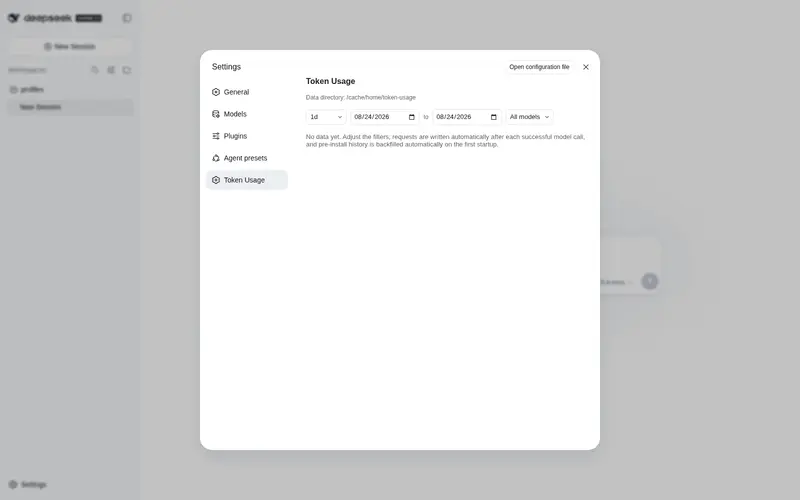
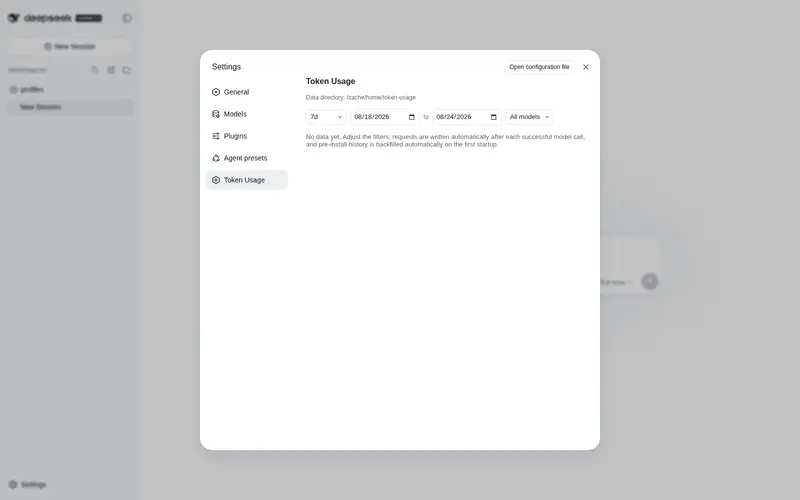
A dsh usage plugin that displays model token usage right in the Web UI. After installation, open Settings (the gear icon in the sidebar) and you’ll find the Token Usage page — summary cards (with cost), a daily total-token line chart, a per-model breakdown, and per-model pricing dialogs, all filterable by date range and model, exactly as shown in the screenshot above.
Repo: https://github.com/LaoYueHanNi/dsh-token-usage
Features
- Live hook: every successful model request is appended to per-day JSONL files (request id, model, input / output / cache-read / cache-write tokens, time, session id).
-
Web stats page: filters (date range + model +
1d/7d/30dshortcuts), summary cards, daily trend chart (hover a day for its total), per-model table. -
Cost figures & model pricing: per-request cost is computed live from per-model rates (¥ per million tokens) — a highlighted total-cost card, a cost column in the per-model table, and a warning strip for unpriced models (their cost counts as ¥0). Every priced model’s name carries a small rates button that opens a dialog with that model’s full price table: each row is one billing condition (default rates, context tiers like
≥ 512K, peak windows like09:00-12:00, grouped under time rules’ date windows), with the in/out/cache/write rates as aligned columns — mirroring exactly what the per-record resolver bills. Rates merge from two files: every startup mirrors the cloud model-price-table feed (the same source cc-switch-analyzer pulls) automatically, andpricing.jsonholds manual overrides. - History backfill: the first startup syncs requests that happened before installation (idempotent).
Model pricing

Every record is priced individually: each one resolves through the analyzer’s rule chain at its own timestamp — the covering time rule first (its context tiers, its peak slots), else the model root’s tiers → peak slots → base rates. Tier matching approximates the context size by the request’s input-side tokens (input + cacheRead + cacheWrite). A price update re-prices the whole history instantly, with no data rebuild. Rates come from two files merged on read — pricing.json entries always win (a manual entry replaces that model’s cloud rules wholesale):
| File | Source | Notes |
|---|---|---|
pricing.ccsa.json |
startup auto-fetch | Verbatim mirror of the cloud model-price-table feed (the analyzer’s source); refreshed on every dsh restart, falling back to the previous mirror on failure |
pricing.json |
hand-edited | Overrides synced rates or adds missing models; manual tweaks survive re-syncs |
Cloud feed shape (currency must be RMB; both modelId and every alias become matchable keys; timeRules / contextTiers / dailySlots all take part in billing):
{
  "version": 4,
  "updatedAt": 0,
  "currency": "RMB",
  "models": [
    { "modelId": "deepseek-chat", "inputCostPerMillion": 2, "outputCostPerMillion": 8,
      "cacheReadCostPerMillion": 0.5, "cacheCreationCostPerMillion": 1, "aliases": ["deepseek-v3"] }
  ]
}
Flat pricing.json shape (keys are model ids matching the recorded model exactly; inputPerMillion and outputPerMillion required, cacheReadPerMillion / cacheWritePerMillion optional and falling back to the input rate):
{
  "deepseek-chat": { "inputPerMillion": 2, "outputPerMillion": 8, "cacheReadPerMillion": 0.5 }
}
A broken file or invalid entries leave the affected models unpriced without breaking the stats page; save and refresh the page to apply changes. Default location: ~/.dsh/token-usage/ (wherever path points when configured).
Choosing the pricing mirror
The startup sync pulls from Gitee by default (fast inside mainland China). Installations outside mainland China can point the sync at the GitHub mirror of the same table — either from the web settings (on Settings → Plugins, the collapsed Token Usage card — described with a one-line Pricing data source banner — offers a region switch: default / CN / global, editable live) or with a single config line. No IP sniffing: you just pick once.
# in the plugin's profile config
plugins:
  token-usage:
    pricingRegion: overseas   # default: domestic
The web card exposes only the region switch; the full key set (all optional):
| Key | Default | Meaning |
|---|---|---|
pricingUrl |
— | Explicit single feed (cordis.yml only); wins over every other key below |
pricingUrlDomestic |
gitee feed | Domestic mirror override (cordis.yml only; for self-maintained forks) |
pricingUrlOverseas |
github mirror | Overseas mirror override (cordis.yml only; for self-maintained forks) |
pricingRegion |
domestic |
domestic → Gitee, overseas → GitHub (when pricingUrl is unset) |
A saved region change re-syncs the mirror immediately; there is no automatic failover — the chosen mirror fails, the previous mirror stays until a later sync succeeds.
Region drives the display currency. The region pick also decides how the stats page shows money: Default / CN (Gitee) keeps costs in RMB (¥ + the table’s own numbers); Global (GitHub) shows them in USD ($ + RMB ÷ rate). The rate comes from the usdExchangeRate field at the very top of the pricing table (RMB per 1 USD; currently 7), and falls back to a built-in 7 when the mirror does not carry it yet. Every money display follows along: the total-cost card, the per-model cost column, the unpriced warning, and the in/out/cache/write rates in the pricing dialog (whose USD view annotates the conversion rate under the table). Amounts on the wire always stay RMB — conversion happens only at render time, so switching regions never rebuilds any stats.
Install
From GitHub (recommended)
dsh plugin --profile web add github:LaoYueHanNi/dsh-token-usage
The package declares
dsh.bundle, soaddwires the plugin into the profile’s layer stack automatically — no config editing needed. The builtlib/ships in the repo (there is nopreparescript), so git installs work out of the box without any build allowlist. The first startup runs one history backfill, afterwards it records in real time.
From a local directory (development)
dsh plugin --profile web add link:D:/plugins/dsh-token-usage
link: installs a symlink: rebuild the plugin and restart dsh web to apply changes.
Update
dsh plugin --profile web update dsh-token-usage
Remove
dsh plugin --profile web remove dsh-token-usage
The plugin is removed from the profile and stops loading. Data files under $DSH_HOME/token-usage/ are kept — delete them manually if you no longer need them.
Development
Build the plugin once:
npm install
npm run build && npm run build:client
No
preparescript — by design. The compiledlib/output is committed to the repo. pnpm ≥ 10 refuses to run build scripts of git-hosted dependencies unless they are allowlisted (ERR_PNPM_GIT_DEP_PREPARE_NOT_ALLOWED), so apreparescript would break the zero-configgithub:install for every user. Shipping prebuilt output instead keepsdsh plugin add github:LaoYueHanNi/dsh-token-usageworking out of the box. After changing anything undersrc/, always rebuild and commit the updatedlib/, or installs will get stale output:
npm run build && npm run build:client
git add lib/
Temporary mount — effective for this launch only, no profile changes. cordis.yml points at the built lib/index.js. That file is machine-local (it embeds the absolute path of YOUR checkout) and not tracked by git: copy it from the template first and edit name to the absolute file:// URL of lib/index.js on your machine:
cp cordis.example.yml cordis.yml   # then edit the name path inside
dsh web --patch <plugin-dir>/cordis.yml
This mode only mounts the host half (data recording keeps working); the stats page needs the client bundle resolved by package name, so for UI development use the link: install above instead: run npm run build && npm run build:client (or npx tsdown --watch in the plugin directory), restart dsh web, and the browser plugin hot-reloads automatically.
Frequently Asked QuestionsFAQ
Use the verified command dsh plugin --profile default add github:LaoYueHanNi/dsh-token-usage in a DSH-enabled shell. The command resolves the public package metadata and keeps the plugin attached to the catalog identity shown on this page.
Compatibility follows the bundle and profile status shown above. If a profile is not detected, keep the plugin disabled there and check the repository documentation before enabling it in production.
The GitHub link and activity metadata are the source of truth for releases and maintenance. Revisit this page after a new release to confirm the catalog has observed the latest version.