Leon0555/dsh-lan-access
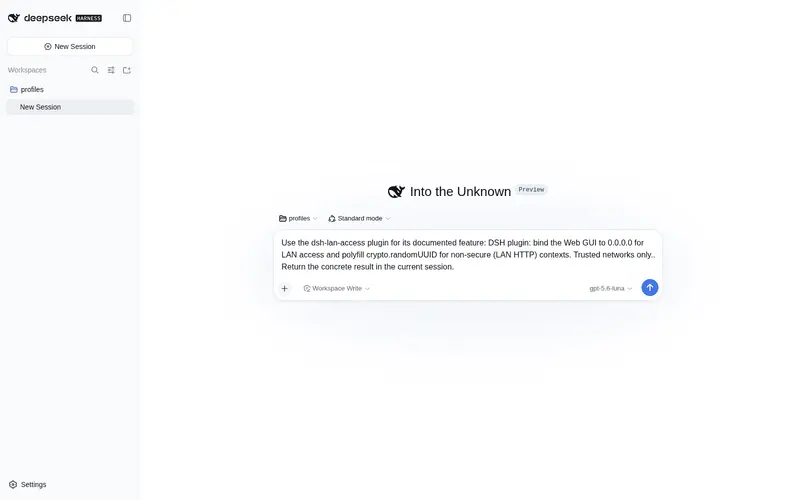
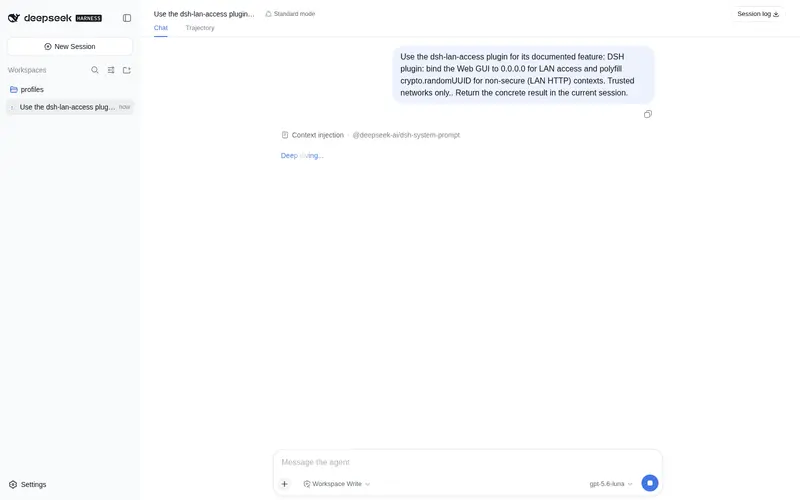
LAN access for the Web GUI: 0.0.0.0 bind plus a crypto.randomUUID polyfill for non-secure (LAN HTTP) contexts.
Listed
7
Remote
Bundle verified
Preview
What it does
LAN access for the Web GUI: 0.0.0.0 bind plus a crypto.randomUUID polyfill for non-secure (LAN HTTP) contexts.
Best for
- Users who need to access DSH conversations, progress, session history, and ordinary APIs from another device on a trusted LAN.
- LAN HTTP deployments where missing `crypto.randomUUID` breaks DSH RPC in non-secure browser contexts.
- Household or company networks where source access can be constrained with router or firewall rules.
Not ideal for
- Public Wi-Fi or untrusted networks; binding to `0.0.0.0` exposes unauthenticated access with command-execution reach.
- Remote administration of settings, providers, credentials, agent presets, directory selection, or model discovery; these remain loopback-only and return 403.
- Users who need authenticated internet exposure; the plugin provides neither authentication nor a secure external-access layer.
README
dsh-lan-access
让 DeepSeek Harness Web GUI 可在局域网内被其他设备访问的 DSH 插件(可信内网专用)。


- npm: https://www.npmjs.com/package/dsh-lan-access
- GitHub: https://github.com/Leon0555/dsh-lan-access
功能
-
局域网绑定:把 webserver 的
host改为0.0.0.0,手机/其他电脑可通过http://<运行DSH设备的IP>:3080访问(查 IP:ipconfig getifaddr en0)。 -
crypto.randomUUID polyfill:浏览器只在安全上下文(HTTPS/localhost)暴露
crypto.randomUUID,局域网明文 HTTP 下不存在,会导致 DSH 的 RPC 全部失败 (项目/会话列表加载不出、无法添加工作区)。本插件向每次返回的 index.html 注入兜底实现,任何设备的浏览器访问都正常。
安装(从 npm)
dsh plugin --profile web add dsh-lan-access
需要 pnpm(
npm i -g pnpm)。本地开发安装可用dsh plugin --profile web add file:/path/to/dsh-lan-access。
安装后重启服务生效:
launchctl kickstart -k gui/$(id -u)/com.dsh.web # 如果用 launchd 常驻
卸载
dsh plugin --profile web remove dsh-lan-access
卸载后 webserver 恢复默认仅 127.0.0.1,polyfill 不再注入。
安全提醒
- 绑定
0.0.0.0后,同一网络内任何设备都能连接 DSH(无认证), 等于整网都能触达本机的命令执行能力。仅限家庭/公司可信内网使用, 公共 WiFi 请勿开启。 - 建议:路由器/防火墙限制来源 IP;出外网访问请叠加 Tailscale 等隧道。
远程访问限制(安全设计,本插件有意不绕过)
DSH 把”配置平面”——设置页、模型/Provider 管理、凭据、Agent Preset、
目录选择、llm.discoverModels(模型探测)等接口——硬性限制为仅本机回环
(127.0.0.1)可访问。即使本插件将 Web 服务绑定到 0.0.0.0,这些接口从
局域网 IP 访问仍会返回 HTTP 403(如”加载提供方目录失败: … HTTP 403”)。
这是 DSH 官方刻意的安全边界(dsh-client-connection 的 PRIVILEGED_METHODS):
trustedHosts 白名单只是 DNS 反绑定栅栏,不是认证;在真正的认证层出现
之前,设置/凭据域必须保持仅本机可访问。
本插件不绕过这个栅栏,也不提供代理/端口转发去改写请求头——那会把设置与 凭据侦察能力暴露给局域网内任何设备,违背 DSH 的安全设计。
远程(局域网)可用 vs 不可用
| ✅ 远程正常 | ❌ HTTP 403(仅本机回环) |
|---|---|
| 对话、实时进度 | 设置页(模型、Provider 配置) |
会话内模型选择(llm.providers / llm.models) |
凭据管理(credentials.*) |
| 会话历史、工作区浏览 | Agent Preset 管理 |
| 其余正常 API | 目录选择(host.pickDirectory)、llm.discoverModels
|
远程需要改设置怎么办
-
日常路径:在 Mac 本机(
http://127.0.0.1:3080)完成模型/凭据配置, 远程设备只用于对话、看进度、选模型。 -
唯一合规的完整方案:SSH 本地端口转发
ssh -L 3080:127.0.0.1:3080 用户@MacIP,然后访问http://127.0.0.1:3080——从服务端视角这仍是回环访问(不绕过栅栏),且自带 SSH 认证。 ⚠️ 需开启 Mac 的”远程登录”;SSH 会把命令行访问权限交给能登录的人, 请自行评估风险。 - 期待官方后续加入真正的认证层后,配置平面可以安全地开放给局域网。
技术说明
- 绑定:以 bundle patch 覆盖
webserver行(host: 0.0.0.0,port 保持ctx.webStartup.port ?? 3080表达式)。 - polyfill:代码行注入
webServer,用官方预留的tapIndex钩子向 index.html<head>注入内联脚本;带幂等守卫,非安全上下文才生效, 本机 localhost 访问不受影响。
许可证
MIT © Leon0555
Frequently Asked QuestionsFAQ
Use the verified command dsh plugin --profile default add github:Leon0555/dsh-lan-access in a DSH-enabled shell. The command resolves the public package metadata and keeps the plugin attached to the catalog identity shown on this page.
Compatibility follows the bundle and profile status shown above. If a profile is not detected, keep the plugin disabled there and check the repository documentation before enabling it in production.
The GitHub link and activity metadata are the source of truth for releases and maintenance. Revisit this page after a new release to confirm the catalog has observed the latest version.