Letter2025/dsh-tool-search
Tool search & slimming for DeepSeek Harness: Hermes-style progressive disclosure — search, describe, and call long-tail tools on demand
Listed
4
Tools
Bundle verified
Preview
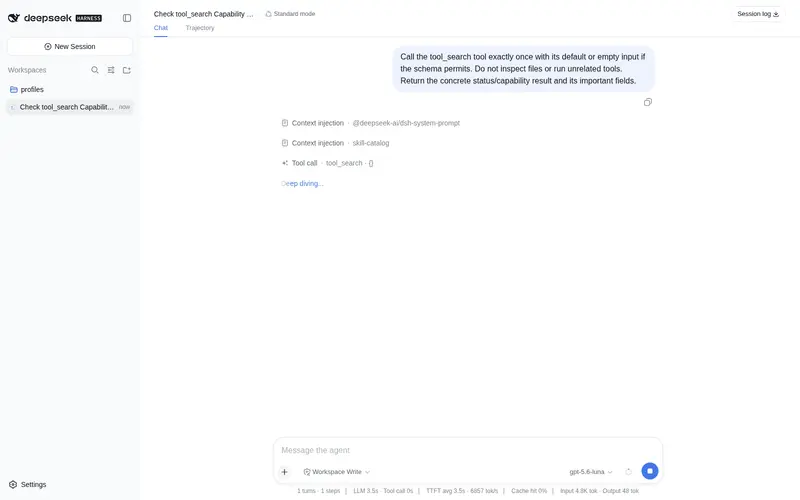
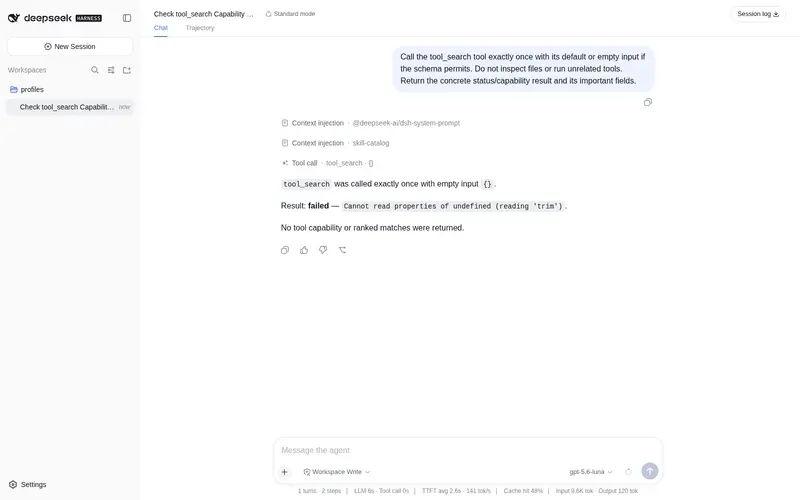
What it does
Hermes-style tool search & slimming: progressive disclosure, semantic search, describe, and call long-tail tools on demand while core tools stay eager.
Best for
- DSH installations with large MCP or plugin tool catalogs that spend substantial context on rarely used schemas.
- Agents that can discover, inspect, and invoke long-tail tools on demand while keeping essential tools eager.
- Teams willing to define tool groups and configure a rerank endpoint for stronger semantic discovery.
Not ideal for
- Small catalogs where all tool schemas already fit comfortably; the plugin remains at tier 0 or adds little value.
- Workflows requiring every tool schema to be visible to the model on every turn.
- Deployments that require reliable semantic ranking but cannot configure the supported OpenAI-compatible rerank endpoint; search then relies on keyword fallback.
README
dsh-tool-search
| English | 中文 |

Tool search & slimming for DeepSeek Harness (DSH): Hermes-style progressive disclosure. When your tool catalog gets large (many MCP servers or plugin tools), every tool’s JSON schema is injected into the model context on every turn — wasting tokens on tools the task never uses. This plugin collapses the long tail behind three bridge tools and lets the model discover and load them on demand through a configured rerank model.
- Core tools stay eager — file/shell/essential tools are always directly visible.
-
Bridge tools —
tool_search,tool_describe,tool_callreplace the deferred schemas. - Tiered disclosure — the visible listing shrinks automatically as the catalog grows.
-
Conversational setup — the bundled
tool-slimmer-setupskill groups your tools by talking to you, and guides configuring the rerank model. -
User or project config — groups/matcher live in
~/.dsh/dsh-tool-search.json(global) or<workspace>/.dsh/dsh-tool-search.json(per project), your choice.
Install
dsh plugin --profile web add dsh-tool-search
How it works
Inspired by Hermes Agent’s Tool Search. On every turn, the plugin’s system-prompt/assemble listener computes the tier and replaces the model-visible tools:
| Tier | Condition | Model sees |
|---|---|---|
| 0 | Small catalog / nothing deferrable | Every tool, bridge absent |
| 1 | Grouped manifest fits the budget | Bridge + ## group name/description listing |
| 2 | Only names fit | Bridge + names-only listing |
| 3 | Even names overflow | Bridge + one line per group (name: count) |
Budget = min(thresholdPct% × contextWindow, listingMaxTokens), recomputed every turn. The manifest rides a runtime context, so it survives complete-prompt composition.
Dynamic injection: searching, describing, or calling a deferred tool warms it into the session’s visible set (LRU-bounded by maxWarmTools), so its full schema is injected into the context for later turns — the model pulls tools into context on demand instead of keeping everything.
When tool_call runs, the plugin executes the real tool by name through ctx.tools.execute, so approvals, guards, and session events all reference the underlying tool — never the bridge. tool_search ranks with the configured rerank matcher and falls back to keyword matching (exact name > name tokens > description tokens) when no matcher is configured or the rerank call fails.
Setup (conversational)
Ask your agent:
帮我配置 dsh-tool-search 的工具分组
The tool-slimmer-setup skill will read the catalog, propose groups, confirm with you, ask whether the config should be global or per-project, and guide you through configuring the rerank matcher (required for tool_search and preload).
Configuration
Static tuning lives in your profile cordis.patch.yml (restart to change):
- id: tool-search
  config:
    enabled: auto        # auto | on | off
    thresholdPct: 5      # listing budget as % of context window
    listingMaxTokens: 4000
    configScope: auto    # user | project | auto (project file wins when present)
    core: [todo_write]   # extra always-eager tools
    maxWarmTools: 8      # LRU cap for dynamically injected tools
Tool groups, the matcher, and preload live in the runtime file (~/.dsh/dsh-tool-search.json for user scope):
{
  "version": 1,
  "scope": "user",
  "groups": [
    { "name": "git", "tools": ["git_status", "git_diff"] },
    { "name": "mcp-github", "prefixes": ["mcp_github_"] }
  ],
  "matcher": {
    "endpoint": "https://dashscope.aliyuncs.com/compatible-mode/v1/rerank",
    "apiKey": "sk-...",
    "model": "qwen3-reranker",
    "topN": 20
  },
  "preload": { "enabled": false, "topK": 5 },
  "core": ["read_file", "write_file"]
}
-
groups: exact tool names and/or name prefixes; a tool belongs to the first matching group. -
matcher: an OpenAI-compatible/v1/rerankendpoint — the only matcher type.tool_searchreturns setup guidance until one is configured. -
preload: optional; when enabled (with a matcher), the session’s first turn semantically preloads the top-K matching tools into the eager set. - The file is watched by mtime and hot-reloads; changes take effect on the next turn.
Bridge tools
| Tool | Purpose |
|---|---|
tool_search(query, limit?) |
Search the deferred catalog (rerank, keyword fallback) and return ranked {name, description, group} matches; matches are injected into the visible context |
tool_describe(name) |
Load the full schema of one deferred tool; the tool is injected into the visible context |
tool_call(name, arguments) |
Invoke a deferred tool by real name; approvals/guards/events use the real tool; the tool is injected into the visible context |
Design notes & pitfalls
- Slimming only rewrites the model-visible surface (
system-prompt/assemble); the registry stays complete, so deferred tools remain executable. - The bridge, the two setup tools, and
skillare always eager and never defer themselves. - Keyword matching is only a fallback: rerank is the primary ranking; without a matcher or on rerank failure, search degrades to keyword matching (exact name > name tokens > description tokens) and never errors.
- See DESIGN.md for the full architecture.
Links
License
MIT
Frequently Asked QuestionsFAQ
Use the verified command dsh plugin --profile default add github:Letter2025/dsh-tool-search in a DSH-enabled shell. The command resolves the public package metadata and keeps the plugin attached to the catalog identity shown on this page.
Compatibility follows the bundle and profile status shown above. If a profile is not detected, keep the plugin disabled there and check the repository documentation before enabling it in production.
The GitHub link and activity metadata are the source of truth for releases and maintenance. Revisit this page after a new release to confirm the catalog has observed the latest version.