Lhy723/dsh-agent-canvas
Agent / Subagent / Workflow canvas tab for DSH Web
Listed
0
Workflow
Bundle verified
Preview
What it does
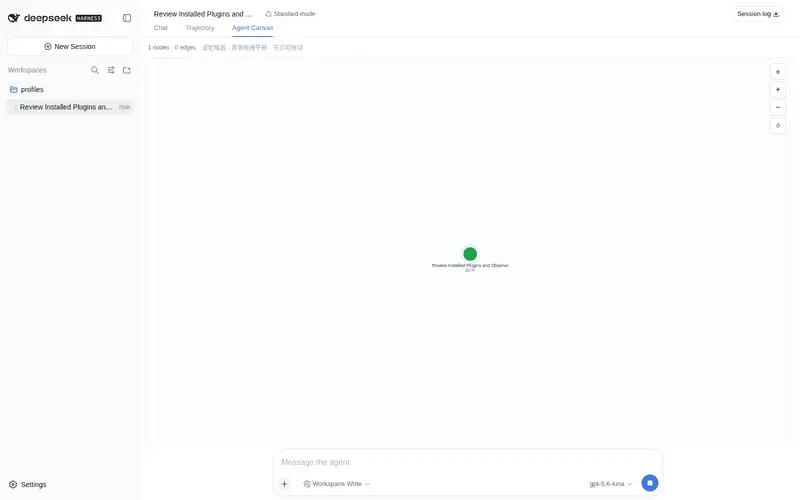
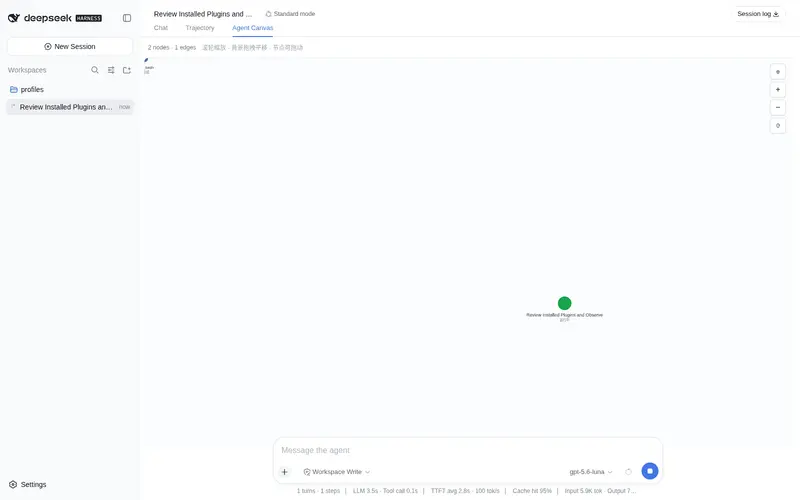
Interactive canvas for visualizing Agent, Subagent, Workflow, Phase, and tool relationships in DSH Web.
Best for
- DSH Web users who need a live visual overview of agents, subagents, workflows, phases, and tool activity.
- Complex delegated runs where a force-directed relationship graph makes task structure and status easier to inspect.
- Users who want to pan, zoom, drag nodes, and tune layout forces for dense execution graphs.
Not ideal for
- Headless workflows or users who do not use the DSH Web conversation interface.
- Simple runs with no subagents, workflows, or meaningful tool relationships to visualize.
- Users expecting the canvas itself to create or control subagents; the relevant DSH tools must be enabled separately.
README

dsh-agent-canvas



把一个 DSH Web 会话里的 Agent、Subagent、Workflow、Phase 和工具调用,变成一张可交互、实时更新的关系画布。
它作为 conversation.view 插件注册在“对话”和“轨迹”之后:打开 Agent 画布 Tab,就能从全局视角观察一次运行如何拆分任务、调度子代理、执行工具,并在浅色 / 深色主题之间自动适配。
宣传图中的二次元角色依据项目提供的视觉参考重新创作,用作仓库的 GitHub Social Preview;界面截图为与当前组件行为一致的示例会话。
功能
-
力导向图布局
- 节点之间自动排斥,有连线的节点互相牵引。
- 支持拖动节点、拖动画布、滚轮缩放。
-
实时数据同步
- 与对话记录同源:
useSession/useSessions读取会话快照和会话列表。 - Subagent / Workflow / 工具调用状态变化时,画布自动更新。
- 与对话记录同源:
-
Workflow 按 Phase 分组
- 主 Agent → Workflow → Phase → Subagent,层级清晰。
-
卡片式节点
- Workflow / Phase / Subagent 使用白底圆角卡片。
- 左侧彩色条区分类型,顶部状态点 + 类型徽标 + 名字,下方内容可滚动。
- 工具和主 Agent 使用圆形节点。
-
力导向参数实时调节
- 右上角 ⚙ 设置面板,可实时调整:
- 向心力
- 节点排斥力
- 连线吸引力
- 连线自然距离
- 阻尼
- 参数自动持久化到
localStorage,刷新后保留。
- 右上角 ⚙ 设置面板,可实时调整:
-
跟随 DSH 明暗模式
- 自动监听
data-ds-dark-theme,画布和卡片在浅色/深色模式下自动适配。
- 自动监听
功能速览
| 模块 | 你能看到什么 | 交互 / 行为 |
|---|---|---|
| Agent & Subagent | 根 Agent、直接子代理、运行状态和任务摘要 | 节点可拖动,状态变化会实时更新 |
| Workflow & Phase | Workflow → Phase → Subagent 的层级关系 | Workflow 成员不会重复连回根 Agent,图更清晰 |
| 工具调用 | 运行中的工具,以及最近完成的工具结果 | 活动连线使用虚线,最近最多保留 12 个结果节点 |
| 力导向布局 | 向心力、排斥力、吸引力、自然距离、阻尼 | 右上角 ⚙ 面板实时调整,并持久化到 localStorage
|
| 画布操作 | 平移、缩放、视图重置 | 鼠标拖拽背景 / 节点,滚轮缩放或使用右侧按钮 |
| 主题适配 | DSH Web 的浅色和深色模式 | 自动监听 data-ds-dark-theme
|
演示截图
浅色模式:从 Agent 看到完整协作树

深色模式:打开力导向参数面板

关系模型
画布使用和会话区相同的数据源,节点关系大致如下:
主 Agent
├── Workflow
│   └── Phase
│       └── Subagent
├── 直接 Subagent
└── Tool / Tool result
目录结构
dsh-agent-canvas/
├── package.json                         # dsh.bundle + dsh.client 声明
├── cordis.patch.yml                     # 作为 bundle 安装时的 loader 行
├── scripts/build.sh                     # host 半区 tsc 编译
├── tsdown.config.ts                     # client 半区 tsdown 打包配置
├── docs/assets/
│   ├── social-preview.png               # 1280 × 640 GitHub Social Preview
│   ├── social-preview.svg               # 宣传图排版源文件
│   ├── social-preview-base.png          # 生图底稿
│   ├── agent-canvas-overview.png        # 浅色模式演示图
│   ├── agent-canvas-dark-settings.png   # 深色模式 / 设置面板演示图
│   └── *.svg                            # 演示图源文件
└── src/
    ├── index.ts                         # host loader 入口(纯 UI 插件,空 apply)
    └── client/
        ├── index.ts                     # 注册 conversation.view 第三个 Tab
        └── AgentCanvasView.tsx           # 画布、布局和设置面板
构建与开发
npm install
npm run build          # tsc 编译 src → lib
npm run build:client   # tsdown 打包浏览器 bundle → lib/client.js
npm run typecheck      # 类型检查
scripts/build.sh 会自动从 DSH_CHECKOUT 或全局 @deepseek-ai/dsh 安装中链接 @deepseek-ai/* 类型包。
安装到 DSH web profile
从 npm 安装
npm install dsh-agent-canvas
dsh plugin --profile web add ./node_modules/dsh-agent-canvas
从 tarball 或本地源码安装
npm pack
dsh plugin --profile web add ./dsh-agent-canvas-0.1.0.tgz
# 或本地目录
dsh plugin --profile web add .
连线逻辑
- 主 Agent → Workflow:发起 workflow
- Workflow → Phase:workflow 的阶段分组
- Phase → Subagent:该阶段派生的 subagent
- 主 Agent → Subagent:不属于任何 workflow 的直接子代理
- 主 Agent → 工具节点:工具调用 / 工具结果
Workflow 成员不会重复连回主节点,避免图变得稠密。
使用 Subagent / Workflow 的配置提示
标准 DSH base + web-app 已包含相关服务,但模型侧工具由 agent preset 控制。
如果模型没有 subagent / workflow 工具,可以在 profile patch 中启用:
# ~/.dsh/profiles/web/cordis.patch.yml
- id: tool-subagent
  disabled: false

- id: tool-subagent-control
  disabled: false

- id: tool-subagent-list-agents
  disabled: false

- id: tool-subagent-fork
  disabled: false

- id: workflow-worker-thread
  disabled: false

- id: tool-workflow
  disabled: false
Frequently Asked QuestionsFAQ
Use the verified command dsh plugin --profile default add github:Lhy723/dsh-agent-canvas in a DSH-enabled shell. The command resolves the public package metadata and keeps the plugin attached to the catalog identity shown on this page.
Compatibility follows the bundle and profile status shown above. If a profile is not detected, keep the plugin disabled there and check the repository documentation before enabling it in production.
The GitHub link and activity metadata are the source of truth for releases and maintenance. Revisit this page after a new release to confirm the catalog has observed the latest version.