LKMeng2001/dsh-mcp-market
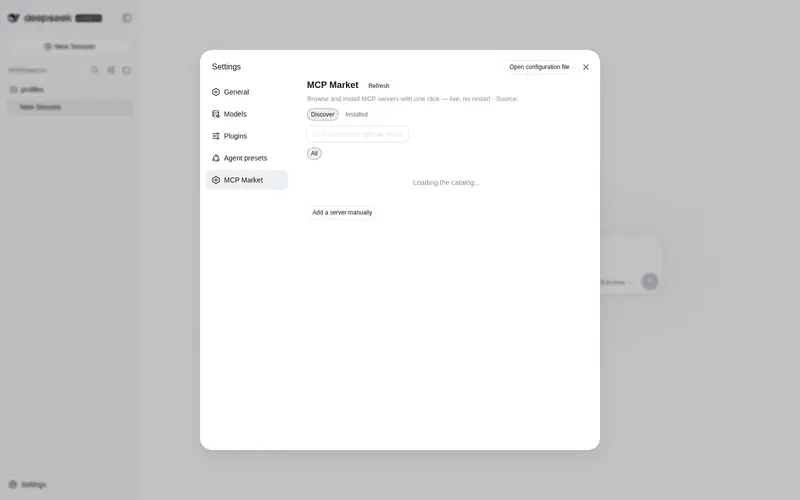
MCP server marketplace for DSH: browse a curated, npm-verified catalog and install MCP servers into the current profile with one click, live without restart.
Listed
1
Market
Bundle verified
Preview
What it does
MCP server marketplace for DSH: browse a curated, npm-verified catalog and install MCP servers into the current profile with one click, live without restart.
Best for
- DSH Web users who want to discover and install curated MCP servers from one settings panel.
- Operators who need live MCP activation, configuration changes, enablement, or removal without restarting.
- Users who want npm availability checks before installing cataloged stdio servers.
- Teams that need both catalog browsing and manual addition of stdio or remote HTTP servers.
Not ideal for
- Environments that prohibit spawning third-party local processes for stdio MCP servers.
- Profiles where environment values or headers must not be stored in plaintext configuration.
- Users who require every desired server to be included in the curated catalog rather than adding it manually.
- Workflows that do not use MCP tools or manage DSH profiles.
README
dsh-mcp-market
| 中文 | English |
An MCP server marketplace inside DeepSeek Harness: browse a curated catalog and install MCP servers into the running profile with one click — live, no restart (powered by the official @deepseek-ai/dsh-mcp-client and the loader service).
Open Settings → MCP Market, search, click, done. The model immediately sees mcp__<serverName>__<tool> tools.
Features
- Browse / search / filter a bundled catalog (15 servers, every one verified usable), zh/en descriptions
- npm existence verification: every stdio entry is checked against registry.npmjs.org at load time; packages removed from the registry are greyed out and blocked from install (guards against dead entries and typosquat canaries)
- One-click install for
stdio(local process) andstreamable-http(remote URL); fill in command / args / env / url / headers before installing - Hot activation via
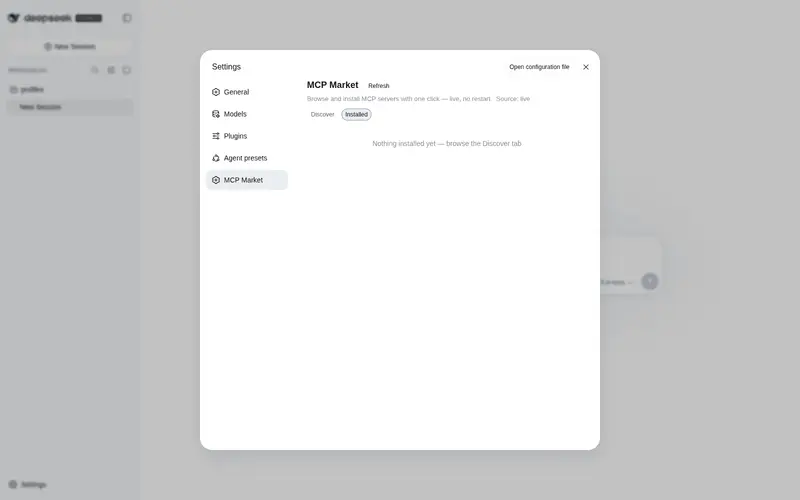
ctx.loader.create()— no restart; config persists across restarts - Installed list with enable/disable, config edit (HMR reconnect), and uninstall
- Manual “add a server” form for anything not in the catalog
- Offline fallback: remote registry JSON with an in-memory cache and a bundled snapshot
- Clean persistence: installs only touch a
# --- dsh-mcp-market managed ---block in the profile’scordis.patch.yml; your own edits are preserved verbatim
Install
# from npm (for everyone)
dsh plugin --profile web add dsh-mcp-market

# from a local checkout (dev only — replace the path with yours)
dsh plugin --profile web add "D:\path\to\dsh-mcp-market"

# update
dsh plugin --profile web update dsh-mcp-market

# remove
dsh plugin --profile web remove dsh-mcp-market
Restart dsh web, then open Settings → MCP Market.
Development
npm install
npm run build        # tsc host → lib/, esbuild client → client/client.js
npm run typecheck
After changes: npm run build, restart dsh web (host changes; client changes can use a dev watcher).
Registry source
Live catalog: fetched from the GitHub Pages URL https://LKMeng2001.github.io/dsh-mcp-market/servers.json (canonical source is docs/servers.json in this repo — edit and push to update globally, no release needed), falling back to the bundled data/registry-snapshot.json (generated from docs/servers.json by npm run sync:catalog). A CI workflow checks every npm package in the catalog daily. Override per profile via the plugin config (registryUrl). Entry schema and the HTTP route/loader design are documented in README.zh.md.
Security
- Every mutating route is a same-origin POST with Origin checks
- MCP servers are third-party code/services: stdio servers spawn a local child process — install only sources you trust
- Config (incl. env) is stored in plaintext in the profile’s
cordis.patch.yml; keep secrets out or encrypt before writing
License
MIT
Frequently Asked QuestionsFAQ
Use the verified command dsh plugin --profile default add github:LKMeng2001/dsh-mcp-market in a DSH-enabled shell. The command resolves the public package metadata and keeps the plugin attached to the catalog identity shown on this page.
Compatibility follows the bundle and profile status shown above. If a profile is not detected, keep the plugin disabled there and check the repository documentation before enabling it in production.
The GitHub link and activity metadata are the source of truth for releases and maintenance. Revisit this page after a new release to confirm the catalog has observed the latest version.