lsz-asd/dsh-plugin-device-info
Read-only Windows device info tools for DeepSeek Harness: 12 win_* tools (time, system, CPU, memory, disk, GPU, network/WiFi, battery, processes, USB, audio, printers) via Node os + WMI/CIM. Bundle-form dsh plugin.
Listed
2
Tools
Bundle verified
Preview
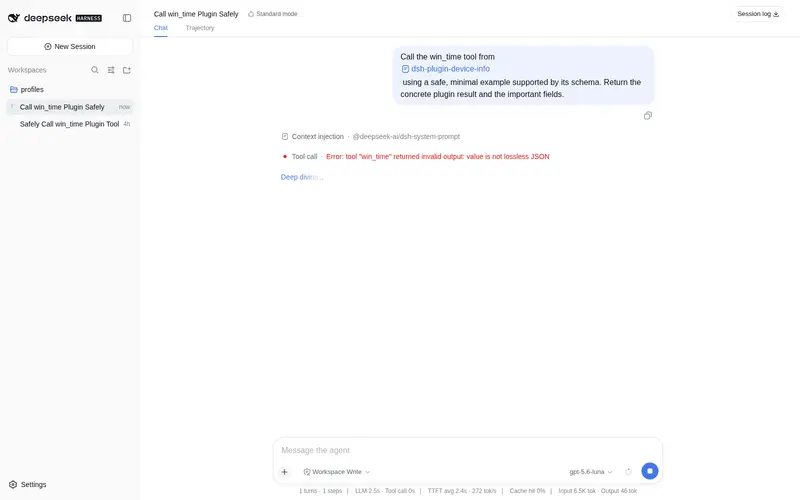
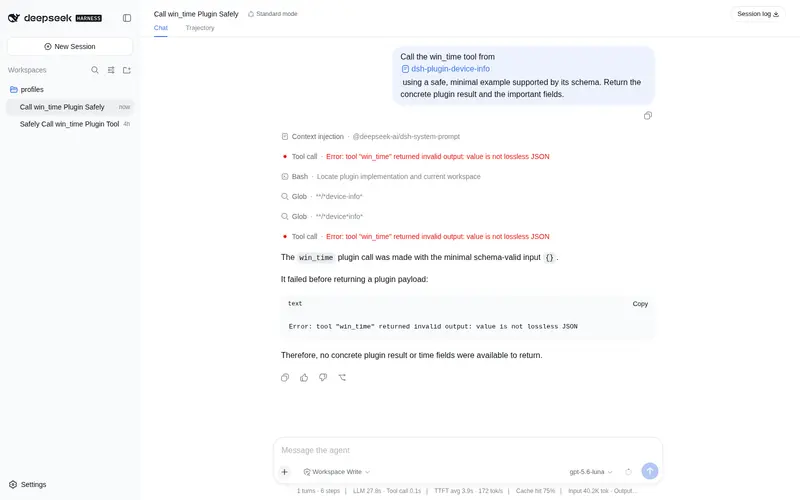
What it does
Read-only Windows device information tools: one agent tool per Win32 device category (time, system, cpu, memory, disk, gpu, network, battery, processes, usb, audio, printers) via WMI/CIM and Node os collectors.
Best for
- Windows support and inventory workflows that need structured CPU, memory, disk, GPU, network, battery, or peripheral details.
- Agents that repeatedly inspect a Windows host without generating ad hoc PowerShell commands.
- Read-only diagnostics where stable JSON output is preferable to making system changes.
Not ideal for
- Linux or macOS device inventory; only the time tool is supported outside Windows.
- Workflows that need to change settings, install software, or perform remediation because the tools are read-only.
- Hardware monitoring that requires sensors, Bluetooth, display inventory, traffic statistics, or live process CPU rates.
README
dsh-device-info
Read-only Windows device info for DeepSeek Harness agents �?12 win_* tools, one per Win32 device category.
@huanlin/dsh-plugin-device-info gives the model structured, read-only access to the host machine: time, system, CPU, memory, disk, GPU, network/WiFi, battery, processes, USB, audio, printers. No writes, no installs, no network.
Why this plugin
Ad-hoc PowerShell probing costs tokens every query �?the model re-generates a command each time (~40�?00+ tokens, more with retries after a typo or a permission prompt). A plugin call is ~6 tokens against pre-tested, versioned queries. Install once, call any tool; no command-writing, no trial-and-error. (Estimates: scripts/token-estimate.mjs; real benchmark planned, see Roadmap.)
Install
dsh plugin --profile <profile> add github:lsz-asd/dsh-plugin-device-info   # after publishing
dsh plugin --profile <profile> add link:C:/path/to/dsh-device-info           # local checkout
Restart the profile. lib/ ships pre-built (no prepare script).
Tools
| Tool | Reports | Source |
|---|---|---|
win_time |
ISO/epoch time, IANA timezone, UTC offset, uptime, boot time | Node os �?any platform |
win_system |
OS, hostname, user, vendor, model, BIOS, serial (config) |
Win32_ComputerSystem / Win32_OperatingSystem / Win32_BIOS
|
win_cpu |
Model, cores, max clock, load % | Win32_Processor |
win_memory |
Used/free/total, used %, modules | Node os + Win32_PhysicalMemory
|
win_disk |
Drives + volumes (capacity, free) |
Win32_DiskDrive / Win32_LogicalDisk
|
win_gpu |
Name, VRAM, driver, resolution | Win32_VideoController |
win_network |
Adapters, IPs, live WiFi (SSID/signal/rates/auth) |
Get-NetAdapter + netsh wlan + Node os
|
win_battery |
Charge %, AC/DC, runtime, power scheme |
Win32_Battery + powercfg
|
win_processes |
Count + top-N by memory/CPU (top_n, sort_by) |
Get-Process |
win_usb |
USB devices | Win32_PnPEntity |
win_audio |
Audio devices | Win32_SoundDevice |
win_printers |
Printers (driver/port/default/offline) | Win32_Printer |
Config
| Field | Default | Description |
|---|---|---|
pwshEnabled |
true |
Master switch; false disables all but win_time. |
pwshTimeoutMs |
8000 |
Per-query timeout (1000�?0000). |
topProcesses |
10 |
Default top-N for win_processes (1�?00). |
includeSerialNumber |
true |
Report BIOS serial in win_system. |
pwshPath |
powershell.exe |
PowerShell executable (powershell.exe/pwsh.exe). |
Example
User:  这台电脑还剩多少内存?电池呢�?Model: [win_memory] �?72.8% used, 2× Samsung 8 GB DDR5-4800
       [win_battery] �?100%, AC online, scheme 381b4222�?(平衡)
All tools return canonical JSON; nullable fields stay null (schema oneOf: [type, null]) for a stable shape:
{ "supported": true, "platform": "win32",
  "name": "13th Gen Intel(R) Core(TM) i7-13700HX",
  "cores": 16, "logical_processors": 24,
  "max_clock_mhz": 2100, "current_load_percent": 3 }
Architecture
model ──tools──�?win_* tools ──�?execute �?canonical JSON value
                        �?       render  �?pure text projection
                        �?              CollectContext {run, signal, platform, config}
                        �?  Node os (no subprocess)         PowerShell child (WMI/CIM · netsh · powercfg)
  win_time, totals, addresses     killed on exec.signal · hard timeout
src/index.ts entry · src/tools.ts 12 tools + renders · src/collect.ts collectors · src/pwsh.ts runner + parsers · src/types.d.ts ambient peer types
Highlights
- Value/render split �?execute returns plain bytes/ms/percents; render is a pure projection, replay-safe
-
Locale-independent parsing �?
netsh wlanfields stay English on localized Windows;powercfgGUID regex language-independent; CIM/Date(ms)/�?ISO-8601 -
Sentinel handling �?battery runtime is junk on AC (
0x04444444) �?null;AdapterRAMuint32 wraparound documented -
Cancellation/timeouts �?
exec.signalkills the child; hard per-query timeout; no orphans, no hangs -
Domain vs infra failures �?missing battery/WiFi/non-Windows �?
supported: falsevalues; spawn/timeout/abort �?thrown (isError)
Quality
59 unit tests (real-machine fixtures) · real powershell.exe smoke · real-composition smoke through production @deepseek-ai/dsh-tools (scripts/di-smoke.mjs) · strict TS, tsc + tsdown �?lib/.
Development
pnpm install && pnpm run typecheck && pnpm test && pnpm run build
@deepseek-ai/dsh-tools is host-provided and not in devDependencies (its peer chain references an unpublished package); typecheck uses src/types.d.ts ambient declarations, tests mock the module, the real module runs in the smoke script/Loader.
Model Experience
The 12 fixed schemas join the generated tool catalog �?no dynamic prompt injection. Token effect: fixed (constant schemas; one result message per call). KV cache: prefix-stable (schemas never change at runtime).
Roadmap
- Token-efficiency benchmark �?real per-task usage: plugin call vs ad-hoc commands (incl. retries/prompts); results published here
-
More platforms �?Linux/macOS (
/proc,sysctl,system_profiler) - More categories �?Bluetooth, displays, traffic stats, temperature (LibreHardwareMonitor), installed software
Known limitations
Sensors need a third-party daemon · Bluetooth/display/traffic stats deferred · process CPU is cumulative seconds, not live rate · only win_time on non-Windows.
License
Frequently Asked QuestionsFAQ
Use the verified command dsh plugin --profile default add github:lsz-asd/dsh-plugin-device-info in a DSH-enabled shell. The command resolves the public package metadata and keeps the plugin attached to the catalog identity shown on this page.
Compatibility follows the bundle and profile status shown above. If a profile is not detected, keep the plugin disabled there and check the repository documentation before enabling it in production.
The GitHub link and activity metadata are the source of truth for releases and maintenance. Revisit this page after a new release to confirm the catalog has observed the latest version.