Max-Null/dsh-plugin-center
Plugin center for DeepSeek Harness: installed-plugin metadata, a community market with stars and versions, one-click install and update, and a What's New dialog.
Listed
1
Market
Bundle verified
Preview
What it does
Plugin center for DeepSeek Harness: installed-plugin metadata, a community market with stars and versions, one-click install and update, and a What's New dialog.
Best for
- DSH Web users who want one place to inspect installed-plugin metadata and provenance.
- Users browsing community plugins by category, stars, versions, and DSH compatibility.
- Operators who want one-click plugin installation, update detection, and update-all workflows.
Not ideal for
- Users who do not manage plugins through the DSH Web interface.
- Minimal installations with a fixed plugin set and no need for marketplace browsing or update notifications.
- Workflows expecting the center itself to provide the functions of the plugins it catalogs.
README
dsh-plugin-center
Plugin center for DeepSeek Harness (dsh) — browse, install, and update community plugins from inside the Web UI.
插件管理中心:在 DSH Web 界面里管理已安装插件、浏览社区市场、一键安装与更新。
Features / 功能
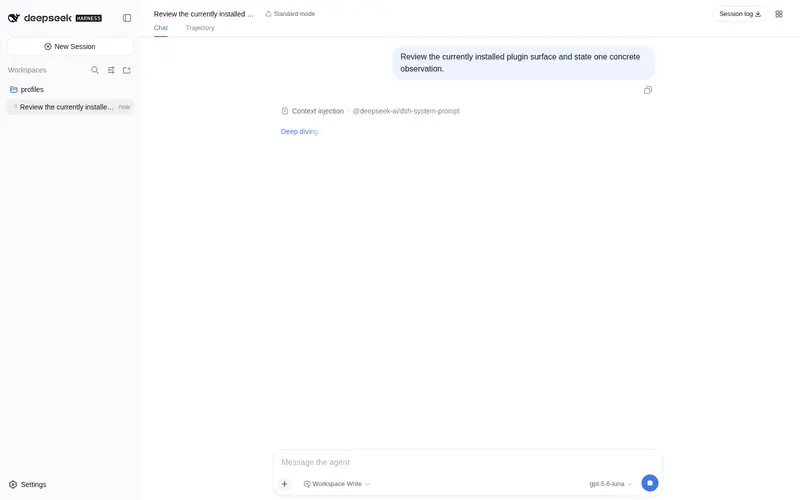
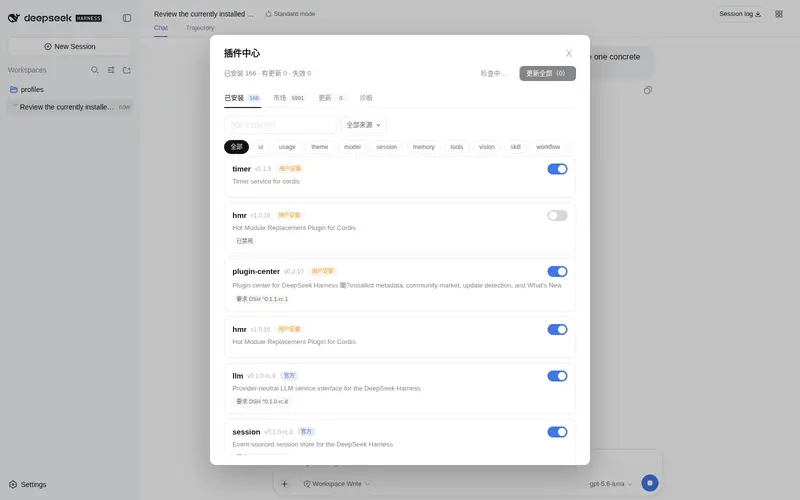
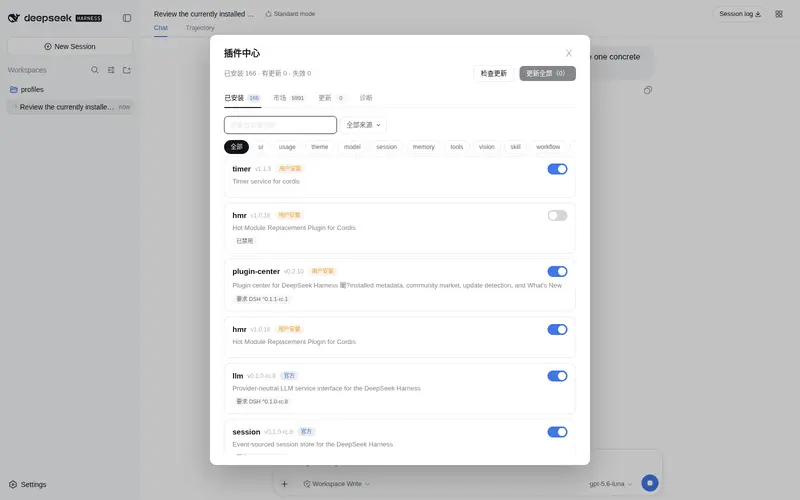
- Installed plugins / 已安装插件 — metadata with provenance (official / user-installed / local / builtin), categories, and DSH compatibility range.
- Community market / 社区市场 — browse awesome-dsh-plugin and Oh-My-DSH by category, with stars and npm versions.
- One-click install & update / 一键安装与更新 — install from the market, detect updates, update one or all.
- What’s New / 更新提示 — startup dialog listing plugins with new versions since you last looked.
- DSH compatibility / 兼容性检查 — flags plugins whose peer range does not match the running DSH.
-
Skin-compatible / 皮肤兼容 — every color uses
var(--dsw-*)tokens, so skin plugins restyle this UI too.
Part of the SSID family / SSID 系列成员
This plugin belongs to the @max-null/* family — a set of plugins that together form the SSID (思灵 · Seek Soul in Darkness) desktop experience. SSID is the box that bundles them all: dsh-plugin-center · dsh-memory · dsh-chinese-thinking · dsh-guardian · dsh-habit.
本插件属于 @max-null/* 插件系列——这一系列共同构成 SSID(思灵 · Seek Soul in Darkness) 桌面体验。SSID 是整合它们的盒:dsh-plugin-center · dsh-memory · dsh-chinese-thinking · dsh-guardian · dsh-habit。
Screenshots / 截图
| Installed / 已安装 | Market / 市场 | Updates / 更新 |
|---|---|---|
 |
 |
 |
Install / 安装
dsh plugin --profile web add @max-null/dsh-plugin-center
# or from the GitHub source / 或从 GitHub 源码安装
dsh plugin --profile web add github:Max-Null/dsh-plugin-center
Restart dsh web, then open the plugin center from the header button (top-right) or the Settings → 插件中心 section.
Development / 开发
pnpm install
pnpm build   # tsc (host) + esbuild (browser bundle)
License / 许可
Frequently Asked QuestionsFAQ
Use the verified command dsh plugin --profile default add github:Max-Null/dsh-plugin-center in a DSH-enabled shell. The command resolves the public package metadata and keeps the plugin attached to the catalog identity shown on this page.
Compatibility follows the bundle and profile status shown above. If a profile is not detected, keep the plugin disabled there and check the repository documentation before enabling it in production.
The GitHub link and activity metadata are the source of truth for releases and maintenance. Revisit this page after a new release to confirm the catalog has observed the latest version.