Meredith2328/dsh-sticky-note
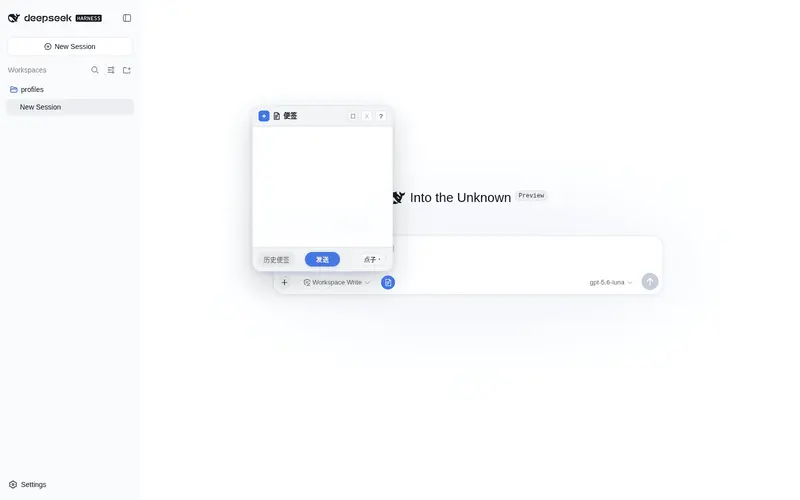
左下角便签:随手记点子/感想/TODO,实时保存到归档目录,清单+悬浮归档
Listed
10
Ui
Bundle verified
Preview
What it does
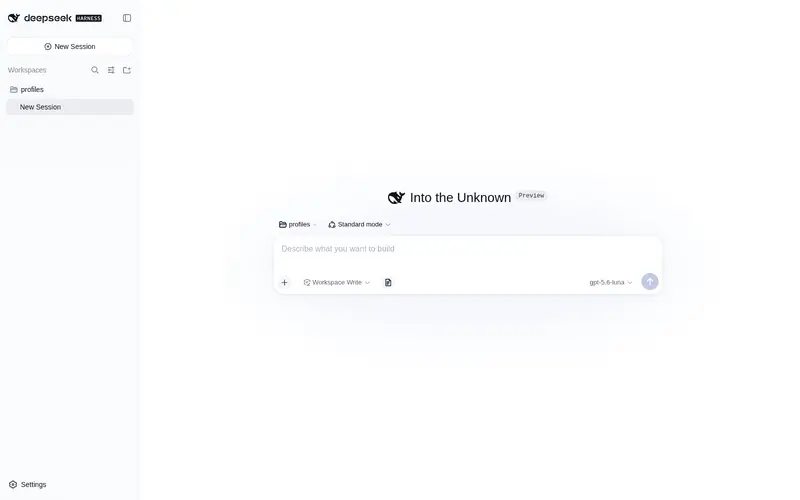
Quick sticky notes on the composer toolbar: jot ideas or TODOs, auto-saved as Markdown, one click to send into the chat.
Best for
- DSH Web or Desktop users who want quick notes and TODOs beside the composer.
- Users who want notes auto-saved as categorized Markdown and editable outside DSH.
- Workflows that frequently send a saved note directly into the current conversation.
- Users who need note history, archiving, restoration, and a 30-day trash stage.
Not ideal for
- Users who need collaborative, synchronized notes rather than local Markdown files.
- DSH versions below 0.1.0-rc.7 when using plugin version 0.2.2 or newer.
- Workflows requiring rich document management beyond lightweight notes, categories, and Markdown.
- Users who do not want unpinned old notes moved automatically into a temporary trash area.
README
dsh-sticky-note
左下角便签:随手记点子 / 感想 / TODO,实时保存到归档目录,清单 + 悬浮归档。

✨ 功能
- 📝 随手记:编辑框工具栏上的便签按钮,点击弹出便签面板
- 💾 自动保存:按设定间隔(10 秒 / 1 分钟 / 5 分钟)自动落盘,
Ctrl+S立即保存 - 🏷️ 三分类:点子 / 感想 / TODO,快捷键
Ctrl+Shift+1/2/3切换 - 📤 一键发送:便签内容直接发给当前对话(或追加到输入框)
- 📋 历史便签:分组清单 + 展开收起,双击查看、单击预备发送,归档分组可一键恢复
- ✏️ 可编辑:历史便签可二次编辑保存;外部编辑器改动后查看视图自动刷新
- 📌 选择保留:标记保留的便签不会被自动清除(针形图标)
- 🧹 自动清除:按最后修改时间计龄,超期未保留的先移入「已清除」回收站(保留 30 天),Host 定时触发
- 🖥️ Markdown:编辑 ↔ 实时预览(
Ctrl+Shift+V),支持表格 / 任务列表 / 删除线 / 图片 - 🌓 深色模式:全部配色跟随 DSW 主题变量,深浅自动切换
- ⌨️ 快捷键:
Esc层层退出、Tab/Shift+Tab缩进、Ctrl+Shift+X删除线、Ctrl+Shift+T任务项、Ctrl+T表格骨架等 - ⚙️ 可配置:存储路径、保存间隔、清除周期、默认类别、发送方式
📦 安装
dsh plugin --profile web add dsh-sticky-note
或本地目录:
dsh plugin --profile web add file:/path/to/dsh-sticky-note
安装后重启 DSH(Web 或 Desktop)。
版本要求:v0.2.2 起需要 DSH 0.1.0-rc.7 及以上(设置卡片注册适配 keyed slot 强校验);旧版 DSH 请使用 v0.2.1。
🗂️ 存储结构
<root>/
├── 点子/    ← 以时间戳命名的 .md 文件
├── 感想/
├── TODO/
├── 归档/    ← 归档的便签(前缀类别名,可一键恢复)
└── 已清除/  ← 自动清除的回收站(保留 30 天)
默认根路径 ~/.dsh/sticky-notes(DSH_HOME 下),可在设置页修改。
📄 License
MIT
Frequently Asked QuestionsFAQ
Use the verified command dsh plugin --profile default add github:Meredith2328/dsh-sticky-note in a DSH-enabled shell. The command resolves the public package metadata and keeps the plugin attached to the catalog identity shown on this page.
Compatibility follows the bundle and profile status shown above. If a profile is not detected, keep the plugin disabled there and check the repository documentation before enabling it in production.
The GitHub link and activity metadata are the source of truth for releases and maintenance. Revisit this page after a new release to confirm the catalog has observed the latest version.