minivv/dsh-agent-skills
Discover and manage Agent Skills inside DeepSeek Harness
Listed
4
Dev
Bundle verified
Preview
What it does
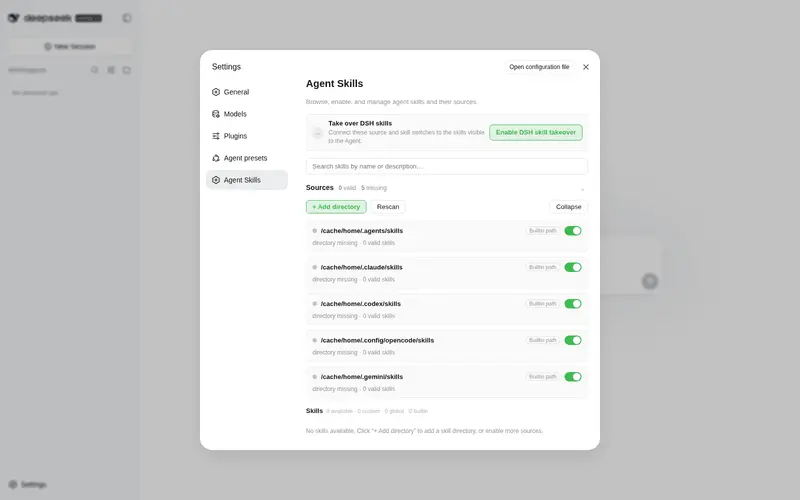
Browse, enable, disable, and manage Agent Skills from Claude Code, Codex, OpenCode, Gemini, and custom directories in the DSH settings panel.
Best for
- Users who maintain Agent Skills across Claude Code, Codex, OpenCode, Gemini, or shared agent directories.
- DSH administrators who want a settings-panel inventory with search and per-directory or per-skill enable controls.
- Users who need to add custom skill directories and monitor skill-file changes without modifying source SKILL.md files.
Not ideal for
- Users with no local Agent Skills or only one fixed skill source, where centralized management adds little value.
- Skills whose names do not match the required lowercase kebab-case pattern.
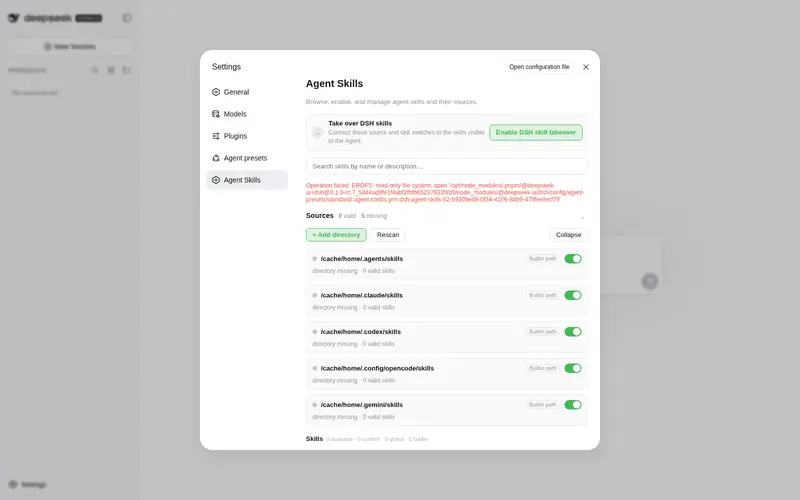
- Environments where restarting DSH to enable or relinquish skill-source control is impractical.
- Installations older than Node.js 20.
README
dsh-agent-skills





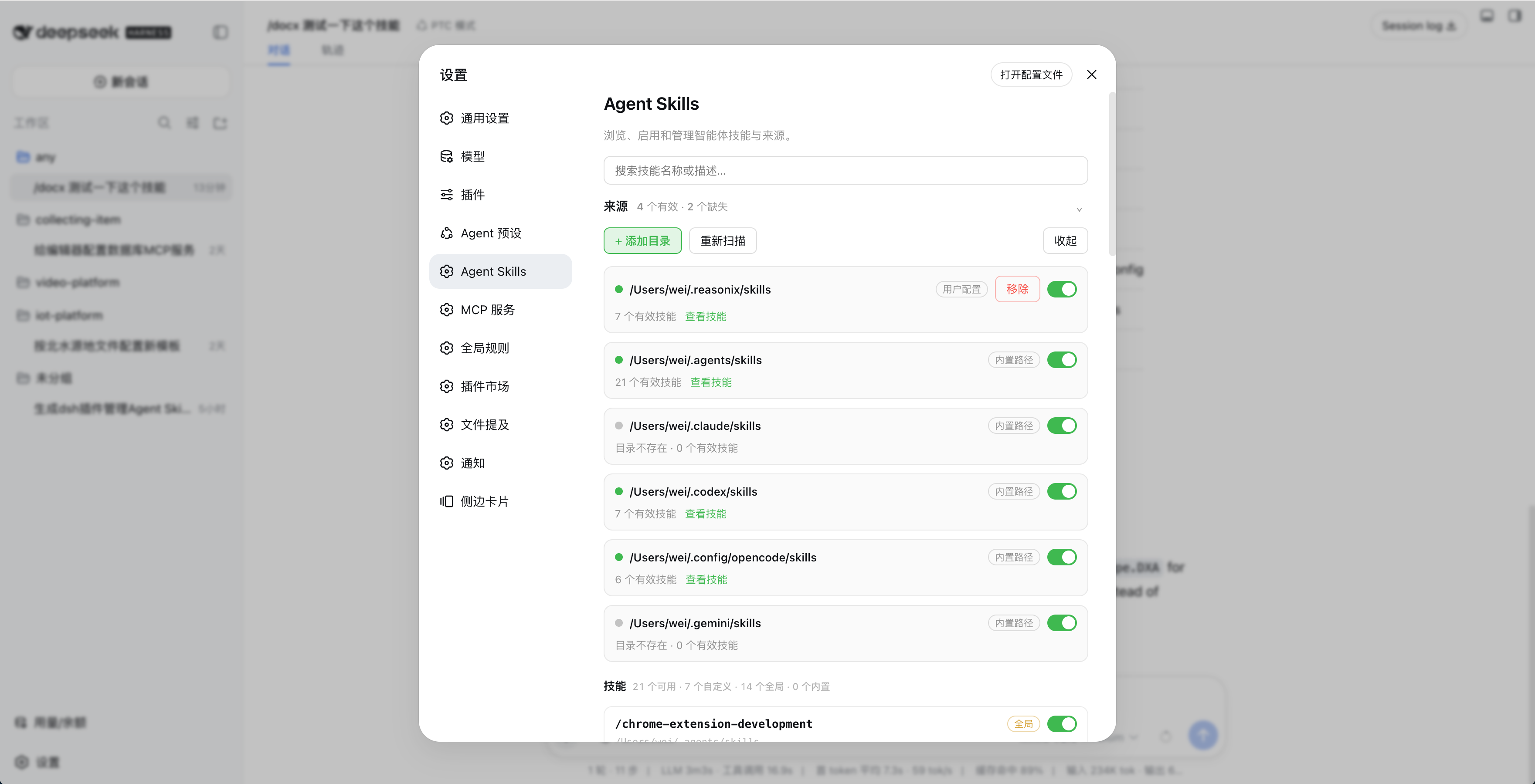
在 DeepSeek Harness 的设置页中查看、启停和管理本地 Agent Skills。
功能
- 自动扫描
~/.agents/skills、~/.claude/skills、~/.codex/skills、~/.config/opencode/skills和~/.gemini/skills - 支持自定义技能目录
- 按目录或单个技能启停
- 搜索、查看描述并监听技能文件变化
- 不修改原始
SKILL.md
安装
npm(推荐)
dsh plugin --profile web add dsh-agent-skills
安装后打开「设置 → Agent Skills」,点击「开启接管 DSH 技能」,再点击「重启 DSH」。
DSH 插件市场
在「设置 → 插件市场」中搜索 Agent Skills,或查看 DSH 插件市场。
GitHub
dsh plugin --profile web add github:minivv/dsh-agent-skills
Git 安装可能需要授权 pnpm 执行构建脚本。
使用
- 在「设置 → Agent Skills」中检查自动发现的目录,或点击「+ 添加目录」。
- 使用目录和技能开关控制可用技能。
- 出现技能变更提示后,点击「刷新页面」。
- 修改技能文件后,点击「重新扫描」或等待自动刷新。
点击「取消接管」并重启 DSH,可恢复 DSH 原来的技能来源。
设置保存在 $DSH_HOME/agent-skills/state.json。
技能格式
skills/
├── my-skill/
│   └── SKILL.md
└── another-skill.md
SKILL.md 需要 YAML frontmatter,name 使用小写 kebab-case:
---
name: my-skill
description: Explain when this skill should be used.
---

# Instructions
卸载
先在设置页点击「取消接管」和「重启 DSH」,再运行:
dsh plugin --profile web remove dsh-agent-skills
如果设置页无法打开,先恢复 DSH 技能来源:
DSH_INSTALL_ROOT="$(npm root -g)/@deepseek-ai/dsh" \
  node ~/.dsh/profiles/web/node_modules/dsh-agent-skills/scripts/uninstall-preset.mjs

dsh plugin --profile web remove dsh-agent-skills
开发
要求 Node.js 20+。
npm install
npm run typecheck
npm run build
npm test
npm pack --dry-run
注意
- 技能名必须匹配
[a-z0-9]+(?:-[a-z0-9]+)* - DSH 升级后如果开关失效,重新开启接管并重启 DSH
链接
License
Frequently Asked QuestionsFAQ
Use the verified command dsh plugin --profile default add github:minivv/dsh-agent-skills in a DSH-enabled shell. The command resolves the public package metadata and keeps the plugin attached to the catalog identity shown on this page.
Compatibility follows the bundle and profile status shown above. If a profile is not detected, keep the plugin disabled there and check the repository documentation before enabling it in production.
The GitHub link and activity metadata are the source of truth for releases and maintenance. Revisit this page after a new release to confirm the catalog has observed the latest version.