moon09300731/dsh-vision-tools
DeepSeek Harness 视觉能力全家桶:vision_understand 工具 + 粘贴/拖拽/按钮三入口识图
Listed
2
Vision
Bundle verified
Preview
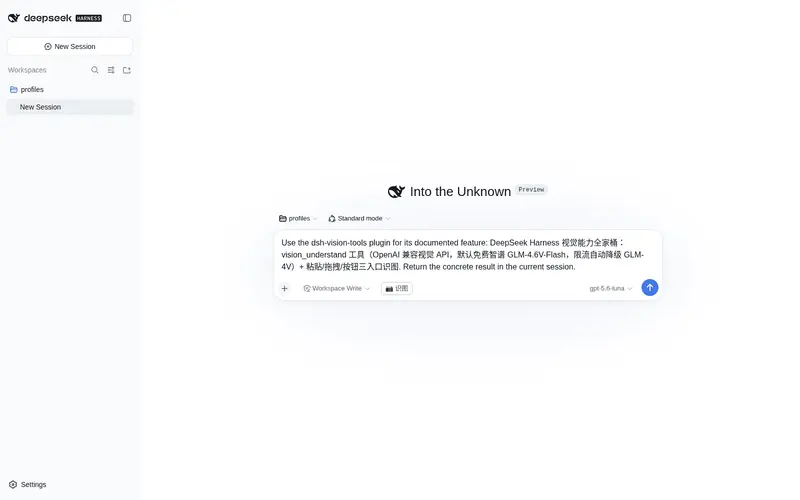
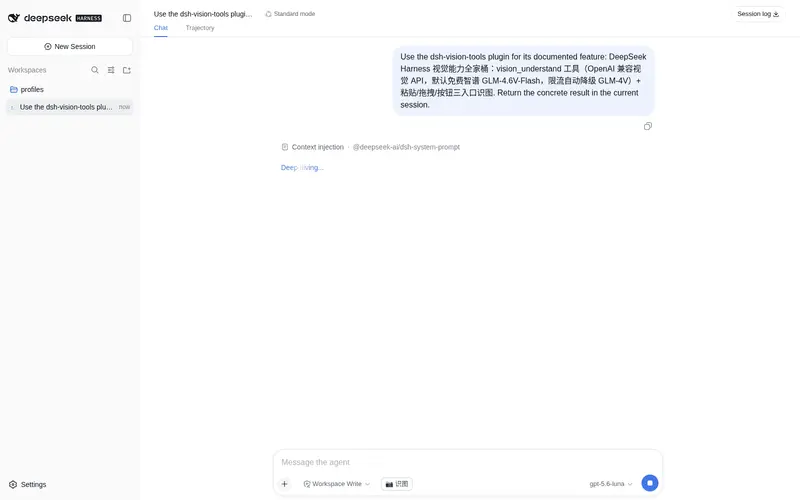
What it does
Full vision-capability bundle for DeepSeek Harness: a vision_understand tool (OpenAI-compatible vision APIs, free Zhipu GLM-4V-Flash by default) plus paste/drag-and-drop/button entry points for image recognition.
Best for
- DSH users with text-only models who need image description, OCR-like recognition, or visual question answering.
- Web workflows that benefit from pasting, dragging, or selecting an image and automatically preparing it for recognition.
- Teams using an OpenAI-compatible vision provider and wanting one configurable global vision tool.
Not ideal for
- Sensitive-image workflows that cannot send image data to an external vision API, unless an approved internal endpoint is configured.
- Offline-only environments without a compatible local or intranet vision service.
- Installations with a duplicate private copy of @deepseek-ai/dsh-tools, which the documentation says can break tool execution.
README
dsh-vision-tools
DeepSeek Harness(DSH)视觉能力全家桶 —— 让 DeepSeek 纯文本模型”看得见”。
- vision_understand 工具:调用 OpenAI 兼容视觉大模型 API 理解本地图片(描述画面、识别文字、回答问题),注册为全局工具,所有会话可用。
-
三入口识图:
Cmd/Ctrl+V粘贴截图、拖图到按钮、点按钮选文件 → 图片自动落盘到$DSH_HOME/pasted-images/→ 输入框填入请识别这张图片:<路径>→ 发送后模型自动调用识图工具。
默认使用智谱 GLM-4.6V-Flash(免费),支持 4 家 provider 切换。被限流时自动降级到 GLM-4V(glm-4v-flash)重试,免费模型高峰期也不容易失败。
安装
# 方式一:npm 安装(推荐)
dsh plugin --profile web add dsh-vision-tools

# 方式二:GitHub 安装
dsh plugin --profile web add "github:moon09300731/dsh-vision-tools#main"
重启 dsh web 后生效。
配置(vision_understand 工具需要)
创建 ~/.dsh/vision.env(全局生效,推荐):
VISION_PROVIDER=zhipu        # zhipu | dashscope | siliconflow | openai
VISION_API_KEY=你的APIKey
可选覆盖:
VISION_BASE_URL=https://open.bigmodel.cn/api/paas/v4/chat/completions
VISION_MODEL=glm-4.6v-flash
限流自动降级(可选):
VISION_FALLBACK_MODEL=glm-4v-flash
- 主模型
VISION_MODEL被限流(HTTP 429 / 负载过高 / 频率限制等)时,自动降级到VISION_FALLBACK_MODEL重试一次 - 缺省降级模型 = provider 预设模型(
zhipu→glm-4v-flash,即 v4 版本);主模型与降级模型相同时不会重复请求 - 仅限流类错误触发降级;密钥无效、参数错误等业务错误不降级,直接报错
| provider | 默认模型 | 说明 |
|---|---|---|
zhipu |
glm-4.6v-flash |
智谱,免费(128K 上下文,支持思考模式) |
dashscope |
qwen-vl-plus |
阿里百炼 |
siliconflow |
Qwen/Qwen2.5-VL-7B-Instruct |
硅基流动 |
openai |
gpt-4o-mini |
OpenAI |
工作区回退:在项目目录放 .dsh-vision.env(同格式),仅该项目生效。配置每次调用实时读取,改完无需重启。
使用
-
粘贴:直接
Cmd/Ctrl+V粘贴剪贴板截图(捕获阶段拦截,优先于 GUI 自身附件处理) - 拖拽:拖图片到输入框左侧的「📷 识图」按钮
- 选择:点「📷 识图」按钮选文件
发送后 agent 会自动调用 vision_understand 识别图片。
安全边界
- 图片会经外部视觉 API 出网(base64 传输),敏感数据请改用本地 OCR(tesseract/paddleocr),或自建内网视觉服务用
VISION_BASE_URL指向 -
vision.env含 API Key,不要提交到 git(本仓库 .gitignore 已忽略) - 粘贴路由仅监听 DSH 本机端口,图片保存于
$DSH_HOME/pasted-images/
技术说明
⚠️ 依赖约定:
@deepseek-ai/dsh-tools是 DSH 宿主运行时自带(bundle 机制提供),本插件不声明为 dependencies。若声明,dsh plugin add触发 npm install 会在 profile 里装出第二份 dsh-tools,与宿主全局那份形成模块双实例,导致工具执行层scheduler.prepare崩溃(Cannot read properties of undefined (reading 'prepare'))。安装后建议确认 profile 的node_modules/@deepseek-ai/dsh-tools是符号链接或单实例。
- 宿主半区:
src/index.mjs(Cordis 插件,inject: ['tools', 'webServer'])-
vision_understand工具经defineTool注册(@deepseek-ai/dsh-tools) -
POST /api/vision-paste路由落盘粘贴图片
-
- 浏览器半区:
lib/client.bundle.js(手写__ModuleLoader__bundle,零构建依赖)-
conversation.input.leftslot 注册「📷 识图」按钮 - 捕获阶段
paste监听拦截剪贴板图片
-
License
MIT
Frequently Asked QuestionsFAQ
Use the verified command dsh plugin --profile default add github:moon09300731/dsh-vision-tools in a DSH-enabled shell. The command resolves the public package metadata and keeps the plugin attached to the catalog identity shown on this page.
Compatibility follows the bundle and profile status shown above. If a profile is not detected, keep the plugin disabled there and check the repository documentation before enabling it in production.
The GitHub link and activity metadata are the source of truth for releases and maintenance. Revisit this page after a new release to confirm the catalog has observed the latest version.