nonewind/dsh-spend
Token usage & cost monitor for DeepSeek Harness — floating widget with multi-dimensional stats, time-series charts, auto-detected billing plans (Code/Token) and estimated spend.
Listed
6
Usage
Bundle verified
Preview
What it does
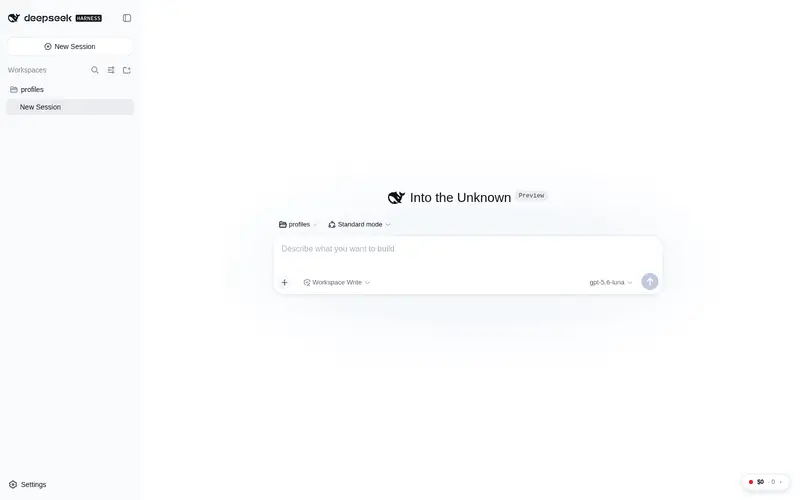
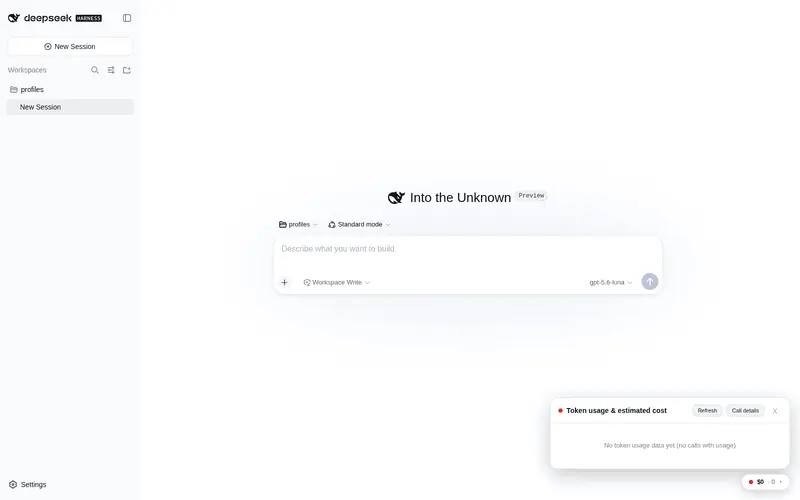
Token usage and estimated spend for the dsh web UI: floating panel with per-model, per-day, and per-session stats.
Best for
- DSH Web users who want token and estimated-cost visibility by model, day, session, provider, or workspace
- Teams monitoring budgets, cache hit rates, usage trends, and model performance from persisted sessions
- Users comparing subscription-plan usage with token-based cost estimates
Not ideal for
- Billing reconciliation that requires exact invoices, because all displayed costs are estimates
- Calls without provider usage data, because they are excluded from the usage totals
- Non-Web or non-DSH workflows that do not produce the session logs this plugin replays
- Environments where session-log decode errors would leave unacceptable gaps in reporting
README
dsh-spend
Token usage & cost monitor for DeepSeek Harness — floating widget with multi-dimensional stats, time-series charts, auto-detected billing plans (Code/Token) and estimated spend.
dsh 用量与计费仪表盘:token 调用量、按模型 / 供应商 / 时间统计、预计费用,自动识别订阅制(Code)与按量(Token)计费计划。
| 简体中文 | English |
在 dsh Web UI 右下角显示一个悬浮用量窗口,查看 token 调用量、多维度统计与预计计费金额。
交互方式:
- 悬浮胶囊(右下角):始终显示预计费用与总 Token;
- hover:浮现摘要预览(费用、Token、输入 / 输出 / 缓存读、调用次数、今日小计);
-
点击:展开详情面板,四个标签页;面板顶部有工作区筛选下拉(按项目限定全部统计口径,支持逐级下钻子目录):
- 总览(仪表盘,参考主流用量面板的 KPI + 趋势布局):统计栏(预计花费(月)+ 构成、当月预计(本月按量外推)、按 token 估算、总 Token、调用、会话、平均 / 次、缓存命中率、月预算(可选配置,超 80% 胶囊变黄、超 100% 变红)、活跃天数 / 连续使用)+ 计划用量(自动识别 Code/Token 计划、档位、额度使用与剩余)+ 时间曲线(默认近 24 小时,可切换 24h / 72h / 7d;横轴从范围内首个有调用的小时起算避免空白,跨天处自动标注日期避免重复小时标签)+ 活跃热力图(近 52 周,GitHub 风格,颜色深度 = 当日 Token 量,悬停看 Token / 费用 / 调用)+ 费用 Top 提供商 / Top 模型(各 6 行)+ 近 31 天趋势;
- 今日:当天的调用数、Token 与费用小结 + 今日逐小时的 Token / 费用图表(横轴从当天首个有调用的小时起算,避免凌晨空白;当天无调用时窗口收敛到当前小时);
- 性能:每个模型的首字延时(TTFT)均值 / P50 / P90、生成速度(tokens/s)、总延迟均值,以及按小时的 TTFT / 速度曲线(同样支持 24h / 72h / 7d 范围切换,并同样从首个有样本的小时起算);
- 调用明细:每个会话 × 模型的调用次数、token 与费用明细 + 按工作目录统计(各项目会话数 / 模型数 / 调用 / 费用)+ 按会话统计 + 最近调用(费用远超均值的异常调用标红点)+ 计费单价表,可在独立窗口中打开(随主窗口自动刷新,支持 CSV / JSON / 调用明细 CSV 导出)。
数据按 refreshSeconds(默认 30 秒)定时自动刷新(间隔由服务端配置下发,页面无需改动),面板内也可手动刷新。
界面预览


供应商自动识别(无需配置)
插件内置供应商知识库(lib/knowledge.js,2026-08-14 官方文档核实):17 个供应商 / 131 个模型价格,provider id 自动归一化别名(glm→zhipu、kimi→moonshot、dashscope→qwen、gemini→google、grok→xai、claude→anthropic、copilot→github-copilot 等)。
订阅制(Code 计划)— 自动识别档位费与额度:
| 供应商 | 默认档 | 档位 | 额度口径 |
|---|---|---|---|
OpenCode Go(opencode-go) |
$10/月 | — | 周 $30(V4 Flash 约 79,050 请求/周) |
OpenAI Codex(openai-codex) |
Plus $20/月 | Plus / Pro 5x $100 / Pro 20x $200 / Business | ~100 请求/周(参考) |
GitHub Copilot(github-copilot) |
Pro $10/月 | Free / Pro / Pro+ $39 / Max $100 / Business / Enterprise | AI Credits 月 $15(Pro) |
Claude Code(claude-sub) |
Pro $20/月 | Pro / Max 5x $100 / Max 20x $200 | 官方未公布请求数(5h 窗口 1x/5x/20x) |
Google AI / Gemini CLI(google-ai-sub) |
AI Pro $19.99/月 | AI Pro / Ultra 5x $99.99 / Ultra 20x $199.99 | 1,500 请求/天(Pro) |
按量计费(Token 计划)— 自动带官方价:
| 供应商 | 已收录模型 |
|---|---|
OpenAI(openai) |
gpt-5.6 sol/terra/luna、gpt-5.5、gpt-5.4 系、gpt-5 系、gpt-5.2、o3/o4-mini/o1 |
Anthropic(anthropic) |
claude-opus-5、sonnet-5、haiku-4-5、fable-5、opus/sonnet-4.x |
Google(google) |
gemini-3.7/3.6/3.5 flash、3.1-pro、2.5 pro/flash/lite |
xAI(xai) |
grok-4.6、4.5、4.3、build-0.1 |
Mistral(mistral) |
large-3、medium-3.5、small-4、ministral-3 |
Moonshot(moonshot) |
kimi-k3、k2.7-code |
智谱(zhipu) |
glm-5.2、5.1、5 |
阿里(qwen) |
qwen3.8-max、3.7-max/plus/flash |
MiniMax(minimax) |
m3、m2.7 |
OpenRouter(openrouter) |
实时目录 50 个热门模型 |
OpenCode Zen(opencode-zen) |
PAYG 网关价(Claude/GPT/Gemini/Grok/DeepSeek) |
DeepSeek(deepseek) |
v4-flash、v4-pro |
- 日志中出现的提供商自动匹配知识库生成计划与价格(UI 标记”自动识别”);显式
plans/pricing配置始终覆盖自动识别。 - 费用口径:Code 计划按订阅费、Token 计划按估算用量计入「预计花费(月)」;”按 token 估算”仍单独展示,用于对比。
- 官方未公布额度的计划(如 Claude Code)显示档位表而非进度条;额度按官方周期(天/周/月)计量。
工作原理
- 服务端插件(
lib/index.js)注册为 Typert Remote 服务usageStats(通过网关的 SRC 发现机制,无需生成描述符文件)。 - 浏览器端(
lib/client.js)不走 typert 命名空间,直接以ctx.connection.rpc.call("/api", "usageStats/query", ...)调用宿主网关(与生成的 Remote 命名空间同一载体),因此无需在 inject 中声明由插件自身创建的命名空间。 - 悬浮窗口通过插件自己的 React root 挂在
document.body上(position: fixed; right: 20px; bottom: 20px),卸载时自动移除。 - 直接回放
$DSH_HOME/sessions下所有会话的持久化日志(zstd 分帧逐帧解码),按 token-meter 的语义聚合:assistant/chunk的 usage 为早期样本,assistant/message的 usage 为同一 (turn, step) 的最终样本并替换早期样本,因此不会重复计数;当前内存中的活动会话事件也会合并进来。 - 费用 = Σ(各桶 token × 对应单价 / 1e6),单价解析按提供商自动匹配:先找 (provider, model) 精确行,再找通用 model 行,最后回退默认单价——因此每个 AI 提供商(如 opencode-go 与 openai-codex)都按其官方价目各自计费,互不干扰。
- 统计维度:总账 / 按提供商 / 按模型 / 按小时(0 填充的连续时间序列,用于曲线图)/ 按天 / 按会话 / 最近调用 / 性能(每步首字延时 TTFT、生成速度 tokens/s、总延迟,按模型与按小时聚合)/ 会话 × 模型明细。
- 性能口径:TTFT = 请求(
request/header)→ 首个内容 chunk;生成时长 = 首 → 末内容 chunk;tokens/s = 输出 token ÷ 生成时长。工具调用后的续写步骤没有独立请求日志,其 TTFT 以step/start为起点估算(样本带ttftEstimated标记)。 - 快照按「会话文件大小 + mtime + 活动会话事件数」做签名缓存,数据未变时直接返回缓存。
安装
插件包声明了 dsh.bundle 清单,dsh plugin add 后由 CLI 自动挂载进 profile 层——无需手动编辑任何配置文件:
# 1. 安装到 web profile(pnpm 转发,支持 npm 包 / github:owner/repo / 本地路径)
dsh plugin --profile web add dsh-spend

# 2. 验证已挂载(组合配置中出现 usage-stats 行)
dsh --profile web --dump-config | grep usage-stats

# 3. 重启 dsh web(改动需要重启加载,HMR 对插件不生效)
dsh web
也可以从源码安装:dsh plugin --profile web add github:nonewind/dsh-spend(或本地路径 -w /path/to/dsh-spend)。
覆盖默认配置:插件内置供应商知识库自动识别价格与计费计划(见上方),一般无需配置。需要覆盖时,在 ~/.dsh/profiles/web/cordis.patch.yml 中加入同 id(usage-stats)的 insert 行即可——用户层在 bundle 层之后应用,同名行覆盖生效(配置项见下方「配置」章节)。
配置
cordis.patch.yml 中 usage-stats 行的 config(当前已写入官方价,见下方「价格来源」):
config:
  currency: USD            # CNY(¥)或 USD($)
  pricing:                 # 按模型精确匹配的单价(每百万 token)
    - model: deepseek-v4-flash
      inputPerMillion: 0.14
      outputPerMillion: 0.28
      cacheReadPerMillion: 0.0028
      cacheWritePerMillion: 0
  defaultPricing:          # 未知模型的回退单价
    inputPerMillion: 0.14
    outputPerMillion: 0.28
    cacheReadPerMillion: 0.0028
    cacheWritePerMillion: 0
  maxSessions: 20          # 按会话统计最多展示行数
  maxRecentCalls: 50       # 最近调用最多展示行数
  seriesHours: 168         # 时间曲线窗口(小时,服务端按此出 0 填充连续序列;UI 可切换 24h/72h/7d)
  refreshSeconds: 30       # 悬浮窗自动刷新间隔(秒,>= 5)
  monthlyBudget: 50        # 可选:月度花费预算(单位同 currency),UI 显示已用/剩余并告警
  plans:                   # 计费计划:判断 Token Plan / Code Plan 并展示使用量与剩余量
    - provider: opencode-go
      type: token          # token 计费:已用费用(估算);balance 为充值余额(可选)
      # balance: 100
    - provider: openai-codex
      type: code           # 订阅额度制:使用量取近 periodDays 天的实际消耗
      quotaRequests: 100   # 周期请求额度(也可用 quotaTokens 按 token 额度)
      periodDays: 7
计价行可加可选
provider字段做提供商精确匹配(如provider: openai-codex), 不带 provider 的行对任意提供商的同名模型生效;未匹配到任何行时回退defaultPricing。 Token Plan 的「剩余」= 配置的充值余额 − 累计已用费用;Code Plan 的「剩余」= 额度 − 周期内实际消耗。 未配置plans的提供商不显示计划卡片(默认按 token 计费口径展示费用)。
价格来源(2026-08-14 官网查证)
单价均来自厂商官方定价页,已写入本地配置;费用 = Σ(各桶 token × 对应单价 / 1e6)。下表为 2026-08-17 前的 legacy 价;8/17 起 DeepSeek 自动按峰谷价计价(见下方 ⚡ 说明,provider 为 deepseek 或 deepseek-official 时均生效):
| 模型 | 输入(未命中) | 输入(缓存命中) | 缓存写 | 输出 |
|---|---|---|---|---|
| deepseek-v4-flash | $0.14 | $0.0028 | 0* | $0.28 |
| deepseek-v4-pro | $0.435 | $0.003625 | 0* | $0.87 |
| gpt-5.6-sol | $5.00 | $0.50 | $6.25 | $30.00 |
| gpt-5.6-terra | $2.00 | $0.20 | $2.50 | $12.00 |
| gpt-5.6-luna | $0.20 | $0.02 | $0.25 | $1.20 |
- DeepSeek:官方定价页(2026-08-14 抓取)。*DeepSeek 的上下文硬盘缓存自动生效、无单独缓存写入计费项,故
cacheWritePerMillion: 0。 - OpenAI:官方定价页(2026-07-30 降价后),缓存写 = 未命中输入 × 1.25。Luna 已降 80%($1→$0.20 输入 / $6→$1.20 输出)。
- ⚡ DeepSeek 峰谷计价已内置(2026-08-17 00:00 北京时间生效;高峰 09:00–12:00 / 14:00–18:00 本地时间,其余空闲为高峰一半):v4-flash 高峰 $0.014(命中)/$0.44(未命中)/$1.32(输出)、空闲减半;v4-pro 高峰 $0.044/$1.32/$3.96、空闲减半。计价行可带
schedule(effectiveAt+peakHours+peak/offPeak价格),每条调用按自身发生时刻与时段计价——8/17 前按上表 legacy 价,之后按峰谷价,历史调用不重算(计费单价表中带”峰谷计价”徽章)。 - ⚠️ OpenCode Go 是订阅制(非按 token 计费):其用量不按上表 token 单价扣费,而是消耗 $10/月订阅的美元额度(5h $12 / 周 $30 / 月 $60)——「按 token 估算」仅作相对占比参考,真实花费看「预计花费(月)」与计划卡片。
- 若你的 provider 经代理中转计费(非官方直连),请按代理实际账单覆盖对应模型的单价。
费用为按官方单价的估算值,仅作参考,非账单;页面底部亦有免责说明。
目录结构
dsh-spend/
├── package.json        # 双端声明:dsh.client(web 平台 + 注入边)
├── lib/
│   ├── index.js        # 服务端插件:UsageStatsService(Typert Remote)
│   ├── knowledge.js    # 供应商知识库:计划自动识别(Code/Token)
│   ├── stats.js        # 纯回放/聚合/计费逻辑(可独立测试)
│   └── client.js       # 浏览器 bundle(手写 __ModuleLoader__ 格式)
└── node_modules/       # 指向 dsh 安装的依赖符号链接(本地开发,不入库)
说明与边界
- 统计口径与 harness 的 token-meter 投影一致:仅统计带 provider usage 的调用;
reasoning 计入 output 桶的细分(如日志提供
reasoningTokens)。 - 计费为估算值,不是账单;缓存读按命中单价计费。
- 日志解码失败的会话会计入
decodeErrors并在页脚提示。
Frequently Asked QuestionsFAQ
Use the verified command dsh plugin --profile default add github:nonewind/dsh-spend in a DSH-enabled shell. The command resolves the public package metadata and keeps the plugin attached to the catalog identity shown on this page.
Compatibility follows the bundle and profile status shown above. If a profile is not detected, keep the plugin disabled there and check the repository documentation before enabling it in production.
The GitHub link and activity metadata are the source of truth for releases and maintenance. Revisit this page after a new release to confirm the catalog has observed the latest version.