Nothree-code/voco-input-sh
DeepSeek Harness (dsh web) 语音输入插件:集成 VocoType 本地离线识别,识别结果自动插入聊天输入框(自动部署/防重复/持续输入)
Listed
2
Voice
Bundle verified
Preview
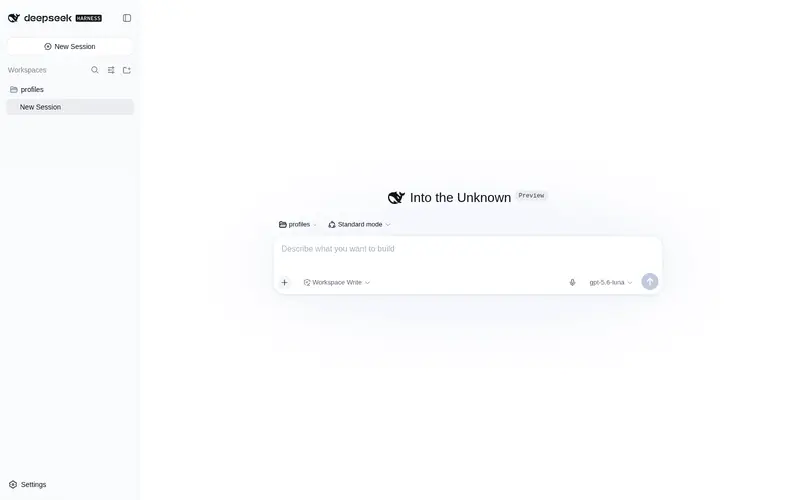
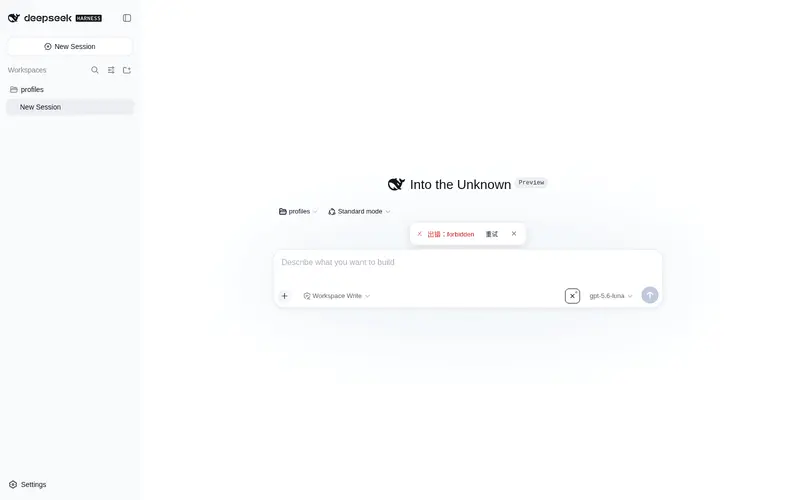
What it does
Voice input for the Web UI: a mic button that drives local VocoType offline speech recognition and auto-inserts recognized text into the composer (auto-deploy, dedupe, continuous dictation).
Best for
- Windows-based DSH Web users who prefer local, offline Chinese voice dictation into the composer.
- People entering multiple spoken sentences continuously and needing recognized text deduplicated against VocoType's own paste behavior.
- Users who want VocoType detection, startup, and deployment handled from the microphone interface.
Not ideal for
- Non-Windows environments, because deployment and operation rely on PowerShell, Windows paths, and VocoType's Windows installation flow.
- Restricted or low-storage environments that cannot accommodate the initial installer download and roughly 1.6 GB model download.
- Users who do not want the plugin to download and silently install local speech-recognition software when VocoType is absent.
README
voco-input-sh
DeepSeek Harness(dsh web)持久语音输入插件:在聊天输入框旁提供麦克风按钮,弹出录音面板,把本地语音识别软件 VocoType 的识别结果自动插入输入框。
基于 VocoType(开源离线语音输入,Paraformer 中文识别 + FSMN-VAD + CT-Transformer 标点),本插件负责「检测/启动/自动部署 VocoType → 读取识别日志 → 去重 → 自动插入输入框」的完整闭环。
功能特性
- 🎙 麦克风按钮:输入框工具行右侧,千问风格图标,hover 高亮、录音中红点呼吸
- 🪟 录音面板:输入框上方弹出,波形动画 + 状态提示 + 累计计数(已插入 N 条)
- 🚀 自动准备引擎:检测 VocoType 进程 → 未运行自动启动 → 未安装自动下载官方安装包(NSIS 静默安装到
%LOCALAPPDATA%\Programs\VocoType) - ✂️ 防重复插入:VocoType 会把文字粘贴到焦点窗口,插件插入前检查草稿是否已包含该文本,避免双份
- 🔁 持续输入:点一次按钮开始,连续说多句全部自动插入,再点按钮结束
- 🔧 错误重试:面板出错时提供「重试」按钮
- ⚡ mtime 优化轮询:日志文件无变化时不重复读取
- 💾 路径动态探测:日志路径基于
%LOCALAPPDATA%,exe 探测 5 个常见安装位置,换机器可用
安装
- 将本包放入 dsh profile 的
packages/目录(例如C:\Users\<你>\.dsh\profiles\web\packages\voco-input-sh) -
在 profile 根目录安装:
cd <你的 profile 目录> # 例如 C:\Users\<你>\.dsh\profiles\web pnpm add "file:./packages/voco-input-sh" -
在
cordis.patch.yml添加挂载行:- insert: - id: voco-input-sh name: 'voco-input-sh' - 重启 dsh web,麦克风按钮自动出现在聊天输入框工具行。
依赖项:需要 pnpm。VocoType 会自动部署,无需预装(首次会自动下载约 25MB 安装包并静默安装,模型约 1.6GB 由 VocoType 首次启动时下载)。
使用
- 点击输入框右侧 🎙 按钮 → 弹出录音面板(波形动画 +「按住 AltRight 说话」)
- 按住
AltRight说话,松开 - 识别文字自动插入输入框(若 VocoType 已粘贴到输入框则自动去重)
- 连续说多句会全部按顺序插入;再点按钮(或面板 ✕)结束
工作原理
┌─────────────┐  识别完成   ┌──────────────────┐   写日志   ┌────────────────────────┐
│  VocoType   │ ──────────► │ 剪贴板 + Ctrl+V  │ ────────► │ %LOCALAPPDATA%\VocoType\│
│ (AltRight)  │             │ (粘贴到焦点窗口)  │            │ logs\VocoType.log      │
└─────────────┘             └──────────────────┘            └───────────┬────────────┘
                                                                        │ 轮询(600ms, mtime优化)
┌─────────────────────────┐   setDraft(草稿拼接)   ┌────────────────────▼─────────┐
│ 输入框(React 受控)     │ ◄──────────────────────│ 插件 Client(slot 面板)     │
└─────────────────────────┘                        │  草稿包含→跳过(去重)       │
                                                   │  未包含→拼接插入             │
                                                   └─────────────┬───────────────┘
                                                          fetch /dsh-voco-*
                                                   ┌─────────────▼───────────────┐
                                                   │ 插件 Host(webServer 路由)  │
                                                   │ ensure / baseline / poll    │
                                                   └────────────────────────────┘
-
Host(
lib/index.js):Node ESM,webServer注册三条 HTTP 路由(/dsh-voco-ensure、/dsh-voco-baseline、/dsh-voco-poll),node:fs直读日志、child_process调 PowerShell 检查/启动/部署 VocoType -
Client(
lib/client.js):__ModuleLoader__bundle,slots注册按钮(conversation.input.right)与面板(conversation.input.dock),fetch轮询路由,inputActions.setDraft()写入输入框
开发与同步
源码与运行副本(node_modules/voco-input-sh)需保持一致。修改 packages/voco-input-sh/ 下的 package.json、lib/index.js、lib/client.js 后,在包目录执行:
powershell -ExecutionPolicy Bypass -File sync.ps1
然后重启 dsh web 生效。
目录结构
voco-input-sh/
├── package.json      # 包定义(dsh.client 声明)
├── lib/
│   ├── index.js      # Host:HTTP 路由(ensure/baseline/poll)
│   └── client.js     # Client:按钮 + 录音面板(slots)
├── sync.ps1          # 一键同步到 node_modules
└── README.md
相关项目
- 233stone/vocotype-cli — VocoType 开源语音输入引擎
- DeepSeek Harness — 本插件的宿主环境
安全加固(v0.1.1)
本版本根据三模型安全评估修订:
-
部署操作改 POST + anti-CSRF token:
/dsh-voco-ensure从 GET 改为 POST,必须携带/dsh-voco-token下发的每进程令牌,封堵跨站<img>触发「下载+静默安装」。 -
供应链加固:下载链路移除
--ssl-no-revoke;安装包固定 SHA-256(5629de8a…02c5c2),下载后先校验、不匹配即删除并中止,杜绝篡改/替换安装包。 - Origin/Sec-Fetch-Site 守卫:全部 3 条路由拒绝跨站请求与外来 Origin。
-
去掉硬编码用户路径:日志路径完全基于
%LOCALAPPDATA%(回退homedir/AppData/Local),换机器可用,不再泄漏主机用户名。 - GBK 日志回退:日志按 UTF-8 读取失败时自动改用 GBK 解码,中文识别不再乱码。
- 执行超时:PowerShell 调用加 180s 超时,安装器卡住不再挂起路由;客户端 ensure 请求 120s 超时。
- 升级方式:同步
sync.ps1后完全重启 dsh web。
License
MIT
Frequently Asked QuestionsFAQ
Use the verified command dsh plugin --profile default add github:Nothree-code/voco-input-sh in a DSH-enabled shell. The command resolves the public package metadata and keeps the plugin attached to the catalog identity shown on this page.
Compatibility follows the bundle and profile status shown above. If a profile is not detected, keep the plugin disabled there and check the repository documentation before enabling it in production.
The GitHub link and activity metadata are the source of truth for releases and maintenance. Revisit this page after a new release to confirm the catalog has observed the latest version.